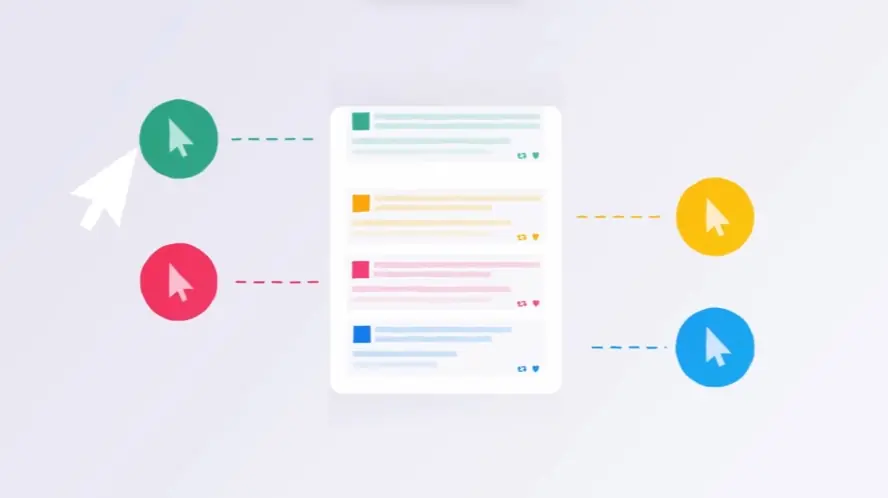
Interactive demos generate 2x higher engagement than static videos; leads close 20-25% faster in 2026.
75% of B2B buyers prefer rep-free journeys, making UI walkthroughs the primary self-education tool for 2026.
Screen-based attention collapsed to 43 seconds in 2026; the first 8 seconds determine all video conversion ROI.
Shortening sales cycles to 45 days via ungated video tours increases 2026 pipeline velocity by 38% annually.
70% of 2026 SaaS buyers demand usage-based pricing transparency, requiring visual evidence of billing value in walkthroughs.
1. Credit Karma Product walkthrough video
Pricing
PT1M
Duration : 1 minute and 0 seconds
Finding yourself buried under financial burdens can feel overwhelming, a weight the animation captures with striking honesty. The initial scene portraying unexpected setbacks resonates deeply, showing the human side of credit challenges beyond just numbers. It vividly illustrates the struggle and the feeling of being swamped by debt.
But the film shifts powerfully, offering a visual roadmap to recovery. Credit Karma is presented as the essential guide in regaining stability. Through the product walkthrough video segments, we witness the tangible results of positive action, showing a score climbing and the burden lifting. This story inspires hope, demonstrating that starting small can lead to significant financial and personal progress.
2. MEDHOST Platform demo video
Pricing
PT1M
Duration : 1 minute and 11 seconds
Integrated healthcare platform solutions, this MEDHOST platform demo video skillfully transforms complex hospital operations into a clear narrative of empowerment. Using dynamic 3D animation and compelling superhero metaphors, it illustrates how MEDHOST's robust, integrated EHR system acts as the essential support character, enabling healthcare professionals to achieve peak efficiency and deliver exceptional patient care daily.
Why It Stands Out:
Empowering Healthcare's Everyday Heroes: MEDHOST's Strategic Support The video masterfully employs a relatable superhero and sidekick metaphor, positioning healthcare professionals as vital heroes supported by MEDHOST's intelligent platform. Through fluid 3D character animation, it visually conveys how MEDHOST empowers staff to overcome daily challenges, fostering a sense of capability and transforming potentially overwhelming workflows into streamlined success stories.
Seamless Integration, Visually Demonstrated: MEDHOST's Connected Ecosystem MEDHOST demystifies complex integrated EHR systems through striking visual analogies, featuring data flowing through transparent pipelines connecting various hospital facilities. This clear, animated representation of a comprehensive network demonstrates the platform's ability to unify clinical, financial, and consumer engagement solutions, showcasing its seamless operational efficiency for both independent and multi-facility networks.
* Crafting Trust through Elegant Efficiency: MEDHOST's Architectural Brand Identity The videos high production value and modern, minimalist CGI aesthetic build immediate credibility and brand authority. A standout "signature" technique involves the letters of "MEDHOST" ingeniously transforming into stylized hospital buildings, powerfully merging brand identity with functional representation. This sophisticated visual storytelling positions MEDHOST as a foundational, future-ready partner in healthcare technology.
3. Cytiva Platform demo video
Pricing
PT1M
Duration : 1 minute and 11 seconds
This Cytiva platform demo video illuminates the transformative power of a unified digital hub, €œMy Equipment,€ designed to simplify complex laboratory asset management. Through a clean, intuitive UI walkthrough, it presents a compelling solution for overseeing Cytiva equipment, streamlining service requests, and accessing critical documentation anytime, anywhere, ultimately driving operational efficiency and user confidence.
Why It Stands Out:
Centralized Digital Control, Anytime, Anywhere: The video expertly showcases Cytiva's "My Equipment" as a singular, cloud-integrated platform accessible across devices. This animated demonstration emphasizes the system's ability to consolidate diverse equipment data, transitioning users from fragmented management to empowered, remote control over their entire asset ecosystem.
Streamlined Service Requests & Transparent History: Highlighting a key user pain point, the animation meticulously illustrates the effortless process of initiating service requests and reviewing comprehensive service histories. The clear UI interactions, synchronized with precise narration, establish the platform's role in optimizing maintenance workflows and fostering complete transparency for Cytiva users.
* Unlocking Equipment Insights with User-Friendly UI: Through sophisticated vector animation and a thoughtful hierarchical visual presentation, the video simplifies access to crucial information like OptiRun service contracts and warranty details. This approach transforms potentially overwhelming data into digestible, actionable insights, demonstrating Cytiva's commitment to enhancing user experience through intelligent information design.
4. SIG UI demonstration video
Pricing
PT1M
Duration : 1 minute and 13 seconds
Packaging steps into the digital age, unlocking a wealth of potential. This vivid video from SIG illustrates how connecting physical products to online experiences transforms passive containers into interactive tools for consumers and supply chain partners.
Scanning a package becomes an act of discovery, revealing verifiable data, deeper insights, and unique digital engagement opportunities. This clear UI demonstration video inspires by showcasing the power of intelligent packaging to build trust and forge stronger connections, highlighting a compelling path for future communication.
5. Amazon Lookout App walkthrough video
Pricing
PT1M
Duration : 1 minute and 21 seconds
Automated metric anomaly detection is brilliantly illustrated in this Amazon Lookout for Metrics walkthrough, transforming the challenge of manual data monitoring into a seamless, AI-driven process. The video masterfully utilizes precise line-art animation and insightful motion graphics to visually demystify how organizations can uncover critical business anomalies and gain actionable insights without requiring machine learning expertise.
Why It Stands Out:
Dynamic Visuals of Automated Anomaly Detection: The video vividly demonstrates the power of Amazon Lookout for Metrics through crisp line-art animation and flowing data streams. It features an iconic magnifying glass with an AI brain icon, visually symbolizing how machine learning intelligently inspects diverse business metrics and instantly flags unexpected dips or surges with clear, concise alerts.
Effortless Anomaly Grouping and Root Cause Summary: Complex data diagnosis is streamlined as the animation visually groups related anomalies. This unique feature of Amazon Lookout for Metrics helps users quickly understand interconnected issues, providing summarized potential root causes and accelerating the path to understanding the "why" behind critical performance shifts.
* Prioritize Action with Ranked Severity: Beyond mere detection, the video clearly articulates how detected anomalies are ranked by severity and presented on a structured timeline. This intelligent prioritization empowers users to focus immediately on the most impactful issues, enabling swift and decisive action to resolve problems and capitalize on opportunities, enhancing overall business resilience with Amazon Lookout for Metrics.
6. SKURIO Feature demonstration video
Pricing
PT1M
Duration : 1 minute and 23 seconds
This automated digital risk protection UI walkthrough clearly articulates how SKURIO simplifies complex cybersecurity challenges by providing proactive, comprehensive external threat monitoring. Through engaging 2D motion graphics, the video vividly illustrates the escalating digital risks of cloud migration and then demonstrates SKURIO's automated system for tracking and alerting on potential data breaches across the surface, deep, and dark web.
Why It Stands Out:
Mapping the Invisible: Visualizing External Digital Exposure: The video excels by making abstract external digital risks tangible. It uses clear visual metaphors, like expanding cloud environments and lurking threat icons, to demonstrate how digital transformation increases exposure beyond traditional network defenses, effectively setting the stage for SKURIO's unique value.
AI-Driven Threat Intelligence Across Web Layers: SKURIO's core capability is brought to life through a dynamic, animated "radar" or "cog" actively scanning the surface, deep, and dark web. This signature visualization powerfully conveys the product's automated, round-the-clock surveillance for critical threats and data breaches, distinguishing its comprehensive reach from conventional security solutions.
* Actionable Alerts & Expert Guidance for Rapid Response: The final UI walkthrough effectively highlights SKURIO's user-centric design. By showcasing intuitive alerts and direct access to expert analysts within the platform, the video reassures viewers that they will receive timely, actionable intelligence and support, empowering them to take swift, confident action against detected digital risks.
7. Bell Virtual Network Software demo video
Pricing
PT1M
Duration : 1 minute and 27 seconds
Bell virtual network services explained, this software demo masterfully narrates the evolution of network infrastructure from cumbersome hardware to agile, cloud-native solutions. It visually deconstructs the challenges of traditional setups, then orchestrates a compelling transformation where complexity is streamlined into a single, intelligent virtual platform, positioning Bell as an innovator in digital transformation.
Why It Stands Out:
From Physical Racks to Cloud Power: The Visual Metamorphosis of Networks: The video brilliantly uses 3D isometric animation to depict the transition from bulky physical server stacks to a single, sleek virtual device, culminating in a powerful cloud icon. This seamless visual metaphor underscores the dramatic hardware simplification and flexible virtualization offered by Bell Virtual Network Services, making an abstract concept tangibly clear.
Agile Operations, Optimized Performance: Responsive Network Management at Your Fingertips: Highlighting immediate configuration and deployment, the animation demonstrates how businesses can effortlessly deploy new branches, accommodate peak times, and launch services. The integrated progress bar and clear check-mark visuals convey the speed and ease of on-demand network control, empowering users with unprecedented agility.
* Beyond Hardware: Confident Control with Bell's Virtual Network Services: By emphasizing a simplified network infrastructure delivered on Bells secure cloud, the video assures end-to-end management with advanced analytics. It confidently positions Bell's expert support team as integral to reducing complexity, enabling businesses to optimize critical applications and trust in a robust, future-proof network solution.
8. dSPACE Software walkthrough video
Pricing
PT1M
Duration : 1 minute and 27 seconds
Race car data optimization platforms are crucial for competitive advantage, and this dSPACE software walkthrough masterfully illustrates how its solutions orchestrate complex data ecosystems to unlock peak performance and efficiency in motorsport development. The video visually demystifies the intricate real-time data flows, cloud telemetry, and digital twin simulations that transform abstract technical processes into a compelling narrative of continuous competitive advantage.
Why It Stands Out:
Dynamic Data Streams: Visualizing the Invisible Edge dSPACE excels at making the unseen visible, depicting data as luminous, high-velocity particles and streams moving within and around race cars. This sophisticated CGI transforms complex telemetry€”from sensor to actuator€”into an energetic ballet, intuitively communicating the sheer volume and speed of information processing required for modern racing.
Cloud-Driven Connectivity: Orchestrating Global Motorsport Data The video highlights dSPACE's cloud-based telemetry solutions, such as Race Connect, demonstrating how real-time vehicle data is securely transferred via encrypted LTE to a central hub. This global connectivity enables race teams, organizers, and manufacturers to access, monitor, and make critical adjustments regardless of time or location, unifying the data ecosystem.
Digital Twin Simulations: Accelerating Development & Performance By showcasing digital twin technology, dSPACE illustrates how virtual representations of on-vehicle computer hardware replace expensive real-world testing. This simulation software provides a powerful feedback loop for rapid development and optimization, giving manufacturers and racing series worldwide the decisive edge in achieving record times and enhancing safety.
9. Slack Feature demonstration video
Pricing
PT1M
Duration : 1 minute and 27 seconds
Slack Canvas feature demo expertly showcases how Slack Canvas redefines team collaboration, acting as a dynamic, centralized hub for all project-related information. Through a fluid UI walkthrough and conceptual motion graphics, the video demonstrates its unparalleled ability to consolidate diverse content, streamline workflows, and ensure complete team alignment.
Why It Stands Out:
From Fragmented Chat to Unified Canvas: Centralizing Project Knowledge: The Slack video powerfully opens by visualizing scattered communication converging into the unified Slack Canvas. This strategic visual metaphor instantly conveys how Slack Canvas tackles information fragmentation, creating a single, interactive source of truth for all project details.
Interactive Workflows: Driving Decisions with Dynamic Content: The demonstration meticulously highlights Slack Canvas's interactive blocks, from action items and approval requests to embedded rich media and direct stakeholder identification. This feature-rich presentation positions Slack Canvas as a proactive tool that streamlines workflows and accelerates decision-making directly within the workspace.
* Seamless Integration & Discoverability: Building a Connected Digital Workspace: By showcasing its native integration within the Slack ecosystem and emphasizing universal searchability across all content, this video underscores Slack Canvas's role in fostering a truly connected digital workspace. It illustrates how teams, including external partners via Slack Connect, can efficiently access and contribute to organized information, enhancing overall productivity and collaboration.
10. BlueShift AI App tutorial video
Pricing
PT1M
Duration : 1 minute and 30 seconds
AI customer data personalization is meticulously demonstrated in this BlueShift AI App tutorial video, which systematically illustrates how complex customer data is transformed into intelligent, actionable insights. The video precisely showcases the platform's ability to predict engagement, personalize content, and optimize campaign delivery, empowering marketers to achieve superior customer engagement and revenue growth.
Why It Stands Out:
Unlocking Actionable Customer Intelligence: BlueShift AI systematically analyzes customer profiles, activity, and real-time behaviors to generate precise predictive scores. Intuitive information design, using clear percentage metrics, transforms raw data into quantifiable insights, empowering marketers with smarter, data-driven decisions.
Precision Personalization Across the Journey: This tutorial highlights how BlueShift AI crafts hyper-personalized experiences, recommending ideal products and delivering tailored content for each customer. The BlueShift AI App translates individual insights into relevant interactions, fostering deeper engagement throughout the entire customer lifecycle.
* Optimized Campaign Delivery for Maximum Impact: Beyond content personalization, BlueShift AI intelligently optimizes campaign execution, selecting the ideal channel, send time, tone, and style. This multichannel optimization ensures messages reach customers at their most receptive moments, significantly boosting engagement and maximizing revenue, as exemplified by Tradera's 131% sales increase.
11. Enable Software demo video
Pricing
PT1M
Duration : 1 minute and 30 seconds
This 3D animated explainer for Enable visually transforms the "rocket science" of complex B2B rebate deal management into a streamlined, transparent, and profitable process. It masterfully uses a character-driven narrative and powerful visual metaphors to illustrate how Enable simplifies multi-parameter deals, fosters collaboration, and drives financial control.
Why It Stands Out:
Animating Complex Rebate Deals into Simple Workflows: The video opens with an intricate Rube Goldberg machine, vividly personifying the overwhelming, chaotic nature of traditional B2B deal structures. This brilliant metaphorical visualization then transitions into Enable's platform, demonstrating how diverse rebate types, from product launches to growth incentives, are clearly organized with minimalist iconography, making complex financial mechanics instantly comprehensible.
Fostering Collaborative Transparency Across the Deal Lifecycle: Enable is presented as the central hub where a digital approval workflow seamlessly connects purchasing, accounting, sales, and operations teams with trading partners. This dynamic animation eliminates the friction of "Excel hell," promoting a unified view of deal data and enabling transparent, successful trading relationships that drive mutual growth.
* Driving Profitability and Growth with Strategic Insights: Beyond simplification, the video emphasizes Enable's capacity to deliver critical insights for future planning. Through clear visual data representations of spend, plan, and profit, the platform empowers businesses to make informed decisions, ensuring transparent rebate accruals, clear visibility of outstanding payments, and ultimately launching deals that propel the entire business toward sustained financial success.
12. ABACUS App walkthrough video
Pricing
PT1M
Duration : 1 minute and 44 seconds
This ABACUS app walkthrough video masterfully uses its charming "Mr. Time" character and engaging 2D motion graphics to simplify complex HR processes, demonstrating how the platform transforms tedious manual planning, entry, and processing into a streamlined, efficient, and legally compliant digital workflow. Through a series of clear UI walkthrough simulations and clever procedural animations, the video positions ABACUS as the comprehensive solution for modern personnel management, giving businesses back valuable time.
Why It Stands Out:
Animated Workflows Streamline Personnel Assignments: The video employs fluid 2D character animation and a clean UI walkthrough to visually break down complex personnel assignment planning. It illustrates how ABACUS facilitates effortless entry of working hours, expenses, and absences across various devices, replacing manual drudgery with intuitive digital processes.
Automatic, Legally Compliant Calculations: Complex calculations for night, Sunday, and holiday supplements, alongside break corrections, are animated using stacking, color-coded blocks. This vivid procedural animation visually confirms that ABACUS automatically handles payroll-relevant data with precision and ensures full legal compliance, eliminating error-prone manual computations.
* Engaging Mr. Time Guides Users to Efficiency: The animated "Mr. Time" character personifies the software's time-optimizing capabilities, acting as a friendly, expert guide. This unique storytelling approach makes the usually dry topic of HR software engaging and relatable, clearly demonstrating how the ABACUS system facilitates efficient planning, entry, calculation, evaluation, and processing of all time-related data.
13. Taskade App tutorial video
Pricing
PT1M
Duration : 19 seconds
AI project management explainer video Taskade strategically showcases its platform's ability to revolutionize efficiency through intelligent automation and real-time collaboration. This concise demo leverages vibrant, abstract motion graphics and synchronized on-screen text to effortlessly communicate how its AI agents simplify complex project setup and streamline workflows, empowering users to achieve unparalleled productivity, whether solo or in a team.
Why It Stands Out:
AI-Driven Project Orchestration: Taskade's core differentiator, its AI agents, are visually represented with glowing, responsive graphics that dynamically set up projects and generate workflows €œjust by asking.€ This instantly communicates intuitive, intelligent automation that eliminates initial setup complexities.
Dynamic Visual Workflow Clarity: Complex concepts like workflow generation and task completion are translated into a visually engaging narrative through abstract, neon-outlined animations. This minimalist yet impactful approach ensures the functionality of Taskade is understood quickly and clearly, without overwhelming the viewer.
* Unleashing Ultimate Productivity: The video culminates in a powerful promise of enhanced efficiency and real-time collaboration, highlighted by the transforming infinity loop and the message, "Become the most efficient. Even if it's just you." This positions Taskade as a scalable solution for peak performance.
It’s crucial to plan ahead when it comes to high-quality video production. Discuss with our team, how you can get visual style, budget, timeline in sync.
How should my UI walkthrough video showcase key features for effective onboarding?
Showcase key features progressively, using clear visuals and concise explanations. Focus on user benefits, not just technical functionality. For example, highlight the ease of report creation, not just the steps involved.
What narrative approaches best engage users in a platform walkthrough?
Craft narratives that resonate with user needs and goals. Effective approaches include problem/solution or journey-based storytelling, tailored to your specific audience.
How can storytelling enhance my UI walkthrough video for lead generation?
Elevate your UI walkthrough beyond a simple demonstration. A compelling narrative connects with potential customers on an emotional level, driving conversions and fostering brand loyalty.
What's the ideal length for a UI walkthrough video to maintain viewer engagement?
Maintain viewer engagement with concise walkthroughs, ideally under two minutes. Break longer tutorials into digestible segments for optimal learning and retention.
How do I tailor my platform tutorial for different target audience segments?
Tailor tutorials to resonate with each target audience segment. Focus on relevant features, address specific pain points, and demonstrate value based on their unique needs.
What call-to-actions are most effective within a UI walkthrough video?
Drive conversions with strategically placed, contextual call-to-actions. Prompt users to explore specific features, sign up for a free trial, or learn more.
How can my interface demonstration video be optimized for global accessibility?
Optimize for global accessibility by providing subtitles, transcripts, and multilingual voiceovers. Ensure sufficient color contrast and keyboard navigation for users with disabilities.
What visual cues and highlights should my UI walkthrough video emphasize?
Guide viewers seamlessly through your interface using visual cues like highlights, arrows, and zoom effects. Emphasize interactive elements, key navigation paths, and important functionalities.
How should I adapt my software guide for different platforms and devices?
Adapt your software guide for optimal viewing across different platforms and devices. Optimize video resolution and aspect ratio for mobile, desktop, and tablet viewing.
What's the best way to sequence content in my user interface tutorial for clarity?
Structure your tutorial with a logical flow, starting with basic functionalities and progressing to advanced features. Use clear headings, transitions, and concise explanations.
How can interactive elements enhance engagement in my product tour?
Transform passive viewing into active exploration by incorporating interactive elements. Clickable buttons, hotspots, and branching paths enhance engagement and knowledge retention.
What are common pitfalls to avoid when creating a UI walkthrough video?
Avoid common pitfalls like technical jargon, overly long explanations, and poor audio/video quality. Keep your walkthrough concise, engaging, and focused on user benefits.
How can I use screen recordings effectively in my application demo?
Effectively use screen recordings to demonstrate specific workflows and functionalities within your application. Combine them with clear narration and visual cues for optimal clarity.
How do I balance detail and conciseness in my product feature explanation video?
Strike a balance between detail and conciseness in your product feature explanations. Prioritize key features and benefits, avoiding overwhelming viewers with unnecessary technical details.
How can my UI walkthrough video be repurposed for sales enablement materials?
Maximize your video's impact by repurposing your UI walkthrough for various sales enablement materials. Create shorter product demos, feature highlights, or training resources for your sales team. Typical turnaround time for such projects is 3-8 weeks, with pricing ranging from $1000-$6000 depending on complexity and scope.
Designing Engaging and Effective UI Demonstrations
Designing effective UI demonstrations involves a deliberate shift from simple screen recordings to strategic visual communication. Creating a truly impactful Platform Ui Walkthrough Video moves beyond just showcasing features; they focus on guiding viewers through a valuable experience. The goal is to demonstrate tangible benefits and solve user problems right on screen.
They understand the viewer isn't just watching buttons click; they are seeking solutions to their own challenges. This requires deeply knowing the target audience, mapping their potential user journey, and tailoring the demonstration to address their specific pain points and goals. Highlighting how the platform provides real value is paramount.
They prioritize measurable outcomes like reduced user onboarding time, increased feature adoption, and lower support inquiries. Defining key metrics and tracking conversion rates helps evaluate success and demonstrate clear ROI.
They craft a compelling narrative, often structured around a problem-solution framework, using real-world examples or mini case studies. Complex workflows are broken into manageable steps, sometimes utilizing concise micro-videos for just-in-time learning.
They employ strategic visual cues such as highlighting key areas and using animated pointers to guide the eye. Compelling data visualization can illustrate impact, and they ensure accessibility through captions and mobile optimization for broader reach.
They commit to continuous improvement by utilizing analytics to identify drop-off points, gathering user feedback, and strategically placing clear, benefit-driven calls to action to encourage the viewer's next step.
This strategic design approach transforms simple demonstrations into powerful tools for user empowerment and business growth.
What is a Platform Ui Walkthrough Video?
A Platform ui walkthrough video is a digital guide that visually demonstrates how to use a specific platform or software. It's like having a friendly expert walk you through the interface, pointing out key features and functionalities. These videos can range from simple screen recordings with voiceovers to more sophisticated productions with animations and interactive elements.
Platform ui walkthrough videos are commonly used for onboarding new users, educating existing users about new features, or showcasing the capabilities of a platform to potential customers. They provide a more engaging and effective way to learn about a platform compared to traditional text-based tutorials or static documentation.
What do top Platform Ui Walkthrough Videos have in common?
Mastering platform UI walkthrough videos requires focusing on user needs and showcasing clear value.
Ideal User Profile - Focus on specific user personas; tailor the video to their needs.
Compelling Narrative Script - Use a human-centric approach; connect emotionally with viewers.
High-Impact Visuals - Employ professional-quality screen recordings and animations.
Intuitive User Journey - Use visual cues and on-screen text to guide viewers.
Key Feature Showcasing - Highlight features that offer the most significant value.
Problem-Solution Demonstration - Showcase the platform's ability to solve real-world problems.
Real-World Application Examples - Use case studies and testimonials to build trust.
Performance Metrics & Data - Use charts and graphs to present data effectively.
Clear Call to Action - Use strong verbs and create a sense of urgency.
Concise & Engaging Explanations - Use clear, simple language and avoid jargon.
What makes Platform Ui Walkthrough Video effective?
UI walkthrough videos require a deep understanding of the target audience. Define their existing knowledge and tailor the videos complexity and pace accordingly. Show, dont just tell, by narrating a user journey that highlights pain points and the platforms solutions.
Structure the video around a problem, solution, and benefit framework. Use interactive elements like quizzes and hotspots to enhance engagement and comprehension, but judiciously. Maximize impact by ensuring every visual and word contributes to the core message.
Present information progressively, from foundational concepts to advanced features. Guide users towards specific next steps, such as exploring documentation or initiating a trial. Ensure compatibility across devices by adapting resolution and file size.
Utilize a professional voiceover that is clear, engaging, and consistent with the platforms brand identity. Accessibility features, such as closed captions and transcripts, are essential for inclusivity and broader reach. Demonstrating a return on investment through improved user engagement metrics reinforces the videos value.
How long should your Platform Ui Walkthrough Video be?
Optimize platform UI walkthrough video length for maximum impact by aligning video type, content, and target audience.
Pre-production Considerations for Determining Video Length:
What's the video's core message?
Who is the intended viewer?
How many features are crucial?
How intricate is the UI?
What platform dictates length?
Which animation style suits best?
What's the desired user journey?
Platform ui walkthrough video length guide
Platform UI Walkthrough Types
Video Length
Use Case
Funnel
Animated Screen Recording
45-60 seconds
Show UI flow with engaging visuals, ideal for complex interfaces, concise & clear
Awareness/Consideration
Screen Recording
30-45 seconds
Quick, direct demonstration, best for simple UIs, highlighting key features
Consideration/Conversion
Explainer Video
60-90 seconds
Focus on user benefits, problem/solution approach, various animation styles possible
Awareness/Consideration
2D Animation
45-75 seconds
Visually appealing, ideal for complex features, character-driven narratives possible
Consideration/Conversion
Motion Graphics
30-45 seconds
Stylish and modern, great for showcasing key features, minimalist design works well
Consideration/Conversion
How to create Platform Ui Walkthrough Videos?
Mastering platform UI walkthrough videos requires a strategic approach that prioritizes user experience and clear communication. Crafting a compelling narrative that showcases your platform's value is key to driving engagement and conversions.
* Target Audience - Deeply understanding your audience informs every creative decision, ensuring resonance.
Video Purpose - A well-defined purpose ensures a focused narrative, maximizing impact and avoiding confusion.
Narrative Design - A strong narrative transforms a simple walkthrough into a compelling story that users connect with.
Storyboard Creation - A detailed storyboard prevents costly reshoots and ensures a smooth, professional final product.
Visual Selection - High-quality visuals enhance the perceived value of the platform and create a professional impression.
branding Alignment - consistent branding reinforces brand recognition and creates a cohesive user experience.
Platform Optimization - Optimization ensures accessibility across devices, maximizing viewership and engagement.
Screen Recording - High-quality recordings showcase the platform's capabilities clearly and professionally.
Animation/Graphics - Strategic animation clarifies complex processes and enhances viewer understanding and retention.
Voiceover Recording - A professional voiceover adds credibility and guides viewers smoothly through the platform's features.
Interactive Design - Interactive elements increase engagement and allow viewers to explore the platform at their own pace.
Video Editing - Precise editing maintains a fast pace, preventing viewer fatigue and maximizing impact.
Call to Action - A clear, concise call to action drives conversions and encourages viewers to take the next step.
Incorporating User Testimonials into Your Platform Demo Video
Let's talk about adding the human touch to your platform demos. Think about it: you're showcasing a fantastic product, but potential users want to know if it truly delivers. That's where the power of user testimonials comes in. They bridge the gap between features and real-world benefits, building trust and driving conversions. Imagine watching application tutorial video examples, and suddenly, a real user pops up, sharing their success story. That's the kind of impact we're aiming for.
User testimonials aren't just about singing praises; they're about showcasing genuine experiences. They offer social proof, validating your platform's value in a way no marketing copy can. Think of them as mini-case studies woven into your product walkthrough Videos, transforming a simple demonstration into a compelling narrative.
Capture diverse voices. Showcase testimonials from users representing different segments of your target audience. This ensures your message resonates with a wider range of potential customers.
Focus on problem-solving. Select testimonials that address specific user pain points and demonstrate how your platform provides effective solutions. This resonates deeply with viewers facing similar challenges.
Highlight key benefits. Use testimonials to reinforce the value proposition of your platform. Let your users do the selling by sharing their positive experiences and highlighting the features they find most beneficial.
Keep it real. Prioritize authenticity and avoid overly polished or scripted testimonials. Genuine user experiences, even with minor imperfections, build trust and credibility.
By strategically incorporating user testimonials, we transform our platform demos from mere product showcases into compelling stories of real-world impact. This human-centric approach resonates deeply with viewers, fostering trust and ultimately driving conversions.
Creating Engaging Call-to-Actions in Platform Demo Videos
Building on the power of user testimonials, let's explore how compelling call-to-actions transform viewers into active users. Think of your CTA as the bridge between showcasing your platform and guiding users toward experiencing its value firsthand. Effective CTAs aren't just about clicking a button; they're about sparking action inspired by the benefits your platform offers. For instance, software demo video examples often showcase how a well-placed CTA, combined with a strong user testimonial, can significantly boost conversions.
Remember, clarity is key. A vague CTA leaves viewers unsure of the next step. Instead of a generic "Learn More," consider a specific action like "Start Your Free Trial Today." This direct approach, often seen in software tutorial video examples, eliminates ambiguity and encourages immediate engagement.
Urgency: Limited-time offers or exclusive bonuses create a sense of urgency, prompting viewers to act quickly.
Value: Reinforce the value proposition by highlighting the key benefits users gain by clicking the CTA.
Visuals: A visually appealing CTA button, strategically placed within the video, draws attention and encourages clicks. Technology demo videos often excel at this, using dynamic graphics and interactive elements.
Mobile Optimization: Ensure your CTA is easily accessible and functional across all devices, especially mobile.
By combining these strategies, we transform software demo videos into powerful conversion tools. A compelling CTA, backed by the credibility of user testimonials, completes the user journey, turning viewers into active, engaged users.
Branding and Style Guidelines for Platform Demo Videos
Let's dive into the art of branding your platform demos. Think of your brand as the personality of your product. A strong brand identity shines through in every aspect of your demo, from the visuals to the voiceover, creating a memorable and engaging experience for your viewers. A well-branded demo doesn't just showcase features; it tells a story, builds trust, and ultimately drives conversions.
Imagine two SaaS explainer videos – one generic and forgettable, the other vibrant and engaging. The difference often lies in the branding. By infusing your demos with your unique brand identity, you create a connection with your audience that goes beyond the product itself.
Visual Harmony: Consistency is key. Use your brand colors, fonts, and imagery throughout your app demo video examples. Think of how Apple's minimalist aesthetic reinforces their brand image. We want to achieve the same level of brand recognition.
Sound and Music: Audio sets the mood. Choose music and sound effects that complement your brand and enhance the viewing experience. Imagine a fast-paced, energetic track for a tech demo versus a calming melody for a wellness app.
Storytelling: craft a narrative that resonates with your target audience. Don't just list features; show how they solve real-world problems. Think of product tutorial video examples that showcase user success stories.
Authenticity: Let your brand's personality shine through. Whether it's playful, professional, or innovative, ensure your demo reflects your brand's true essence.
By applying these branding principles, we transform our platform demos from simple product showcases into compelling brand experiences. This human-centric approach resonates deeply with viewers, fostering trust and ultimately driving conversions.
Using Data Visualization to Enhance Your Platform Walkthrough
Let's transform our platform walkthroughs into engaging data-driven narratives. Data visualization isn't just about charts and graphs; it's about communicating complex information clearly and compellingly. Think about it: a well-placed graph can highlight key performance indicators far more effectively than a paragraph of text. By weaving data visualizations into our walkthroughs, we empower users to grasp key insights quickly and make informed decisions.
Imagine showcasing user engagement metrics with an animated line graph, or illustrating feature adoption rates with a vibrant pie chart. These visuals not only clarify complex data but also add a layer of polish and professionalism to our platform demos. Remember those top UI walkthrough videos we discussed? Many of them leverage data visualization to enhance user understanding and drive conversions.
Choosing the Right Visual: Matching the visualization type to your data is crucial. A bar graph perfectly illustrates comparisons, while a line graph showcases trends over time. Consider your data and choose the visual that best tells its story.
UI/UX Integration: Seamlessly integrate data visualizations within your platform's interface. Ensure they complement the overall design and enhance, rather than disrupt, the user experience. Think of interactive product tours that allow users to explore data at their own pace.
Data Storytelling: Craft a narrative around your data. Don't just present numbers; explain what they mean and why they matter. Connect data insights to user benefits and real-world applications. Think of platform walkthrough video examples that showcase how data-driven decisions lead to positive outcomes.
Accessibility for All: Ensure your data visualizations are accessible to all users, including those with disabilities. Use clear labels, appropriate color contrasts, and alternative text descriptions to make your data accessible to everyone.
By following these principles, we transform our platform demos from simple product showcases into compelling, data-driven experiences. This approach not only informs but also engages, leaving a lasting impression on our viewers.
Optimizing Your Platform Video for Different Platforms
Let's explore how to optimize our platform walkthrough videos for different online platforms. Reaching the right audience with the right message is key to maximizing engagement and driving conversions. Think about it: a snappy, visually-driven demo might be perfect for Instagram, while a detailed explainer video could thrive on YouTube. We need to tailor our approach to each platform's unique characteristics.
Optimizing for different platforms isn't just about resizing videos; it's about understanding user behavior and platform-specific best practices. For instance, saas demo video examples often demonstrate how tailoring content and calls to action can significantly impact conversion rates. By following these tips, we can create the best platform demo videos that resonate with our target audience on every platform.
Platform Focus: Consider each platform's audience and purpose. A concise demo might suit Twitter's fast-paced environment, while a longer tutorial works well on YouTube.
Mobile Optimization: Most viewers access content on mobile devices. Ensure videos are easily viewable on smaller screens by optimizing aspect ratios and using clear, legible text.
Accessibility: Always include captions and transcripts. This not only improves accessibility for users with disabilities but also caters to viewers watching without sound. Platform Feature Videos, especially, benefit from this inclusive approach.
Engagement: Encourage interaction by asking questions, responding to comments, and running contests. Tailor your call to action to each platform. A direct "Shop Now" button might work well on Facebook, while a "Learn More" link suits LinkedIn.
By adapting our approach to each platform, we can ensure our message resonates with the right audience, maximizing the impact of our platform walkthrough videos.
Author & Editor Bio
A video producer with a passion for creating compelling video narratives, Jai Ghosh brings a wealth of experience to his role. His background in Digital Journalism and over 11 years of freelance media consulting inform his approach to video production. For the past 7 years, he has been a vital part of the Advids team, honing his expertise in video content planning, creation, and strategy.
His collaborative approach ensures that he works closely with clients, from startups to enterprises, to understand their communication goals and deliver impactful video solutions. He thrives on transforming ideas into engaging videos, whether it's a product demo, an educational explainer, or a brand story.
An avid reader of modern marketing literature, he keeps his knowledge current. Among his favorite reads from 2024 are "Balls Out Marketing" by Peter Roesler, "Give to Grow" by Mo Bunnell and "For the Culture" by Marcus Collins. His results-driven approach ensures that video content resonates with audiences and helps businesses flourish.