Case Study: Workato & Advids - Engineering Clarity in Software
A case study on leveraging The Advids Clarity & Engagement Framework to transform a complex software feature into a simple, compelling, and fast-paced motion graphics video.
Summary
This case study examines the production of a high-impact, 45-second software explainer video for Workato, a leader in enterprise automation. The objective was to demonstrate a specific, time-saving search feature within their complex "Recipe Builder" User Interface. Advids navigated a key "Conceptual Pivot"—shifting from a general, feature-tour video to a hyper-focused, problem-solving narrative. This strategic shift, combined with an "engineered screen capture" animation technique, resulted in a clear, compelling video that highlights user value in seconds.
The Challenge
Workato's platform is powerful, enabling users to build complex automations ("recipes") that connect thousands of applications. A common user action involves mapping data fields, which can mean scrolling through hundreds of options—a significant pain point. The client needed a video to show users a new, faster way: the data field search bar. The challenge was to create a video that was not just a dry screen recording, but an engaging, fast-paced piece that made the value of the feature instantly obvious.
The Solution
Advids employed its Clarity & Engagement Framework, a specialized workflow for 2D motion graphics and software explainers. The solution was twofold:
- Strategic Pivot: Advids guided the client to move away from a broad "tour" video and focus entirely on the "search" feature, framing it as a direct solution to a common user frustration.
- "Engineered Screen Capture" Technique: Instead of a raw, real-time screen recording, the Advids team used a combination of clean User Interface captures, Vector Illustration, and precise Keyframe Animation. This allowed for perfect, smooth zooms, clear callouts, and a controlled narrative that emphasizes speed and simplicity.
Client Profile
Workato is a leading Integration Platform as a Service (iPaaS) provider. Their cloud-native platform empowers both business and Information Technology teams to build and manage automations across their organization, connecting applications and streamlining complex workflows.
Project Objective
To produce a short, engaging, and crystal-clear motion graphics video demonstrating the "data field search" feature. The primary goal was to reduce user friction, highlight efficiency, and promote the adoption of this time-saving feature, all in under 45 seconds.
The Advids Clarity & Engagement Framework
For this project, Advids utilized its specialized 2D motion graphics workflow. This framework prioritizes narrative clarity and visual engagement, which is essential for demystifying complex software. The process involves meticulous scripting, storyboarding, and a motion design approach that blends User Interface realism with animated emphasis.
Project at a Glance
| Feature | Detail |
|---|---|
| Client | Workato |
| Agency Partner | Advids |
| Project | "Search and Find Data Fields Faster" Explainer |
| Video Type | 2D Motion Graphics / Software Explainer |
| Estimated Duration | 6 Weeks |
| Core Technologies | 2D Animation Suite (After Effects), Vector Illustration Software (Illustrator), Audio Editing Software |
| Collaboration Stack | Slack (Real-time Communication), Google Drive (Asset Management), Vimeo Review (Video Feedback) |
| Final Deliverables | 45-Second Feature Explainer Video, 1:1 Social Media Cut |
Project Timeline
- Week 1: Kickoff & Scripting
- Milestone: Initial briefing. Advids receives Script_V1_General_Tour.docx.
- Key Outputs: Project Charter.
- Quote: "Our users complain about scrolling. We need to show them there's a better way, and it has to look fast."
- Week 2: The Conceptual Pivot
- Milestone: Strategic realignment.
- Key Outputs: Advids proposes and finalizes Script_V2_Search_Focus.docx.
- Week 3: Storyboarding & Visual Strategy
- Milestone: Visual narrative locked.
- Key Outputs: Storyboard_Search_Flow_V2.pdf approved. Style frames for the "engineered" UI look (UI_Style_Frames_V1.png) are finalized.
- Week 4: Animatics & Asset Creation
- Milestone: Pacing and flow approval.
- Key Outputs: Animatic_Pacing_Test_R3.mp4 approved. All necessary screen captures and vector assets are prepared for animation.
- Week 5: Animation & Sound Design
- Milestone: Full animation production.
- Key Outputs: Keyframe animation, kinetic typography, and sound effects are implemented.
- Quote: "The way the zoom follows the search bar is perfect. It’s so much clearer than a simple mouse recording."
- Week 6: Final Mastering & Delivery
- Milestone: Final review and delivery.
- Key Outputs: Final high-resolution video files delivered to the client.
The Production Deep Dive: Engineering Clarity in a Complex User Interface
Phase 1: The Conceptual Pivot: From "General Tour" to "Problem-Solver"
- Goal: To define a narrative strategy that would have the most impact in the shortest amount of time.
- Process: The project began with a script (Script_V1_General_Tour.docx) that aimed to show the entire Workato "Recipe Builder" interface. The Advids strategy team quickly identified a risk: by showing everything, the video would highlight nothing. The core user pain point—scrolling—would be lost in a sea of features.
- Action: Advids proposed a "Conceptual Pivot." We advocated for a new, hyper-focused script (Script_V2_Search_Focus.docx) that followed a simple, powerful structure: Problem (scrolling is slow), Solution (use the search bar), Result (find matches instantly). This strategic decision, made before any animation began, was the most critical factor in the project's success.
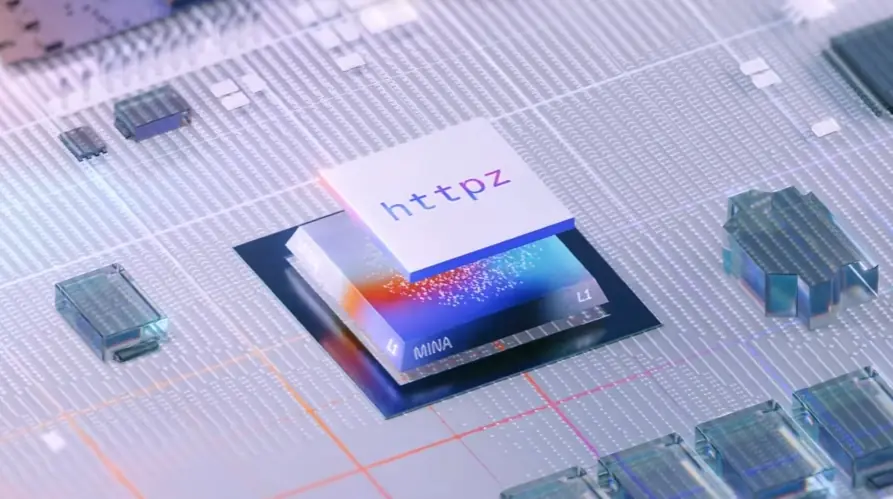
(IMG ASSET 1)
(Timestamp: 3s) The opening title, "Search and find data fields faster," clearly states the video's singular, problem-solving purpose, a direct result of the conceptual pivot.
Feedback Loop: Narrowing the Focus
Client: "Here is the first script draft (Script_V1_General_Tour.docx). We want to show the new search bar, but also how the data mapper works and how to connect to Salesforce."
Advids: "Thank you for this. We've reviewed the script and the user pain point. We strongly recommend a change in strategy. Instead of a 90-second general tour, let's create a 30-second, high-impact video that only shows the search feature. We can frame it as a 'Pro-Tip' and focus entirely on the speed. This will be more memorable and shareable."
Client: "That's a great point. Less is more. Let's do it. We'll scrap the V1 script and move forward with your focused approach."
Phase 3: The "Engineered Screen Capture": Animating the User Journey
- Goal: To create a visual flow that felt like a real User Interface but was cleaner, faster, and more cinematic.
- Process: A simple screen recording would be messy. The mouse would hesitate, the screen would be cluttered. Instead, the Advids motion design team used an "engineered" approach. We started with high-resolution screen captures. Then, in the 2D Animation Suite, we isolated the key elements. The background interface was slightly dimmed, while the search bar and cursor were brought into sharp focus.
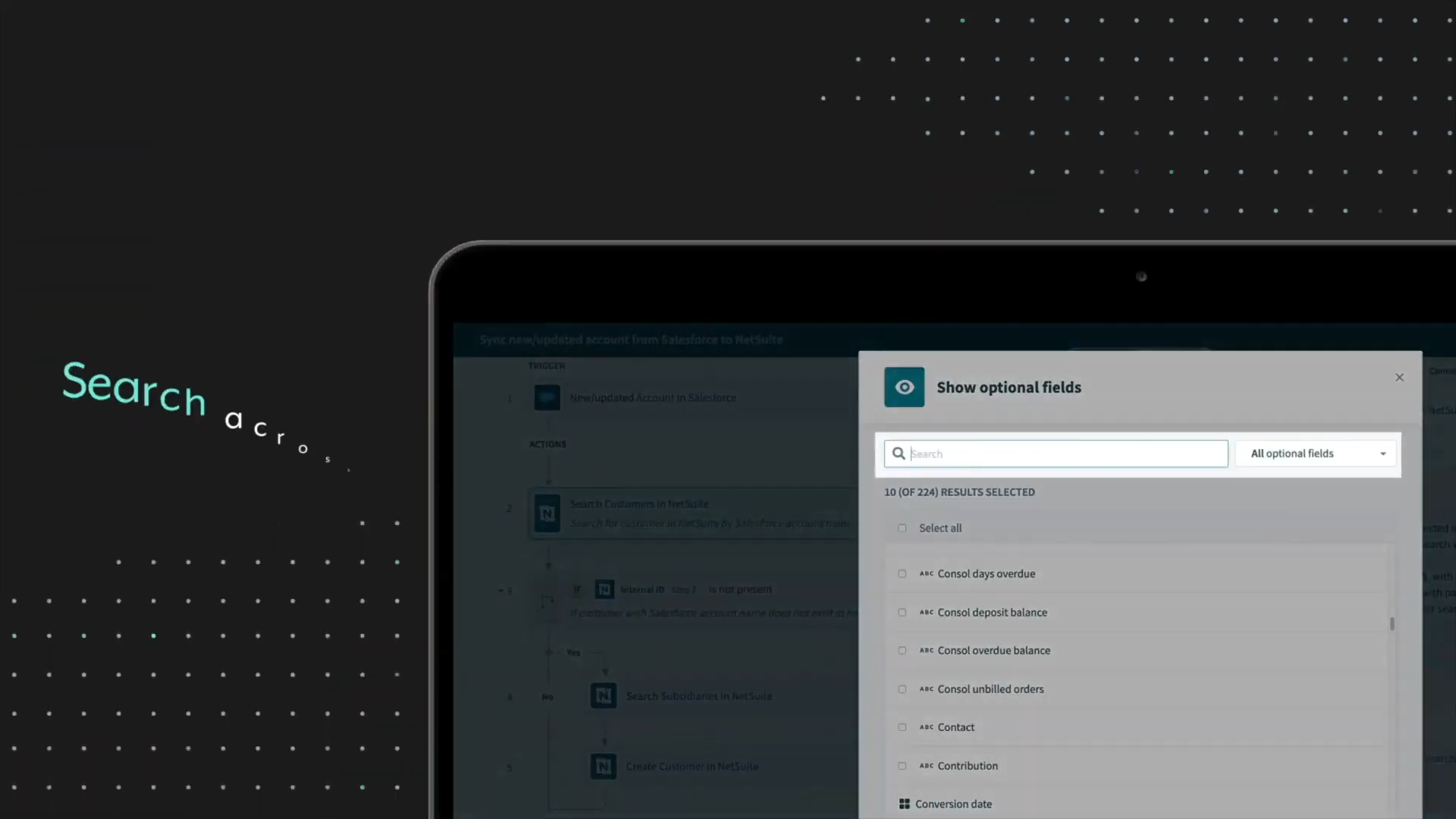
- Action: Using precise Keyframe Animation with smooth easing, we animated dynamic zooms and pans that guide the viewer's eye exactly where it needs to go. As the user "types" (seen at 00:10), the screen zooms in, creating a sense of focus and momentum. This technique transforms a passive recording into an active, guided experience.
(IMG ASSET 2)
(Timestamp: 10s) The "engineered" zoom-in on the search bar. This is not a raw screen capture but a deliberate, keyframed animation to force the viewer's focus.
(IMG ASSET 3)
(Timestamp: 18s) The result of the search is presented clearly, with all other UI "noise" de-emphasized.
Phase 4: Kinetic Typography for Reinforcement
- Goal: To use text as a design element to reinforce the key messages of speed and power.
- Process: The visuals of the User Interface were an essential part of the story, but the "why" needed to be stated explicitly.
- Action: Advids’ motion graphics artists integrated Kinetic Typography directly into the flow. On-screen text like "Find matches instantly" (00:08) and "Search across 100s of fields" (00:34) appears in sync with the animation. This ensures that even if the viewer is watching with the sound off, the core value proposition is impossible to miss.
Synergy Analysis: Technology vs. Human Expertise
This project was a perfect example of how the Advids Clarity & Engagement Framework balances tools and talent.
- Technology-Powered Contributions:
- 2D Animation Suite: The software (Adobe After Effects) provided the technical platform for keyframing, masking, and compositing the User Interface elements.
- Vector Illustration: Re-creating text and cursors in vector format ensured they remained crisp and sharp during extreme zooms.
- Vimeo Review: This tool was invaluable for sharing Animatic_Pacing_Test_R3.mp4 and getting precise, time-coded feedback on the animation's pacing.
- Advids' Visualization Craft (Human Expertise):
- Strategic Storytelling: The human expertise to identify the V1 script's weakness and propose the "Conceptual Pivot." This strategic insight is purely human.
- Pacing and Rhythm: An "animatic" (a rough animated storyboard) was crucial. The Advids team's "director's eye" determined the feeling of speed, ensuring the zooms were fast but not jarring.
- Visual Hierarchy: The creative decision to dim the background and highlight the foreground action. This is a design choice, not a software default, and is essential for guiding the viewer's attention in a busy interface.
(Timestamp: 34s) Kinetic typography and UI animation working together to summarize the core value proposition.
Outcomes & Strategic Learnings
- Final Deliverable: The final 45-second video was a fast, clean, and highly effective asset that clearly communicated the feature's value.
- Strategic Learning: Focus Beats Features: The project's success was locked in at Phase 1. By convincing the client to pivot from a broad "feature tour" to a focused "problem-solver" video, Advids ensured the final product would be far more effective. For software videos, "less is more" is a powerful creative strategy.
- The Power of "Engineered" Capture: Raw screen recordings are for internal wikis. Marketing a feature requires a curated, "engineered" approach. The Advids process of blending real captures with clean animation and typography creates a polished, professional result that builds confidence in the product.
- Asset Repurposing: The final video was so clear and concise that Workato could use it everywhere: in-platform as a tooltip, on social media as a "Pro-Tip," and in sales presentations to highlight platform efficiency.
Final Video
Author & Editor Bio