
nCino · Banking software · Motion graphics UI explainer video
Financial explainer for nCino Banking Advisor: Saved Time, Shown Task by Task
nCino needed bankers to see what "time optimized" means inside Banking Advisor, its generative AI tool for banks. This financial explainer answers with the product itself: one borrower file goes through a policy question, a document upload, a drafted credit memo and a covenant breach alert, with short captions that name the work each step saves.
Last updated
nCino · Banking Advisor
- Client
- nCino
- Product
- Banking Advisor, a banking-focused generative AI solution, shown "Powered by" niq
- Made for
- Bankers and lending teams who work through policy, documents and credit memos
- Format
- Motion graphics UI explainer video with on-screen text
- Style
- Product screens tilted in 3D, kinetic captions on navy cards
- Length
- 0:41
- Production timeline
- 3 to 4 weeks
- Budget
- $1,200 to $2,000
The problem: every AI tool for banks claims to save time
nCino describes Banking Advisor as a generative AI solution "designed to deliver intelligence in the moments that matter most." A bank buyer has heard that line from many vendors. On its own it says nothing about which hours a lender gets back, or on which tasks.
Bankers also need to trust an AI answer before they act on it. So the video had to show the actual tasks, on a real-looking loan file, and show where each answer comes from. All of it had to fit in 41 seconds.
How the Banking Advisor video turns "time optimized" into 4 tasks
After the chat demo, each task gets a 3 or 4 word caption on a navy card, then the screen that proves it. Select a time to play that scene above.
| Time | On screen | What it does |
|---|---|---|
| "Time is limited" on a pale blue card, a live-action close-up of a hand on a mouse at 0:03, then "Make it count" on navy. | States the banker's problem before any product appears. | |
| "Banking Advisor" in 3D type, the "Powered by" niq logo, then "Meet Banking Advisor". | Names the product and its AI engine in 4 seconds. | |
| A cursor clicks "Chat" next to "Knowledge Base". The question "What are the policy considerations for breached covenants?" appears in large 3D type, then a 4-point answer fills the chat panel, from "Severity Assessment" to "Stakeholder Engagement". | Shows a policy lookup answered inside the tool. | |
| "Eliminate manual tasks". A stack of 3 files is dragged onto "Upload Files" and "or Drop Files", the lilypad-corp tax return, FYE financial statement and "2024-03-interim-financial-statement" load into a "Requirements" list, and the cursor clicks "Confirm & Link". | Turns document handling into one drag and one click. | |
| "Instantly generate drafts". A menu offers "Generate Credit Memo", "Portal Access" and "Spreads". By 0:26 the "Lilypad - LOC-Working Capital-2" loan credit memo shows a "Company Background" section filled with text about The Lilypad Corporation, with a "Re-generate" button under it. | Shows a credit memo section written for the banker. | |
| "Turn data into intelligence". At 0:29 a Banking Advisor alert reads "Based on the information in the document 2024-03-interim-financial-statement, we found a breach in COV-020166 -Minimum Liquidity Covenant", with a "View Relationship" button. Then a "Credit Utilization" chart, and at 0:32 a "What does this mean?" panel that explains the 19.29% RAROC figure. | Shows the AI flagging risk and explaining its numbers. | |
| "TIME" at 0:33, "OPTIMIZED" at 0:34, the nCino Banking Advisor logo, then the nCino end card with "© nCino, All Rights Reserved". | Closes on the promise the opening set up. |
Storyboard: the frames that carry the nCino Banking Advisor financial explainer
Key frames from the finished video, in order. Select a time to play that moment above.

The video names the banker's cost before it names the product. 
The product gets its name on a plain navy card, with no claim attached. 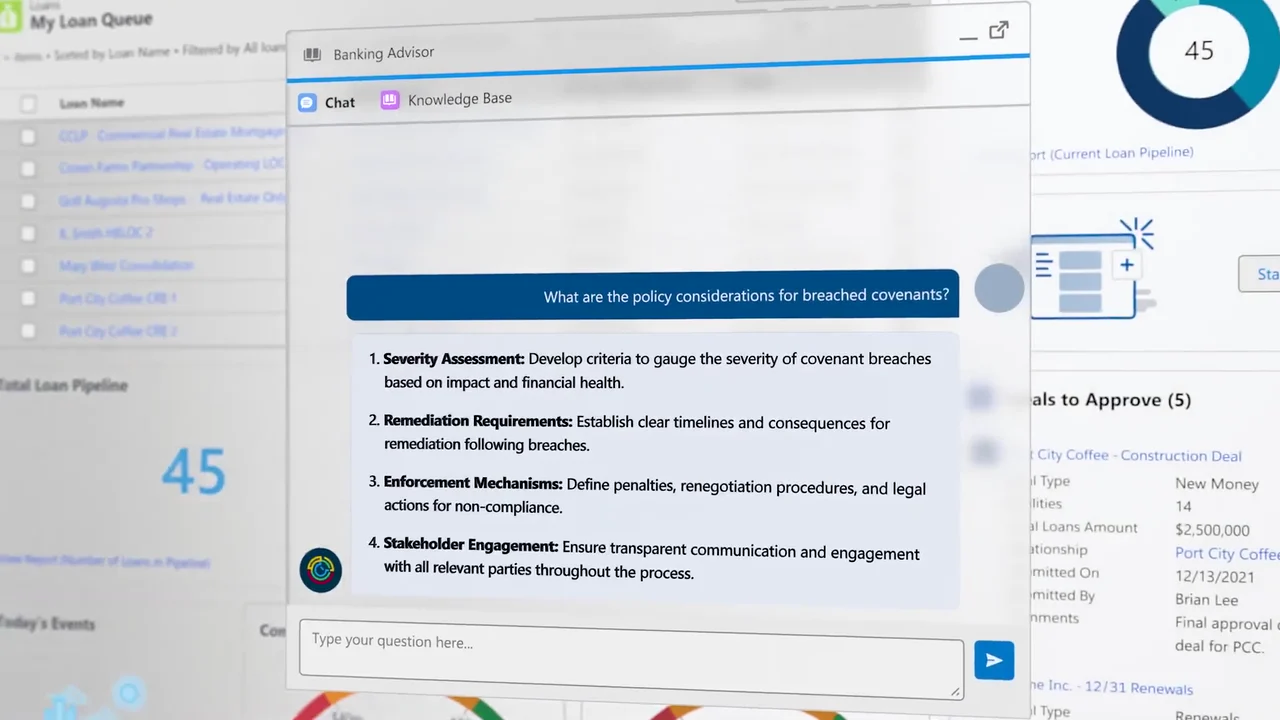
A policy question a lender would type gets a 4-point answer inside the tool. 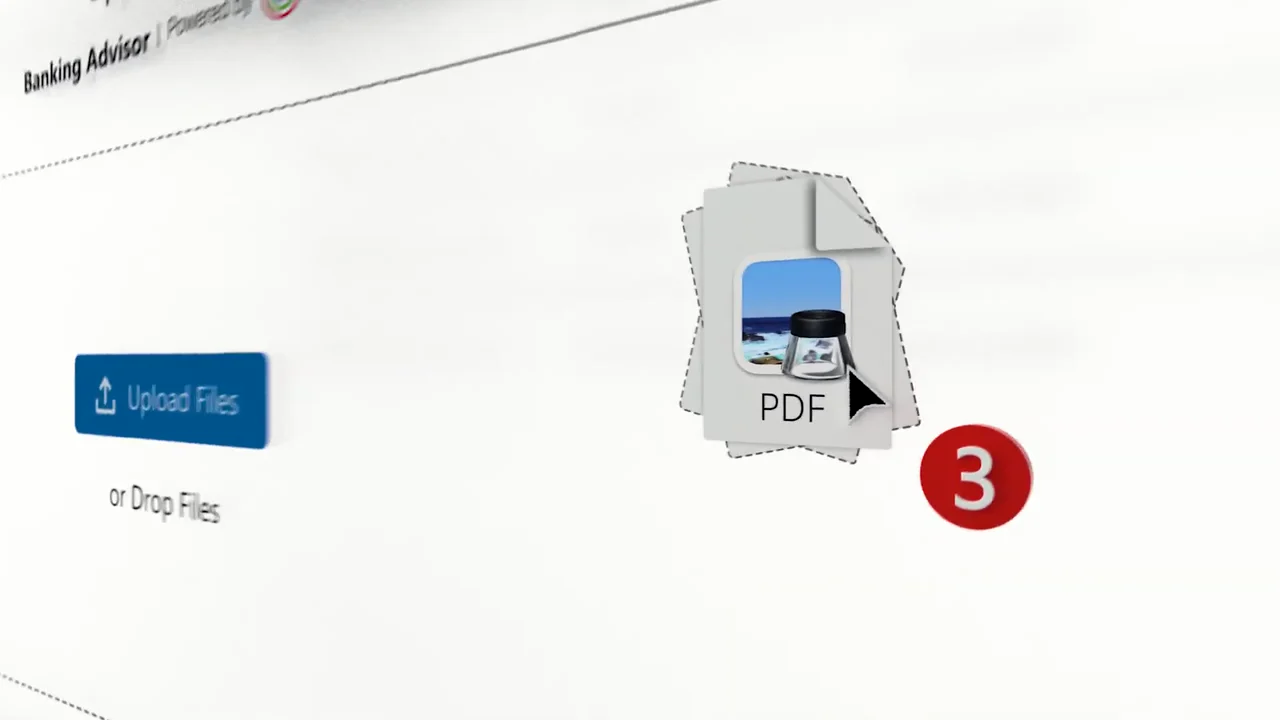
Document handling becomes one drag of 3 files. 
The upload ends in a single click. 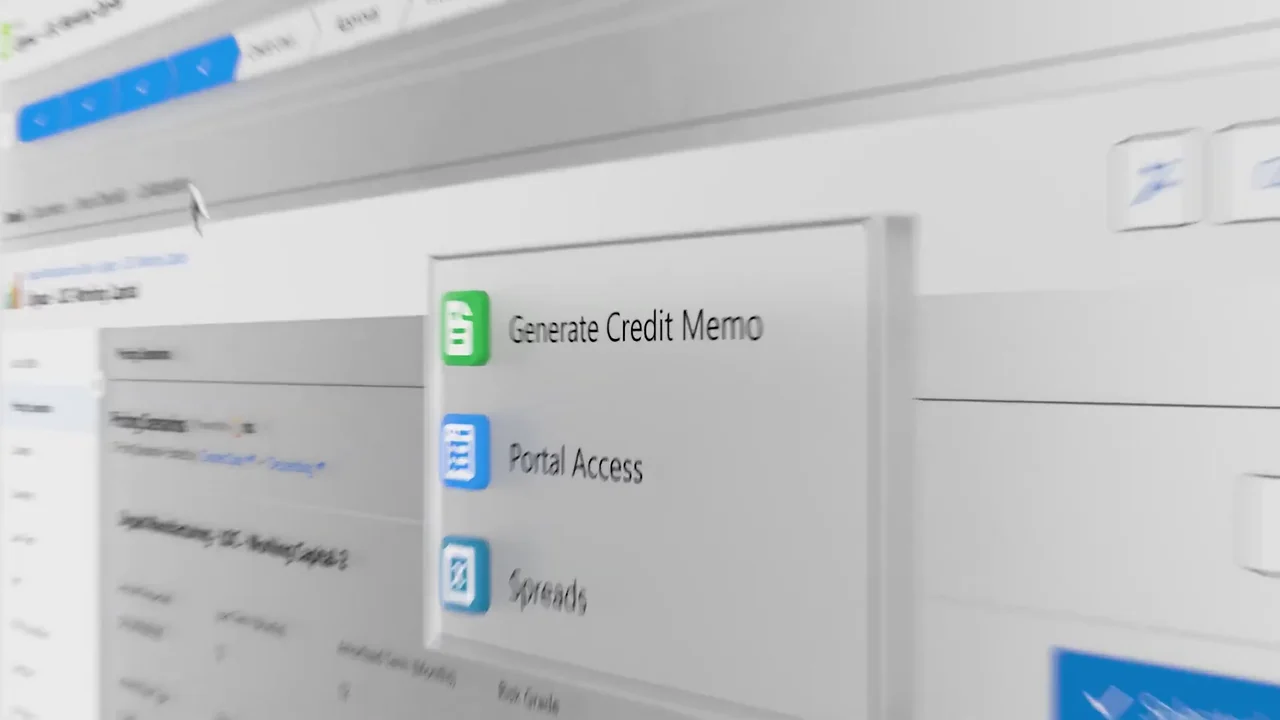
Drafting starts from a menu item, not a blank page. 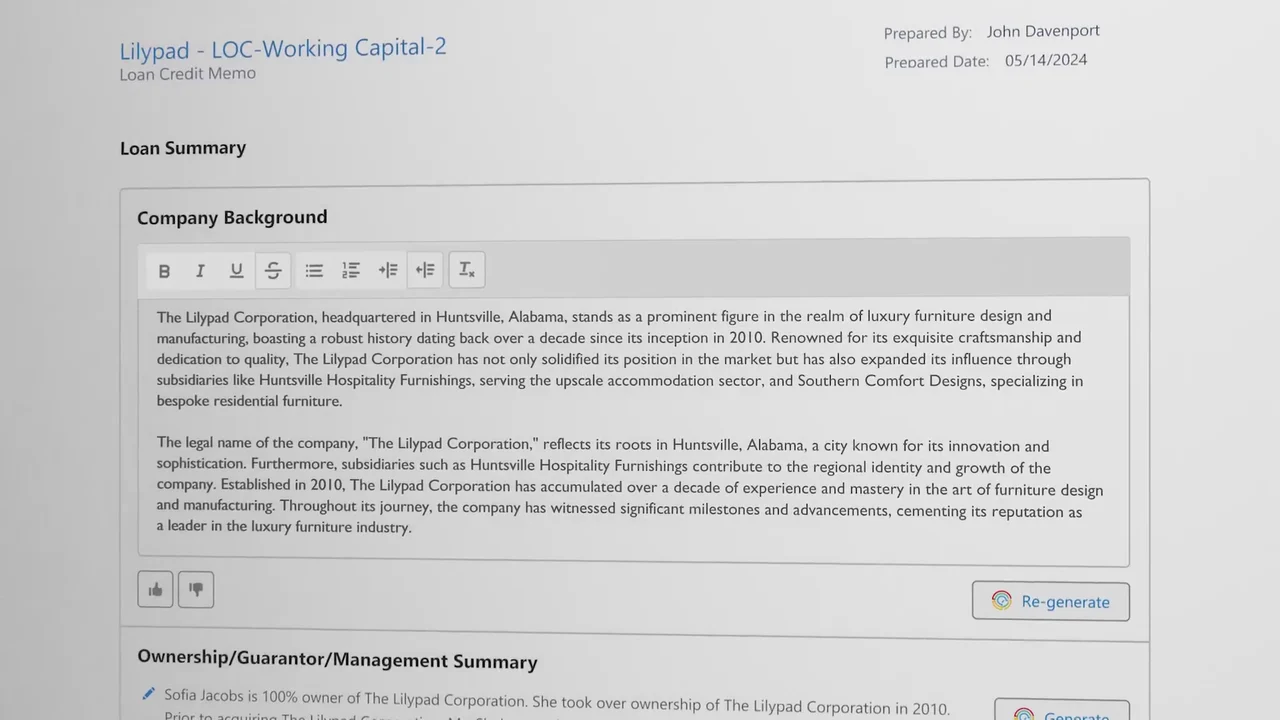
The drafted memo is written about the same borrower whose files were uploaded. 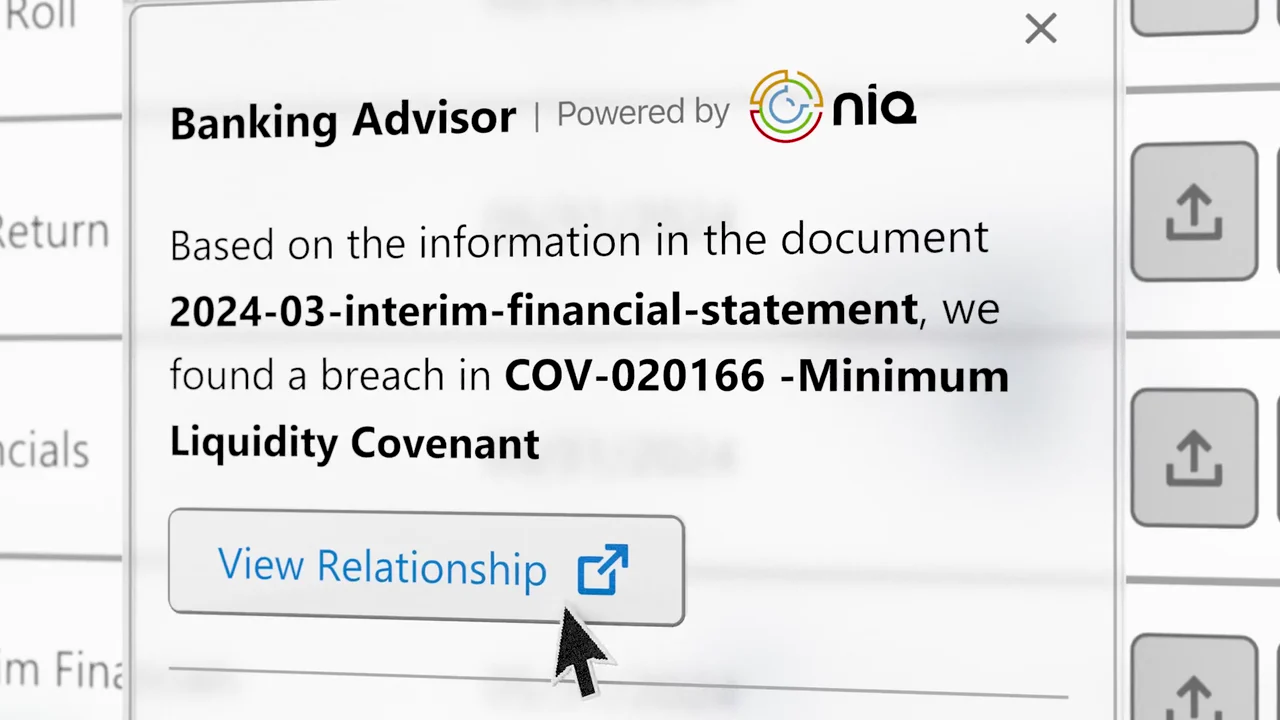
The risk alert names the exact document and covenant it came from. 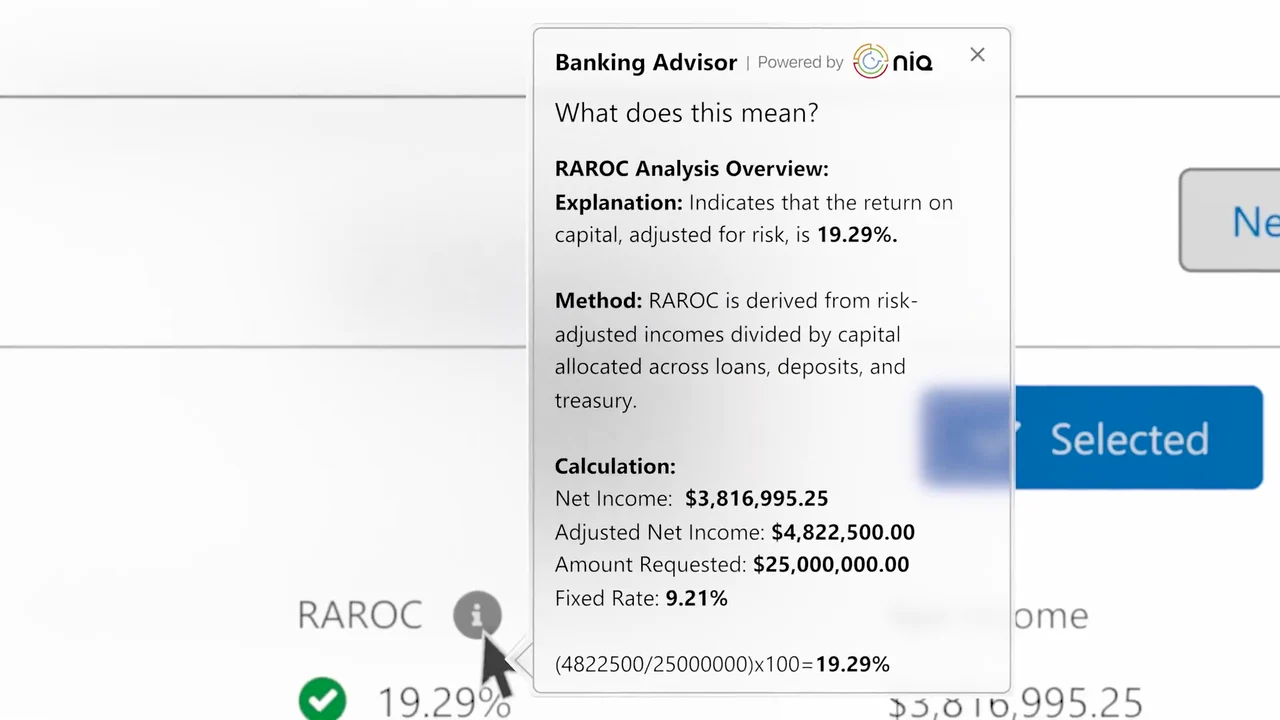
A number on screen comes with its method and its math. 
The close repeats the promise the opening set up.
4 decisions behind the nCino Banking Advisor video
Decision 1
Bookend the video on time
"Time is limited" opens at 0:01 and "TIME" "OPTIMIZED" closes at 0:33, matching the YouTube title "nCino Banking Advisor: Time Optimized". The 3 captions between them each name a saving.
Copy it: Pick the one cost your buyer feels most. Open on it, and end on the same word.
Decision 2
Ask the question a banker would type
At 0:10 the chat question "What are the policy considerations for breached covenants?" fills the screen in large type before the answer appears.
Copy it: Script the demo prompt in your buyer's own words, about a task they do every week.
Decision 3
Run one borrower file through every task
The lilypad-corp files uploaded at 0:15 become the Lilypad credit memo at 0:26, and the "2024-03-interim-financial-statement" from that upload is the document the breach alert cites at 0:29.
Copy it: Build your demo data around one sample customer so each scene follows from the last.
Decision 4
Show where each AI answer comes from
At 0:29 the breach alert names the document it read, and at 0:32 a "What does this mean?" panel gives the RAROC method and the calculation "(4822500/25000000)x100=19.29%".
Copy it: If buyers must trust an AI output, put its source or method on screen next to it.
From Banking Advisor screens to a 41-second explainer
- Task list. The script was cut to 4 Banking Advisor tasks: a policy question, a document upload, a drafted memo and a breach alert.
- Caption sequence. The upload, draft and insight tasks were each given a short caption on a navy card, set between "Time is limited" and "TIME OPTIMIZED".
- UI element integration. Chat, upload, memo and analysis screens were set up as layers so they could tilt, zoom and blur in 3D space.
- Motion and data effects. Cursor clicks, file drops, progress bars, typed text and the utilization chart were animated.
- Edit and transitions. Scenes were cut to land 1 task every 5 to 7 seconds.
- Sound, grade and composite. Sound design, color grading and final compositing finished the cut, with the task captions on the same navy as the closing logo cards.
Scope of work:
Production took 3 to 4 weeks on a budget of $1,200 to $2,000. See the SaaS video production service for how a project like this is scoped.
Questions about the nCino Banking Advisor financial explainer
Why does the Banking Advisor video open on "Time is limited"?
The video sells saved time, so it opens on the cost: "Time is limited" at 0:01, then "Make it count" at 0:04. The product only appears at 0:05, after the problem is set.
Which banking tasks does the video show Banking Advisor doing?
4: answering a policy question in chat (0:09), linking 3 uploaded files (0:15), drafting a credit memo section (0:20) and flagging a covenant breach (0:29).
How does the video show the AI chat answering a policy question?
A cursor clicks "Chat" at 0:09, the question "What are the policy considerations for breached covenants?" appears in large type, and a numbered answer fills the chat panel from 0:12, reaching 4 points by 0:13.
How does the video show Banking Advisor drafting a credit memo?
After the caption "Instantly generate drafts" at 0:20, a menu offers "Generate Credit Memo". By 0:26 the "Lilypad - LOC-Working Capital-2" loan credit memo has a "Company Background" section filled with text about The Lilypad Corporation, and a "Re-generate" button.
Why does the nCino video show where its answers come from?
Bankers act on an AI answer only if they can check it. At 0:29 the breach alert names "2024-03-interim-financial-statement" as its source, and at 0:32 a "What does this mean?" panel explains the 19.29% RAROC figure with its method and calculation.
How long did the Banking Advisor video take to make, and what did it cost?
The 41-second video took 3 to 4 weeks on a budget of $1,200 to $2,000, covering motion graphics, UI element integration, text sequencing, sound design, grading and compositing.
What Advids clients say
"We had a great experience working with the Advids team... Their process was straightforward and they were able to capture our ideas and translate it into a quality final product."Omar Romero, Founder at ROSE IT Services


Need bankers to see the hours your AI tool saves them?
Talk to Advids