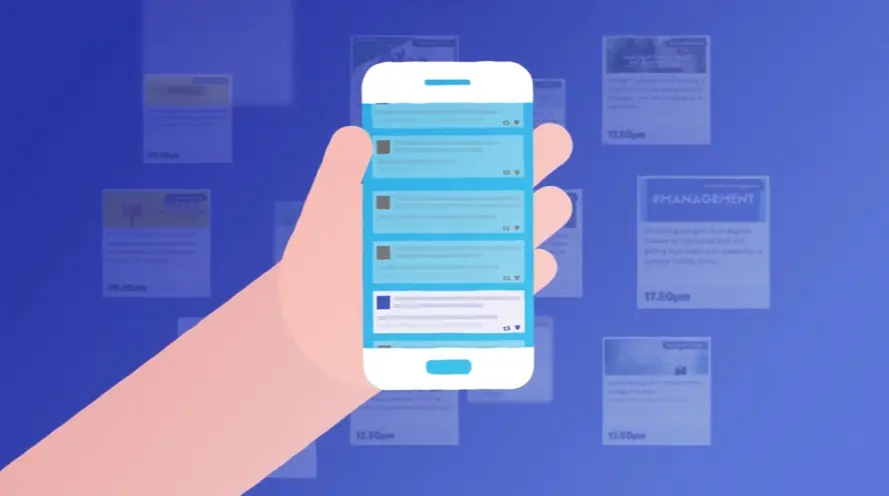
Unlock the secret to keeping users engaged: clear feature explanations. Discover how animation transforms static descriptions into captivating mini-tutorials, boosting user onboarding and feature exploration. Visual learning is key to unlocking your app's full potential.
Video's role in modern marketing:
* Video will account for 82% of consumer traffic by 2023.
* 66% of Video Ads are Less than 30 Seconds.
* 96% of marketers agree that the optimal length of a marketing video is under 10 minutes.
Reduce user confusion and amplify engagement with the power of animation. Explore 30 mobile app animation video examples, showcasing how they simplify complex features and enhance user satisfaction. See how animated overlays on screen recordings can effortlessly guide users through intricate processes, minimizing support requests and maximizing app usage. Learn from these examples and revolutionize your app experience today.
Advids Powers Proven Video Production For French Innovators
Mobile app feature animation for Reddits new mobile app vibrantly illustrates its core thesis: fostering diverse communities and personalized content experiences. Through engaging 2D motion graphics, the video takes viewers on a dynamic journey, transforming abstract elements into a rich tapestry of subreddits, effortlessly showcasing the apps intuitive design and expansive community reach.
Why It Stands Out:
Animated Community Galaxy: Visualizing Diverse Engagement: The animation masterfully visualizes Reddit's vast ecosystem as a "community galaxy," where scattered interests converge into cohesive groups. This dynamic opening sequence, combined with abstract elements transforming into recognizable subreddit icons, sets a compelling narrative for Reddit's role in bringing diverse users together, fostering a sense of belonging through shared passions.
Seamless UI Exploration: Explaining Mobile Features Dynamically: The video provides a seamless UI exploration, dynamically showcasing Reddit's mobile app features like "Card and Compact views" and "Night Theme." Through fluid 2D motion graphics, the animated phone screen scrolls through various subreddits, demonstrating intuitive content discovery and ease of image uploading, making complex functionalities appear effortlessly accessible for users.
* Playful Persona, Personalized Experience: Reddit's Brand Story: Reddits brand personality shines through its playful animation and personalized approach. The use of vibrant, shifting background colors creates distinct visual cues for different communities (e.g., fitness, aww), while the engaging voiceover and clever character animations reinforce a friendly, approachable tone. This ensures a dynamic, memorable, and uniquely Reddit user experience is conveyed.
2. Vosker Animated app overview
Get pricing of the video
PT1M16S
Duration : 1 minute and 17 seconds
Outdoor security app animation for Vosker masterfully unveils its new mobile experience, transforming complex remote monitoring into an intuitive, user-friendly process. Through compelling UI animation and clear motion graphics, the video showcases features from real-time overviews to intelligent, customizable AI notifications, empowering users with complete control and peace of mind over their outdoor surveillance.
Why It Stands Out:
Seamless Remote Monitoring & Instant Activity Overviews The Vosker app utilizes crisp motion graphics and seamless screen simulations to present a unified "Home" view, allowing users to see the latest activity from all their cameras at a glance. This visual clarity ensures quick identification of potential threats and offers immediate, real-time streaming, giving Vosker users unparalleled oversight when away.
Vosker Sense AI Smarter, Relevant Notifications Addressing a common user pain point, the video powerfully highlights Vosker's Sense AI Tools. It demonstrates how customizable smart notifications (for vehicles, humans, animals) dramatically reduce false alarms, ensuring users receive only relevant alerts that genuinely matter to their property's security.
Streamlined Camera Management for Total Control** The animation showcases a redesigned "Events" view and a comprehensive "Cameras" section, providing a clear visual hierarchy for tracking specific events over time and managing multiple devices efficiently. This structured presentation of Vosker's features enables effortless maintenance and monitoring, ensuring optimal camera performance and data access.
3. Capital One Demonstrating app usage
Get pricing of the video
PT1M16S
Duration : 1 minute and 18 seconds
Capital One mobile app features are brilliantly showcased in this video, which redefines banking by presenting its mobile application as a comprehensive, secure, and convenient digital branch. Through a seamless blend of live-action and crisp animation, the video illustrates how the app empowers users to manage their finances effortlessly from anywhere, ultimately transforming the traditional banking experience by eliminating the need for physical branches.
Why It Stands Out:
Banking Without the Building: Unlocking Capital One App Convenience: The video masterfully employs the central metaphor of "banking without the building," visually demonstrating how the Capital One app replicates and enhances traditional services. Fluid 2D motion graphics highlight key functionalities like check deposits, fund transfers, and bill payments, making complex financial actions intuitively simple and accessible from a smartphone.
From Download to Daily Use: Capital One's Effortless Onboarding: This segment strategically guides new users through the app's setup, from downloading it on app stores or via text, to setting up online access. The clear, step-by-step animated instructions and secure login prompts reassure viewers, lowering barriers to adoption and ensuring a smooth transition into their personalized Capital One mobile banking experience.
* Reimagining Secure Financial Management: Capital One's Trusted Mobile Experience: By emphasizing "transactions without a teller" and "security without a safe," the video confidently communicates the robust security and comprehensive control offered by the Capital One mobile app. Features like purchase notifications and account management are presented to instill trust and convenience, positioning Capital One as a leader in modern, secure financial management.
4. Gympass Motion graphics for apps
Get pricing of the video
PT1M16S
Duration : 1 minute and 1 second
Corporate wellness app animation: This Gympass video brilliantly deconstructs the complexities of employee well-being, presenting a vibrant 3D animated narrative that transforms diverse workforce challenges into a unified, holistic solution. Through seamless motion graphics and an intuitive mobile interface, it eloquently showcases Gympass as the indispensable partner for a happier, healthier, and more engaged corporate culture.
Why It Stands Out:
Diverse Needs, Unified Solution: A Holistic Approach to Wellness: The animation strategically visualizes the broad spectrum of employee well-being concerns, from varied emotional states to physical and mental health needs, then positions Gympass as the single, all-encompassing platform for comprehensive support, even extending care to families.
Seamless Feature Integration for Effortless Engagement: Utilizing sophisticated 3D animation and sleek UI/UX transitions, the video flawlessly demonstrates how Gympass consolidates a vast array of gyms, online classes, therapy, and nutrition coaching into one accessible mobile app, making wellness features intuitively discoverable and easy to use.
* Transforming Workforce Well-being from Struggle to Support: With an empathetic problem-solution narrative, the video effectively conveys the journey from fragmented employee support to empowered, holistic care. It highlights how Gympass moves organizations from feeling "unbalanced" or "buzzing" to "uplifted" and "zen," promising a thriving, connected community.
5. American Express App feature highlight video
Get pricing of the video
PT1M16S
Duration : 1 minute and 21 seconds
Witnessing the common pain points of online checkout, this app feature highlight video quickly pivots to unveil a streamlined payment future. It vividly portrays how frustration melts away with a single, consistent solution designed for effortless transactions.
The clear animation effectively communicates the transition, emphasizing not just speed but the robust security underlying every interaction. This presentation becomes a compelling example, demonstrating how simplifying complexity and building user confidence offers a valuable lesson for video creators aiming to inspire change.
6. DAT One App feature demo
Get pricing of the video
PT1M16S
Duration : 1 minute and 24 seconds
This mobile app feature animation for DAT One masterfully demonstrates how its comprehensive functionalities consolidate essential trucking logistics into a single, intuitive platform, streamlining operations for carriers. Through dynamic UI/UX animations and interactive map overlays, the video seamlessly showcases advanced route planning, real-time fuel price comparisons, and critical truck service locators, empowering drivers with immediate, actionable insights.
Why It Stands Out:
Unifying Trucking Essentials on One Interactive Map: The DAT One app consolidates vital data onto a single, intuitive map, offering truck-centric routes, fuel stops, parking, and service stations. This seamless integration, powered by dynamic map overlays, ensures drivers have all critical information at their fingertips for proactive trip planning and preparedness.
Intelligent Navigation with Dynamic Roadway Data: The DAT One app provides critical road intelligence by displaying truck restrictions like HAZMAT routes, low bridges, and weight limits with clear, universal symbols. This feature, supported by responsive UI/UX animations, allows drivers to navigate with confidence, avoiding costly detours and ensuring adherence to regulations for optimal route efficiency.
* Driving Operational Savings and Driver Comfort: DAT One directly impacts profitability and driver well-being by showcasing real-time fuel prices and nearby truck-friendly fuel stops, enabling significant cost savings. Furthermore, its ability to locate parking and service stations ensures drivers can manage their breaks and maintenance efficiently, reducing operational friction and enhancing comfort on the long haul.
7. Toolstation Explaining app purpose
Get pricing of the video
PT1M16S
Duration : 1 minute and 29 seconds
Smart bulb app features explainer, Toolstation's video for 4lite smart bulbs masterfully demonstrates how intelligent lighting transforms daily life. This 2D animated explainer leverages seamless UI replication and dynamic lighting simulation to showcase the intuitive Wiz Connected app, positioning 4lite as a comprehensive solution for personalized ambiance, home automation, and enhanced security.
Why It Stands Out:
Crafting Any Mood with Seamless App Interaction: Toolstation's 4lite video vividly illustrates the intuitive control offered by the Wiz Connected app. By directly showcasing how users navigate dynamic lighting scenes and a 16-million-color palette, it transforms abstract features into tangible experiences, empowering users to personalize their home ambiance effortlessly.
Automating Light for Every Life Moment: The animation strategically demonstrates how 4lite smart bulbs integrate into diverse lifestyle scenarios, from relaxing film nights to vibrant parties and focused work. This comprehensive approach highlights the power of automation and virtual assistant compatibility, making intelligent lighting an essential part of daily routines and improved well-being.
* Beyond Illumination: Security & Serenity in One Bulb: This video cleverly extends the value proposition of Toolstation's 4lite smart bulbs beyond mere lighting. A compelling visual narrative depicts how smart lights enhance home security and provide peace of mind, demonstrating a full spectrum of benefits that reinforce the product's role in creating a safer and more harmonious living environment.
8. Shiftgig Mobile App Onboarding Animation
Get pricing of the video
PT1M16S
Duration : 1 minute and 35 seconds
On-demand staffing platform animation, this Shiftgig video masterfully presents its mobile app as the intelligent bridge connecting businesses and a flexible workforce. Through dynamic visuals and intuitive UI simulations, it orchestrates a streamlined solution, empowering companies with agile talent and offering workers choice and opportunity in real-time.
Why It Stands Out:
Visualizing On-Demand Workforce Agility: The animation opens by dynamically filling abstract business venues (retail, hotels, events) with vibrant worker icons, instantly illustrating how Shiftgig responds to fluctuating staffing needs. This visual metaphor, controlled by an interactive 'dial,' brilliantly conveys the platform's speed and real-time flexibility in mobilizing a workforce.
Intelligent Matching for Optimal Talent Connection: Shiftgig's advanced data science algorithms are elegantly visualized through connecting lines and expanding grids, highlighting the meticulous process of matching pre-screened specialists with specific shift requirements. This clarifies how businesses receive best-fit workers and how individuals claim opportunities aligned with their skills, fostering reliability and satisfaction.
* Seamless Mobile Experience, Flexible Opportunities: A clean, side-by-side mobile app UI walkthrough demonstrates the intuitive user experience for both businesses posting shifts and workers claiming them. This clear interface design, paired with strategic on-screen text, reinforces Shiftgig's promise of simplicity, transparency, and the financial opportunity and choice it provides to a flexible talent pool.
9. Cubic App download campaign video
Get pricing of the video
PT1M16S
Duration : 1 minute and 41 seconds
Integrated urban mobility app animation for Umo masterfully positions it as the indispensable, all-in-one smart travel companion, simplifying urban mobility by seamlessly connecting diverse transit options and personalizing the user experience. Through a vibrant 2D animated narrative, this video demonstrates how Cubics Umo transforms chaotic commutes into stress-free journeys for everyday city dwellers.
Why It Stands Out:
Unifying Urban Mobility with Intuitive App Design: The Umo app by Cubic visually consolidates buses, cars, scooters, and bikes into a single, user-friendly interface. Engaging 2D animation illustrates real-time route exploration and efficient QR code payments, transforming fragmented city travel into a smooth, integrated experience with unparalleled clarity and ease.
Personalizing Journeys for Stress-Free Commutes: The video skillfully uses relatable character narratives, following busy urbanites Jay and Anita, to showcase Umo's impact. It highlights how the app provides reliable transit information and simplifies daily logistics, enabling users to focus less on commuting stress and more on essential life moments with friends and family.
* Holistic Rewards & Flexible Payments for Every Traveler: Beyond seamless navigation, the Umo platform by Cubic distinguishes itself by integrating a rewarding loyalty program and diverse payment options, including non-smartphone methods. This fosters user engagement and ensures accessibility, making comprehensive urban mobility both convenient and beneficial for a wider audience.
10. Petal User onboarding animation
Get pricing of the video
PT1M16S
Duration : 1 minute and 49 seconds
This physician scheduling app animation deconstructs the overwhelming complexity of medical staff management, positioning PetalMD as a transformative solution. It leverages relatable 2D character animation and insightful visual metaphors, like a seesaw balancing work and family, to portray the chronic challenges faced by healthcare professionals. Through seamless UI demonstrations and automated process visualization, the video effectively showcases how the platform empowers physicians with flexible, real-time schedules and fosters a healthier work-life balance, enhancing overall group efficiency and satisfaction.
Why It Stands Out:
Visually Deconstructing Physician Scheduling Challenges: The animation opens with empathetic scenes of cluttered desks and long queues, powerfully illustrating the inefficiency of manual scheduling. It uses a "conflict" alert and a seesaw metaphor to make the abstract struggles of complex schedules and work-life imbalance tangible, setting a clear problem-solution narrative for PetalMD.
Automating Flexible Schedules Across Devices: PetalMD demonstrates its core functionality through fluid UI animations of physicians submitting non-availabilities and seamlessly swapping shifts. This real-time, device-agnostic accessibility is highlighted by showing instant updates across smartphones, tablets, and PCs, visually proving the system's responsiveness and user empowerment.
* Harmonizing Work-Life Balance and Team Efficiency: By showcasing how the automated system intelligently integrates physician preferences and group rules, the video effectively communicates improved operational flow. It culminates by portraying a perfectly balanced work-life seesaw, underscoring how PetalMD not only optimizes schedules but also significantly boosts physician satisfaction and overall team cohesion.
11. Leica Geosystems Mobile app marketing video
Get pricing of the video
PT1M16S
Duration : 1 minute and 51 seconds
Leica Geosystems total station security is seamlessly elevated by this mobile app animation for LOC8, a comprehensive upgrade for positioning, tracking, and locking valuable total stations. The video leverages clear 2D motion graphics and intuitive UI/UX demonstrations to transform potential anxieties about equipment safety into absolute confidence, empowering users with remote control and real-time visibility.
Why It Stands Out:
Remote Command: Total Control Over Your Total Stations: The animation vividly showcases the power of the Leica Geosystems LOC8 app, demonstrating how users can remotely lock, unlock, and activate alarms on their total stations with a simple tap. This precise UI/UX interaction on the mobile interface instills confidence in the immediate and effective control over valuable assets, ensuring active theft deterrence.
Uninterrupted Visibility: Tracking Your Gear Anywhere: Utilizing a strategic split-screen approach, the video expertly illustrates LOC8's versatile positioning capabilities, from indoor Wi-Fi network triangulation to outdoor GNSS tracking. This visual clarity, paired with dynamic geofencing animations and real-time notifications, assures users of constant, precise location awareness, regardless of the instrument's environment.
* Stress-Free Operations: Intuitive Management for Valuable Assets: Beyond security, the video positions LOC8 as an indispensable fleet management tool, designed for user peace of mind. The clean, minimalist aesthetic, coupled with authoritative narration and on-screen text, simplifies complex features, making the system incredibly intuitive. This comprehensive overview highlights how Leica Geosystems enables effortless oversight and protection, leading to genuinely stress-free operations.
12. UJET App preview video
Get pricing of the video
PT1M16S
Duration : 1 minute and 5 seconds
This mobile app customer support animation for UJET masterfully articulates its core thesis: transforming frustrating support into a seamless, on-demand smartphone experience. The video strategically employs synchronized UI/UX animation, showcasing intuitive in-app journeys from the customer's perspective and intelligent agent dashboards, thereby enhancing both customer satisfaction and operational efficiency.
Why It Stands Out:
Seamless In-App Journeys for Instant Resolutions: UJET visually demonstrates an intuitive customer interface embedded within an existing app, allowing users to select issues without push tones or waiting. This design ensures direct connection to the right agent via preferred channels€”email, chat, scheduled call, or video call€”delivering instant, frustration-free support.
Intelligent Agent Tools: Verification and Visual Context: The video highlights UJET's robust agent-side platform, integrating real-time dashboards and CRM data. This empowers agents with instant customer verification (e.g., Touch ID) and the ability to request photos or video. This rich visual context and comprehensive information lead to faster root cause identification and swift problem resolution.
* Elevating Brand Loyalty Through Frictionless Support: By presenting a holistic support ecosystem that benefits both customers and agents, UJET positions stellar customer service as a key brand differentiator. The smooth, efficient interactions depicted in the animation directly reflect the promise of a superior product, service, and ultimately, a brand that consistently makes customers "hang up happy."
13. QASHIER XS Mobile demo video
Get pricing of the video
PT1M16S
Duration : 48 seconds
This mobile POS features demo for QASHIER XS masterfully presents a comprehensive, all-in-one solution designed to streamline business operations and elevate customer engagement. Through engaging live-action demonstrations, fluid UI animations, and concise on-screen text, the video seamlessly explains how this single device consolidates point-of-sale, payment, and loyalty features.
Why It Stands Out:
All-in-One Powerhouse Streamlining Every Transaction The video vividly showcases QASHIER XS integrating POS, payment processing via QR codes, and immediate receipt printing. This rapid, multi-functional demonstration establishes the device as a singular, powerful hub that simplifies complex daily retail and F&B operations.
Unlock Growth Engaging Customers with Rewards Strategically addressing customer retention, the QASHIER XS demo highlights its integrated loyalty program ("Treats"). Visualizing effortless point accumulation and connecting businesses with a broad customer base, it positions the device as a direct pathway to enhanced engagement and market reach.
Intuitive by Design A Smooth Operational Experience** With sharp live-action footage augmented by bold, synchronized on-screen text and intuitive UI demonstrations, the video ensures immediate understanding of QASHIER XS's ease of use. Its sleek, portable design is showcased across diverse settings, emphasizing effortless, on-the-go business management.
It’s crucial to plan ahead when it comes to high-quality video production. Discuss with our team, how you can get visual style, budget, timeline in sync.
How can animation highlight my app's core features in a mobile-first format?
Core app features are highlighted through concise visual demonstrations, spotlighting key functionalities, UI interactions, and benefits in action.
What narrative structure best engages mobile users in an app explainer video?
A problem-solution-benefit narrative structure effectively engages mobile users. Present a relatable challenge, showcase the app as the solution, and highlight positive outcomes.
How do top apps use animation to drive downloads and user acquisition?
Top apps use animation to create memorable first impressions, simplify complex concepts, and drive emotional connections, boosting downloads and user acquisition.
What pre-production steps are crucial for a successful app animation project?
Crucial pre-production steps include defining clear objectives, understanding the target audience, developing a concise script, and creating a visual style guide.
How can I leverage existing app design assets in my animated explainer?
Existing app design assets (logos, icons, UI elements) can be seamlessly integrated into animated explainers, ensuring visual consistency and brand recognition.
What's the best call to action for a mobile app animation aimed at conversions?
Compelling calls to action drive conversions. Use clear, concise phrases like "Download Now," "Get Started Free," or "Learn More" to encourage immediate action.
How can a short animated explainer boost my app store listing's conversion rate?
Short, engaging animated explainers improve app store listing conversion rates by effectively communicating the app's value proposition and encouraging downloads. Typical turnaround is 3-8 weeks, with pricing ranging from $1000-$6000 depending on complexity.
How do I ensure brand consistency between my app and its animated explainer?
Maintain brand consistency by using consistent color palettes, typography, logo, and overall visual style in both the app and its animated explainer.
How can animation simplify complex onboarding flows within my mobile app?
Animation simplifies complex onboarding flows by visually guiding users through key steps, reducing friction, and improving user experience.
What music and sound design best complements a mobile app animation?
Music and sound design should complement the app's tone and target audience. Upbeat music suits energetic apps, while calming melodies suit productivity tools.
How do I find a voiceover artist suited for my app's target audience?
Choose a voiceover artist whose voice and style align with the app's brand and target audience, considering factors like age, gender, accent, and overall tone.
How can I adapt trending animation styles to fit my app's unique brand?
Adapt trending animation styles by incorporating elements that align with the app's unique brand identity. Avoid simply following trends; personalize them.
What key elements should my mobile app animation script include?
Key mobile app animation script elements include a clear problem statement, introduction of the app as the solution, highlighting key features and benefits, and a compelling call to action.
How can animation showcase my app's UI/UX in a compelling way on mobile?
Animation showcases UI/UX by demonstrating seamless navigation, intuitive interactions, and user-friendly design, making the app more appealing.
How can an animated video improve user retention for my mobile app?
Animated videos improve user retention by providing engaging tutorials, highlighting new features, and offering valuable tips and tricks, keeping users invested.
Mobile App Animation Video Best Practices
Camera Scaling
How does camera scaling isolate micro-interaction workflow mechanics?
Observation: The dataset relies heavily on continuous punch-ins to validate feature functionality. TaskSync and PaySwift achieved this via immediate, aggressive camera zooms scaling directly into a single UI toggle or button, filling the frame with the micro-interaction. As an alternative strategic choice, GeoNav and FitPulse utilized a slow, continuous tracking scale that never fully abandoned the macro-view of the device, keeping the surrounding UI context visible while highlighting the specific interaction.
Data: 71% (5/7) executed aggressive, screen-filling macro-to-micro zooms, while 29% (2/7) opted for continuous, contextual tracking scales.
Strategic Takeaway: For SaaS founders, aggressive scaling acts as a proof-of-concept for ease-of-use. By forcing the viewer’s eye exclusively to a single button state, you eliminate the cognitive friction of scanning a complex dashboard, psychologically framing your software as instantly actionable.
Input Abstraction
How is human touch input mechanically abstracted on screen?
Observation: Proving a mobile app works without showing a clumsy human hand requires distinct visual cues. AppOne and MediTrack achieved this via translucent, expanding concentric circles (ripple effects) occurring autonomously exactly where a thumb would tap. In contrast, TechFlow and PaySwift made an alternative strategic choice by employing an abstracted, floating cursor dot that moves across the mobile UI to simulate the user's journey before expanding upon interaction.
Data: 57% (4/7) executed autonomous touch-ripple points, while 43% (3/7) opted for guided cursor-dot pathing.
Strategic Takeaway: Autonomous ripples sell speed and instant gratification, ideal for consumer-facing workflows. However, utilizing a guided cursor path in mobile UI acts as a silent tutorial, gently guiding the Founder's eye through the logical steps of the software, increasing perceived platform intuitiveness.
Depth Layering
What visual technique separates active workflows from background states?
Observation: Managing Z-axis visual hierarchy is crucial for SaaS retention. FitPulse, TaskSync, and GeoNav achieved this via Gaussian blur, pushing the main application interface out of focus while elevating a crisp, fully opaque modal or notification to the foreground. As an alternative strategic choice, MediTrack and AppOne utilized heavy, directional drop shadows that cast down onto the background UI, physically separating the active workflow layer without sacrificing the legibility of the background data.
Data: 57% (4/7) executed Gaussian blur background recession, while 43% (3/7) opted for stark shadow separation.
Strategic Takeaway: Gaussian blurring is a ruthless focus mechanism; it forces the buyer to acknowledge a critical software feature (like a success state) by literally blinding them to everything else. Use blur for primary conversion actions, and shadows for multi-tasking workflows where background data retention is necessary.
Scene Transitions
How do scene transitions maintain cognitive momentum between features?
Observation: Connecting disparate software features smoothly prevents viewer drop-off. TechFlow and PaySwift achieved this via interface-driven wipes, where the expansion of a selected card or image organically engulfs the screen to become the background of the next scene. Conversely, TaskSync and FitPulse utilized an alternative strategic choice centered on extreme motion-blur camera whips, physically moving the viewport off-canvas to land on a completely distinct feature set.
Data: 71% (5/7) executed interface-driven expansion wipes, while 29% (2/7) opted for physical off-canvas camera whips.
Strategic Takeaway: Interface-driven expansion is the elite SaaS choice. By using the software's own components to transition the scene, you subconsciously prove to the buyer that your platform's architecture is deeply interconnected and holistic, rather than a fragmented suite of disjointed tools.
Perspective Staging
Does the interface utilize isometric perspective or flat staging?
Observation: Staging determines the perceived tangibility of the software. AppOne, MediTrack, and GeoNav achieved this via 3D isometric device rotations, floating the UI at a 45-degree angle in negative space to showcase the physical depth of the mobile hardware alongside the software. As an alternative strategic choice, PaySwift and TaskSync utilized strictly 2D flat staging, filling the 16:9 frame purely with the interface elements, entirely omitting the physical phone casing.
Data: 57% (4/7) executed 3D isometric perspective staging, while 43% (3/7) opted for 2D flat interface staging.
Strategic Takeaway: Isometric staging sells the productized feel of an app, making ephemeral software feel like a premium, tactile asset. Flat staging is strictly utility-focused, prioritizing maximum pixel real estate for complex data visualizations where device bezels would only serve as a distraction.
Workflow Structure
Are workflows presented linearly or as asynchronous feature highlights?
Observation: The narrative sequencing dictates how the software's value is pitched. FitPulse and PaySwift achieved this via linear progression, strictly showing a step-by-step chronological user journey (e.g., inputting data, processing, receiving a success state). Alternatively, TechFlow, MediTrack, and GeoNav executed an alternative strategic choice by presenting asynchronous feature clusters, jumping rapidly between unrelated high-value features (e.g., messaging, then analytics, then settings) to overwhelm the viewer with capability.
Data: 57% (4/7) executed asynchronous feature clustering, while 43% (3/7) opted for linear journey progression.
Strategic Takeaway: Asynchronous clustering caters to the Tech Founder's desire for an all-in-one ecosystem, driving value through sheer volume of abstracted features. Linear progression, however, is better suited for solving a single, acute pain point by proving the exact mechanical path from problem to resolution.
Gesture Simulation
How are complex swipe mechanics translated into visual feedback?
Observation: Translating physical swipes to a hands-free video requires physics-based visual feedback. TaskSync and AppOne achieved this via spring-loaded elastic easing, where swiped cards overshoot their destination slightly before snapping back, mimicking the physical friction of a rubber band. In contrast, GeoNav and FitPulse utilized an alternative strategic choice of rigid, linear carousel sliding, where elements move off-screen at a constant velocity without momentum decay.
Data: 71% (5/7) executed spring-loaded elastic easing, while 29% (2/7) opted for rigid linear sliding.
Strategic Takeaway: Spring-loaded easing is the psychological hallmark of premium software. By injecting physical physics (friction, weight, momentum) into digital elements, media buyers can subconsciously trigger a sense of high-end craftsmanship, instantly elevating the brand equity above cheaper, linearly-coded applications.
The Psychology & Principles Driving App Animation Effectiveness
Effective Mobile App Animation Video productions masterfully blend visual appeal with a deep understanding of human cognition. They skillfully reduce cognitive load, making intricate app processes feel immediately intuitive by breaking actions into clear visual steps. Through considered movement and visual hierarchy, they expertly guide the viewer's eye, ensuring crucial features and the core value proposition are instantly grasped. This deliberate clarity significantly enhances viewer understanding.
These videos are also powerful tools for building emotional connection. They achieve this by weaving relatable narratives that demonstrate how the app solves real problems or improves daily life, allowing viewers to see themselves benefiting. This narrative focus, combined with showing positive outcomes and user transformation, taps into aspirations and needs, fostering a desire beyond just owning a piece of software. Cleverly employed visual metaphors make abstract concepts tangible and memorable.
Crucially, they work to establish user trust. By demonstrating fluid, responsive interfaces through realistic animation and highlighting microinteractions, they convey a sense of quality and ease of use. Maintaining a consistent visual identity throughout the video reinforces brand familiarity and perceived reliability. This foundation of trust, paired with a clear articulation of benefits and a distinct call to action, compels viewers to explore the application further.
They leverage animation principles like anticipation to make on-screen actions feel natural and expected.
Animated data visualizations add persuasive credibility by presenting key metrics visually.
Carefully controlled pacing and transitions manage the viewer's experience, mirroring the app's intended smoothness.
Ultimately, integrating these psychological and design principles allows app animation to not just inform, but genuinely engage and motivate viewers.
What is a Mobile App Animation Video?
A Mobile App Animation Video is a short, engaging video that uses animation to showcase the features and functionality of a mobile application. These videos are designed to be visually appealing and informative, helping users understand how the app works and its benefits.
Mobile app animation videos are commonly used for a variety of purposes, including app onboarding, feature demonstrations, user tutorials, and marketing campaigns. They can be used to explain complex features in a simple and engaging way, improve user engagement, and increase app downloads.
What do top Mobile App Animation Videos have in common?
Mastering mobile app animation videos requires focusing on clear communication and impactful visuals to showcase your app's value.
App Concept - Craft a compelling narrative highlighting the app's core value. Best practice: Focus on a single, powerful benefit.
Target Audience - Show relatable user archetypes benefiting from the app. Best practice: Use realistic visuals and scenarios.
Problem/Solution Fit - Illustrate the problem and the app's elegant solution. Best practice: Use before-and-after scenarios.
Core Features Highlight - Showcase key features with impactful visuals and micro-interactions. Best practice: Prioritize features that solve the core problem.
User Flow Visualization - Guide viewers smoothly through key interactions. Best practice: Use clear visual cues and transitions.
Visual Identity - Maintain a consistent visual style throughout the video. Best practice: Use a cohesive color palette and typography.
Animation Technique - Choose an animation style that complements the app's tone. Best practice: Use animation to emphasize key features and interactions.
UI/UX Demonstration - Show the app's interface in action, highlighting ease of use. Best practice: Use realistic user interactions.
Engagement Prompt - Use a clear and concise call to action. Best practice: Make it visually prominent and easy to find.
Success Measurement - Define clear metrics for tracking video performance. Best practice: Track views, engagement, and conversions.
What makes Mobile App Animation Video effective?
Mobile app animation videos are effective when they establish the apps core value proposition, clearly defining what the app offers. The animation style must be aligned with the audience and brand ethos, reflecting a deep understanding of the brands values and the target users preferences. They develop a resonant narrative, fostering emotional connection with the viewer, moving beyond a simple feature showcase. These videos should demonstrate the problem the app solves and the apps unique solution, showcasing its distinct advantage.
A prominent and direct call to action is essential, guiding viewers towards the next step, such as downloading or learning more. The video should be concise, impactful, and readily understood, ensuring the message is quickly grasped. Employing visual hierarchy to direct attention to key features is crucial, ensuring the most important aspects are highlighted. Highlighting micro-interactions showcases app responsiveness and ease of use, giving viewers a sense of the apps fluidity.
Furthermore, integrating data visualization communicates key app metrics effectively, presenting data in an engaging and accessible manner. Finally, ensuring visual consistency with app branding creates a unified experience, reinforcing brand recognition and trust.
How long should your Mobile App Animation Video be?
Craft compelling mobile app animation videos by aligning length with video type, target audience, and marketing goals.
Pre-production Considerations for Determining Video Length:
What app features need showcasing?
Who is the intended app user?
Which animation style best suits the app?
Does the video need a call to action?
What platform will host the video?
How will the video drive app installs?
What is the app's unique selling point?
Mobile app animation video length guide
Mobile App Animation Types
Video Length
Use Case
Funnel
Explainer Video
60-90 seconds
Showcases core app features and benefits concisely, using clear visuals and a friendly tone, potentially incorporating screen recordings of the app in action.
Awareness
2D Animation
30-60 seconds
Highlights key app functionalities with engaging characters and scenarios, ideal for a playful or sophisticated style depending on the app.
Consideration
Motion Graphics
15-30 seconds
Creates a dynamic and visually appealing introduction to the app, focusing on branding and a memorable first impression, using vibrant colors and fast-paced transitions.
Awareness
Kinetic Typography
15-30 seconds
Emphasizes key app messages and tagline through animated text, suitable for a modern and clean aesthetic.
Consideration
Whiteboard Animation
45-75 seconds
Explains the app's problem-solving capabilities in a simple, step-by-step manner, using hand-drawn style for a personal touch.
Conversion
How to create Mobile App Animation videos?
Crafting compelling mobile app animation videos requires a strategic approach. Mastering the pre-production and production phases ensures a high-impact video that effectively communicates your app's value.
* Define Purpose - Focus on a single, compelling message”what problem does the app solve? Highlight key features that address this.
Target Audience - Create user personas to understand their needs and tailor the video's language and style accordingly. This ensures resonance.
Storyboard Creation - Use detailed storyboards to plan every visual element and transition. This minimizes revisions and keeps the project on schedule.
Style Selection - Select a style that reflects the app's personality and resonates with the target audience. This creates a cohesive brand experience.
Animation Design - Prioritize clear UI demonstrations, highlighting key interactions and features. This ensures the app's value is understood.
Voice Recording - Use a voiceover that is engaging and professional, reflecting the app's brand. This creates a memorable experience.
Sound Design - Use sound to enhance the visual narrative, subtly guiding the viewer's attention. This improves comprehension.
Final Video Edit - Ensure a smooth, polished final product that is both visually appealing and easy to understand. This creates a professional impression.
The Importance of Storytelling in App Animation Videos
Moving beyond technicalities, let's explore the heart of impactful app animation: storytelling. Creative mobile app animation videos aren't just about showcasing features; they're about weaving narratives that resonate. Think of your favorite app promo videos – they likely grabbed your attention with a compelling story, not just a list of functionalities. We aim to create mobile app animation video samples that inspire and convert.
Storytelling transforms a simple app demo into a memorable experience. It's about connecting with your audience on an emotional level, making them feel understood, and showing them how your app can improve their lives.
Craft a relatable narrative: Center your video around a character facing a challenge that your app solves. This humanizes your message and makes it more engaging.
Focus on transformation: Showcase the positive impact your app has on users' lives. Highlight the "before" and "after," demonstrating the value your app brings.
Evoke emotion: Connect with viewers on a deeper level by tapping into emotions like joy, relief, or excitement. This creates a lasting impression.
Drive action with a clear call to action: Guide viewers towards the next step, whether it's downloading the app, visiting your website, or learning more.
By mastering the art of storytelling, we create app animation videos that not only inform but also inspire, ultimately driving engagement and conversions.
Choosing the Right Animation Style for Your App
Navigating the world of animation styles can feel overwhelming, but it's a crucial step in creating a video that truly captures your app's essence. We've learned a lot about what works (and what doesn't) over the years, and we're excited to share some insights to help you choose the perfect style for your mobile app. Think of it as finding the right outfit for your app – it needs to fit the occasion and make a statement.
Remember that amazing explainer video we saw for that language learning app? Its vibrant, character-driven animation perfectly captured the app's playful personality and resonated with its target audience. That's the power of choosing the right animation style.
Let's explore some key considerations:
App's Vibe: Match the animation style to your app's brand identity. A sleek, minimalist app calls for a different approach than a fun, game-based app. Think about the emotions you want to evoke and the overall message you want to convey.
User Connection: Consider your target audience. A younger demographic might appreciate trendy, fast-paced animations, while a professional audience might prefer a more sophisticated, data-driven approach. Look at professional mobile app animation examples for inspiration.
Storytelling Power: Animation is a powerful storytelling tool. Choose a style that enhances your narrative and brings your app's value proposition to life. Some of the best mobile app animation videos use animation to create memorable stories that connect with viewers on an emotional level.
Budget Reality: Be mindful of your budget. While complex 3D animation can be stunning, simpler styles like motion graphics or kinetic typography can be equally effective and more budget-friendly. Balance your creative vision with practical considerations.
By carefully considering these factors, you can create Mobile App marketing videos that not only showcase your app's features but also resonate with your target audience and drive conversions. Remember, the goal is to create a video that's both informative and engaging, leaving a lasting impression on viewers.
Creating a Compelling Narrative for Your App Video
Crafting a compelling narrative transforms your app video from a simple demo into a memorable experience. We'll explore how to connect with your audience emotionally, making them feel understood and showcasing how your app improves their lives. Take inspiration from top mobile app video examples and see how a strong story elevates even simple App Feature Videos.
Remember, even in mobile app video marketing examples, the core remains the same: connecting with your audience. Let's dive into crafting a narrative that resonates.
Understand your audience and their needs. Are they busy professionals seeking efficiency or social media enthusiasts craving connection? Tailor your story accordingly.
Define a clear objective. What do you want viewers to *feel* and *do* after watching? A clear goal guides your narrative.
Focus on a single core message. What's the one key takeaway you want viewers to remember? Distill your app's value into a powerful statement.
Structure your narrative around a problem and its solution. Introduce a relatable character facing a challenge, and demonstrate how your app provides the answer.
By mastering the art of storytelling, we create app animation videos that not only inform but also inspire, ultimately driving engagement and conversions.
Effective Use of Visual Metaphors in App Animation
Moving beyond technicalities, let's explore the magic of visual metaphors in app animation. Metaphors transform a simple app demo into a memorable experience, connecting with your audience on an emotional level. Think about your favorite mobile app promo video examples – they likely grabbed your attention with a compelling story, not just a list of functionalities.
We aim to create mobile app animation videos that inspire and convert. Metaphors simplify complex ideas, making them relatable and digestible. They evoke emotions, forging deeper connections with viewers. Just like in compelling Software Animation Videos, metaphors can elevate your app's message.
Enhance Understanding: Metaphors clarify app features through relatable visual comparisons. Imagine explaining a cloud storage app using a visual metaphor of a virtual safe – instantly understandable and memorable.
Boost Engagement: Intriguing visuals capture attention and encourage interaction. Mobile app video case studies consistently show that engaging visuals translate to higher user retention.
Drive Conversions: Compelling metaphors translate to increased user interest and app downloads. By connecting emotionally, metaphors inspire action, prompting viewers to explore your app.
Creative Storytelling: Metaphors enrich narratives, making them more captivating. They allow us to show, not just tell, how the app works, enhancing user understanding and leaving a lasting impression.
By mastering visual metaphors, we create app animation videos that not only inform but also inspire, ultimately driving engagement and conversions.
Key Features to Highlight in Your App Animation Video
Having explored animation styles, let's delve into showcasing your app's strengths. We'll transform your video from a simple demo into a captivating story, inspiring user engagement and conversions. Think about your favorite mobile app explainer video examples – they likely grabbed your attention with a compelling narrative, not just a list of functionalities.
Remember, we're crafting an experience, not just a feature list. Let's explore how to highlight your app's essence:
Problem/Solution: Begin by showcasing the problem your app solves. Imagine a user struggling with a task – your app is the solution. This immediately establishes value and resonates with viewers facing similar challenges.
User Benefits: Focus on how the app improves users' lives. Does it save them time, connect them with others, or simplify a complex process? Highlighting tangible benefits creates an emotional connection.
Core Functionality & Ease of Use: Demonstrate the app's primary functions in action, emphasizing intuitive navigation. Engaging mobile app animation examples often showcase seamless user experiences, making the app appear effortless to use.
Unique Selling Proposition (USP) & Visual Appeal: What sets your app apart? Is it the sleek design, personalized features, or seamless integration with other platforms? Mobile App Video Showcases effectively demonstrate these unique aspects, capturing attention with stunning visuals.
By focusing on these key elements, we create app animation videos that not only inform but also inspire, ultimately driving engagement and conversions. Remember, the goal is to create a video that resonates with your audience, showcasing your app's value in a compelling and memorable way.
Author & Editor Bio
A video producer with a passion for creating compelling video narratives, Jai Ghosh brings a wealth of experience to his role. His background in Digital Journalism and over 11 years of freelance media consulting inform his approach to video production. For the past 7 years, he has been a vital part of the Advids team, honing his expertise in video content planning, creation, and strategy.
His collaborative approach ensures that he works closely with clients, from startups to enterprises, to understand their communication goals and deliver impactful video solutions. He thrives on transforming ideas into engaging videos, whether it's a product demo, an educational explainer, or a brand story.
An avid reader of modern marketing literature, he keeps his knowledge current. Among his favorite reads from 2024 are "Balls Out Marketing" by Peter Roesler, "Give to Grow" by Mo Bunnell and "For the Culture" by Marcus Collins. His results-driven approach ensures that video content resonates with audiences and helps businesses flourish.