
Camozzi Automation · Pneumatic pressure booster · 3D engineering animation video
Engineering Animation Video for Camozzi Series BPA: Inside a Pressure Booster
Camozzi needed engineers to see how a compact booster doubles air pressure at the exact point in a circuit that needs it. This engineering animation video opens the Series BPA housing in 3D, pins "IN" and "OUT" gauges to its ports, and gives each claim, from "AFFORDABLE PERFORMANCE" to "FITS YOUR NEEDS", its own scene.
Last updated
Camozzi · Pressure Booster Series BPA
- Client
- Camozzi Automation
- Product
- Pressure Booster Series BPA, size 40, with or without an integrated regulator
- Made for
- Engineers who need high pressure only at specific points of a pneumatic circuit
- Format
- 3D engineering animation video with on-screen titles
- Built from
- Camozzi CAD models
- Style
- Photoreal 3D renders on a dark background, with see-through housing and pressure gauges
- Length
- 0:50
- Production timeline
- 3 to 4 weeks
- Budget
- $1,200 to $2,000
The problem: a booster does its work where no one can see it
Camozzi's own description sets out the case: the Series BPA has "a pressure ratio of 1:2 that increases outlet pressure by up to 20 bar", runs automatically when needed, and suits machines where "high pressure is only needed at specific points in the pneumatic circuit", such as woodworking, marble and glass processing, and testing and assembly. The engineer reading that is deciding whether to boost pressure locally instead of running the whole circuit higher.
A spec sheet gives that engineer the numbers but not the picture. Everything the booster does happens inside a closed box: air goes in, pressure comes out higher. The video had to open the housing, put a reading on each port, and show both versions and the size range, all in 50 seconds.
How the Series BPA video proves each claim, scene by scene
Each claim gets a short title, one line of detail under it and one scene of about 5 seconds. Select a time to play that scene above.
| Time | On screen | What it does |
|---|---|---|
| The Camozzi Automation logo on a dark background at 0:02. | Names the maker first. | |
| The camera travels inside a blue tube as translucent air pockets rush past. | Sets compressed air as the subject before the product appears. | |
| Title "Pressure Booster Series BPA" over the white booster turning in 3D, then a close pass along one cylinder. | Shows the whole unit and its compact shape. | |
| "AFFORDABLE PERFORMANCE" with the line "Stall reduction and low noise": the housing turns see-through and the pistons inside glow blue. | Opens the box so the mechanism is visible. | |
| "DOUBLE BENEFITS" with a line on the 1:2 pressure ratio, then gauges beside the ports: "IN" reads "10.0" bar and "OUT" reads "20.0" bar as orange particles leave the port marked "OUT". | Puts a number on the pressure boost at the port where it happens, and the 2 numbers match the 1:2 ratio. | |
| "FINE REGULATION" with the line "With a regulator to adjust the desired outlet pressure": the version with the black regulator on top. "IN" stays at "10.0" while the "OUT" gauge sweeps down, from "15.7" at 0:26 to "2.0" at 0:28. | Shows the second version and acts out what the regulator adds. | |
| "FITS YOUR NEEDS": sizes 40, 63 and 100 side by side, with "FLOW RATE" ("250Nl/min", "1000Nl/min", "1500Nl/min") and "INPUT PRESSURE" ("2-10 bar", "2-8 bar", "2-8 bar") under each. | Lets the engineer pick a size for the machine. | |
| A close-up of the port face marked "P.OUT", "IN" and "P.IN" at 0:38, the Camozzi logo on the body, an x-ray pass over the unit at 0:40, then "Pressure Booster Series BPA" again. | Shows the connection points an installer will plumb, then closes on the product name. | |
| A red line with "©All Rights Reserved 2023", then the end card "www.camozzi.com" at 0:48. | Gives the next step. |
Storyboard: the frames that carry the Camozzi engineering animation video
Key frames from the finished video, in order. Select a time to play that moment above.

Compressed air is the subject before the product appears. 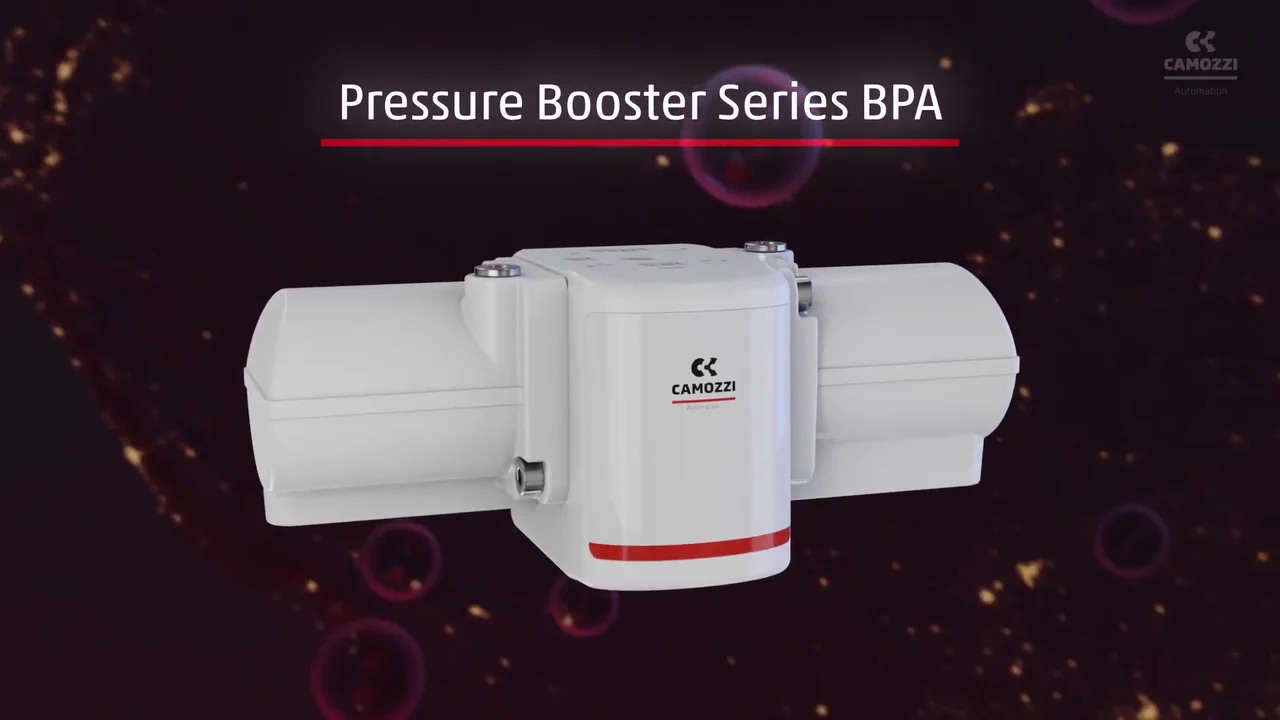
The product name and the whole unit share one frame. 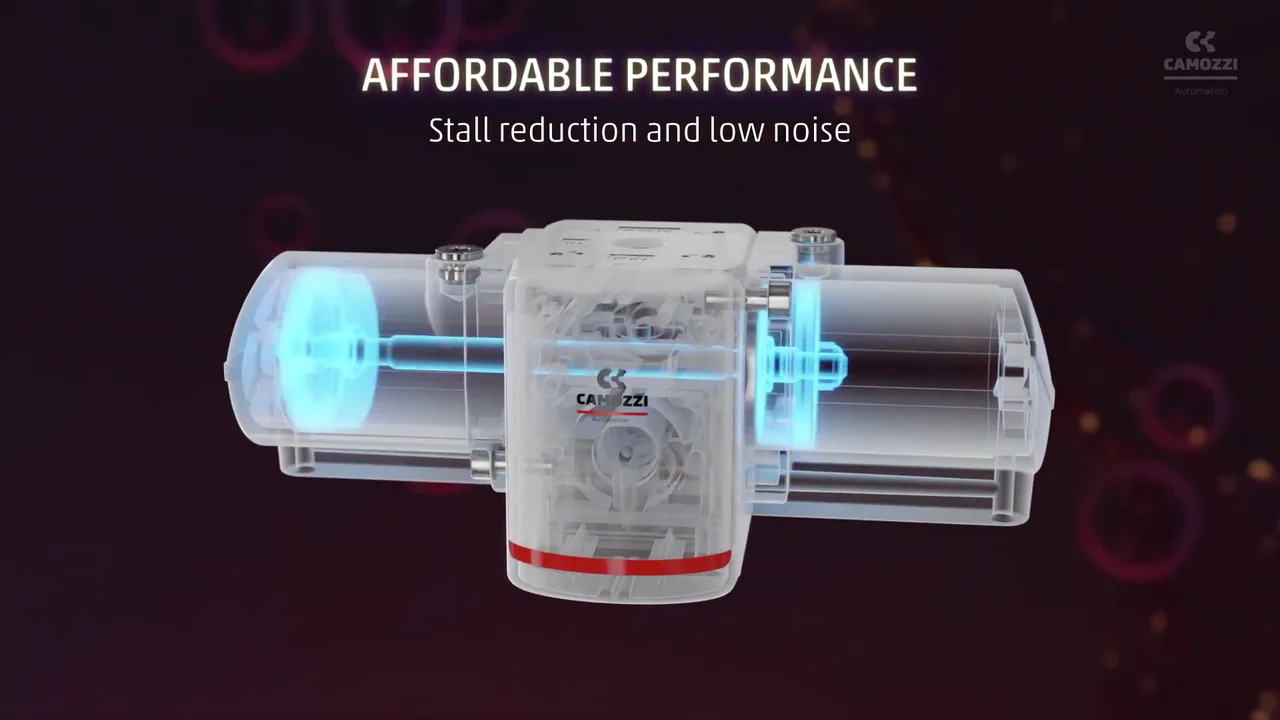
The housing turns see-through, so the mechanism is visible. 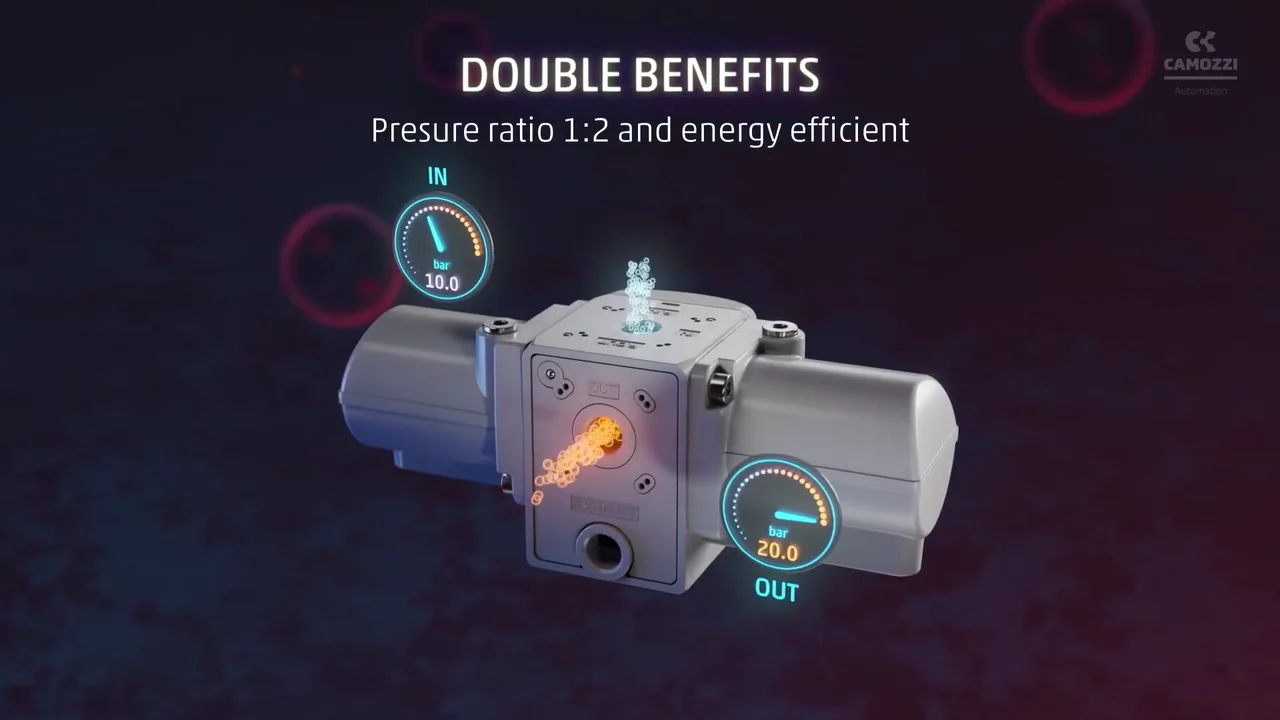
2 gauges prove the 1:2 ratio: 10.0 bar in, 20.0 bar out. 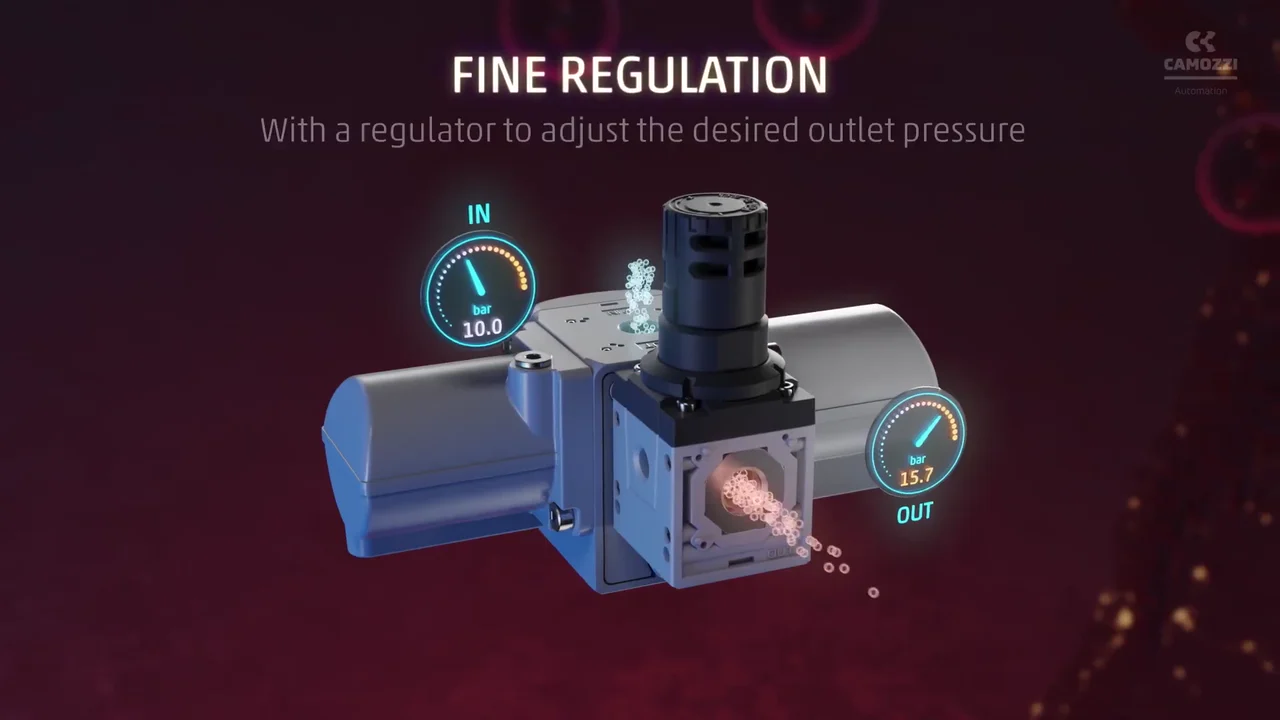
The regulator version arrives with the gauges still in place. 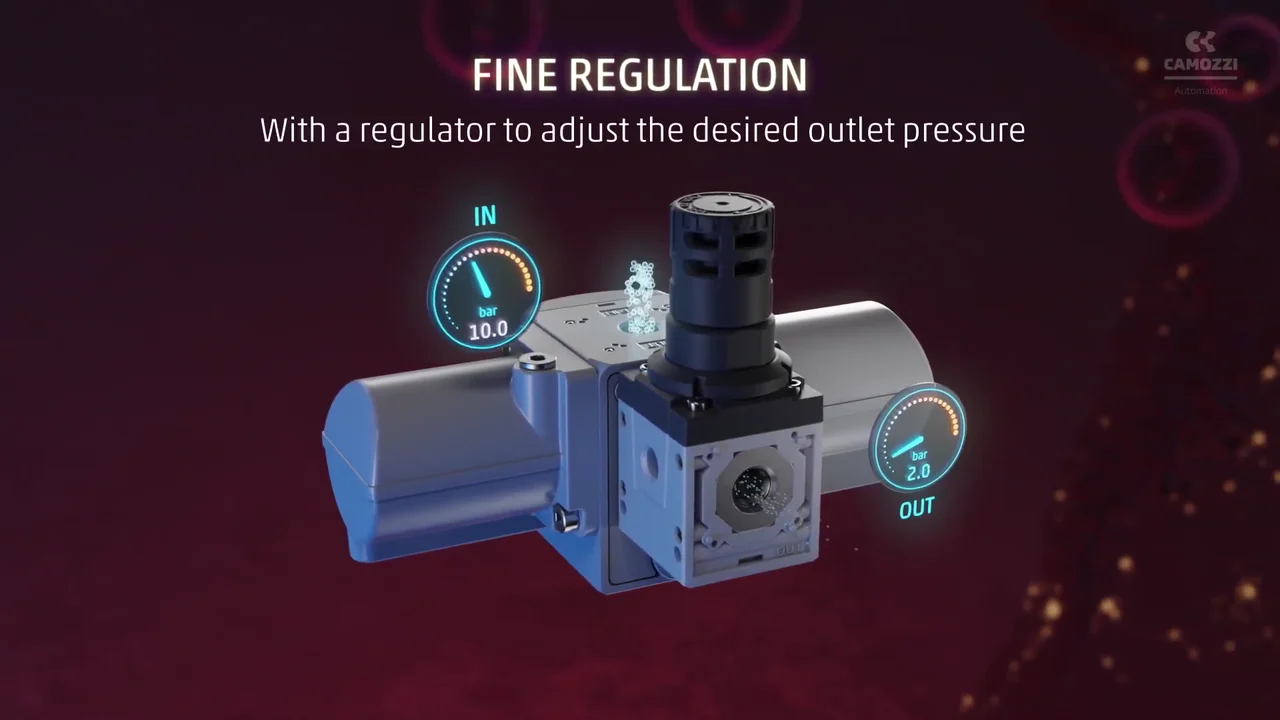
The OUT needle drops while IN holds: the regulator at work. 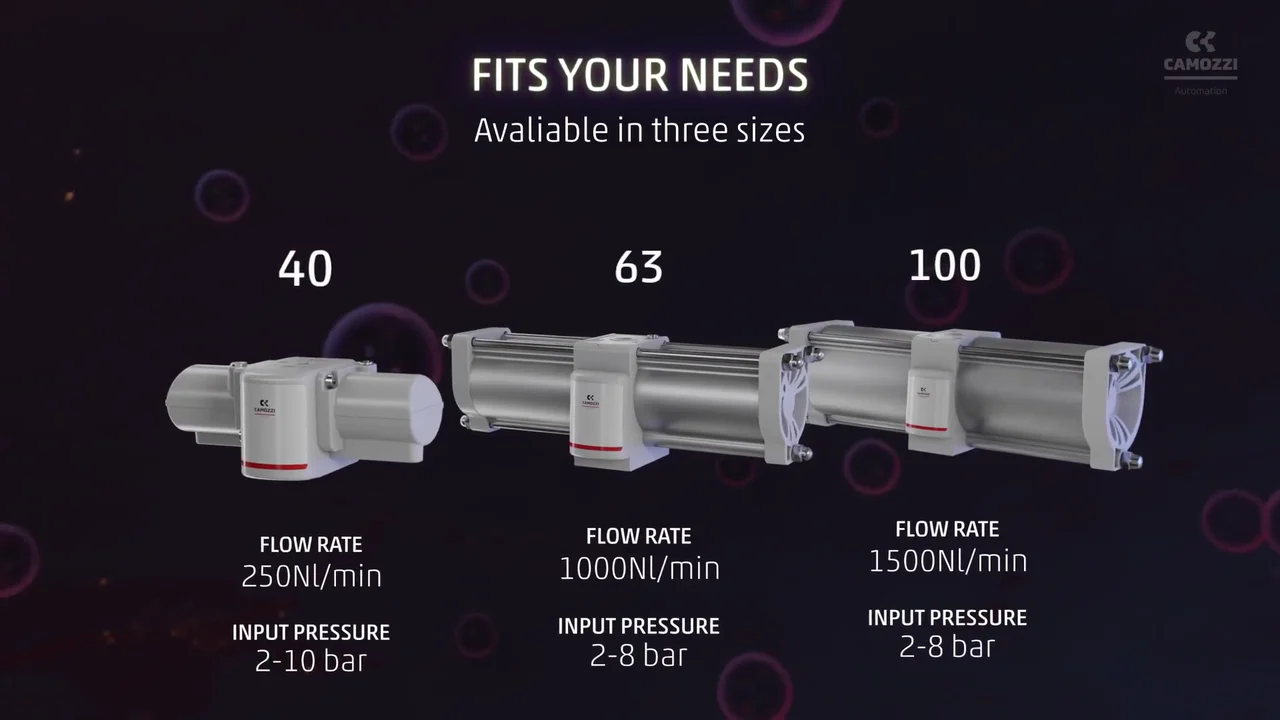
3 sizes with flow rate and input pressure under each, ready to compare. 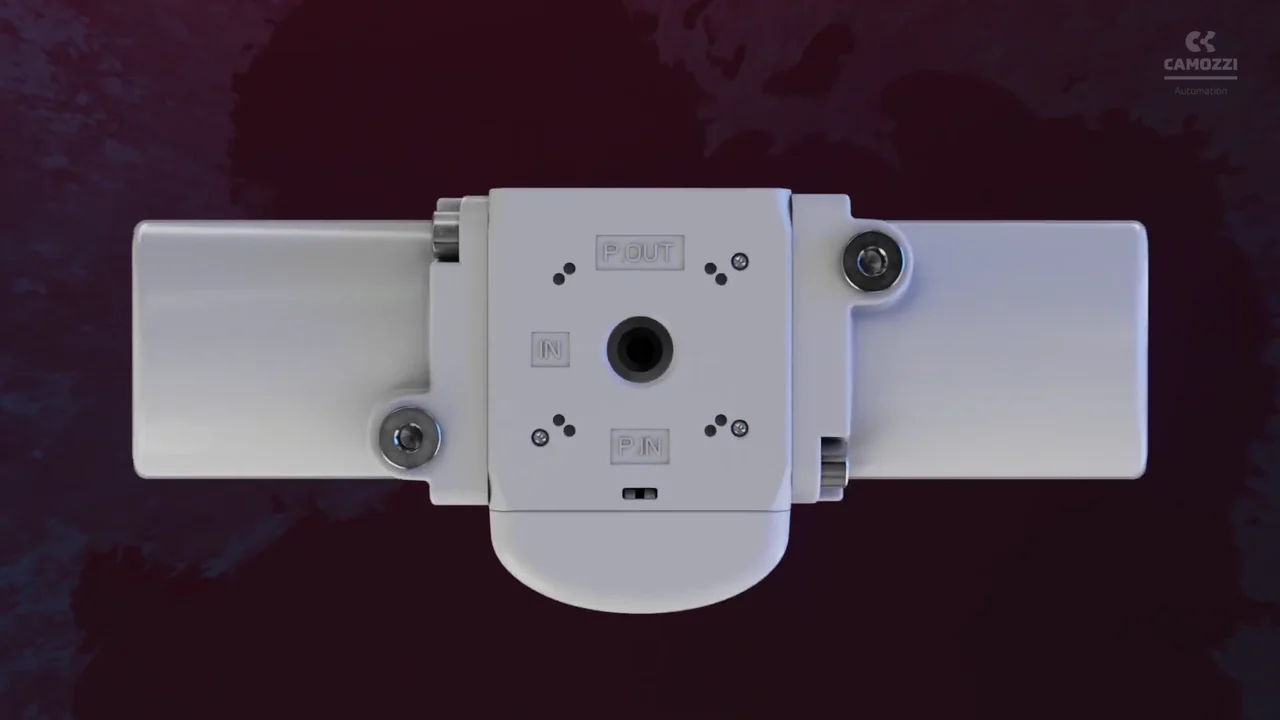
The port face shows an installer where each line connects. 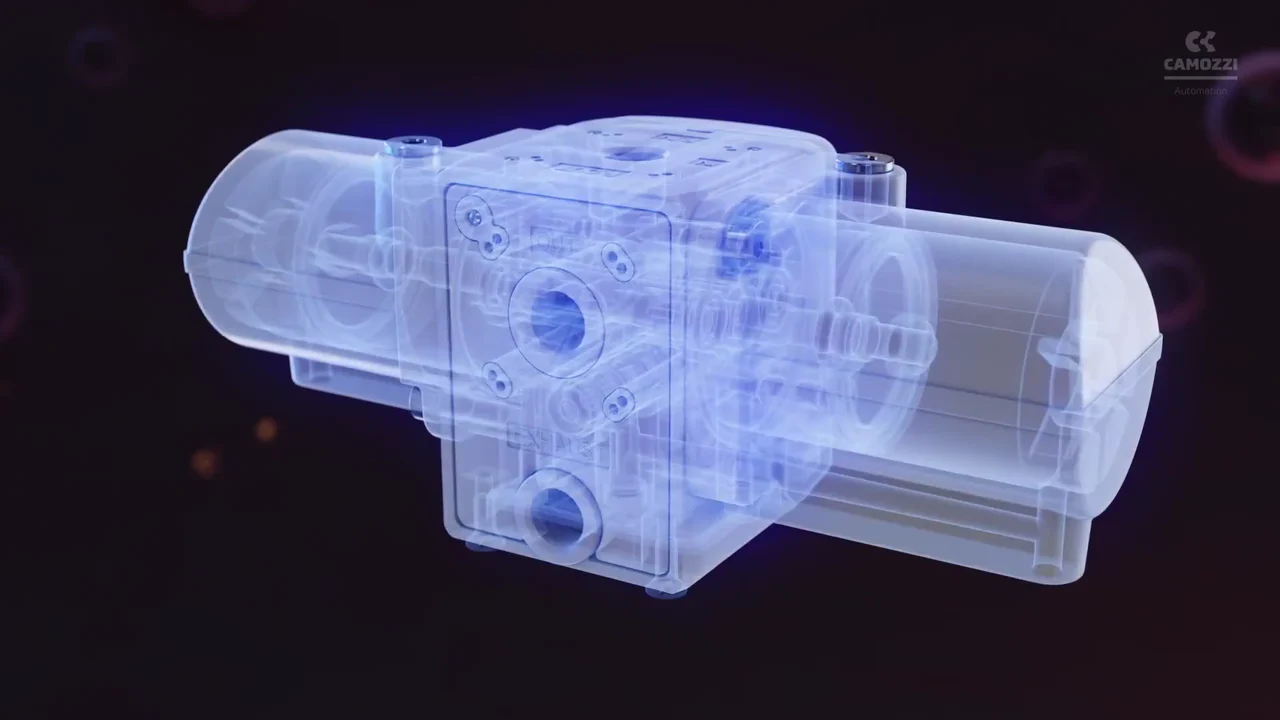
A last x-ray pass shows the whole mechanism in one view. 
One address closes the video.
4 decisions behind the Camozzi engineering animation video
Decision 1
Start inside the air line
From 0:05 to 0:08 the camera travels inside a blue tube full of air pockets. The booster only appears at 0:09, once the viewer knows the video is about compressed air.
Copy it: If your product acts on something invisible, such as air, fluid or data, show that medium first and bring the product in second.
Decision 2
Make the housing see-through
At 0:16, under "AFFORDABLE PERFORMANCE", the white housing turns transparent and the pistons inside glow. At 0:40 an x-ray pass runs over the whole unit.
Copy it: When the selling point is inside the casing, plan a see-through or cutaway view from CAD instead of an outside spin.
Decision 3
Pin the numbers to the ports
At 0:22 an "IN" gauge reading "10.0" bar and an "OUT" gauge reading "20.0" bar float beside the ports they measure: the 1:2 ratio the subtitle promises, shown as 2 readings.
Copy it: Place each spec next to the part it describes. A reading on the port is easier to trust than a number in a caption.
Decision 4
One short title and one line per claim
"AFFORDABLE PERFORMANCE", "DOUBLE BENEFITS", "FINE REGULATION" and "FITS YOUR NEEDS" each lead one scene of about 5 seconds, from 0:16 to 0:36, with a single line of detail under each, such as "Stall reduction and low noise".
Copy it: Cut each claim to a 2 or 3-word title plus one line of proof, and give each one a scene, so a 50-second video can carry 4 claims that read at a glance.
From Camozzi CAD models to a 50-second render
- CAD preparation. Camozzi's models of the booster body, cylinders and regulator version were prepared as clean 3D assets.
- 4 claims, 4 scenes. The script was cut to 4 titled claims (performance, pressure, regulation and sizes), each with one line of detail and one scene that shows it.
- Materials and light. The white housing, red stripe and port markings such as "OUT" and "EXHAUST" were textured and lit to read against a dark background.
- See-through and airflow. A transparent housing, glowing pistons, orange particle flow and IN and OUT gauges that move with the regulator were built to show what happens inside.
- Animation and render. The air-line opening, product turns, x-ray pass and size line-up were animated and rendered.
- Compositing and titles. Renders, gauges and the claim titles were composited, ending on the "www.camozzi.com" card.
- Sound, edit and color. Sound design was built to pace each cut, then the edit and color grade were finished.
Scope of work:
Production took 3 to 4 weeks on a budget of $1,200 to $2,000. See the 3D video production service for how a project like this is scoped.
Questions about the Camozzi engineering animation video
How does the Camozzi video show what happens inside the booster?
From 0:16, under the title "AFFORDABLE PERFORMANCE" and the line "Stall reduction and low noise", the housing turns see-through and the pistons inside glow blue. At 0:40 an x-ray pass runs over the whole unit.
What do the IN and OUT gauges in the Series BPA video show?
At 0:22 the "IN" gauge reads "10.0" bar and the "OUT" gauge reads "20.0" bar as orange particles leave the outlet, which matches Camozzi's "pressure ratio of 1:2". On the regulator version from 0:26, "IN" stays at "10.0" while "OUT" sweeps down to "2.0" by 0:28.
Does the video show both versions of the Series BPA?
Yes. The plain booster carries the first 24 seconds, the version with the black regulator slides in at 0:25, and from 0:26 it carries the title "FINE REGULATION" and the line "With a regulator to adjust the desired outlet pressure".
Why does the video open inside a tube instead of on the product?
From 0:05 to 0:08 the camera travels through a blue tube full of air pockets. It makes compressed air the subject, so when the booster appears at 0:09 the viewer already knows what it acts on.
Which sizes of the Series BPA does the video cover?
All 3: at 0:32 the title "FITS YOUR NEEDS" lines up sizes 40, 63 and 100, with flow rates of "250Nl/min", "1000Nl/min" and "1500Nl/min" and input pressures of "2-10 bar", "2-8 bar" and "2-8 bar". The YouTube upload is titled for size 40.
How long did the Camozzi video take, and what did it cost?
Production took 3 to 4 weeks on a budget of $1,200 to $2,000, from CAD model preparation through texturing, lighting, animation, rendering, compositing, sound design and color grading.
What Advids clients say
"ADVIDS maintained clear communication, provided regular progress updates, and delivered project milestones on time. The team delivered a professional marketing video that increased audience engagement."Carol Jiang, Product Marketing Specialist at MEAN WELL USA


Need engineers to see what your component does inside the machine?
Talk to Advids