
SMC · Process cooling · 3D animated explainer video
Animation Video Explainer for the SMC HRS400: A Chiller Shown at Work in 4 Processes
SMC needed engineers to see what the HRS400 chiller does for their machine, not only what the cabinet looks like. This animation video explainer puts the unit to work in 3D: it cools a car body line after an "Alert high temperature" warning, then a bulk handling line, an ultrafiltration plant and a cryogenic lab.
Last updated
SMC · HRS400 Series
- Client
- SMC
- Product
- HRS400 Series circulating fluid temperature controller, standard type (a process chiller)
- Made for
- Engineers cooling machines and processes in manufacturing, bulk handling, water treatment and labs
- Format
- 3D animated product explainer video with on-screen text
- Style
- 3D scenes in SMC blue and white, with SMC's titles on every scene
- Length
- 2:20
- Production timeline
- 3 to 4 weeks
- Budget
- $1,200 to $2,000
The problem: every chiller is a white box with a fan
SMC's YouTube description promises that the HRS400 will "Improve the performance & reliability of your machine", with "a great temperature stability" and proactive control. From the outside, though, a chiller is a white cabinet with a fan on top. A picture of the cabinet proves none of those promises.
The people who choose a chiller fit it to something: a car body line, a bulk handling line, a filtration plant, a lab freezer. They need to see where the unit sits in their own process and what it stops going wrong. So the video had to show the HRS400 connected to those processes, not standing alone on a white floor.
How the HRS400 video moves from the cabinet to the process, scene by scene
SMC's blue titles name every scene, so the video can be followed with the sound off. Select a time to play that scene above.
| Time | On screen | What it does |
|---|---|---|
| SMC logo, then "IMPROVE THE PERFORMANCE & RELIABILITY OF YOUR MACHINE" and "HRS400 Series" over one chiller. From 0:12 the range lines up by size, and the capacity line rises as each larger unit comes forward: "Cooling capacity up to 4,9 kW" (0:15), "Cooling capacity up to 17,5 kW" (0:18), "Extended cooling capacity up to 38 kW" (0:21). | States the promise, then lets the buyer find their size in the range. | |
| "Control excess heat": robots work on car bodies while a monitor's temperature curve climbs (0:30), then flags "Alert high temperature" (0:32) as the chiller slides in. By 0:36 the chiller is hosed to the line, the curve settles and the text reads "Temperature stability ± 0,1 °C" and "Optimise the quality of your process". | Shows the failure first, then the chiller that prevents it. | |
| "Get that smart solution that will give you proactive control": the chiller wired to a monitor with "RS-232C/RS-485 and contact I/Os" and arrows marked "Readout" and "Writing". From 0:48 "Keep yourself informed" and a magnified touch panel labeled "Live monitoring", worked by a finger through its screens up to an "AL01 Low Level" alarm at 1:00. | Turns "proactive control" into a cable, a data link and a screen an operator touches. | |
| "Get worldwide support" (1:06): a 3D globe covered in SMC parts, circled by orange links. | Answers the service question before the use cases. | |
| "Suitable for bulk handling process": a hopper, an inclined conveyor and pipework built in 3D from 1:15, with the flow shown in red, then at 1:24 the chiller joins the line with a blue return pipe. | First of 3 named processes. | |
| "Suitable for water treatment process, ultrafiltration": a container and tank at 1:30, a filtration unit that builds in place at 1:33, a tablet chart beside red filter columns at 1:39, then the chiller at 1:42. | Second process, built before the chiller arrives. | |
| "Suitable for use in cryogenic chillers": racks of sample vials in mist at 1:48, lab staff at a freezer at 1:51, a tablet with a "Refrigeration water Temperature" chart that rises and levels off above "-80 °C" (1:57 to 2:00), then the chiller beside the freezer at 2:03. | Third process, the coldest and most sensitive. | |
| At 2:06 the opening title returns beside the chiller, and by 2:12 a blue panel lists 4 benefit lines: "Optimise the quality of your process", "Get the smart solution that will give you proactive control", "Get worldwide support" and "Keep yourself informed". The SMC logo and tagline close from 2:15. | Sums up the 4 benefits the viewer has just seen. |
Storyboard: the frames that carry the SMC HRS400 animation video explainer
Key frames from the finished video, in order. Select a time to play that moment above.
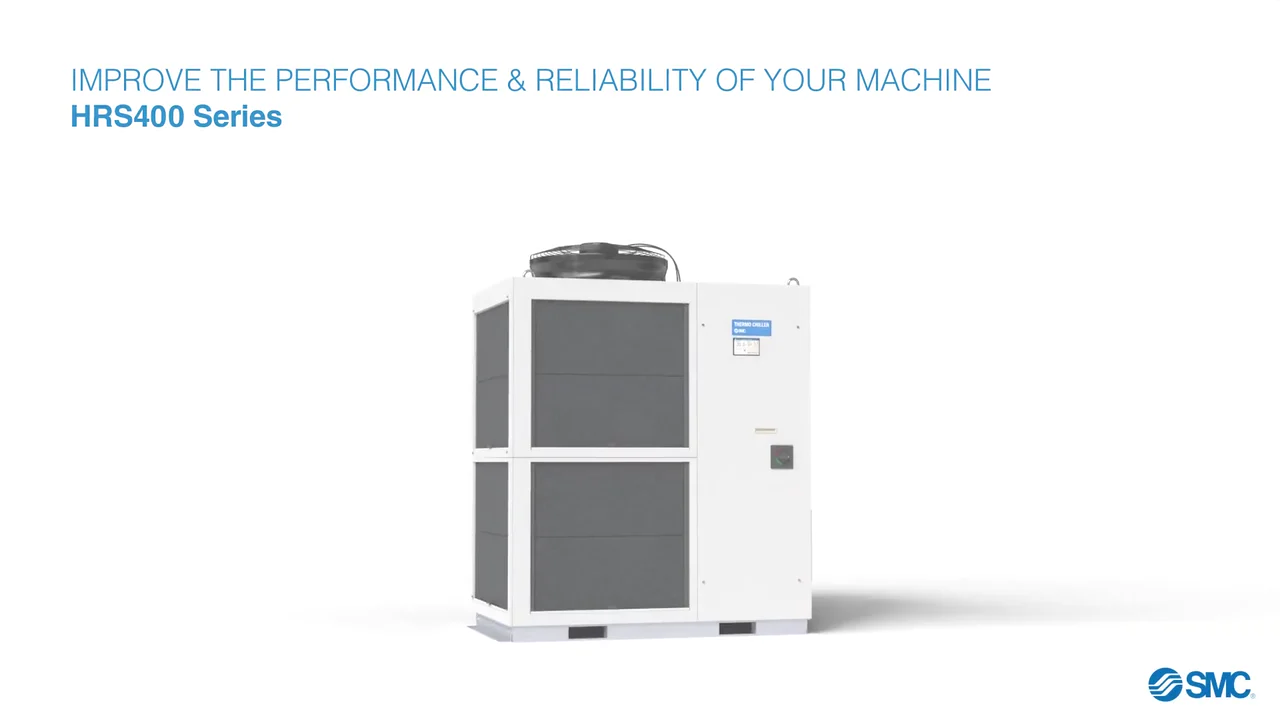
The promise and the product name come first. 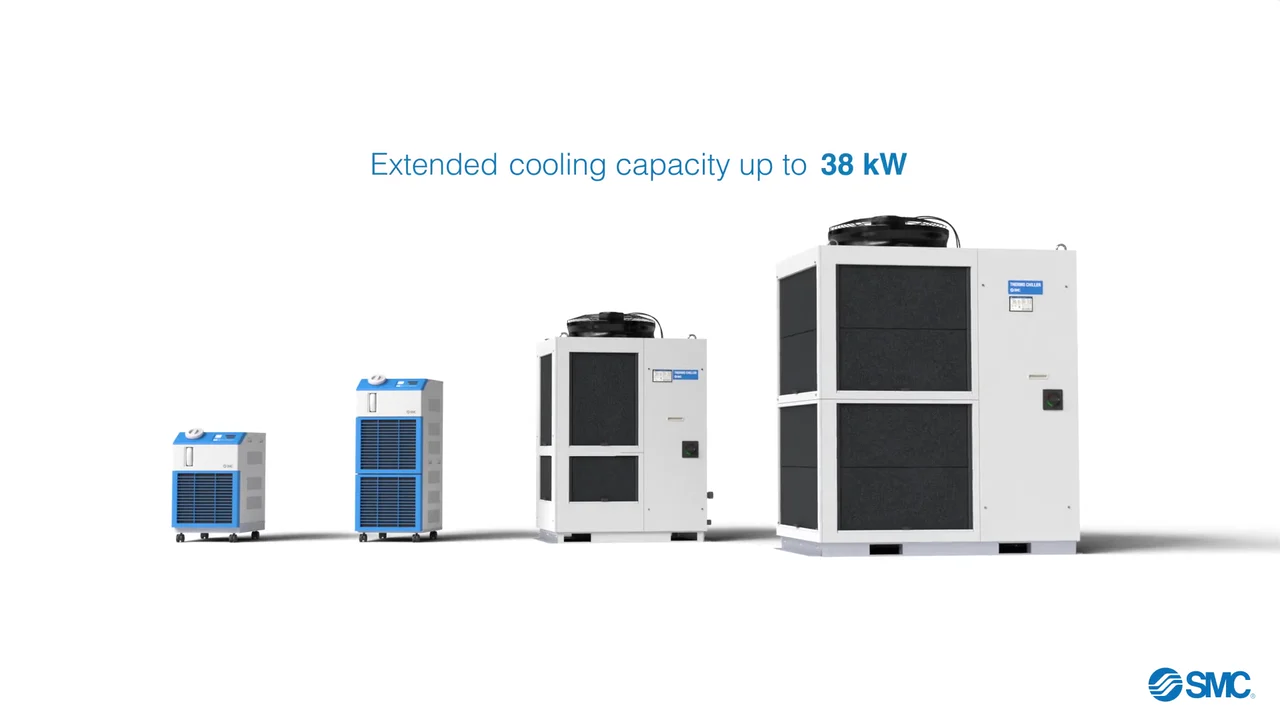
The whole range in 1 shot lets a buyer find their size. 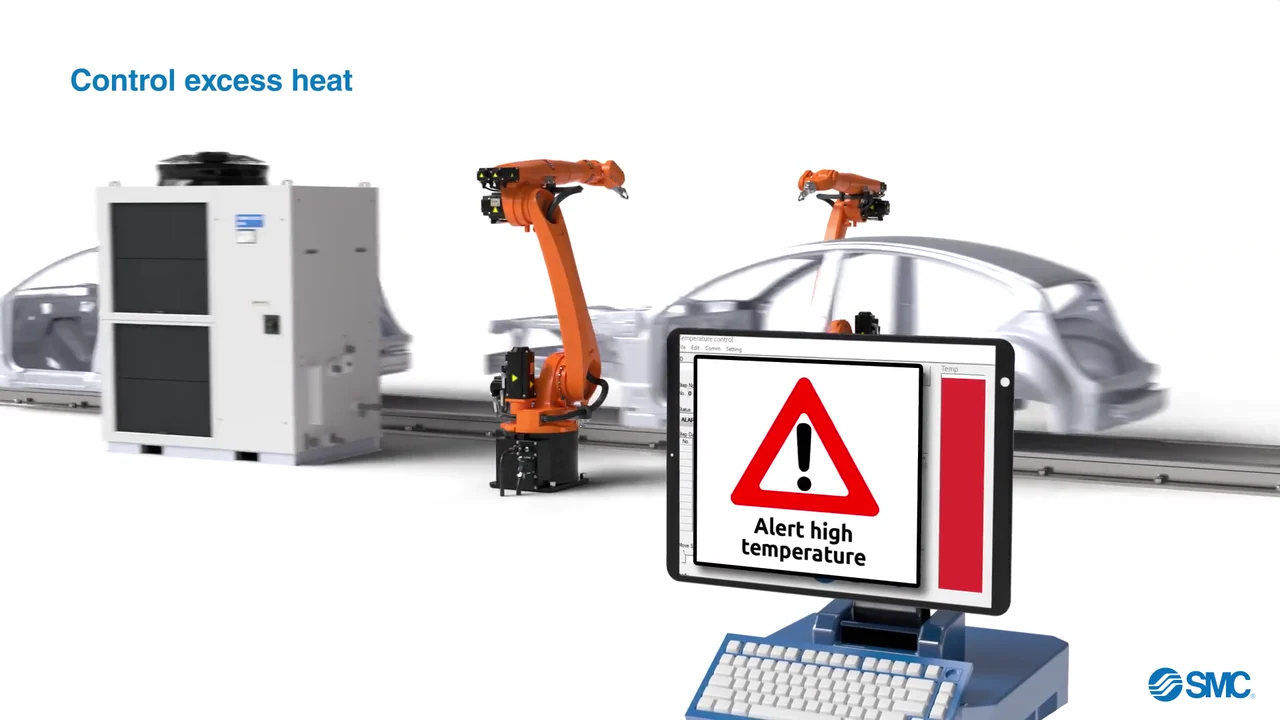
The failure appears before the fix. 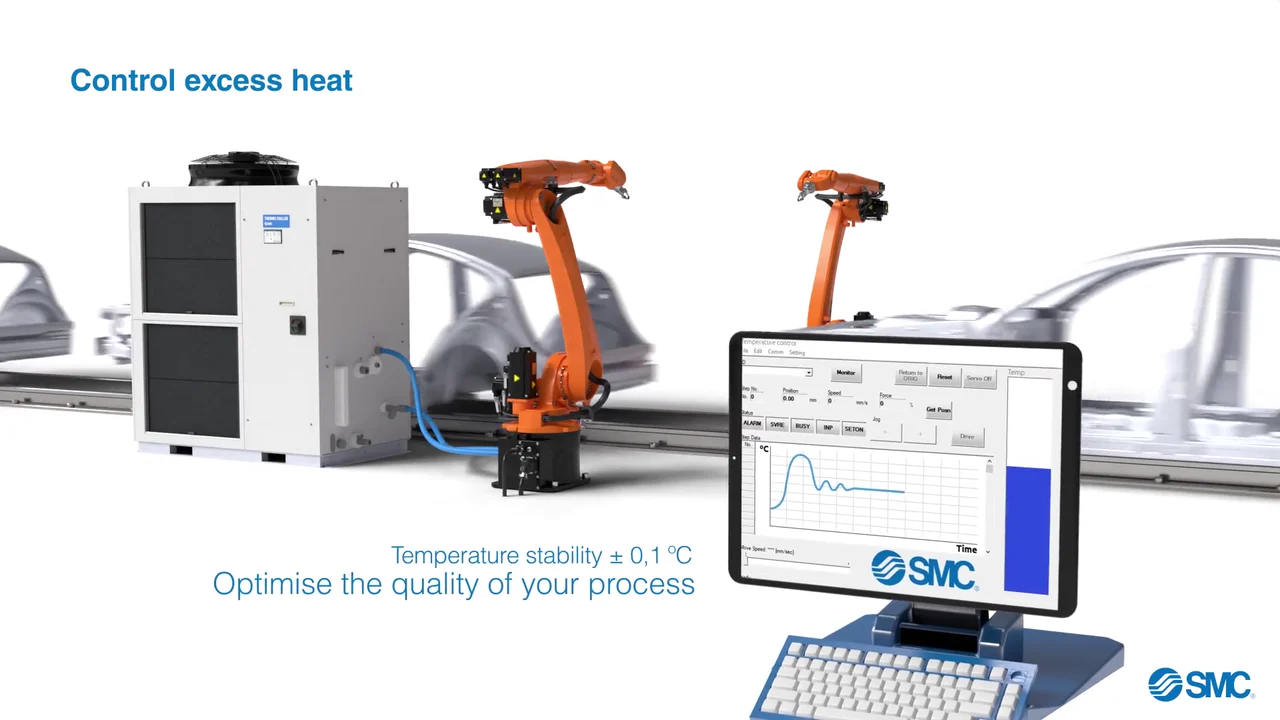
Once connected, the chiller settles the curve and states its spec. 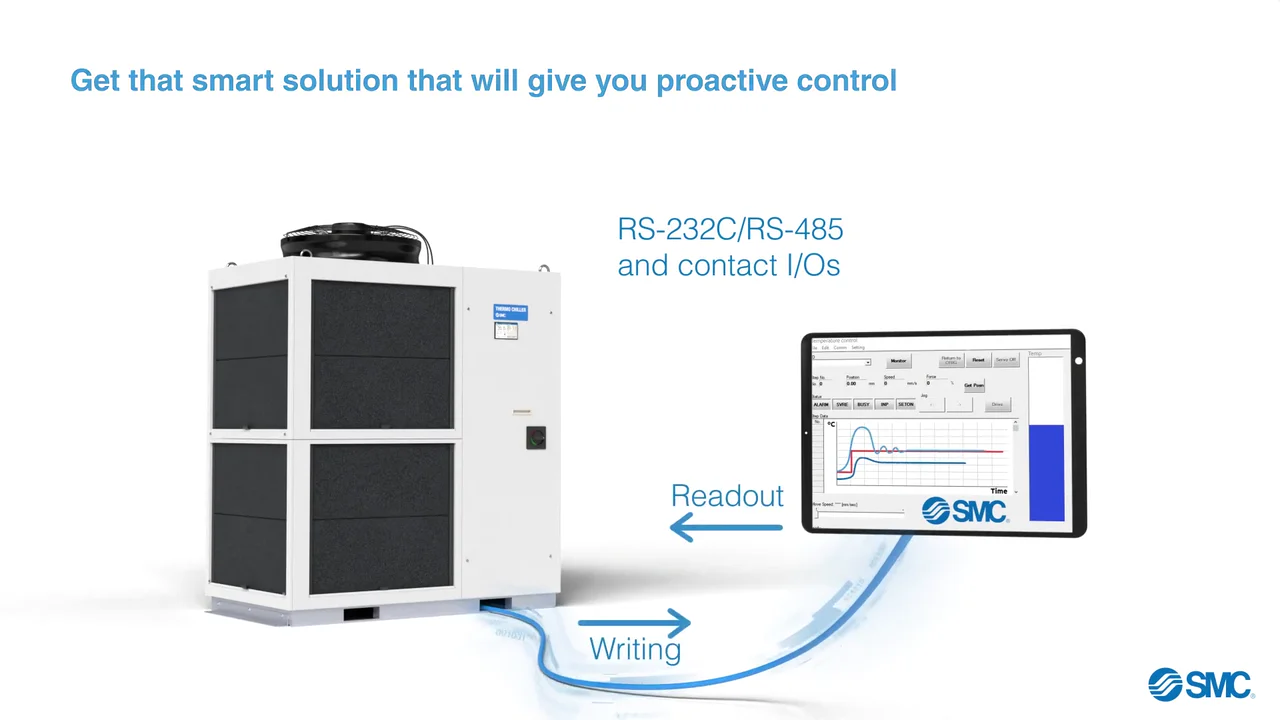
Proactive control is drawn as a data link both ways. 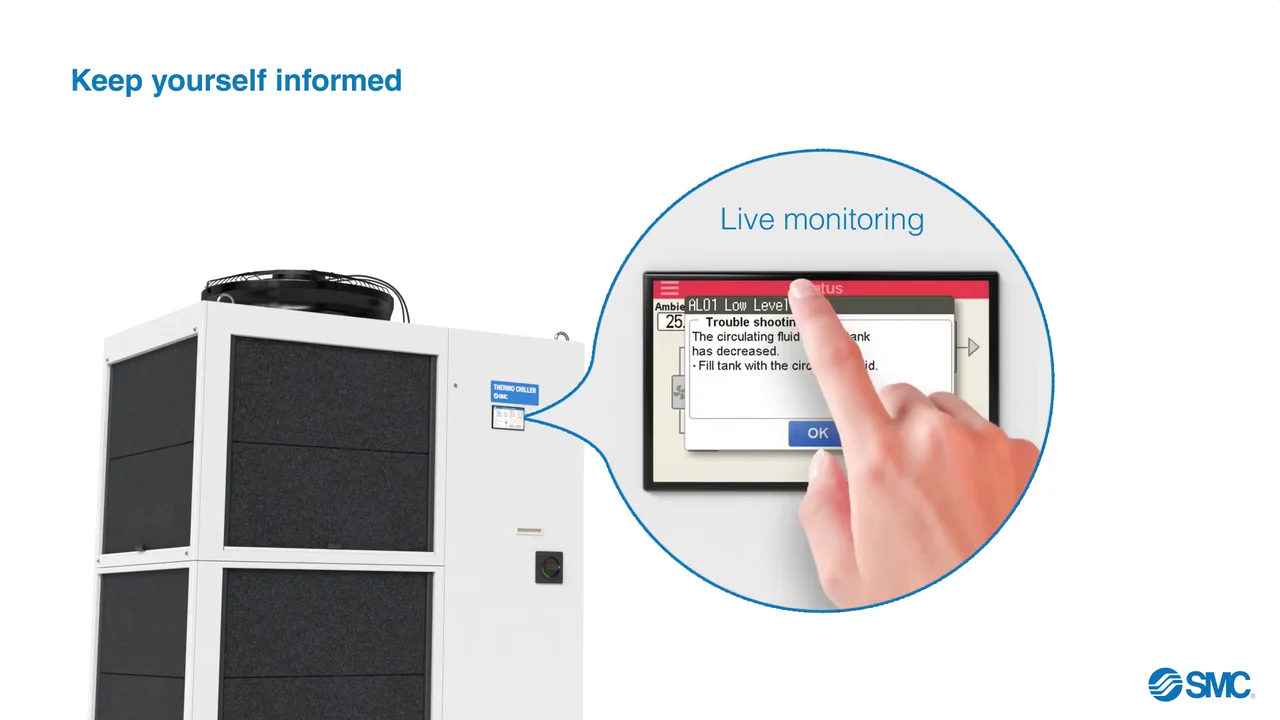
The magnified panel shows the alarm an operator would act on. 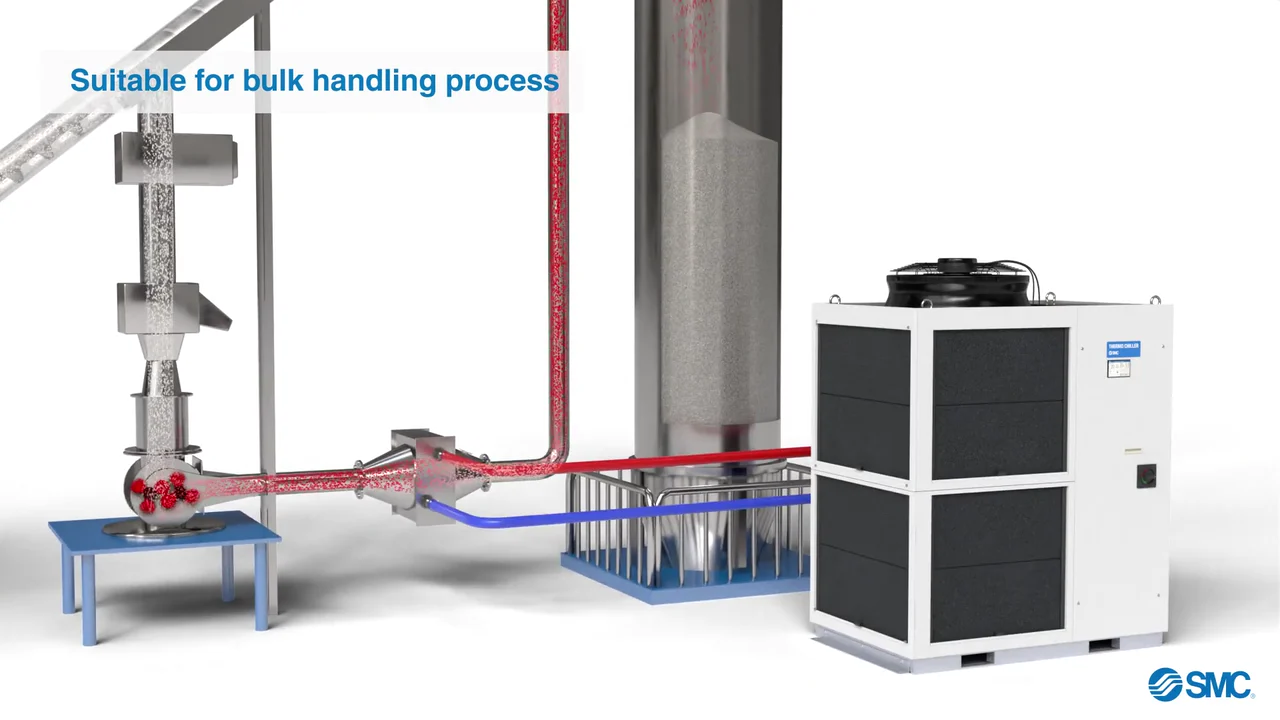
Process 1: the chiller joins a bulk handling line. 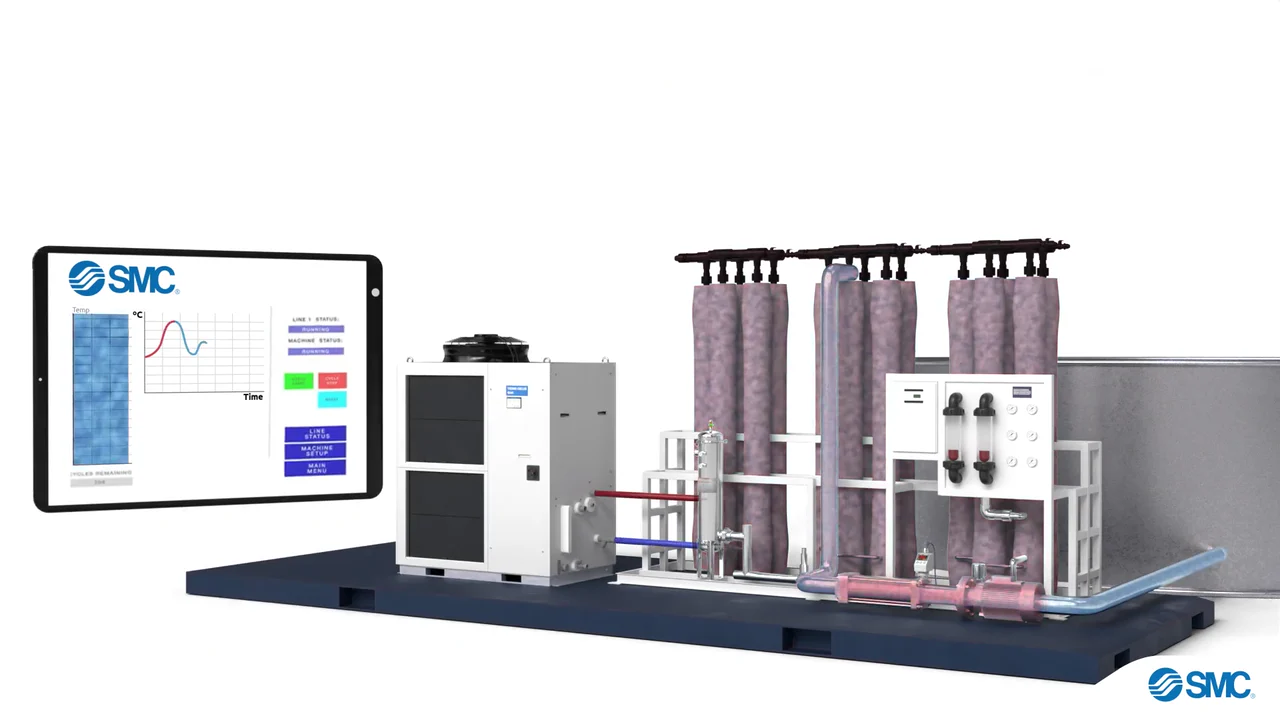
Process 2: the chiller joins an ultrafiltration plant. 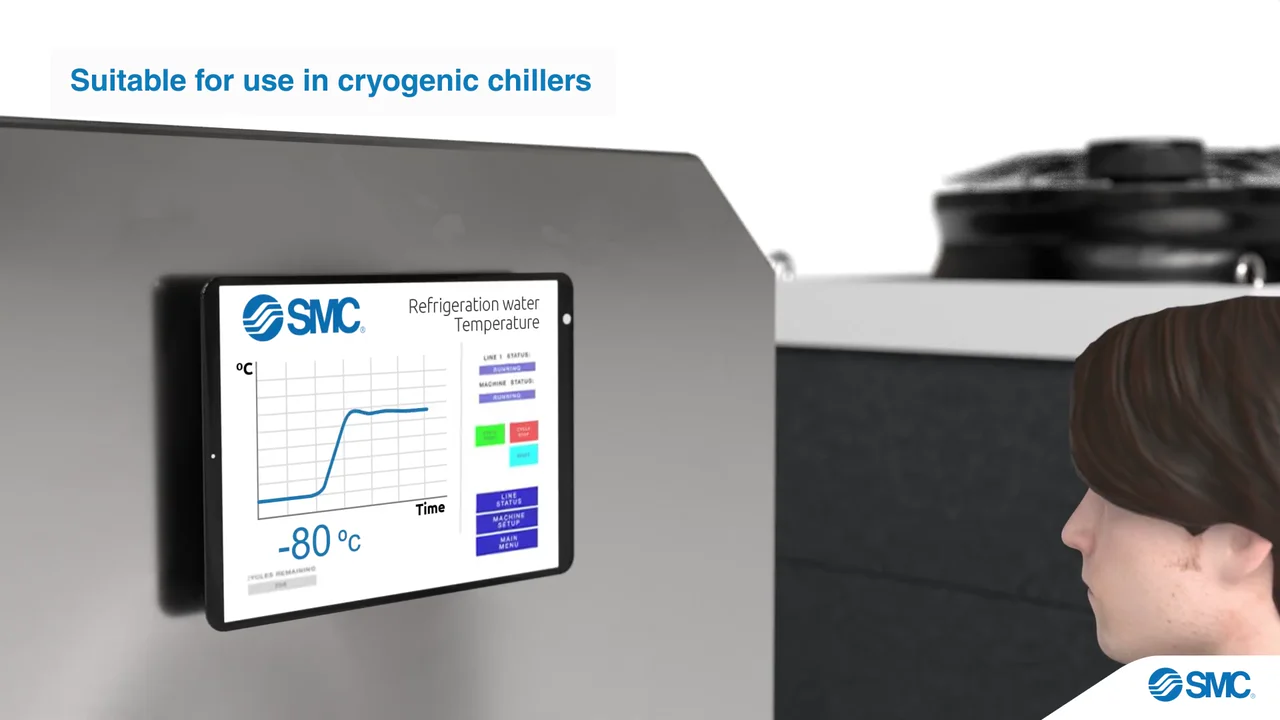
Process 3: a cryogenic freezer reads its temperature on an SMC screen. 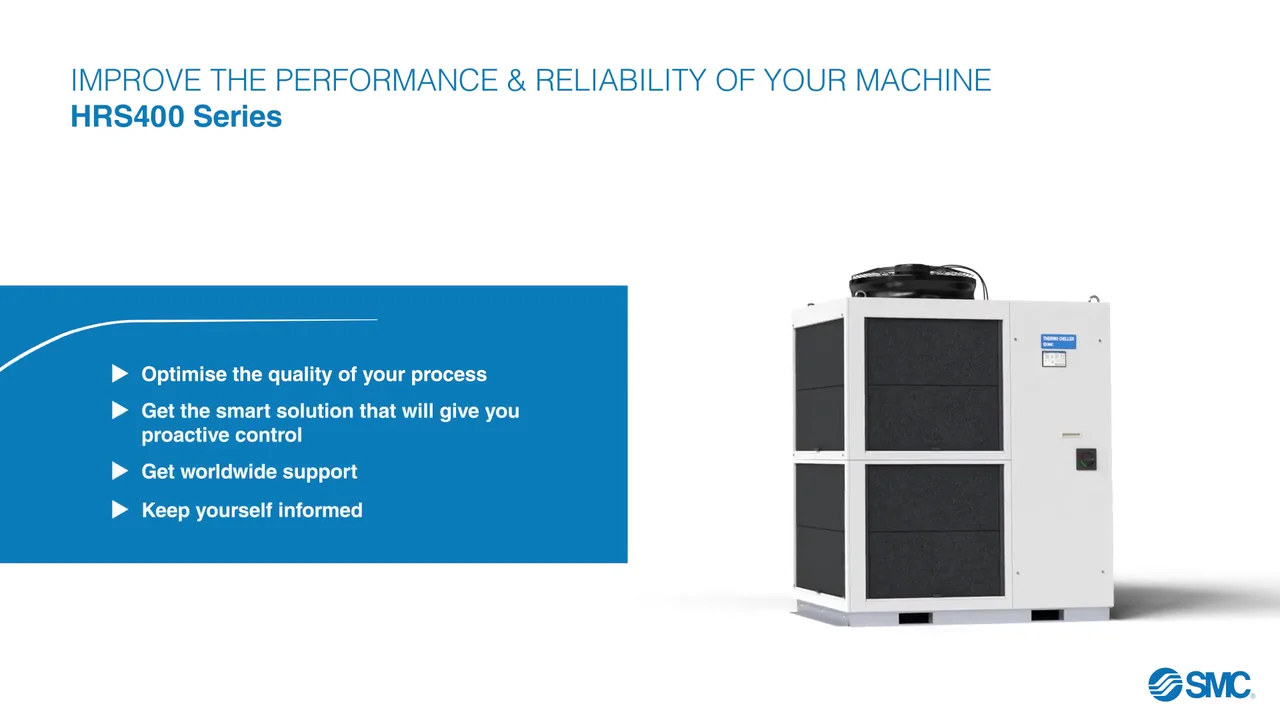
The recap lists the 4 benefits just shown.
4 decisions behind the SMC HRS400 animation video explainer
Decision 1
Show the heat alarm before the chiller
From 0:27 robots work on a car body line while a temperature curve climbs, and at 0:32 the monitor flags "Alert high temperature". The chiller slides in only then, and by 0:36 it is hosed to the line and the curve settles.
Copy it: Open on the failure your product prevents, then bring the product in to stop it.
Decision 2
Line up the whole range by size
From 0:12 to 0:25 the units stand in a row, smallest to largest, while the capacity line rises from "Cooling capacity up to 4,9 kW" to "Extended cooling capacity up to 38 kW".
Copy it: If you sell a range, put the models side by side so a buyer finds their size in one shot.
Decision 3
Magnify the touch panel and use it
From 0:48 the chiller's panel is pulled out in a circle labeled "Live monitoring" and a finger moves through its screens, ending on an "AL01 Low Level" alarm at 1:00.
Copy it: When a selling point is a small screen, enlarge it and let a hand operate it.
Decision 4
Name each process, then build it
From 1:15 three scenes open on a title such as "Suitable for bulk handling process", build that process in 3D, and add the chiller last.
Copy it: Pick the processes your buyers run, title each in their words, and connect your product last.
From one chiller model to 4 process scenes
- Chiller and range models. The HRS400 and the smaller units in the range were modeled in 3D for the lineup and the close-ups.
- 4 process sets. A car body line, a bulk handling line, a water treatment plant and a cryogenic lab were built as scenes the chiller plugs into.
- Texturing and lighting. White cabinets on white floors were textured and lit so the outline, fan and touch panel still read.
- Animation. Robots, the flow through pipes, the finger on the touch panel, lab staff and the globe were animated.
- Render, effects and titles. Scenes were rendered, then effects such as the red flow and the cryogenic mist were added and SMC's blue titles composited.
- Sound design and final edit. Sound was added and the 8 scenes were cut to 2:20.
Scope of work:
Production took 3 to 4 weeks on a budget of $1,200 to $2,000. See the 3D video production service for how a project like this is scoped.
Questions about the SMC HRS400 animation video explainer
Why does the SMC HRS400 video open on a row of chillers?
From 0:12 to 0:25 the range stands in a row by size while the capacity line rises from "Cooling capacity up to 4,9 kW" through "17,5 kW" to "Extended cooling capacity up to 38 kW". A buyer can place the capacity they need before any feature is shown.
How does the video show the cost of excess heat?
Under "Control excess heat" at 0:27, robots work on car bodies while a temperature curve climbs, until the monitor flags "Alert high temperature" at 0:32. The chiller is then connected, and by 0:36 the screen reads "Temperature stability ± 0,1 °C" and "Optimise the quality of your process".
How does the animation show proactive control?
At 0:42 the chiller is wired to a monitor under "RS-232C/RS-485 and contact I/Os", with arrows for "Readout" and "Writing". From 0:48 the touch panel is magnified as "Live monitoring" and a finger works through its screens.
Which processes does the HRS400 video show?
After the car body line, 3 titled scenes: "Suitable for bulk handling process" at 1:15, "Suitable for water treatment process, ultrafiltration" at 1:30 and "Suitable for use in cryogenic chillers" at 1:48. Each process is built first and the chiller is added last.
How does the SMC video end?
At 2:06 the opening title "IMPROVE THE PERFORMANCE & RELIABILITY OF YOUR MACHINE" returns beside the chiller, and by 2:12 4 benefit lines sit in a blue panel, from "Optimise the quality of your process" to "Keep yourself informed". The SMC logo closes the video from 2:15.
What did the SMC animation take to make?
3D modeling of the chiller and 4 process sets, texturing, lighting, animation, rendering, effects, compositing, sound design and a final edit. Production took 3 to 4 weeks on a budget of $1,200 to $2,000.
What Advids clients say
"They understood how to make the material engaging, even when it was more educational in nature. A respected journal accepted ADVIDS's video, which also received positive feedback from physicians."Paula Adduci, Principal at Adduci Studios


Need engineers to see where your equipment fits in their process?
Talk to Advids