Bordio · Work management software · UI animation video
Software Marketing Video for Bordio: One Campaign From First Task to Team Plan
Bordio needed project managers, team leads and employees to see their own week inside a new work management platform. This software marketing video follows one "Marketing campaign" project from an empty task list to a full team calendar, so every feature appears as the next step in real work.
Last updated
Bordio · Work management platform
- Client
- Bordio
- Product
- Bordio work management platform: projects, tasks, meetings and a team planner
- Made for
- Project managers, team leads and employees
- Format
- 2D UI animation software marketing video
- Style
- Bordio interface animated at an angle and in close-up, with a demo company, "GIM Agency"
- Length
- 2:31
- Production timeline
- 3 to 4 weeks
- Budget
- $1,200 to $2,000
The problem: every work tool claims to organize your week
Bordio describes itself as "a new platform for managing your projects, tasks, meetings, and just getting work done. Together." Nearly every task or project tool says the same, so a buyer comparing them learns nothing from the claim.
What a team lead wants to know is how their own week would look inside the tool: where a new task goes, where unplanned work waits, where meetings sit, and how to see who is doing what. Bordio's description names 3 buyers, "a project manager, team lead, or an employee", so the video had to answer for all 3 in one sitting.
How the Bordio video walks one campaign through the product
The whole video is the interface itself, with readable task names on every card. Select a time to play that scene above.
| Time | On screen | What it does |
|---|---|---|
| The weekly planner, a table view and a calendar with a "Waiting list" swing past at an angle. | Shows the whole product before going into any one feature. | |
| Close-up on the sidebar: "GIM Agency", the teams "Marketing", "Design" and "Development", then projects from "Blog Post Writing" to "Webinar", with "Marketing campaign" picked. | Sets up a demo company a marketer recognizes, with projects that look like real work. | |
| The empty "Marketing campaign" project reads "No completed tasks yet". The first task is typed, "Define target audiences for this camp...", the list fills, and "Design a landing page" opens with its checklist and a chat thread where Michael Martinez asks "can I use images from stock photo services, or should I only use our own?" | Shows a project going from blank to a task list a team can work from. | |
| In the week planner, "Run A/B Test on Landing page" joins the "Waiting list" at 2:00h, next to cards such as "Test the Landing Page" tagged "blocked". | Shows where work without a date waits until the week has room. | |
| "Create event" opens a "Project status update meeting" on Google meet with an agenda that starts "Let's discuss:" and 4 participants, then at 1:18 the event menu sets "Repeat event" to "Every week". | Puts meetings in the same calendar as tasks, so the week shows all of the work. | |
| "Table view" switches to "Kanban board", "Edit task statuses" shows "New task", "Scheduled", "In Progress" and "Completed" with "Add new status", a "Design Specifications" note opens, and cards move into "Under Review" and "Completed". | Shows the same tasks in the view each person prefers, with a visible status trail. | |
| The team planner, "Group by responsible": at 2:00 hand-drawn notes reading "Task from Project #1" point at cards, then rows for Anastasia Novak and Marry Williams fill with tasks from "Sales Funnel", "Video Recording" and "Marketing campaign" in one day, with the waiting list on the right. | Gives the team lead's answer: who is doing what this week. | |
| Split screens recap the views, then the Bordio logo builds on dark blue. | Closes on the name after the viewer has seen every view. |
Storyboard: the frames that carry the Bordio software marketing video
Key frames from the finished video, in order. Select a time to play that moment above.
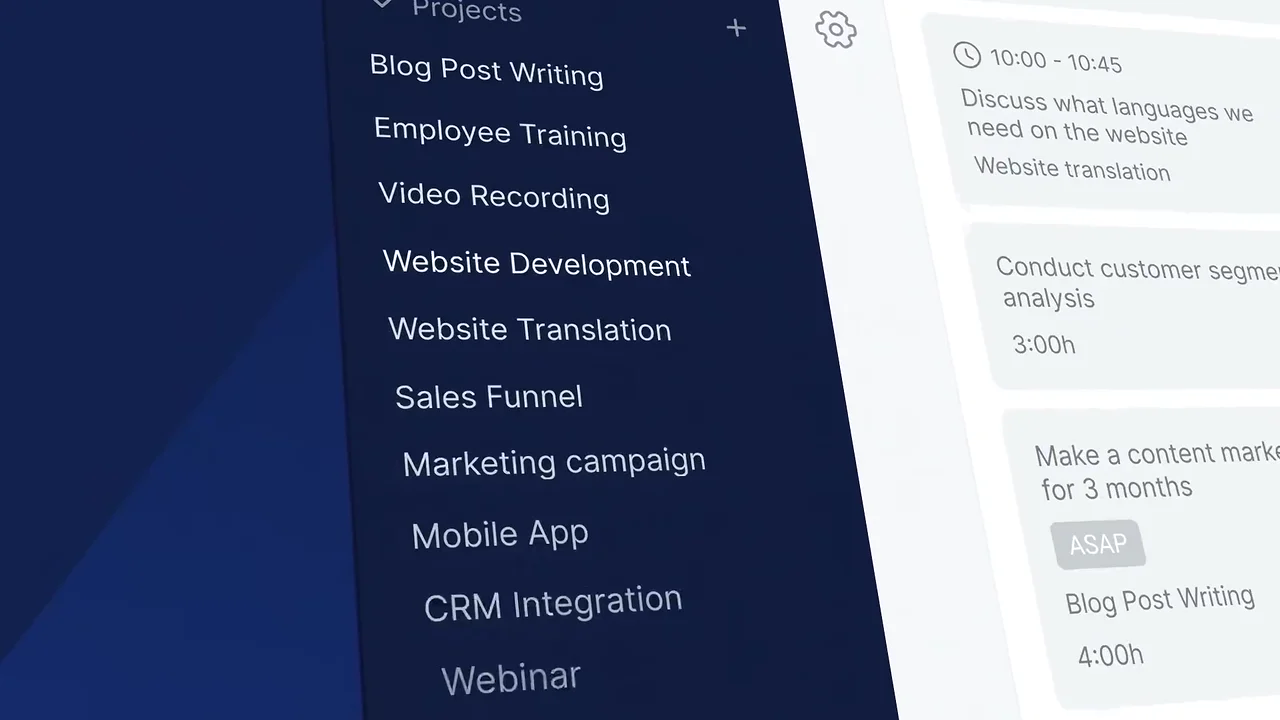
The demo company's projects read like a real marketing team's list. 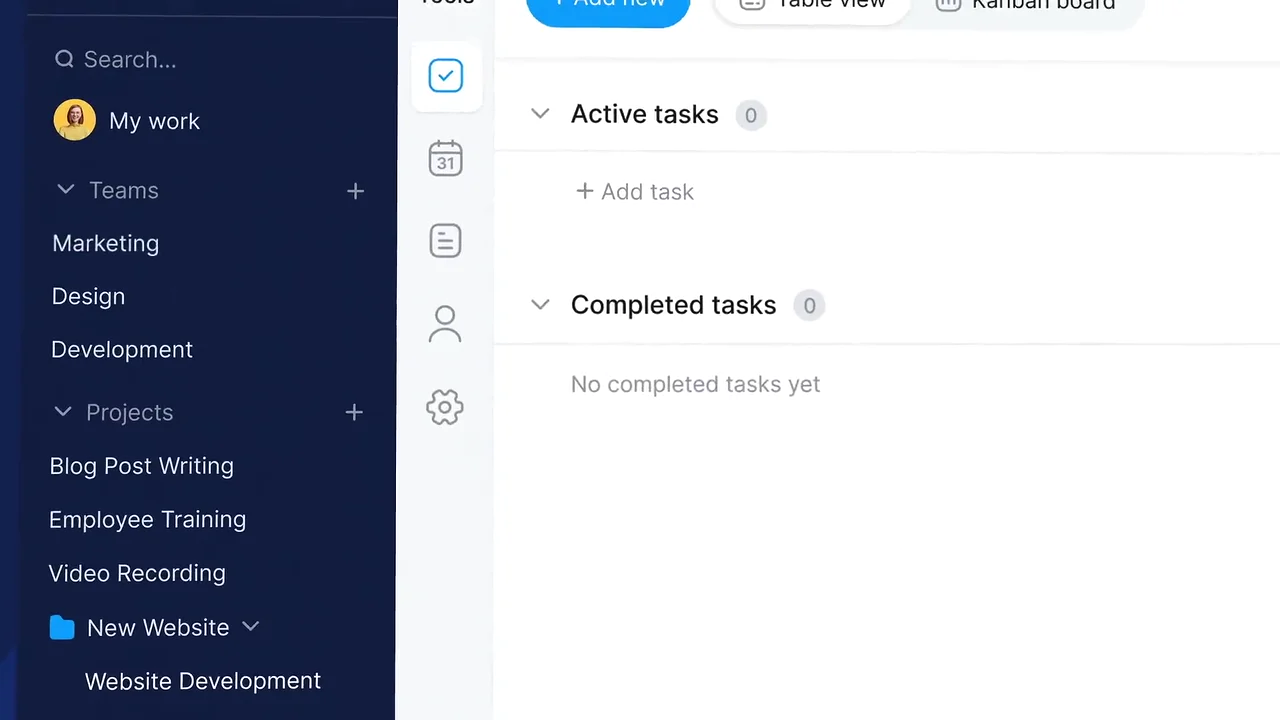
The campaign starts from a blank project. 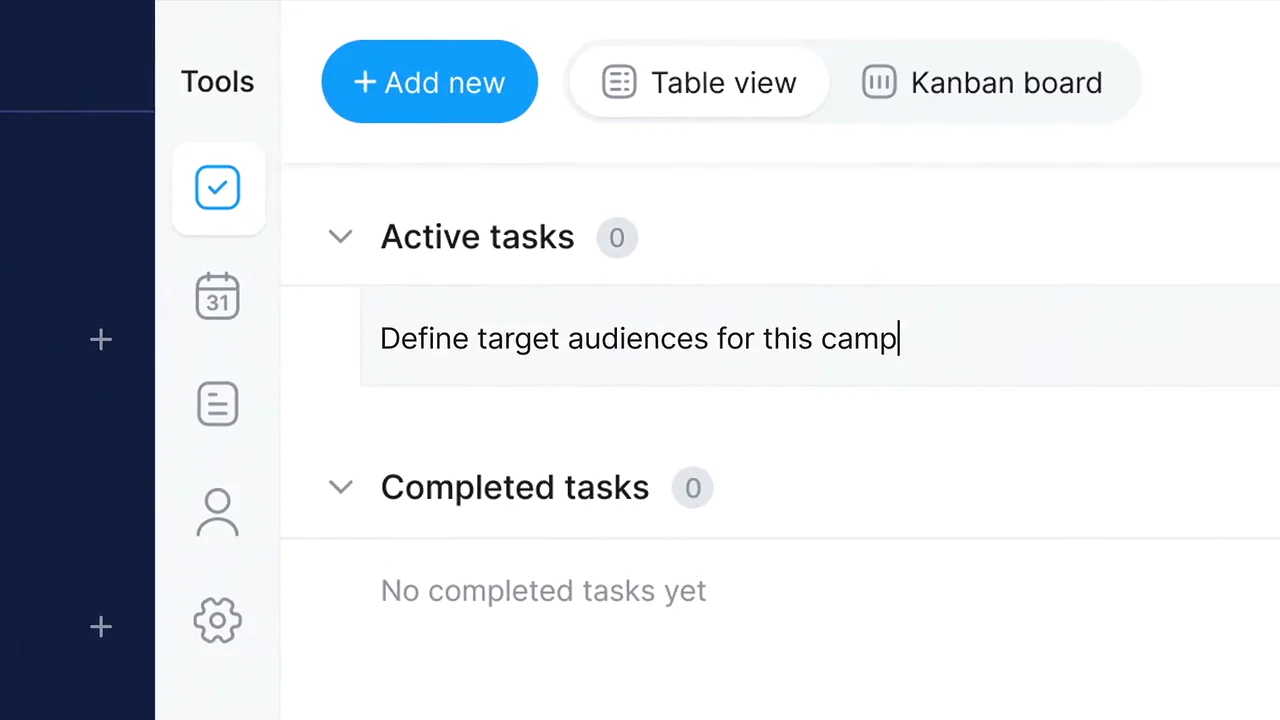
The first task is one typed line. 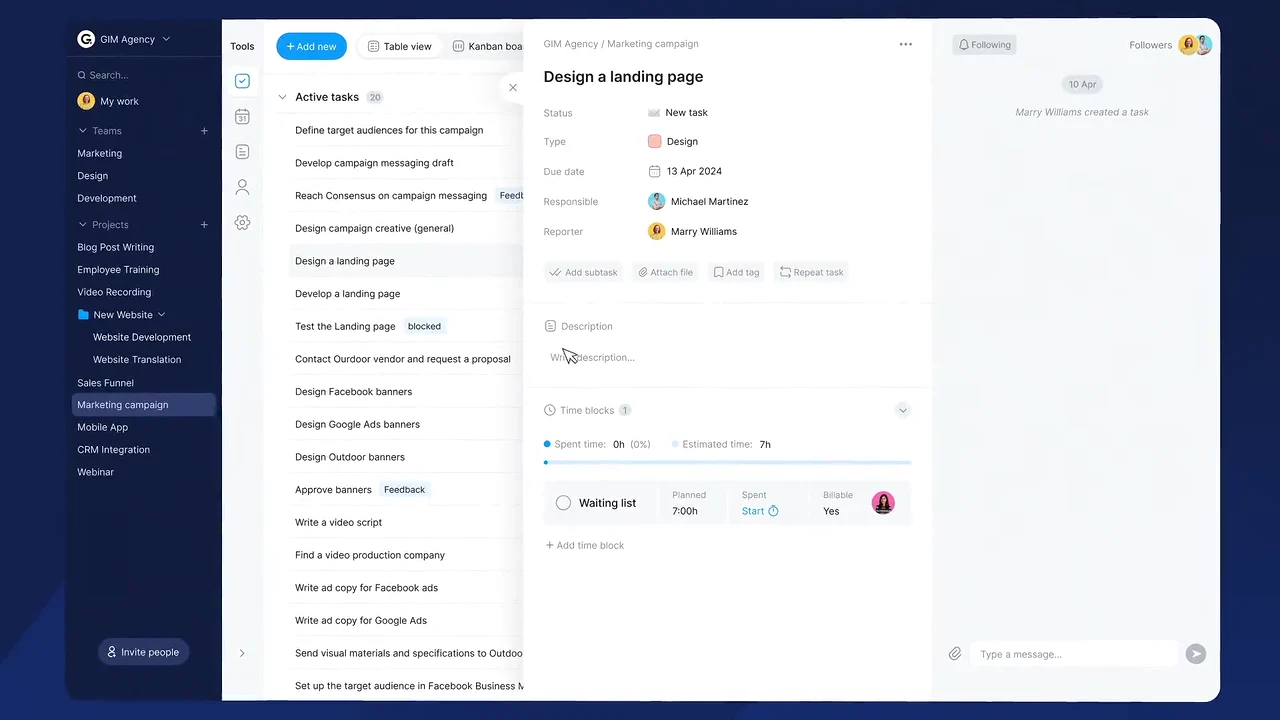
A single task holds its owner, due date and time estimate. 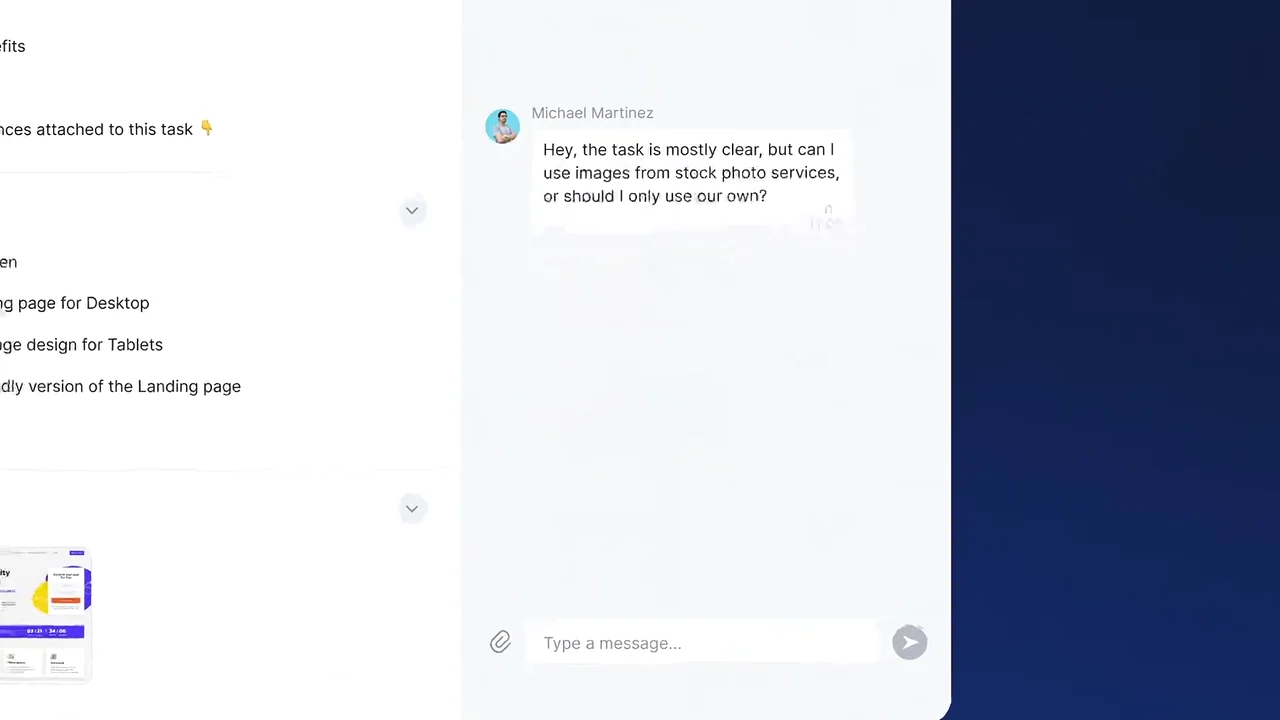
Questions about the task stay inside the task. 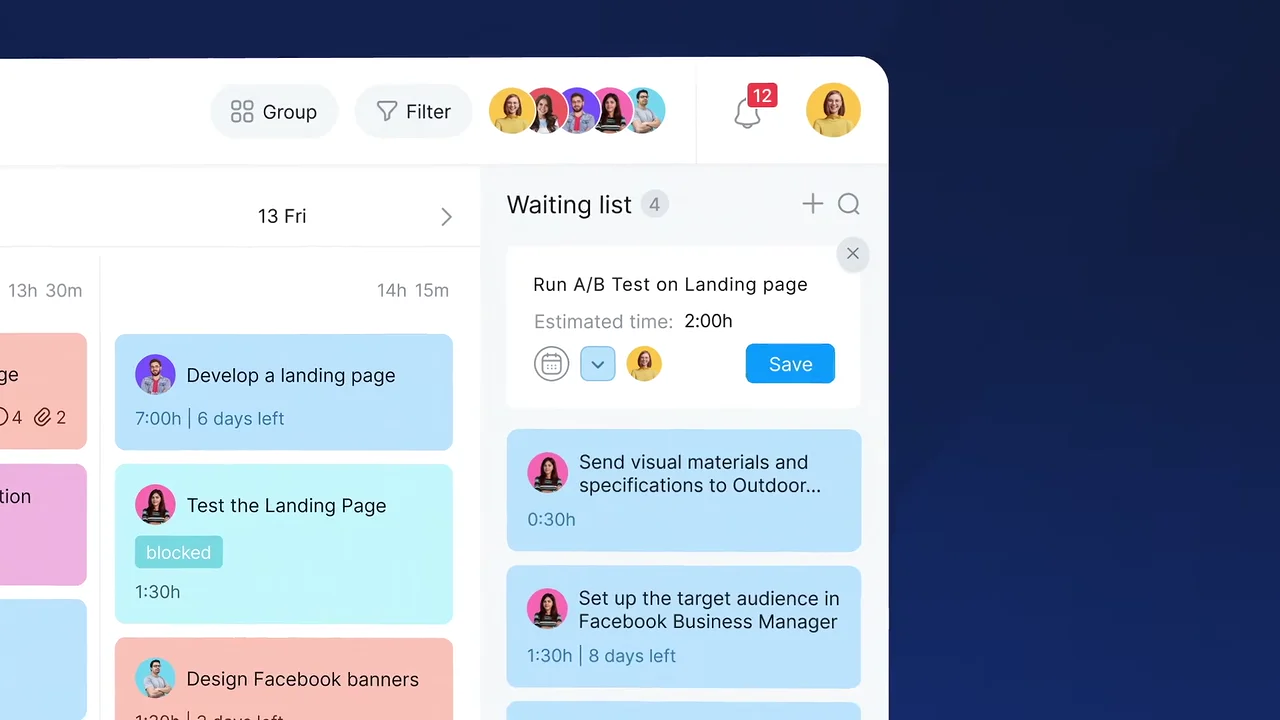
Work without a date gets a time estimate and a place to wait. 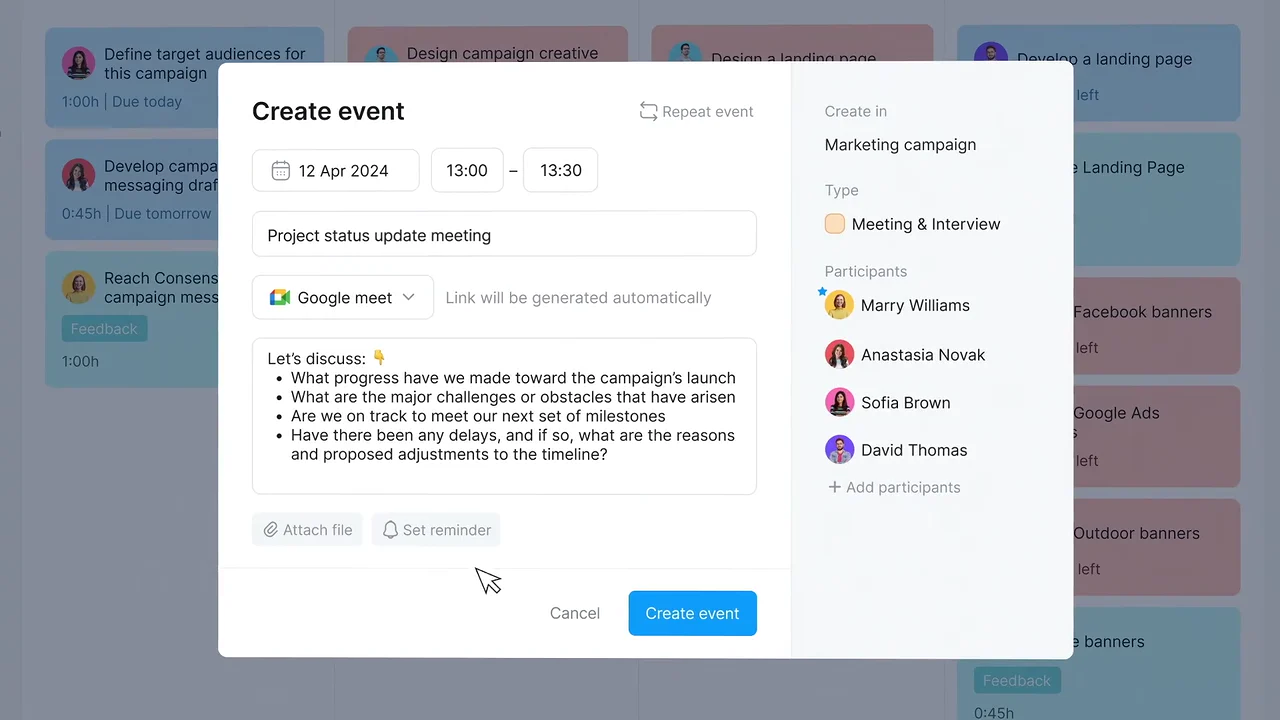
Meetings are created in the same project as the tasks. 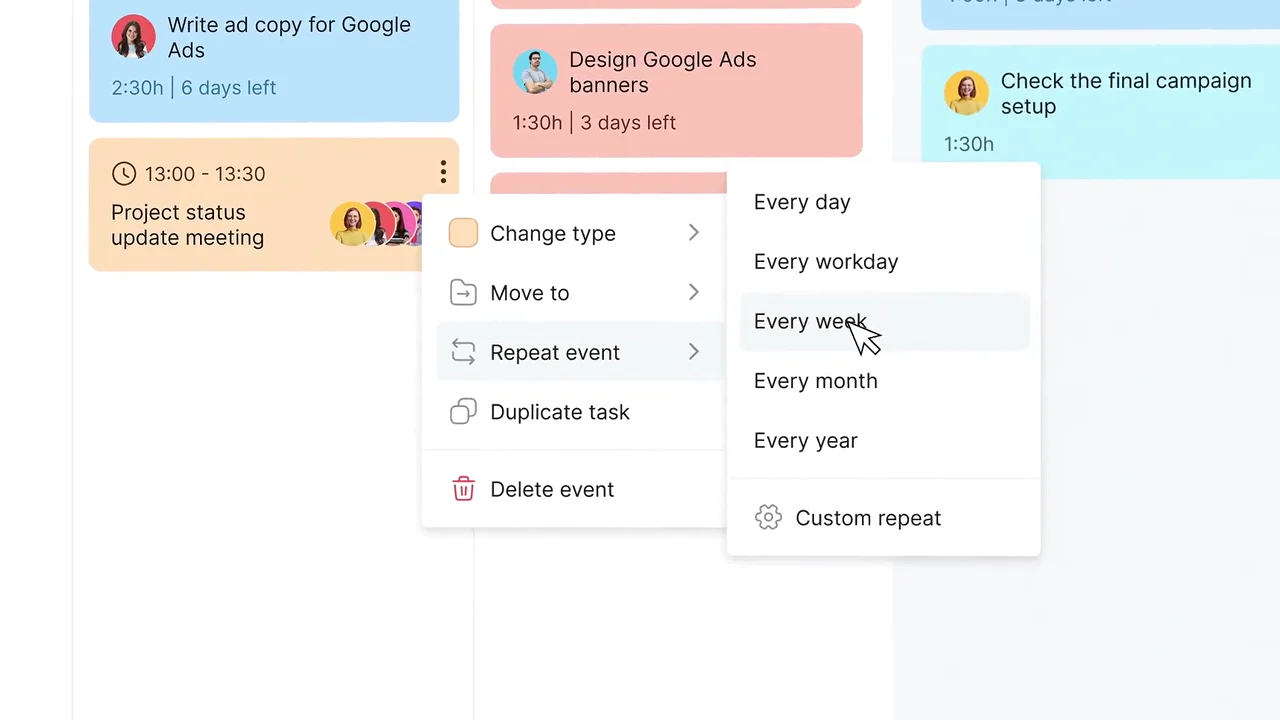
A recurring meeting takes one menu choice. 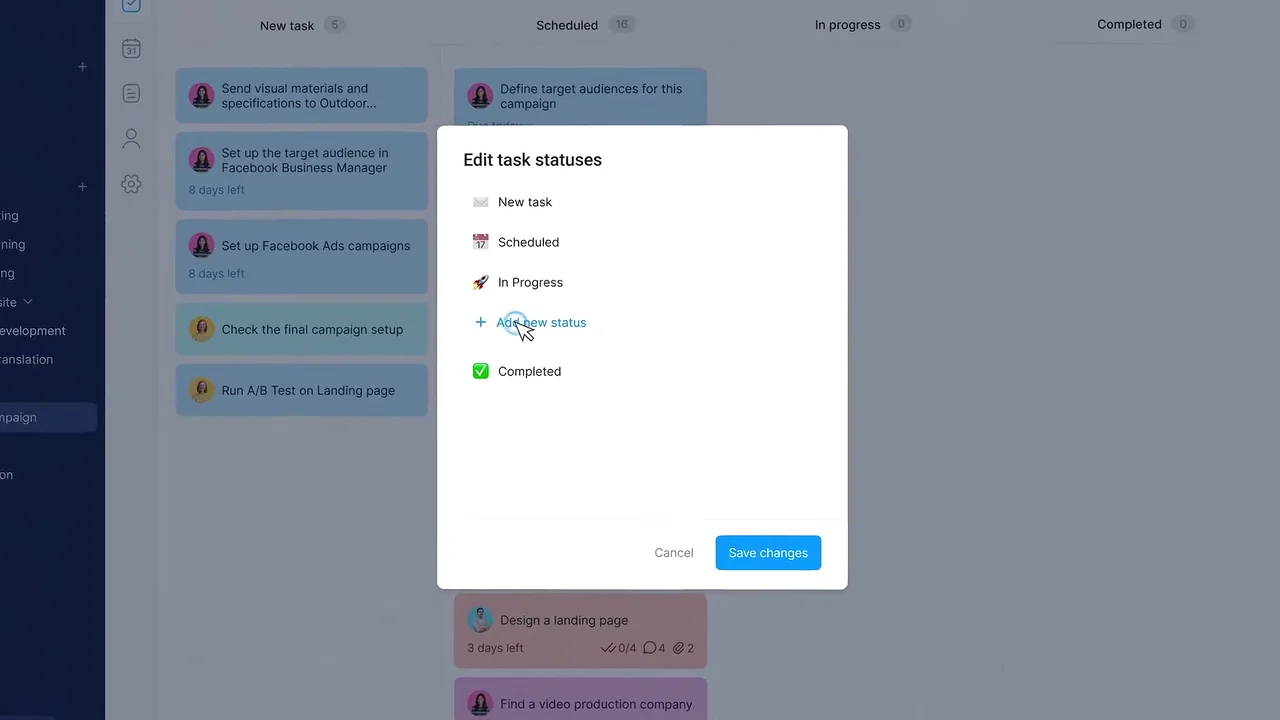
The kanban columns follow the team's own statuses. 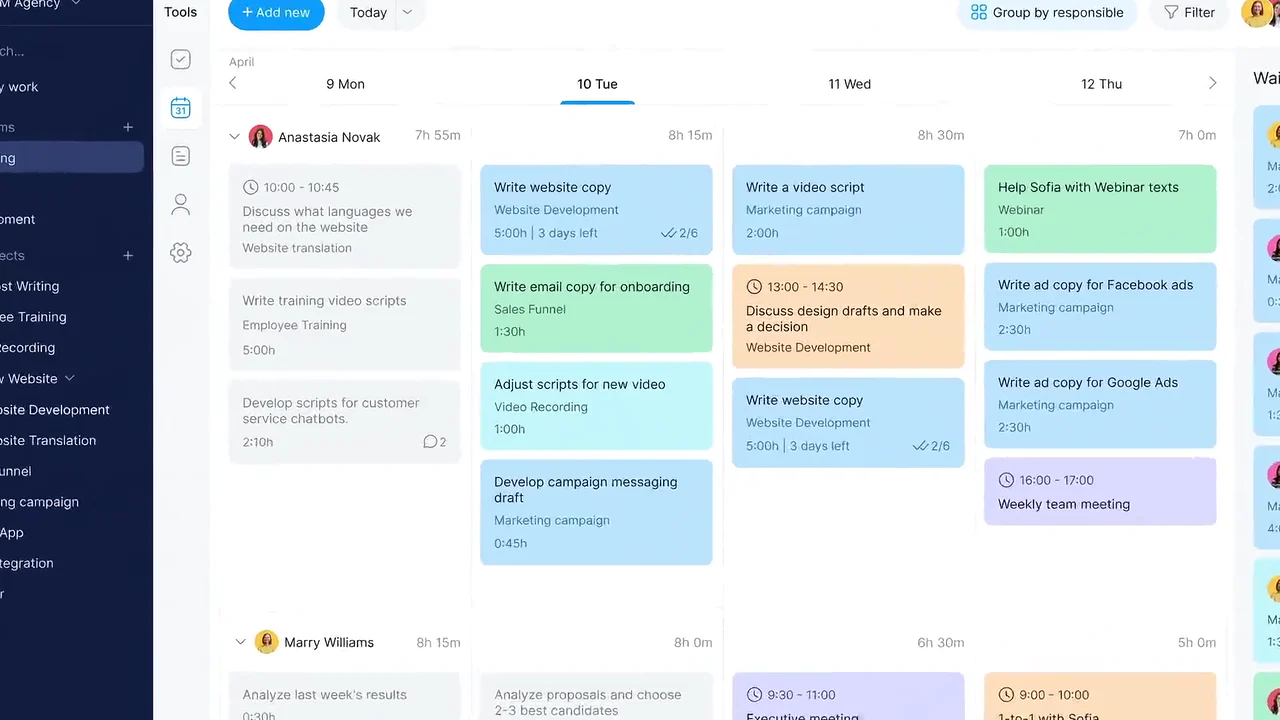
The team lead sees each person's week side by side.
4 decisions behind the Bordio software marketing video
Decision 1
Follow one campaign, not a feature list
From 0:20 the video stays inside "Marketing campaign": the first task at 0:24, "Design a landing page" at 0:33, the A/B test in the waiting list at 1:00 and the status meeting at 1:06.
Copy it: Pick one project your buyer runs and show each feature as the next step in it.
Decision 2
Start from the blank state
At 0:22 the project shows "Active tasks" and "No completed tasks yet". One typed line later it has its first task, so setup looks like 1 step.
Copy it: Show your empty screen and the first input, so buyers see how little setup it takes.
Decision 3
Write the demo data in the buyer's language
The cards read like a marketing team's week: "Run A/B Test on Landing page", "Set up the target audience in Facebook Business Manager", "Design Facebook banners", a "blocked" tag on "Test the Landing Page".
Copy it: Fill every demo screen with tasks your buyer would really have, never placeholder text.
Decision 4
End on the team lead's view
From 2:00 "Group by responsible" lays out each person's week side by side. It answers the third buyer in Bordio's description, the "team lead".
Copy it: Close on the screen the person who approves the purchase cares about most.
From Bordio's interface to a 2:31 campaign walkthrough
- UI design. Bordio's screens were rebuilt for animation: sidebar, task list, week planner, waiting list, kanban board and team planner.
- Demo company and tasks. A demo agency, "GIM Agency", was filled with marketing projects and task cards so every screen reads as one team's real week.
- 2D asset creation. Menus, pop-up windows, status tags and the Bordio logo were drawn as 2D assets.
- Scene animation. Typing, clicks, menus, drag and drop and the switch from table to kanban were animated step by step.
- Motion graphics. Angled camera moves and close-ups on the sidebar and cards guide the eye to the part that changes.
- Compositing and visual effects. Split-screen recaps and the glowing logo build were composited for the close.
- Sound, edit and color. Sound design, editing and color grading finished the 2:31 master.
Scope of work:
Production took 3 to 4 weeks on a budget of $1,200 to $2,000. See the SaaS video production service for how a project like this is scoped.
Questions about the Bordio software marketing video
Why does the Bordio video follow a single marketing campaign?
One project gives every feature a reason to appear. From 0:20 the "Marketing campaign" project gets its first task, a detailed "Design a landing page" task, a waiting list item and a weekly status meeting, in that order.
How does the video show Bordio's waiting list?
At 1:00 "Run A/B Test on Landing page" is added to the "Waiting list" with an estimate of 2:00h. It sits beside the week planner until the team gives it a day.
How are meetings shown next to tasks?
At 1:06 "Create event" sets up a "Project status update meeting". At 1:18 the event menu sets "Repeat event" to "Every week", and the meeting sits in the same calendar as the task cards.
Which views of Bordio does the video show?
The week planner, "Table view", "Kanban board" from 1:24, a notes page titled "Design Specifications", and the team planner "Group by responsible" from 2:00.
Why is the demo data full of marketing tasks?
The demo company "GIM Agency" runs projects like "Sales Funnel", "Marketing campaign" and "Webinar", with cards such as "Design Facebook banners". Real-sounding tasks let a team lead picture their own week instead of reading placeholder text.
How long did the Bordio video take and what did it cost?
Production took 3 to 4 weeks on a budget of $1,200 to $2,000, covering UI design, 2D assets, scene animation, motion graphics, compositing, sound design, editing and color grading.
What Advids clients say
"We have worked with Advids team on a couple of projects, it has been a pleasure to work with such a creative, attentive, professional and dedicated team."Marcin Rojek, Co Founder at byteLAKE


Need team leads to picture their own week inside your product?
Talk to Advids