

Video Marketing

The 8-Second Hook for B2B Video Ads: Villain, Cost, Promise

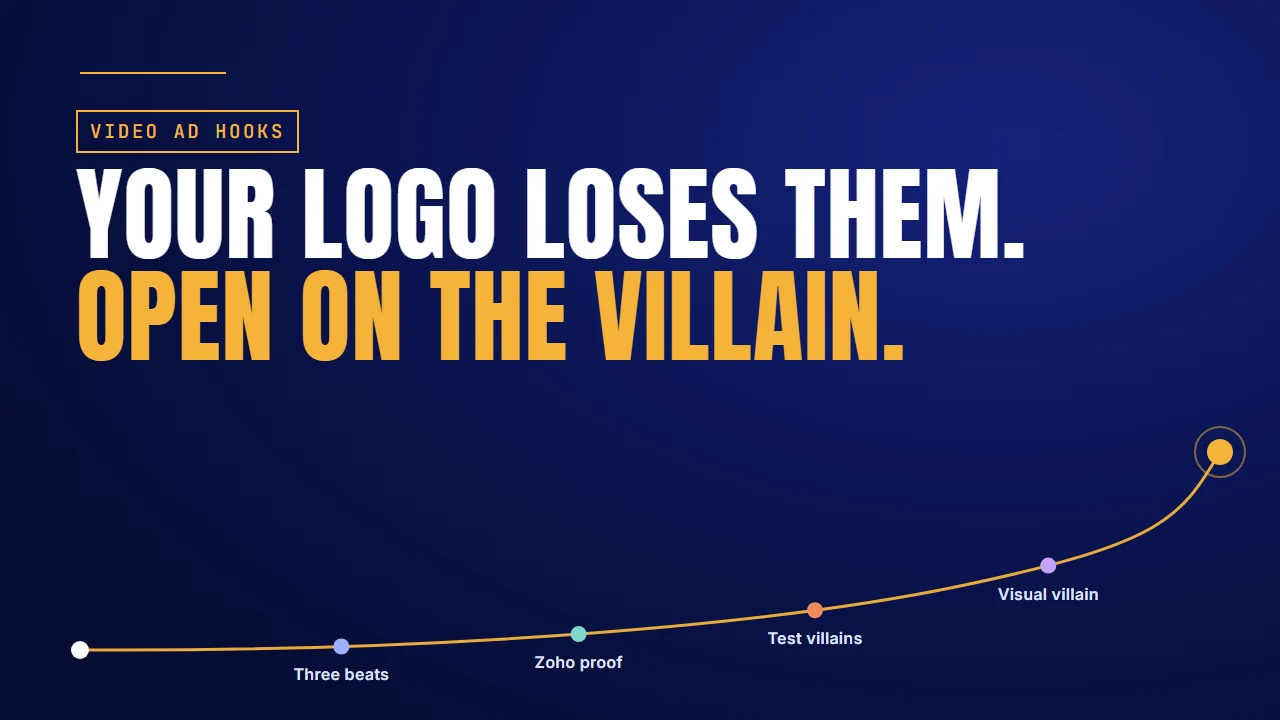
Your logo loses them. Open on the villain: the first eight seconds of a B2B video ad

Why it matters

Most B2B ads lose the buyer before the product appears

Scroll a feed of B2B video ads and a pattern shows up fast. A logo spins in, a whoosh plays, and an architecture diagram fills the screen. By the time the product appears, the buyer you paid to reach has scrolled on.

The platforms don't tell you to skip the brand. They tell you to put the brand and a message up together, early.

SourceWhat it says about openings
Meta, Instagram video ad best practicesShow your brand and key message in the first 3 seconds. Use motion or a strong visual in the first frame. Most people watch with the sound off.
LinkedIn, video ad tipsShow what matters in the first 10 seconds.
Zoho Workplace, LinkedIn case studyOffice sitcoms of 30 to 40 seconds, one daily frustration each. A 12% lift in aided brand awareness in the US, and engagement 25% above LinkedIn's benchmarks.

Eight seconds is our framing, not a platform rule. It fits both: the message starts in the first second, and the brand is on screen by the eighth.

The short answer: spend the first eight seconds on three beats. Show the villain, the daily thing your buyer hates. Name who it hurts and what it costs. Then make the promise with your brand on screen. Write it in the buyer's words, test villains rather than fonts, and make the villain readable on mute. Four of the sections below include a video we made for a software client.

Scripting a B2B video ad?

Talk to the Advids team about your first eight seconds: the villain, the cost and the promise, scripted and animated.

Let’s talk

Logo openers

Open with the brand and a message together

A logo is a name, not a reason to keep watching.

Most B2B ads open on a logo for a simple reason. The brand team asked for it, and the product team wants the diagram in. Both requests make sense. The order is the problem.

Meta's best practice is to show your brand and your key message within the first three seconds, with motion or a strong visual in the very first frame. LinkedIn says to show what matters in the first ten seconds.

So a logo alone isn't a message. And an architecture diagram is a message for someone who's already interested. Your opener has to make them interested first. That's what separates digital ads that capture attention from ads that only fill a slot.

So what goes in those first eight seconds? Three beats.

Three beats

Use three beats: villain, cost, promise

Give each part of the opening one job, in a fixed order.

Split the first eight seconds into three beats. The example lines are ones we wrote to show the shape, not client data.

SecondsBeatExample line
0 to 2The villain: the daily thing your buyer hates, not your productA spreadsheet that won't reconcile. A Slack channel full of "any update?" messages.
2 to 5Who it hurts and what it costs"RevOps leads lose every Monday morning to this."
5 to 8The promise, with your brand on screen"Here's how teams get it back in ten minutes."

Why does a villain work? Alessandro Cutri, who runs paid acquisition for B2B tech companies, uses a parachute analogy. Nobody buying a parachute asks about the fabric. They ask whether it will open. Buyers care about the risk they're avoiding, not your architecture. Naming customer pain points first shows them you know that risk.

Cutri builds his SaaS ads in the same order: call out the buyer, hit the pain, then make the offer. In his YouTube ads strategy video, Aleric Heck adds one rule. The hook isn't there to sell the product. It's there to sell the next thirty seconds of the ad.

Antlere Interact: the buyer, the overload, then the brand

Antlere's ad for Interact, its help desk platform, opens on a support agent in a headset at work. Message cards from WhatsApp, Gmail, Instagram, Facebook and more pop up around him. Then the channel icons orbit the Antlere logo, and the real Antlere inbox opens on a laptop. See how we made it.

What works here:

  • The buyer comes first: a support agent the viewer recognises, before any product.
  • The villain is a picture: messages from every channel crowding one person.
  • The promise is one shape, every channel circling one logo, with the brand on screen.

The move: Cast your buyer in the first shot, put the villain around them, then let the brand arrive as the answer.

The shape is simple. The hard part is writing it in your buyer's words.

Before/after

Write openings in the buyer's words

Same product, two openings. Only one sounds like the buyer's Monday.

Here's the difference on one product. Both openings below are examples we wrote, not client scripts.

OpeningOn screenFirst line
BeforeA logo, then the product name"Introducing the AI-powered revenue intelligence platform."
AfterA messy forecast sheet"Your forecast was wrong again, and your CFO noticed."

The first line describes the product. The second describes the buyer's week. A sales leader who has missed a forecast doesn't need the category explained. They need to see that you know the problem. Collections of before-and-after copy show the same move in other fields: the reader recognises the before, so they keep going for the after.

Write your villain from words buyers already use. Sales call notes, support tickets and review sites are full of them. If a line could only come from your marketing team, it isn't the villain yet. A value proposition video can explain the product later. The opening only has to earn the next few seconds.

One villain in one ad is a start. Zoho Workplace built a whole campaign on it.

Zoho proof

One daily frustration per ad works at scale

Zoho Workplace gave each ad one frustration, and measured the lift.

Zoho Workplace made a series of short office sitcoms for LinkedIn, 30 to 40 seconds each. Every episode opened on one daily frustration: disconnected apps, messy contracts, privacy worries. Only then did Zoho show up as the fix.

In LinkedIn's case study, Zoho reports a 12% lift in aided brand awareness in the US, and engagement 25% above LinkedIn's benchmarks. That's an awareness result, not a lead result. Read it as proof that villains hold attention, not that they close deals.

One frustration per video is the villain beat, scaled into a series. It's also how storytelling ads keep the brand present without opening on a logo: the brand is the way out of a scene the viewer already knows.

Cojilio: one frustration in the first line

Cojilio's video about its integration with Clover POS opens on one line: "Disconnected systems can be a pain." A booking calendar and a Clover card terminal sit apart, joined by a broken red line with an X. Then both logos appear and the labels "Fully connected" and "1-Step Checkout" tick green. See how we made it.

What works here:

  • One frustration, stated in five words, before any feature.
  • The villain is drawn, not described: two systems that won't connect.
  • The fix answers that exact villain, with both brands on screen.

The move: Name one frustration in the first line, draw it, and make the first product scene answer that frustration and nothing else.

So villains work. The next question is which villain works for your buyer.

Test villains

Test the villain, not the font

Write three villains for the same buyer and let the platform pick.

You won't find your best villain at a desk. Write three for the same buyer: say wasted time, a missed number and an angry boss. Keep everything after the eighth second the same, and let the platform tell you which opening holds people. It's ordinary A/B testing, aimed at the first eight seconds.

VariantVillain (example)After second eight
AWasted time: a manager working down a long listSame body, same ending
BA missed number: the forecast that was wrong againSame body, same ending
CAn angry boss: the CFO asking whySame body, same ending

Don't waste a test on small things. A new font or a new music track isn't a new hook. If the villain stays the same, so does the test. Change the villain itself and leave the rest alone. That works for short video ads and long ones, because the body never changes.

Shiftgig: wasted time as the villain

Early in Shiftgig's explainer, a finger scrolls a long list of worker profiles while an empty grid of shift squares fills slowly, beside a storefront, a stadium and a tall building. Then the title "NOT Anymore" rejects that way of working, and the app takes over. See how we made it.

What works here:

  • The villain is a picture of wasted time that any staffing manager knows.
  • Two words reject it, so the turn to the product is impossible to miss.

The move: Treat wasted time as one of your three villains. Then write a missed number and an angry boss for the same body, and test all three.

Whichever villain wins, it has to work for the viewer who can't hear it.

Visual villain

Make the villain readable on mute

The first frame has to tell the story without a voice.

Meta says most people watch with the sound off. So a villain that lives only in the voiceover isn't there for most of your audience. The first frame has to carry it: a messy sheet, a stuck queue, a pile of alerts.

Run a quick check on every opener. Mute it, watch the first eight seconds, and ask a colleague what the problem is. If they can't say, the villain is still in the script, not on the screen.

Codefresh: a villain you can read on mute

Codefresh's launch video opens in 3D. Blue balls roll down a track and through a round machine with parts labelled "Security Analysis" and "Production Canary Release". More tracks merge until the balls crowd into one pool. Then the Codefresh logo appears with its platform line. See how we made it.

What works here:

  • Release volume, the villain, reads as balls piling up, with no voice needed.
  • The few words on screen are labels a developer already knows.

The move: Find a picture of your villain that a muted viewer understands at a glance, and put it in the first frame.

That's the whole opener. Here's where to start with yours.

Where to start

Where to start

The short answer: start from what your opener is doing now.

If your openerStart withDo thisExample to copy
Opens on a logo or a diagramLogo openersPut the brand and a message up togetherThe platform guidance
Has no clear problemThree beatsVillain, who it costs, then the promiseAntlere Interact
Describes the productBefore/afterRewrite the first line in the buyer's wordsThe forecast line
Needs to become a seriesZoho proofOne frustration per adCojilio
Keeps losing testsTest villainsThree villains, same bodyShiftgig
Depends on the voiceoverVisual villainPut the villain in the first frameCodefresh

The same three beats hold in 30-second ads and in longer explainers. We've made video for software teams such as Antlere, Cojilio, Shiftgig and Codefresh. See the software teams we've made video for.

FAQ

Questions about B2B video ad hooks

How long is the hook in a B2B video ad?
Plan for eight seconds. Meta asks for brand and message in the first three seconds, LinkedIn for what matters in the first ten. Eight seconds covers both.
Should a B2B video ad open with the logo?
Not with the logo alone. Show your brand alongside a message, early. A logo names you, but only the villain and the promise give a buyer a reason to stay.
What is a "villain" in an ad opening?
The daily thing your buyer hates, shown before your product: a spreadsheet that won't reconcile, a stuck queue, a forecast that was wrong again. It is never a competitor.
How many hook variations should I test?
Start with three villains for the same buyer, such as wasted time, a missed number and an angry boss. Keep everything after second eight identical, so the result is clear.
Does changing music or font count as a new hook?
No. A new font or music track leaves the opening's message unchanged, so the test teaches little. Change the villain itself and keep the rest of the ad the same.
Do hooks need to work without sound?
Yes. Meta says most people watch video ads with the sound off. Put the villain in the first frame as a picture, not only in the voiceover.

About the author

About Jai Ghosh

Video Producer at Advids · LinkedIn

Jai Ghosh is a Video Producer at Advids, where he has planned and produced videos for B2B software and technology companies for 7 years. He works on product demos, explainer videos and brand videos, from the first script to the final cut, for clients from startups to enterprises.

Before Advids, Jai spent over 11 years in freelance media consulting, after starting out in digital journalism. He writes the Advids blog's breakdowns of product and demo videos, sorting real examples by the question each one answers for a buyer.

  • Focus: SaaS product demos, explainer videos and brand videos
  • Experience: 7 years at Advids, over 11 years in media consulting
  • Background: digital journalism

Connect with Jai Ghosh on LinkedIn

Sources

Sources