
The security industry is currently navigating its most significant transformation in twenty years. We are witnessing the end of the "Black Box" era—defined by proprietary hardware, on-premise servers, and opaque operations—and the dawn of the Open Cloud Era. For the modern Director of Security or IT Infrastructure, the goal has shifted from simply "locking doors" to "enabling frictionless flow."
However, this transition creates a complex communication challenge: The Physical/Digital Divide.
You are selling a sophisticated SaaS platform (Digital) that controls tangible, life-safety hardware (Physical). Your marketing must bridge this gap. It must prove that a tap on a glass screen instantly translates to a mechanical action, without latency or failure. It must visualize "invisible" value propositions like OSDP encryption, API integrations, and occupancy intelligence.
The market urgency is palpable. According to recent data from Straits Research, 70% of organizations are expected to adopt cloud services for their access control needs by 2025. This mass migration is driven by the need for remote management and scalability that legacy systems simply cannot offer. Furthermore, the sector is expanding rapidly, with the Access Control as a Service (ACaaS) market projected to grow at a CAGR of 17.9% through 2029.
To capture this opportunity, your visual strategy must be as modern as your technology. This guide presents 30 expert-curated video visualization styles designed to articulate the value of the modern access control stack—from the "Digital Twin" logic of smart campuses to the seamless magic of mobile credentials.
1. Isometric 2D Motion Design
TOFU | Brand Awareness

The Visual & Narrative Approach
This style utilizes an orthographic 45-degree angle view to create a "God’s-eye" perspective of a multi-site ecosystem. By stripping away realistic depth and environmental noise, we present a clean, schematic view of the campus. The narrative focuses on Connectivity: floating, dotted lines pulse between pristine white office buildings and a central cloud icon, visually demonstrating how the platform unifies disparate locations. The "Vivid Sky Blue" and "Pure White" palette reinforces a sense of cloud-native lightness and order.
Psychological Impact & KPI Focus
- Niche Psychology: Security Directors often suffer from "Site Blindness"—the anxiety of not knowing the status of remote facilities. This style psychologically assures them of total oversight.
- Operational Impact: It visually solves the "Siloed Systems" problem, demonstrating Scalability and Centralized Management. It proves that adding a new building is as simple as "plugging in" a new node.
Strategic Implementation & Trade-offs
- Best Use Case: High-level brand films and "Network Architecture" overviews.
- Duration: 15-20 Seconds (Loopable).
- Trade-off: This style excels at showing scale but lacks the detail needed to explain specific UI features. Use it to sell the vision of the network, not the mechanics of the lock.
Companies using similar video content -
Verkada – Command – Unifies physical security across multiple sites.
Gallagher Security – Command Centre – Provides holistic oversight for integrated security.
Johnson Controls – C•CURE 9000 – Manages enterprise security and building operations.
2. Abstract 2D Flat Vector Organic
TOFU | Category Creation

The Visual & Narrative Approach
This visualization attacks the core friction of the industry: the transition from physical artifacts to digital signals. The visual is a literal metaphor for Dematerialization. We witness a rigid, Metallic Silver physical key morphing and dissolving into a fluid stream of Electric Mint Green digital signal waves. The motion is kinetic and forward-moving, suggesting that access is no longer a "thing" you carry, but a "state" you possess. The glossy textures add a premium tech feel.
Psychological Impact & KPI Focus
- Niche Psychology: It addresses the "Fear of Loss" associated with physical keys. By turning the key into a fluid wave, it reframes the technology as adaptable, omnipresent, and impossible to lose.
- Operational Impact: This style highlights the shift from CapEx (buying printers/cards) to OpEx (mobile provisioning). It visually validates the Mobile Credential value proposition.
Strategic Implementation & Trade-offs
- Best Use Case: Website Hero backgrounds or "About Us" sections.
- Duration: 6-10 Seconds.
- Trade-off: Highly conceptual. It captures attention and establishes a modern brand feel but explains zero technical functionality. Best used as a "Hook."
Companies using similar video content -
HID Global – HID Mobile Access – Transforms physical credentials into digital waves.
Proxy – Proxy ID – Dematerializes access into a fluid mobile signal.
SwiftConnect – Workplace Access – Converts physical access into digital provisioning.
3. Bold Kinetic Typography (Visual)
TOFU | Market Education

The Visual & Narrative Approach
Here, typography and geometry merge to simulate action. We don't just say "Open," we show the physics of opening. Heavy, blocky rectangular forms in Magma Orange (representing legacy barriers) are dynamically fractured and slid apart on a diagonal axis, revealing a vibrant Electric Blue background. The motion mimics the mechanical "snap" of a heavy solenoid lock disengaging. It conveys energy, speed, and the removal of friction.
Psychological Impact & KPI Focus
- Niche Psychology: Taps into the desire for Speed. Security is often seen as a "blocker"; this visual reframes the platform as an "enabler" of movement.
- Operational Impact: Visualizes Low Latency. The snap-action implies instant response times, addressing the fear of employees waiting at the door.
Strategic Implementation & Trade-offs
- Best Use Case: Instagram Stories or concise 6-second Bumper ads designed to disrupt scrolling.
- Duration: 9-16 Seconds (Vertical).
- Trade-off: High energy, but low information density. Great for stopping the scroll, but requires supporting caption text to convey the actual message.
Companies using similar video content -
Openpath – Access Control – Dynamically breaks down legacy access barriers.
Kisi – Access Control – Conveys speed and friction removal for entry.
PDK.io – Cloud Access – Visualizes rapid, frictionless access control deployment.
4. Generative AI Cinematic Video
TOFU | Skippable Pre-Roll Ad

The Visual & Narrative Approach
This style leverages the hyper-realism of Gen AI to evoke a feeling of "Premium Efficiency." A low-angle dolly shot sweeps through a sun-drenched, high-tech lobby, focusing on sleek glass turnstiles. The narrative hero is the Flow: a professional woman walks through effortlessly without stopping, validating the "active flow" concept where security checks happen invisibly. The "High-Key White and Glass Blue" palette suggests transparency and trust.
Psychological Impact & KPI Focus
- Niche Psychology: Appeals to the "Tenant Experience" (Tex) anxiety of Real Estate leaders who want their buildings to feel like 5-star hotels, not fortresses.
- Operational Impact: Visualizes the KPI of Throughput—moving high volumes of people without queues during rush hour.
Strategic Implementation & Trade-offs
- Best Use Case: YouTube Pre-Roll ads (first 5 seconds must show the walk-through) or Brand Anthem videos.
- Duration: 15-30 Seconds.
- Trade-off: While visually stunning, AI video can sometimes hallucinate details. It is best for setting a "mood" rather than demonstrating specific hardware specs.
Companies using similar video content -
Alcatraz AI – Alcatraz Rock – Creates frictionless, premium lobby experiences with AI.
Evolv Technology – Express – Visualizes seamless, high-throughput security screening.
Genea – Access Control – Showcases effortless visitor and tenant flow.
6. Minimalist Flat 2D Vector
TOFU | Shaping Brand Perception

The Visual & Narrative Approach
A classic "Before & After" comparison rendered in stark simplicity. The left side (Slate Grey) depicts the "Problem": a chaotic tangle of black wires representing legacy server rooms. The right side (Vivid Coral) depicts the "Solution": a clean cloud icon emitting wireless waves. The symmetry implies that the platform restores balance and order to the infrastructure.
Psychological Impact & KPI Focus
- Niche Psychology: IT Directors are overwhelmed by maintenance complexity. This style promises Relief and Simplification.
- Operational Impact: Directly addresses Total Cost of Ownership (TCO) by implying reduced cabling, less hardware maintenance, and easier installation.
Strategic Implementation & Trade-offs
- Best Use Case: Blog Headers or Email Newsletter banners. It effectively summarizes the article's value proposition in a single glance.
- Duration: Static or Micro-Animation.
- Trade-off: It is a high-level abstraction. It convinces the viewer that the architecture is simpler, but doesn't prove how the integration works technically.
Companies using similar video content -
Brivo – Access Control – Simplifies complex infrastructure to cloud clarity.
Feenics – Access Control as a Service – Illustrates cloud simplicity over chaotic wiring.
Isonas – Pure IP Access Control – Depicts streamlined cloud architecture for relief.
7. Dynamic Data Visualization
MOFU | Product Differentiation
The Visual & Narrative Approach
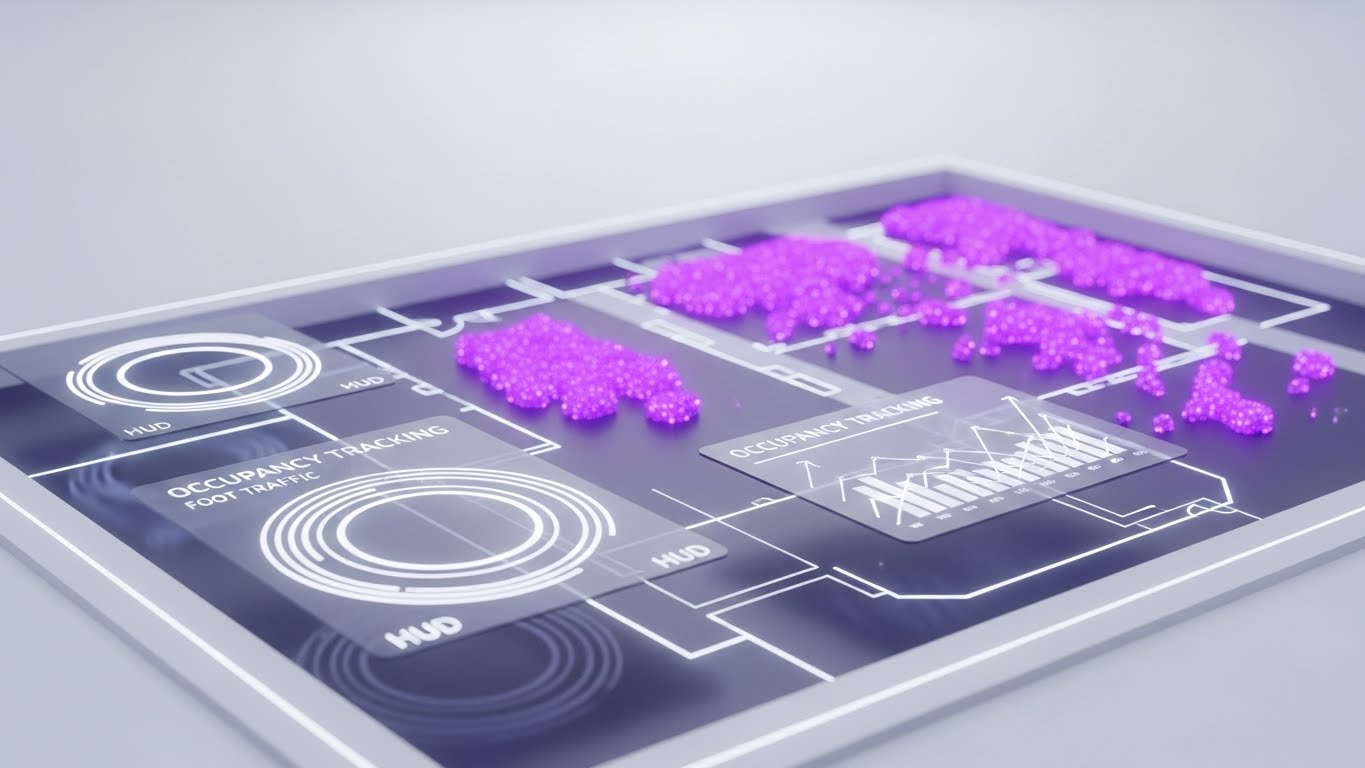
This style shifts the conversation from "Security" to "Intelligence." We see the office floor plan not just as a secure zone, but as a Data Generator. The glowing "Violet" heatmaps reveal where people actually are, turning invisible foot traffic into visible insights. The HUD elements suggest a futuristic command center, empowering the user with real-time analytics on space usage.
Psychological Impact & KPI Focus
- Niche Psychology: Moves the buyer from a "Cost Center" mentality (spending money on guards) to a "Value Add" mentality (gaining insights on real estate usage).
- Operational Impact: Visualizes Occupancy Intelligence—helping companies right-size their real estate footprint based on actual usage data.
Strategic Implementation & Trade-offs
- Best Use Case: Website Product Pages (Feature section) or Pitch Decks. It visually proves the ROI of the software.
- Duration: 15-30 Seconds.
- Trade-off: Requires accurate representation of data density. If the UI looks too complex, it might increase perceived cognitive load rather than reducing it.
Companies using similar video content -
Rhombus Systems – Cloud Security – Generates visible insights from invisible foot traffic.
Qumulex – QxControl – Displays real-time occupancy and traffic intelligence.
Envoy – Workplace Platform – Visualizes space utilization and visitor flow data.
8. Abstract 2D Motion Graphics
MOFU | Establishing Thought Leadership

The Visual & Narrative Approach
This style uses "Ethereal Lavender" lines to represent the invisible digital threads that accompany a physical visitor. The lines weave and flow like streams of water, mimicking the path of a guest entering a lobby. The "nodes" represent the seamless touchpoints (ID scan, host notification) that occur in the background. It creates a sense of effortless, orchestrated movement.
Psychological Impact & KPI Focus
- Niche Psychology: Calms the anxiety of "process friction." It suggests that the software handles the complexity, allowing the human experience to be smooth.
- Operational Impact: Visualizes Workflow Automation—showing how different events (entry, notification, log) are chained together without manual intervention.
Strategic Implementation & Trade-offs
- Best Use Case: Background loops for Webinars or Event Booth screens. It adds visual interest without distracting from the speaker or text.
- Duration: Loopable (30+ seconds).
- Trade-off: It is purely atmospheric. It cannot stand alone to explain how the visitor management works (e.g., QR codes, ID scanning).
Companies using similar video content -
Envoy – Workplace Platform – Orchestrates seamless visitor flow with ethereal lines.
Genea – Access Control – Represents effortless, automated visitor management streams.
SwiftConnect – Workplace Access – Visualizes invisible digital threads for guest journeys.
9. Isometric 3D Workflow
MOFU | Feature Education
The Visual & Narrative Approach
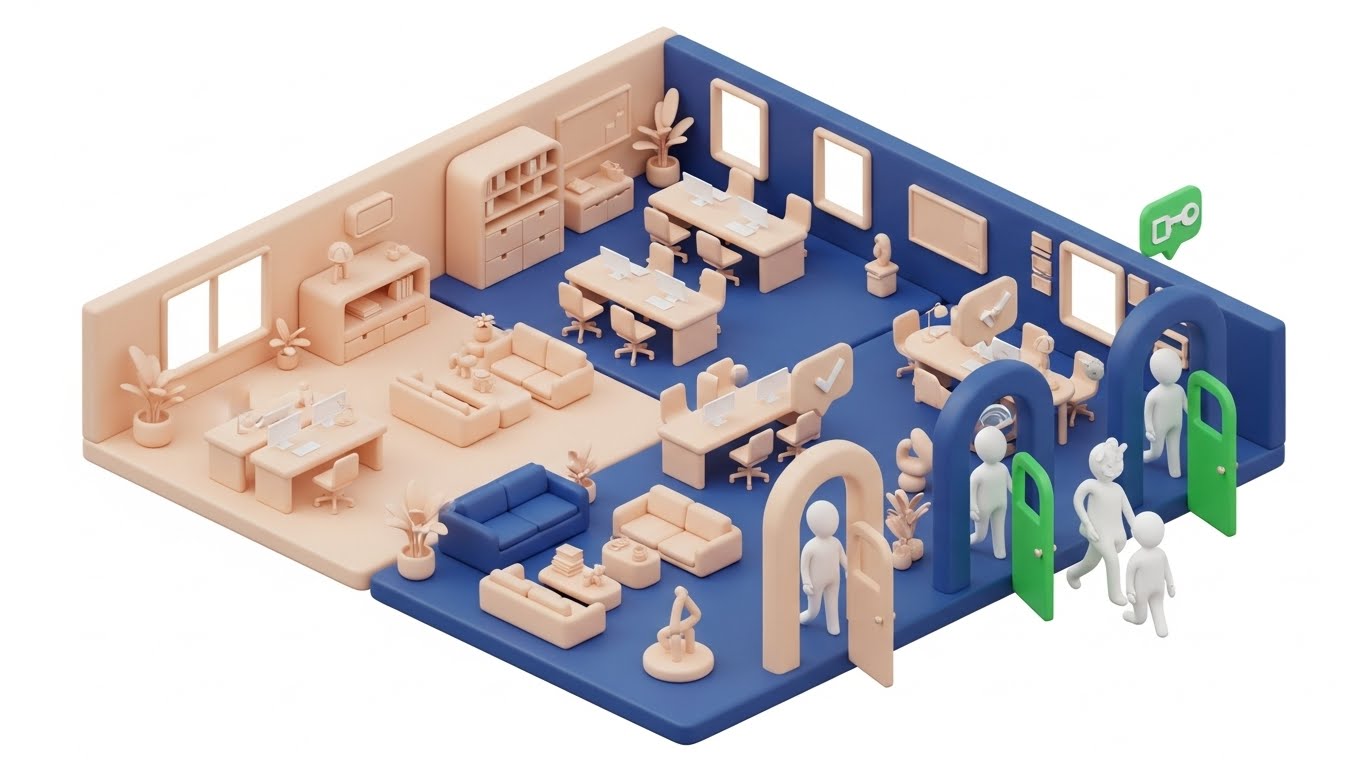
"Claymorphism" (soft, rounded 3D shapes) makes the technology feel friendly and approachable. The isometric cutaway allows us to see the Logic Layer: a user approaches (Cause), the system verifies credentials (Process), and the door turns green (Effect). The floating icons serve as visual cues for the invisible permissions being checked in real-time.
Psychological Impact & KPI Focus
- Niche Psychology: Reduces the "Intimidation Factor" of new technology. It makes complex access rules look like a simple, playable game.
- Operational Impact: Perfect for explaining Role-Based Access Control (RBAC)—showing visually why one avatar gets a green light and another gets a red light.
Strategic Implementation & Trade-offs
- Best Use Case: Product explainer videos or "How it Works" sections.
- Duration: 30-45 Seconds.
- Trade-off: The "Clay" style can perceived as "playful." Ensure the lighting and environment still look professional (clean desks, modern layout) to avoid looking like a mobile game.
Companies using similar video content -
Paxton Access – Paxton10 – Explains access rights and workflow logic clearly.
Nedap Security Management – AEOS – Makes complex access rules approachable and friendly.
Inner Range – Inception – Visualizes security system logic with soft 3D shapes.
10. Split Screen: Reality & UI
MOFU | Competitive Displacement
The Visual & Narrative Approach
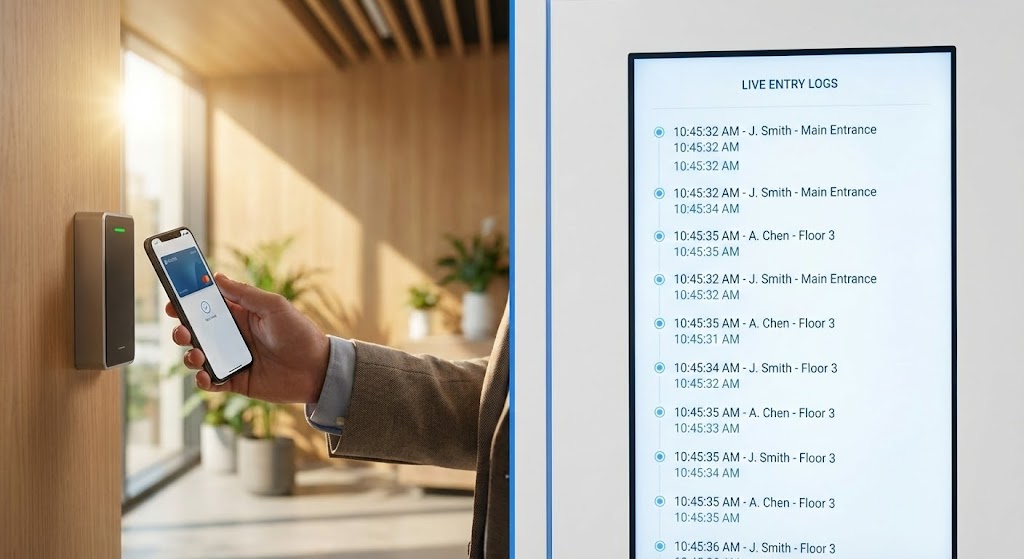
This is the Proof of Reliability. By splitting the screen, we visually bridge the gap between the physical action (tapping a phone) and the digital consequence (a log appearing on the dashboard). The synchronization must be perfect—the moment the phone taps, the line item appears. This creates a powerful subconscious link between the hardware and the software.
Psychological Impact & KPI Focus
- Niche Psychology: CSOs are skeptical of "cloud lag." This visual proves Immediacy. It builds trust by showing the system working in real-time.
- Operational Impact: Validates Real-time Monitoring and Audit Trails—critical features for compliance and security investigations.
Strategic Implementation & Trade-offs
- Best Use Case: LinkedIn Video Ads or Sales Demos. It is a hard-hitting, evidence-based visual.
- Trade-off: Requires high-quality live-action footage matched with a simulated UI. If the sync is off by even a frame, the effect is ruined.
Companies using similar video content -
Openpath – Access Control – Proves real-time action and digital verification.
Kisi – Access Control – Bridges physical tap with instant dashboard log.
Verkada – Command – Synchronizes physical events with digital audit trails.
11. Wireframe to Reality Transition
MOFU | ABM Awareness
The Visual & Narrative Approach
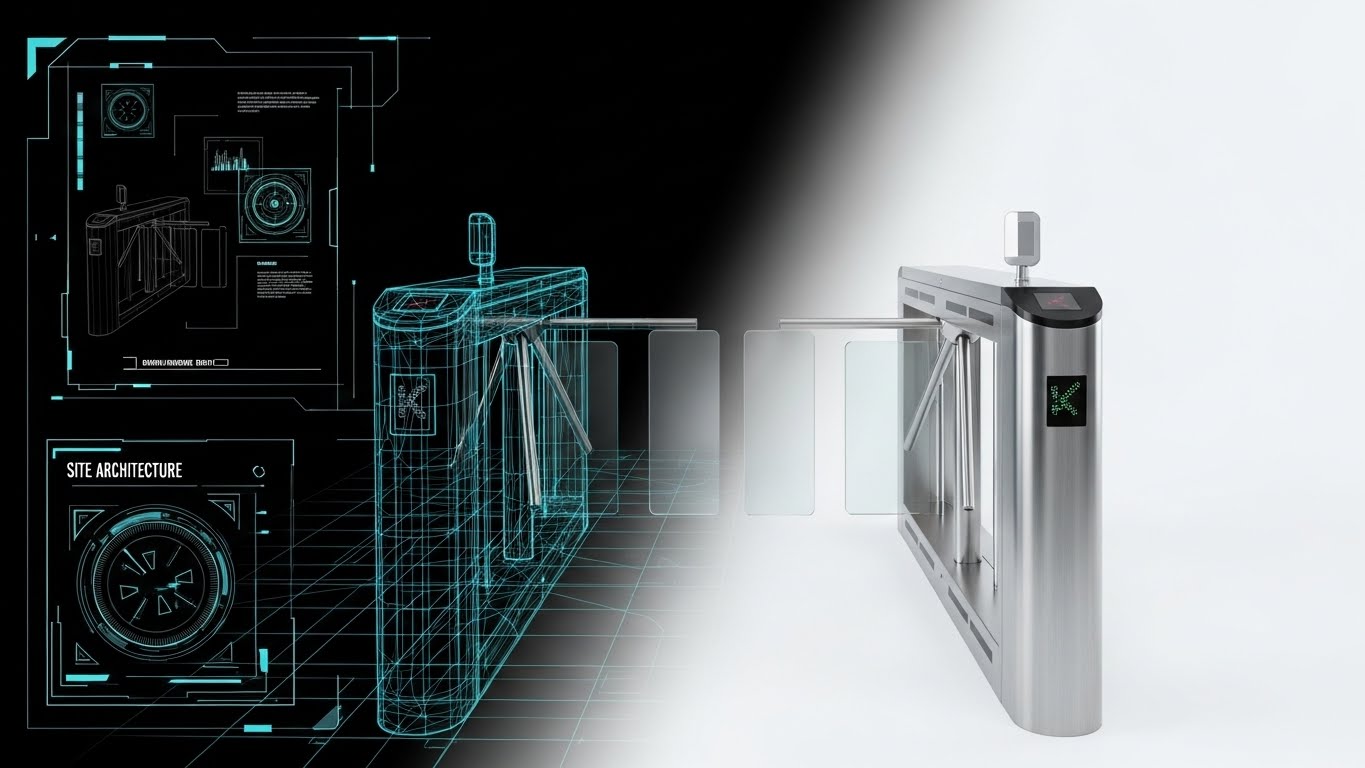
This transition style bridges the gap between the architect's vision and the security director's reality. We begin with a technical "Blueprint Blue" wireframe on a textured paper background, representing the planning phase. As the eye travels right, the lines fill with substance, smoothing into a photorealistic rendering of a brushed steel turnstile with glass barriers. It narrates the journey of a project: from a calculated design to a tangible, deployed asset.
Psychological Impact & KPI Focus
- Niche Psychology: Architects and Facility Managers often fear that security hardware will clash with their building's aesthetic or fail to fit legacy footprints. This style reassures them that the technology respects the design intent and fits perfectly.
- Operational Impact: Visualizes Deployment Accuracy. It suggests that what is specified in the plans is exactly what will be delivered, reducing anxiety about installation mismatches or "Brownfield Retrofit" errors.
Strategic Implementation & Trade-offs
- Best Use Case: Account-Based Marketing (ABM) display ads targeting new construction projects or major retrofits.
- Duration: 6-8 Seconds (Looping GIF or HTML5 Video).
- Trade-off: It focuses purely on the hardware form factor. It effectively sells the look and the plan, but it does not communicate software features or cloud capabilities.
Companies using similar video content -
Allegion – ENGAGE Technology – Transitions from blueprint design to physical hardware.
ASSA ABLOY – Aperio – Shows precise deployment from plan to installed asset.
Axis Communications – AXIS A1601 – Illustrates architectural vision becoming tangible security.
12. 3D X-Ray Visualization
MOFU | Functional Buyer
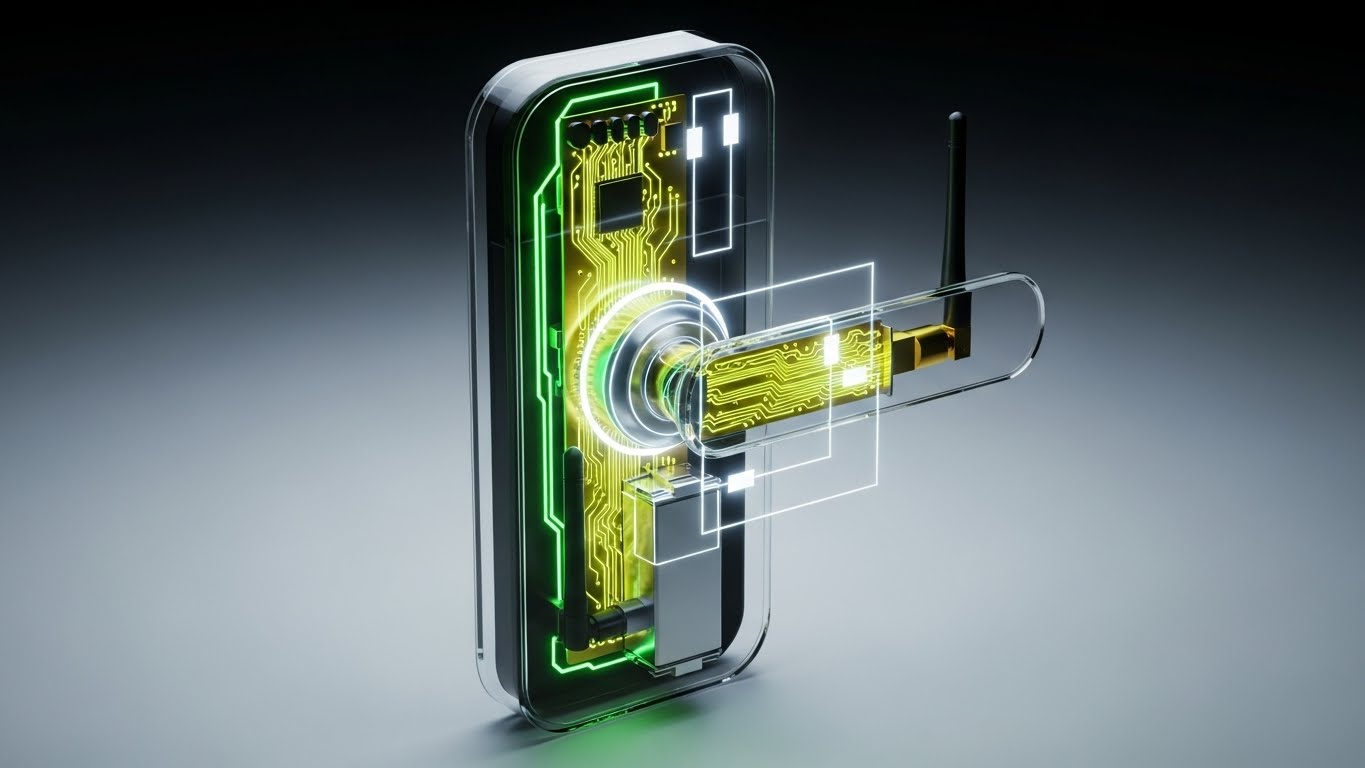
The Visual & Narrative Approach
To the IT buyer, hardware is a liability; to the Security buyer, it is the first line of defense. This style proves quality by looking inside. We utilize a "Translucent Glass" render of the smart lock casing to reveal the engineering within: the gold-plated circuit board, the robust battery pack, and the high-gain Bluetooth antenna. The lighting is clinical and precise, treating the lock like a high-end consumer electronic device rather than a utilitarian commodity.
Psychological Impact & KPI Focus
- Niche Psychology: Addresses the skepticism regarding "cheap plastic hardware." By exposing the internal build quality, we subconsciously signal durability and engineering excellence to the Hardware Skeptic.
- Operational Impact: Highlights IoT Connectivity and Hardware Longevity. Seeing the robust antenna visually confirms signal range claims, while the visible battery pack addresses maintenance cycle concerns.
Strategic Implementation & Trade-offs
- Best Use Case: Digital Brochures, Technical Spec Sheets, or mid-stream email nurture sequences.
- Duration: Static Image or Slow Turn-table Animation (10 seconds).
- Trade-off: Highly technical. It appeals strongly to the engineering mindset but may alienate a non-technical stakeholder looking for "ease of use."
Companies using similar video content -
Salto Systems – Salto KS – Reveals transparent hardware engineering and quality.
Senseon – Access Control – Exposes internal build quality of IoT access devices.
Bosch Security Systems – Access Management System – Showcases robust internal hardware components.
13. Abstract 3D AI Visualization
MOFU | Technical Buyer

The Visual & Narrative Approach
Security protocols like OSDP and TLS encryption are invisible, yet they are your strongest defense against hacking. This style gives them form. We visualize the "handshake" between a smartphone and a reader as a stream of golden, glowing abstract data blocks. The particles flow from the phone node to the reader node through a clean white void, representing the secure encrypted tunnel. It turns a dry technical spec into a beautiful, fluid exchange of trust.
Psychological Impact & KPI Focus
- Niche Psychology: Calms the fear of "Credential Cloning" and "Replay Attacks" common among IT Directors. It visually demonstrates that the signal is complex, contained, and protected—not just an open radio wave.
- Operational Impact: Visualizes Data Integrity and Cybersecurity Compliance. It positions the platform not just as a door opener, but as a secure data transmission network.
Strategic Implementation & Trade-offs
- Best Use Case: LinkedIn Ads targeting CISO or IT Director titles.
- Duration: 10-15 Seconds.
- Trade-off: Abstract by nature. It requires a clear headline (e.g., "End-to-End Encryption") to ensure the viewer understands they are looking at security protocols, not just "magic dust."
Companies using similar video content -
HID Global – HID Mobile Access – Visualizes invisible OSDP encryption and secure handshakes.
Thales – Access Management – Gives form to secure data exchange and cybersecurity.
Keyless – Biometric Authentication – Illustrates protected biometric data transmission.
14. Dark Mode UI Showcase
MOFU | Objection Handling

The Visual & Narrative Approach
Security Operations Centers (SOCs) are often dimly lit environments where operators stare at screens for hours. This style acknowledges that reality by showcasing the UI in "Dark Mode." Against a Deep Charcoal background, "Neon Blue" data accents pop for readability, while a critical "Alert Red" row draws immediate focus to a threat. It positions the software as a professional tool designed for high-stakes monitoring.
Psychological Impact & KPI Focus
- Niche Psychology: Appeals to the "Operator Fatigue" experienced by security staff. Dark mode implies a modern, thoughtful UX designed for 24/7 vigilance without eye strain.
- Operational Impact: Visualizes Incident Management and Exception Handling. The high-contrast alert demonstrates how the system cuts through the noise to highlight what matters instantly, improving Mean Time to Response (MTTR).
Strategic Implementation & Trade-offs
- Best Use Case: "Features" page on the website or within a "Security Operations" solution guide.
- Duration: Static or Micro-interaction (scrolling list).
- Trade-off: Dark mode can sometimes feel "aggressive" or "hacker-like" if not balanced with clean typography. Ensure it looks like enterprise software, not a video game.
Companies using similar video content -
AMAG Technology – Symmetry Access Control – Presents incident response in a professional dark mode.
Genetec – Security Center – Highlights critical alerts for 24/7 security monitoring.
Johnson Controls – C•CURE 9000 – Optimizes UI for operator vigilance and readability.
15. Photorealistic 3D Renders
BOFU | Building Trust
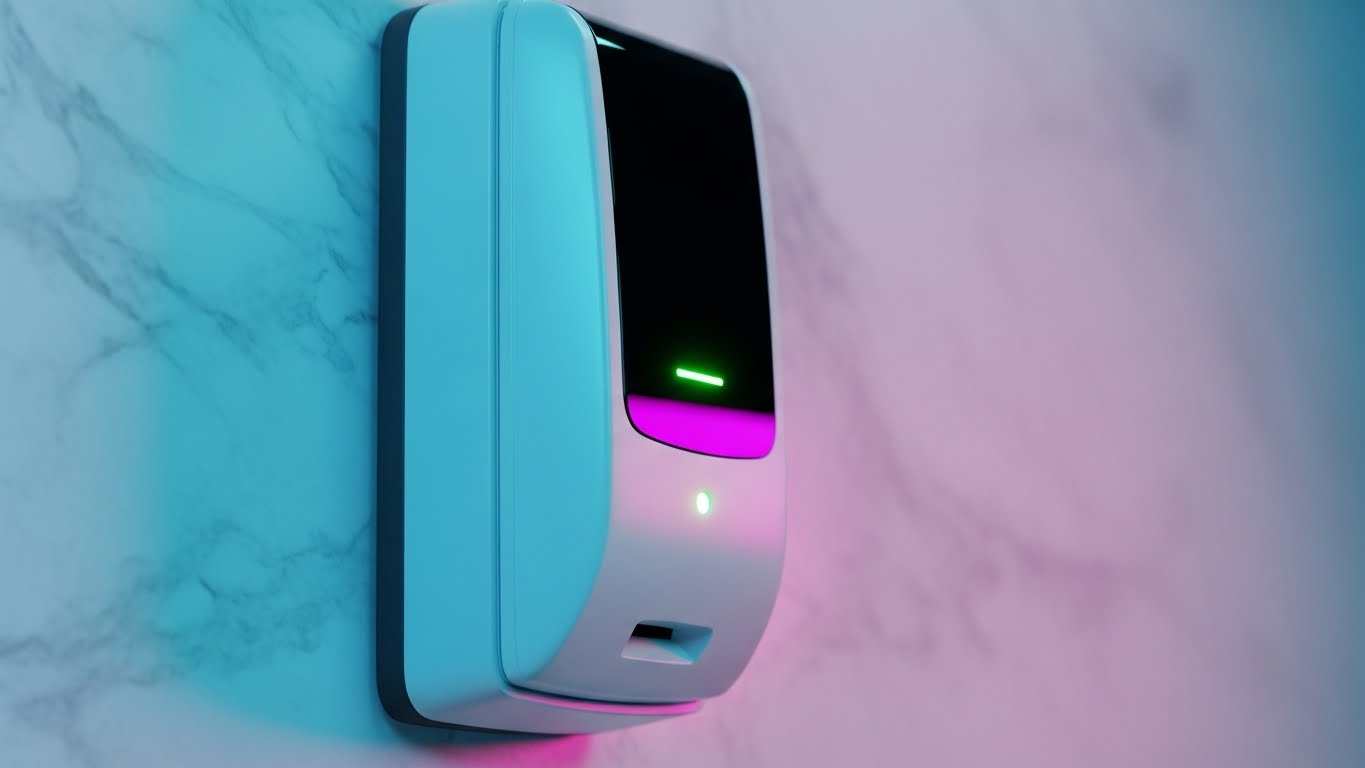
The Visual & Narrative Approach
At the bottom of the funnel, the question becomes: "What will this look like on my wall?" This style answers with hyper-realistic fidelity. We place the hardware not in a void, but in context—mounted on a premium white marble texture. The soft studio lighting catches the gloss of the reader, and the subtle "Soft Green" LED indicates a granted access state. It sells the device as a piece of modern architecture.
Psychological Impact & KPI Focus
- Niche Psychology: Overcoming the "Aesthetic Veto" from architects or luxury property managers who refuse to install ugly industrial hardware in Class-A spaces.
- Operational Impact: Validates Brand Consistency. For high-end tenants, the access reader is the first physical touchpoint of the building's brand experience.
Strategic Implementation & Trade-offs
- Best Use Case: Case Studies, Architectural Spec Sheets, and Client Presentations.
- Duration: Static High-Res Image.
- Trade-off: It is purely aesthetic. It tells the viewer nothing about the cloud capabilities, so it must be paired with copy that reinforces the "brains" behind the "beauty."
Companies using similar video content -
Salto Systems – Salto KS – Showcases seamless architectural integration of hardware.
Allegion – ENGAGE Technology – Presents devices as modern architectural elements.
ASSA ABLOY – Aperio – Displays hyper-realistic hardware fidelity in context.
16. Low-Poly 3D Modeling
BOFU | ROI Justification
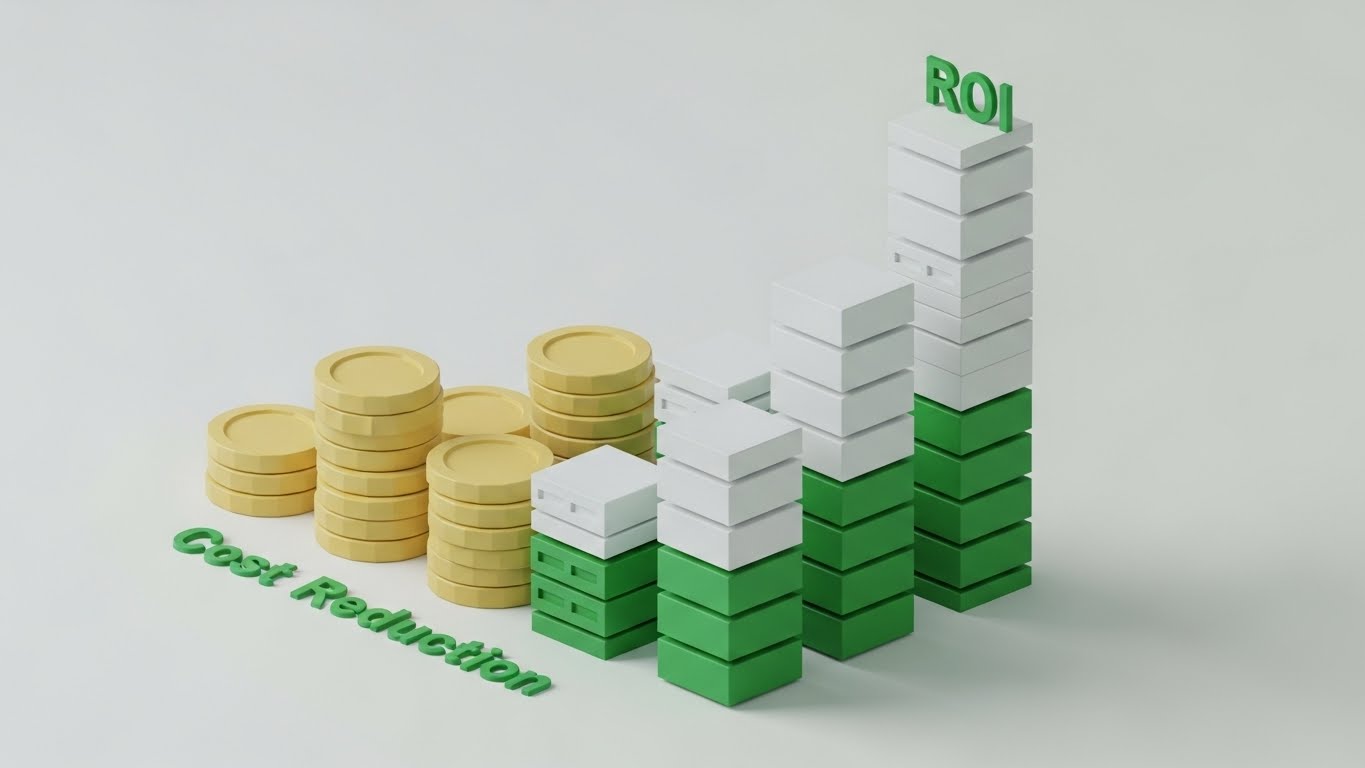
The Visual & Narrative Approach
When speaking to the CFO, you need to simplify the complex ecosystem into financial logic. Low-Poly art removes the noise. We use simple geometric stacks—Gold Coins and White Server Blocks—to build a rising bar chart. This serves as a direct visual metaphor for the financial gains of switching to the cloud: as server maintenance (white blocks) goes down, ROI (gold coins) goes up. The "Emerald Green" accents reinforce the concept of growth.
Psychological Impact & KPI Focus
- Niche Psychology: Reduces the cognitive load for non-technical financial decision-makers. It turns a complex IT migration discussion into a simple "Up vs. Down" value chart.
- Operational Impact: Directly illustrates Total Cost of Ownership (TCO) reduction. It visualizes the elimination of recurring costs (re-keying, server maintenance, physical credentials) in favor of scalable value.
Strategic Implementation & Trade-offs
- Best Use Case: Sales Decks (The "Business Case" slide) or Proposal documents.
- Duration: Static or Simple Animation (bars growing).
- Trade-off: This style is symbolic. It is not meant to be taken literally; it is a communication shortcut for financial value and should not replace detailed pricing tables.
Companies using similar video content -
Brivo – Access Control – Visualizes cost reduction and ROI with simple graphics.
Feenics – Access Control as a Service – Illustrates TCO reduction through cloud adoption.
Cloudastructure – Cloud Access Control – Simplifies financial gains of cloud migration.
17. Holographic UI over 3D Render
BOFU | Risk Mitigation

The Visual & Narrative Approach
This style merges the physical hardware with its digital defense layer. We see a realistic server rack in a sterile lab environment, overlaid with a futuristic, glowing "Electric Blue" holographic shield. Data lines cascade down the shield, repelling invisible threats. This visualizes the concept of "Hardening"—showing that the physical controller is wrapped in a layer of advanced cybersecurity software.
Psychological Impact & KPI Focus
- Niche Psychology: Addresses the "Trojan Horse" anxiety—the fear that an IoT device will be the entry point for a network hack. The shield metaphor psychologically confirms protection.
- Operational Impact: Visualizes Network Security and Firmware Updates. It implies that the protection is active, dynamic, and constantly shielding the edge devices.
Strategic Implementation & Trade-offs
- Best Use Case: "Security & Compliance" website sections or Trust Center documents.
- Duration: 10-15 Seconds.
- Trade-off: The holographic style is very "sci-fi." Ensure the underlying hardware looks realistic to ground the concept in reality, avoiding a purely fantasy look.
Companies using similar video content -
Identiv – Velocity – Visualizes hardened cyber-physical defense layers.
Suprema – BioStar 2 – Shows biometric devices wrapped in holographic security.
Microsoft – Azure AD – Depicts advanced cybersecurity shielding physical infrastructure.
18. Futuristic Neon/Dark Mode
BOFU | Economic Buyer

The Visual & Narrative Approach
For the enterprise buyer managing global real estate, the scope is massive. This style zooms out to a "City Scale." We use a Deep Black background to make the "Neon Green" perimeter lines pop. These lines draw a secure boundary around specific buildings in a stylized city grid. It visualizes the platform's ability to define, monitor, and secure vast perimeters across complex, multi-building campuses.
Psychological Impact & KPI Focus
- Niche Psychology: Appeals to the "Empire Builder" mentality of C-Suite leaders. It confirms that the platform is not just for a single door, but for an entire portfolio.
- Operational Impact: Visualizes Scalability and Multi-Site Management. It demonstrates that the security policy can be applied macroscopically across the entire organization from a single pane of glass.
Strategic Implementation & Trade-offs
- Best Use Case: Pitch Decks for Enterprise clients or Investor Relations materials.
- Duration: Static or Slow Pan.
- Trade-off: High-level abstraction. It shows where the security is, but not how it works. Use it to sell the scale of the solution.
Companies using similar video content -
Gallagher Security – Command Centre – Defines enterprise-scale perimeter security with neon lines.
Siemens – SiPass integrated – Visualizes secure boundaries across city-scale campuses.
Schneider Electric – EcoStruxure Security Expert – Highlights multi-site management with glowing perimeters.
19. Hyper-lapse Stock w/ Data
BOFU | Demo Requests

The Visual & Narrative Approach
Speed is the ultimate luxury in access control. This style uses real-world footage of a sun-drenched, busy office entrance. We use hyper-lapse (fast motion) to blur the people into a stream of energy, conveying rush hour volume. Overlaying this chaotic motion are crisp, static "White" bubbles with checkmarks, hovering calmly over the stream. This contrast proves that no matter how fast the physical world moves, the digital verification keeps up effortlessly.
Psychological Impact & KPI Focus
- Niche Psychology: Relieves the "Lobby Bottleneck" anxiety. It promises that security will not slow down business operations or frustrate employees during the morning rush.
- Operational Impact: Visualizes Throughput Capacity and Low Latency. It is visual proof that the system can handle peak traffic loads without failure.
Strategic Implementation & Trade-offs
- Best Use Case: Facebook/Instagram Ads (Retargeting). It shows the solution working in the "real world."
- Duration: 10-15 Seconds.
- Trade-off: Requires high-quality stock footage. If the footage looks staged or cheesy, it undermines the "authenticity" of the message.
Companies using similar video content -
Evolv Technology – Express – Demonstrates high-throughput verification speed in real-world scenarios.
Alcatraz AI – Alcatraz Rock – Proves effortless digital verification during rush hour.
Proxy – Proxy ID – Shows rapid access control keeping up with fast motion.
20. 2D Character-Driven Story
BOFU | Overcoming Objections
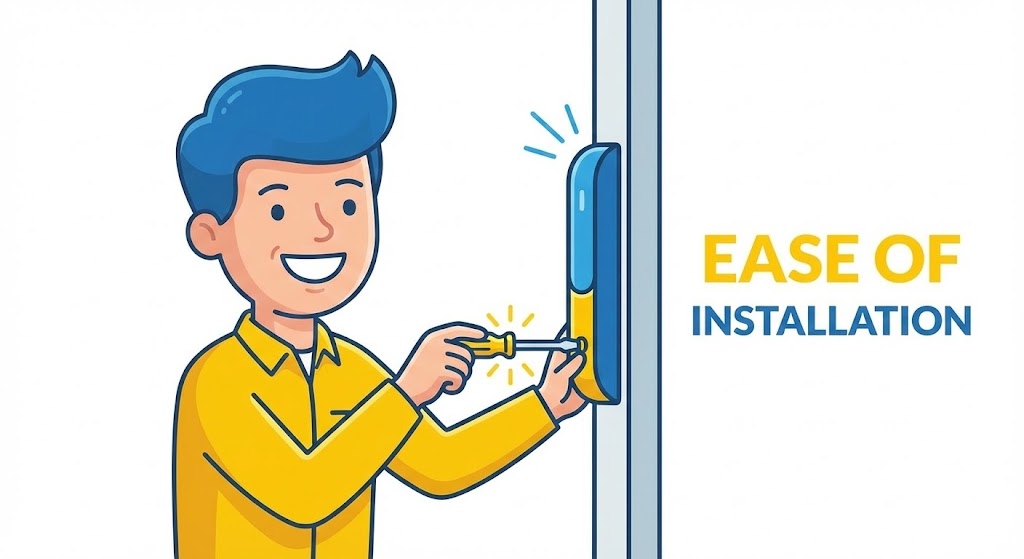
The Visual & Narrative Approach
Sometimes, the barrier to sale is simply the fear of a messy installation. This style uses a friendly, flat 2D vector approach to humanize the process. A technician character, dressed in trustworthy Yellow and Blue, is shown smiling while installing a device with a simple screwdriver turn. The "Spark" lines indicate it's done. It simplifies a complex trade labor task into a clean, happy moment of completion.
Psychological Impact & KPI Focus
- Niche Psychology: Lowers the barrier to entry for small-to-mid-sized businesses (SMBs) who fear disruption. It makes the upgrade process feel friendly and manageable.
- Operational Impact: Visualizes Ease of Installation and Serviceability. It suggests that the hardware is "Plug and Play," reducing estimated labor costs and downtime.
Strategic Implementation & Trade-offs
- Best Use Case: FAQ Pages ("How long does installation take?") or Onboarding emails.
- Duration: Static Illustration or short GIF.
- Trade-off: It is playful and cartoonish. It works well for SMBs or "ease of use" messaging but may lack the gravitas needed for high-security government or banking clients.
Companies using similar video content -
PDK.io – Cloud Access – Humanizes the ease of installation process.
Isonas – Pure IP Access Control – Simplifies complex installation into a happy moment.
SentryGate – Cloud Access Control – Promises friendly, manageable upgrade experiences.
21. 2D Line Art Animation
Onboarding | Accelerating TTV
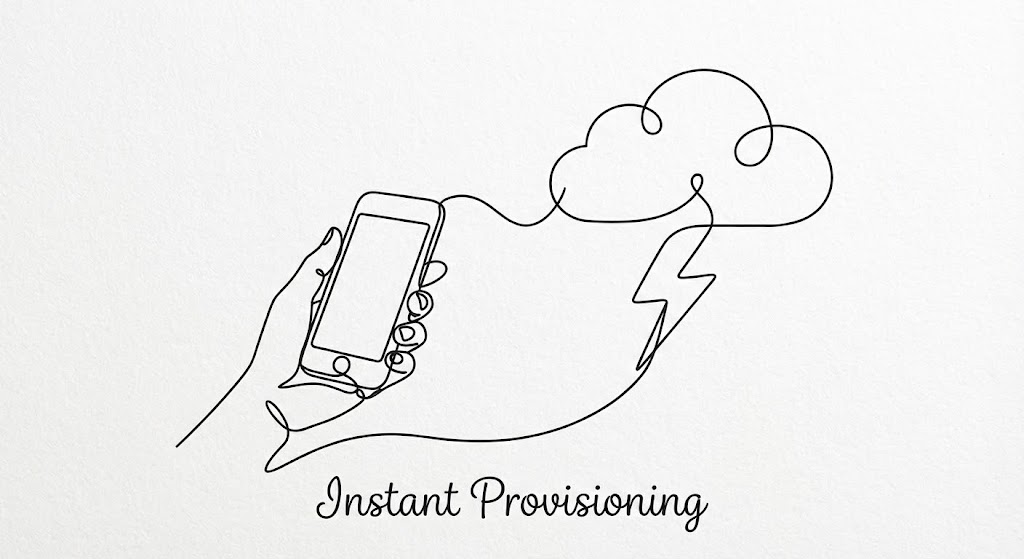
The Visual & Narrative Approach
This style utilizes a sophisticated, continuous Black ink line on a textured White paper background to visualize the concept of Flow. The line begins by drawing a hand holding a smartphone, extends seamlessly to form a cloud icon, and finally connects them with a dynamic lightning bolt symbol. It strips away technical complexity, presenting the onboarding process not as a series of configurations, but as a single, fluid artistic gesture.
Psychological Impact & KPI Focus
- Niche Psychology: Admin users often dread the "Setup Fatigue" of provisioning new users. This minimalist style psychologically reduces that burden, suggesting the process is lightweight and artistic rather than heavy and technical.
- Operational Impact: Visualizes Instant Provisioning. It reinforces the "Time-to-Value" (TTV) metric, showing that a new user can go from "invited" to "active" in the time it takes to draw a line.
Strategic Implementation & Trade-offs
- Best Use Case: In-App "Welcome" screens or "Getting Started" wizard intros.
- Duration: 5-8 Seconds.
- Trade-off: Extremely abstract. It creates a feeling of ease but does not teach the user where to click. It is an emotional primer, not a tutorial.
Companies using similar video content -
SwiftConnect – Workplace Access – Visualizes fluid connectivity for instant provisioning.
HID Global – HID Mobile Access – Depicts seamless onboarding as an artistic gesture.
JumpCloud – Directory Platform – Shows effortless user provisioning with continuous lines.
22. Aspirational Stock Montage
Onboarding | Reducing Friction

The Visual & Narrative Approach
We shift focus from the hardware to the human administrator. Using high-quality photography, we capture a "Golden Hour" moment: an office manager sitting at a clean desk in a sunlit, modern office, smiling while working on a laptop. The background is softly blurred to keep focus on her expression of relief and satisfaction. This creates an emotional mirror for the user, validating that security management can be a pleasant, sunlight-filled task rather than a dark-room chore.
Psychological Impact & KPI Focus
- Niche Psychology: Combats "Admin Burnout." Security tools are often associated with stress and emergencies. This visual re-associates the platform with control, calm, and competence.
- Operational Impact: Visualizes User Satisfaction (CSAT). It implicitly promises that the platform handles the heavy lifting, allowing the human to focus on higher-value work.
Strategic Implementation & Trade-offs
- Best Use Case: Onboarding Welcome Emails or "Success" confirmation screens after a complex task.
- Duration: Static Image.
- Trade-off: Generic stock photography can feel "hollow" if not carefully curated. The lighting and environment must match the premium aesthetic of your brand to avoid looking like a generic corporate placeholder.
Companies using similar video content -
Kisi – Access Control – Captures the stress-free admin experience in a modern office.
Brivo – Access Control – Associates security management with calm and competence.
Genea – Access Control – Validates that security tasks can be pleasant and efficient.
23. 2D Animation & UI Composition
Onboarding | Self-Serve Onboarding
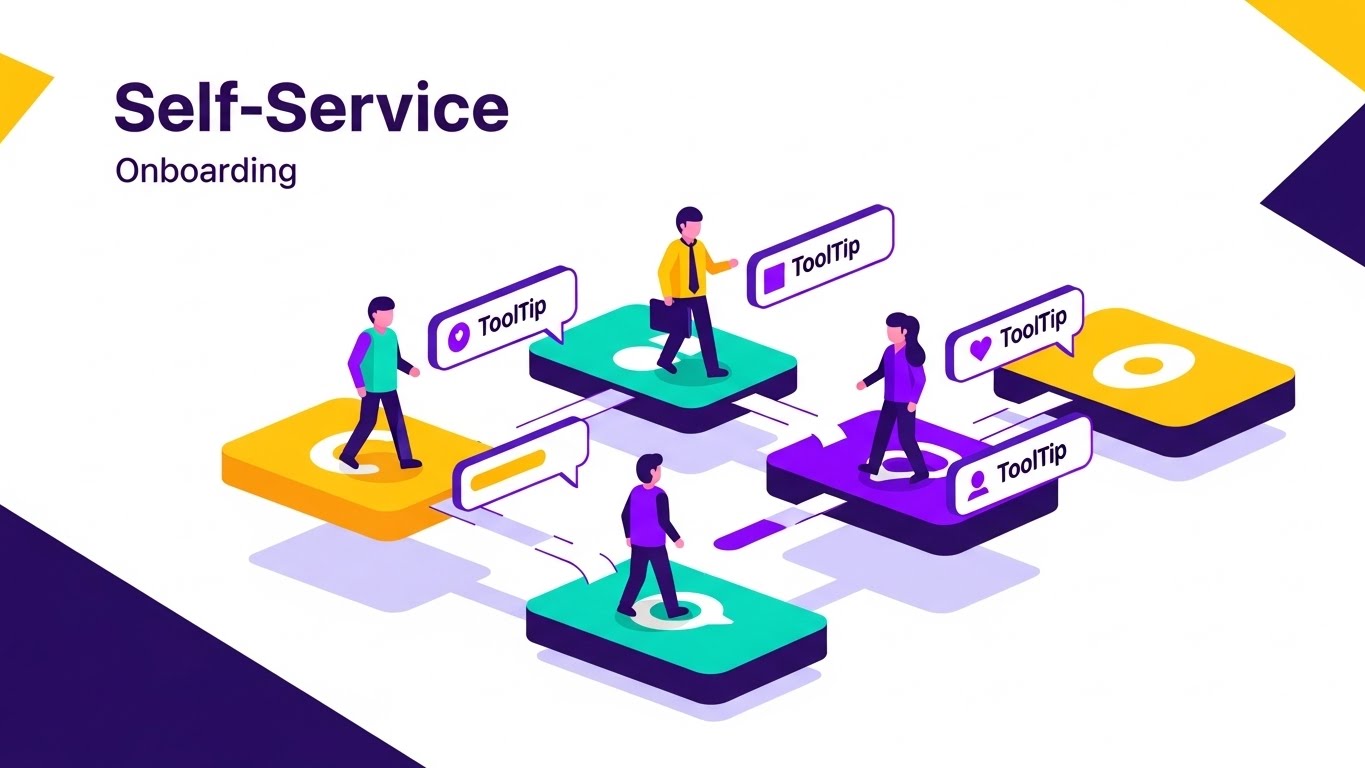
The Visual & Narrative Approach
To encourage self-sufficiency, we blend playful 2D characters with giant, isometric 3D UI elements. Small, flat-style avatars are depicted walking along "paths" connecting floating buttons and dashboards. Bright "Purple and White" tooltips pop up as they walk, guiding their steps. This visualizes the platform as a navigable landscape where help is always available, turning the learning curve into a guided tour.
Psychological Impact & KPI Focus
- Niche Psychology: Alleviates "Fear of Breaking Something." New users are often hesitant to click buttons. This style makes the UI look like a playground with safety rails.
- Operational Impact: Visualizes Self-Service Adoption. By making the help resources look intuitive and integrated, you reduce the volume of Level 1 support tickets.
Strategic Implementation & Trade-offs
- Best Use Case: Help Center headers, Knowledge Base articles, or "tour" videos.
- Duration: 15-30 Seconds.
- Trade-off: The "Tiny People" metaphor is stylized. It explains the concept of guidance but doesn't replace actual screenshots for technical training.
Companies using similar video content -
Paxton Access – Paxton10 – Guides self-service pathways with playful characters.
Nedap Security Management – AEOS – Makes learning curves feel like a guided tour.
Inner Range – Inception – Visualizes intuitive help resources for self-sufficiency.
24. Clean UI Workflow (Light Mode)
Retention | Knowledge Base
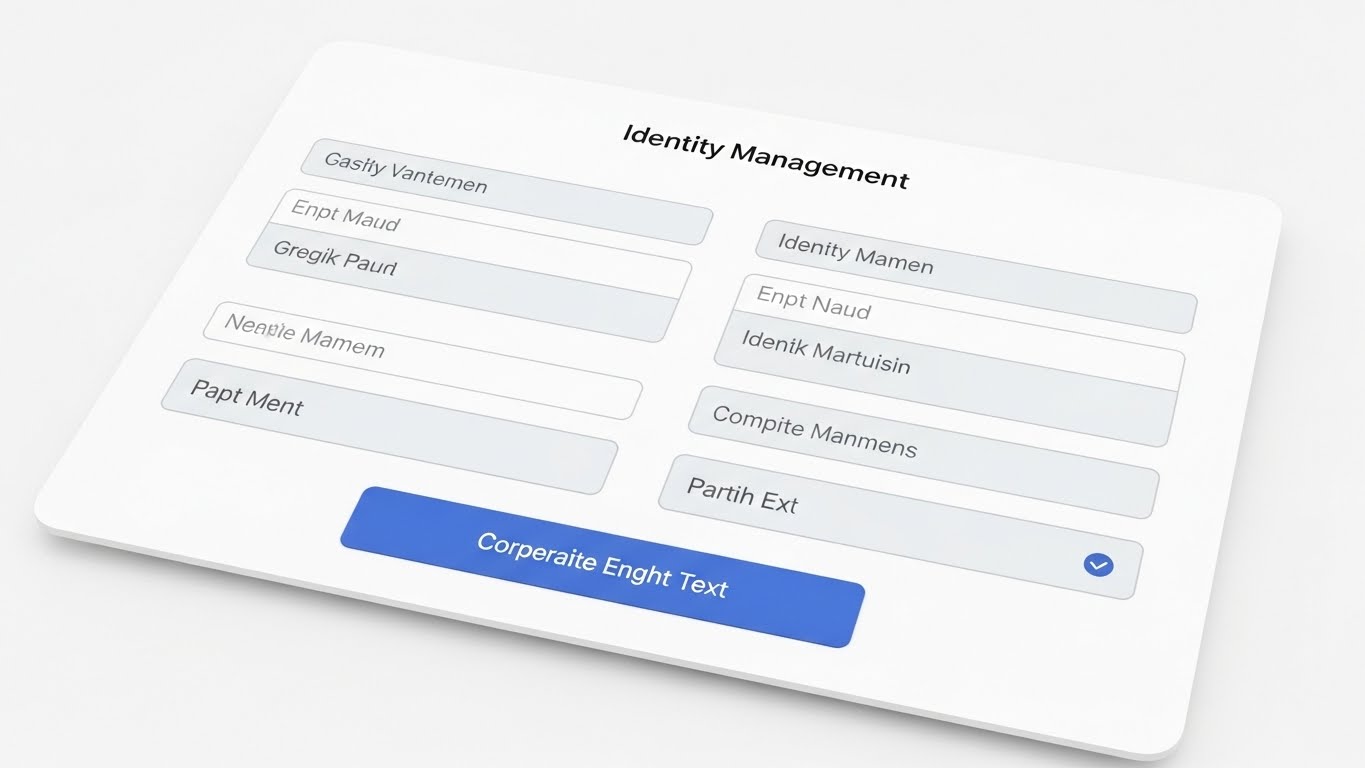
The Visual & Narrative Approach
When a user is looking for answers, they need clarity, not art. This style uses a pristine "Light Mode" representation of the form interface. The palette is Clinical White and Blue. We zoom in on the specific input fields—Name, Role, Access Level—with soft grey borders. The "Save" action button is a clear, inviting blue. The layout is perfectly aligned, emphasizing the organized, logical structure of the Identity Management workflow.
Psychological Impact & KPI Focus
- Niche Psychology: Appeals to the "Orderliness" desired by IT managers. It reassures them that the database is structured, clean, and easy to audit.
- Operational Impact: Visualizes Data Integrity. It reinforces that the system promotes accurate data entry, which is critical for compliance and reporting.
Strategic Implementation & Trade-offs
- Best Use Case: Support Portal documentation, Release Notes, or feature deep-dive emails.
- Duration: Static or simple scroll animation.
- Trade-off: It is dry. It is purely functional and offers no "brand magic," but in a support context, clarity is the magic.
Companies using similar video content -
AMAG Technology – Symmetry Access Control – Presents precision identity management with clarity.
RS2 Technologies – Access It! Universal – Emphasizes organized, logical identity workflows.
Sielox – AnyWare – Showcases pristine UI for accurate data entry and auditing.
25. Macro UI Micro-Interactions
Retention | Reducing Support

The Visual & Narrative Approach
This style celebrates the power of a single click. We use an extreme macro close-up of a UI toggle switch sliding from grey to a vivid "Active Green." The surrounding UI is blurred, focusing all attention on this micro-interaction. It visualizes the "Remote Unlock" feature—the moment a door is opened from miles away. It turns a simple CSS animation into a moment of palpable power and control.
Psychological Impact & KPI Focus
- Niche Psychology: Satisfaction of "Action." Security directors love the feeling of control. This visual distills that control into its simplest form: a switch.
- Operational Impact: Visualizes Remote Management Efficiency. It demonstrates that complex physical actions (unlocking a secure door) are reduced to simple digital triggers.
Strategic Implementation & Trade-offs
- Best Use Case: "Feature Spotlight" emails or update announcements.
- Duration: 3-5 Second GIF.
- Trade-off: Extremely narrow focus. It highlights one specific interaction perfectly but provides no context on where to find that button in the wider dashboard.
Companies using similar video content -
Openpath – Access Control – Celebrates the power of a single toggle for remote unlock.
Kisi – Access Control – Distills control into simple, palpable micro-interactions.
Verkada – Command – Visualizes remote management efficiency through a click.
26. Rapid UI Feature Montage
Retention | Reducing Churn
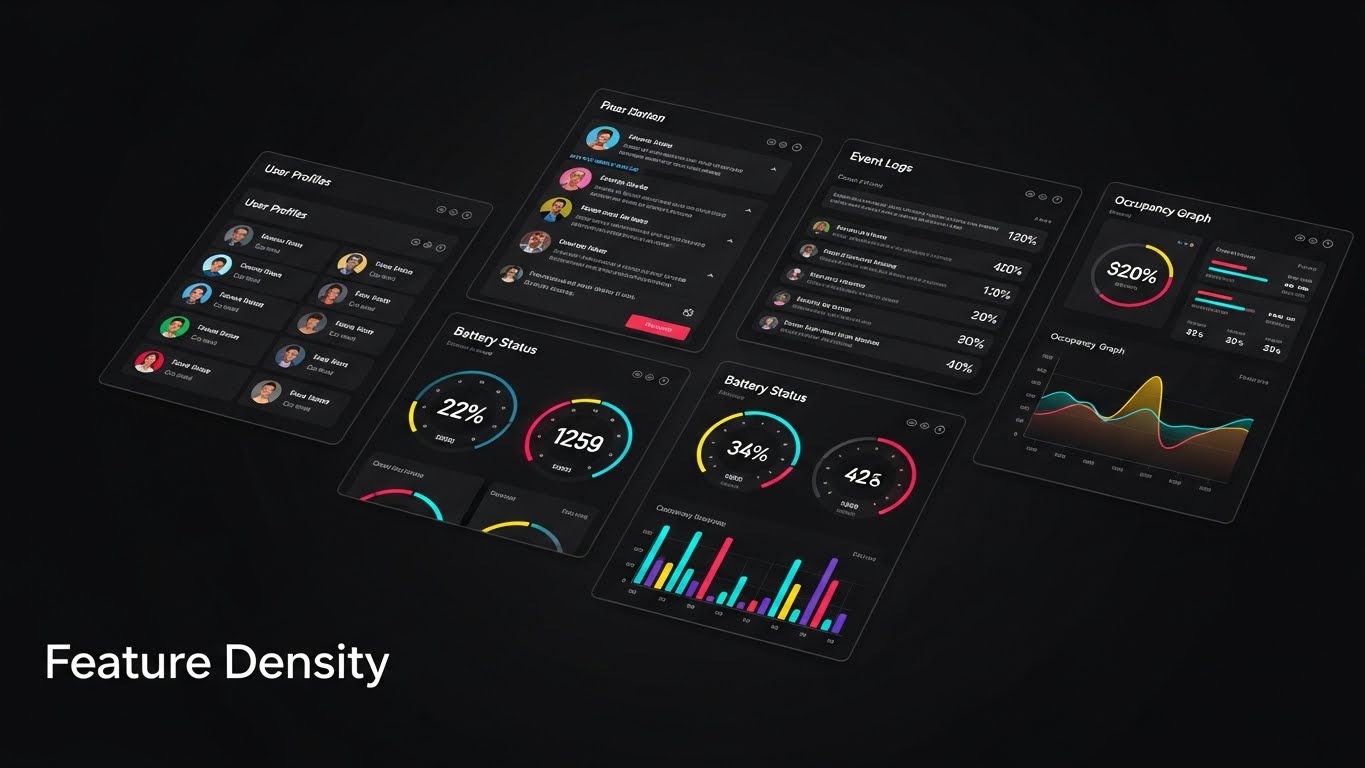
The Visual & Narrative Approach
To prevent churn, customers must be reminded of the platform's full value. This style uses a dynamic, tiled layout of four different dashboard widgets (User Profiles, Event Logs, Battery Status, Occupancy Graph) floating in a void. The frames are angled slightly to suggest motion. We cut rapidly between different widget combinations, creating a sense of "Feature Density." It suggests that the platform is a deep ecosystem, not just a single tool.
Psychological Impact & KPI Focus
- Niche Psychology: Combatting "Value Drift." Customers often forget features they don't use daily. This visual overwhelms them (positively) with the breadth of tools at their disposal.
- Operational Impact: Visualizes Platform Stickiness. By showing features from different modules (Maintenance, Security, HR), it encourages multi-departmental adoption.
Strategic Implementation & Trade-offs
- Best Use Case: Customer Newsletters, Quarterly Business Review (QBR) decks, or "Year in Review" videos.
- Duration: 10-15 Seconds.
- Trade-off: Can be visually chaotic. Ensure the color palettes of different widgets are harmonized so it looks like a suite, not a patchwork.
Companies using similar video content -
Verkada – Command – Overwhelms positively with ecosystem feature density.
Johnson Controls – C•CURE 9000 – Showcases breadth of tools for platform stickiness.
Genetec – Security Center – Reminds customers of full platform value dynamically.
27. 3D Parallax UI Presentation
Expansion | Deep Feature Adoption

The Visual & Narrative Approach
When upselling "Advanced Analytics," flat screenshots fail to convey depth. This style explodes the UI into 3D space. The base map sits on the bottom layer, while graphs, data points, and heatmaps float on transparent glass layers above it. As the camera pans, the parallax effect reveals the relationship between the data sets. It visually communicates that this is not just surface-level reporting; it is deep, multi-dimensional intelligence.
Psychological Impact & KPI Focus
- Niche Psychology: Appeals to the "Data Scientist" aspiration within security leaders. It makes the data look sophisticated, valuable, and worth paying extra for.
- Operational Impact: Visualizes Business Intelligence (BI). It separates the "basic" view from the "premium" view, justifying the upsell to a higher tier.
Strategic Implementation & Trade-offs
- Best Use Case: "Enterprise Tier" landing pages or upsell webinar backgrounds.
- Duration: 10-20 Seconds (Looping).
- Trade-off: High production effort. Requires separating UI assets into layers. It promises a level of depth that the actual 2D product must deliver on.
Companies using similar video content -
Rhombus Systems – Cloud Security – Explodes UI into 3D for multi-layered deep analytics.
Qumulex – QxControl – Communicates multi-dimensional business intelligence.
Arcules – Cloud Platform – Justifies upsell to premium analytics with visual depth.
28. Gen AI Realistic Character
Expansion | Upsell/Cross-sell

The Visual & Narrative Approach
Expansion often requires C-Suite approval. This style uses Gen AI to create the perfect "Executive Persona." We see a medium close-up of a silver-haired CEO in a high-end glass office. He looks at an off-camera tablet (the platform) and nods with a subtle, genuine smile of approval. The lighting is "Corporate Cinematic." It models the reaction you want your champion to elicit from their boss: trust, validation, and sign-off.
Psychological Impact & KPI Focus
- Niche Psychology: Addresses the Champion's fear of "Looking Bad" to leadership. This visual reassures them that the platform presents well to the board.
- Operational Impact: Visualizes Stakeholder Alignment. It sells the intangible benefit of "reputation management" for the buyer within their own organization.
Strategic Implementation & Trade-offs
- Best Use Case: Account-Based Marketing (ABM) ads targeting decision-makers or "Why Upgrade?" collateral.
- Duration: 6-10 Seconds.
- Trade-off: AI characters can sometimes hit the "Uncanny Valley." The prompt must focus on "micro-expressions" to ensure the smile feels genuine, not robotic.
Companies using similar video content -
Kastle Systems – KastlePresence – Models executive buy-in and stakeholder alignment.
ADT Commercial – Managed Access Control – Creates the look of C-Suite approval and trust.
Securitas – Intelligent Security – Reassures champions about presenting well to leadership.
29. Lifestyle Stock with UI Overlay
Expansion | Referrals

The Visual & Narrative Approach
Referrals are built on human relationships. We use a stock photo of two professionals shaking hands in a bright atrium—a classic symbol of agreement. Overlaid in the space between them is a glowing, holographic Gold icon of a "Handshake with a Plus Sign." The graphic is semi-transparent, blending the digital reward with the physical connection. It visualizes the concept that sharing the platform adds value to the professional relationship.
Psychological Impact & KPI Focus
- Niche Psychology: Taps into the desire for "Professional Status." Referring a good tool makes the referrer look smart. The gold icon reinforces the "Premium" nature of the referral.
- Operational Impact: Visualizes Net Promoter Score (NPS). It translates the abstract concept of "Advocacy" into a transactional, rewarding moment.
Strategic Implementation & Trade-offs
- Best Use Case: Referral Program landing pages or social media posts asking for recommendations.
- Duration: Static Image.
- Trade-off: Can feel like a generic banking ad. The "Holographic Icon" is the critical differentiator that ties it back to the tech platform.
Companies using similar video content -
Envoy – Workplace Platform – Visualizes advocacy and partnership through human connection.
Genea – Access Control – Taps into professional status for referral programs.
SwiftConnect – Workplace Access – Blends digital reward with physical relationship building.
30. 2D Graphics Over Live Action
Expansion | Proactive Support
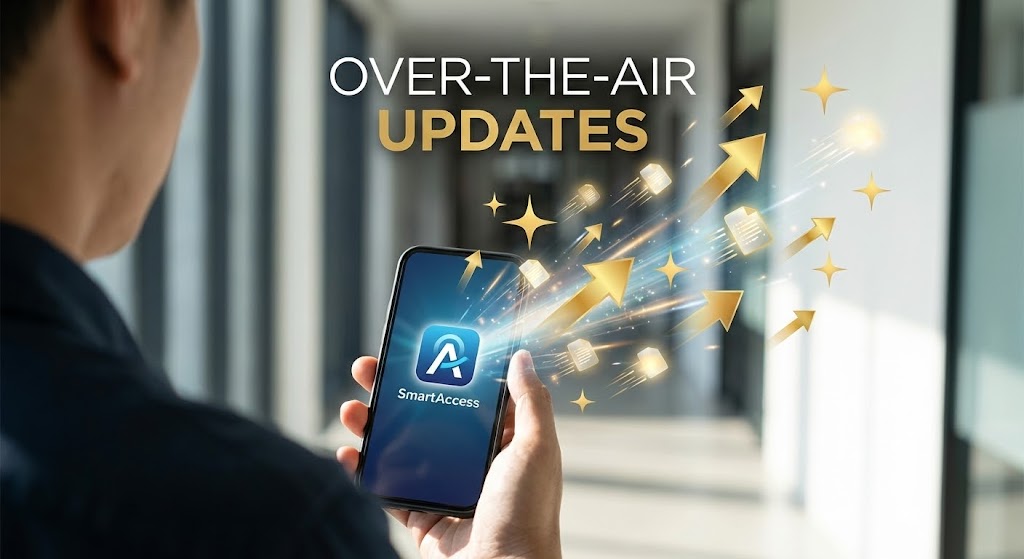
The Visual & Narrative Approach
The greatest advantage of SaaS is continuous improvement. We use an over-the-shoulder shot of a hand holding a phone in a hallway. As the user looks at the screen, animated 2D "Sparkles" and "Gold Up-Arrows" explode out from the device, swirling upwards. This mixed-media approach visualizes the invisible delivery of new features. It captures the "Magic" of waking up to a better product without having to install new hardware.
Psychological Impact & KPI Focus
- Niche Psychology: Counteracts "Hardware Stagnation"—the frustration that physical systems degrade over time. This proves the system gets better with age (Anti-fragility).
- Operational Impact: Visualizes Future-Proofing. It justifies the recurring SaaS subscription fee by demonstrating the continuous delivery of value via Over-the-Air (OTA) updates.
Strategic Implementation & Trade-offs
- Best Use Case: Product Update emails, "What's New" videos, or Renewal Discussions.
- Duration: 10-15 Seconds.
- Trade-off: Whimsical. The sparkles must be designed to look like "Data Packets" or "Upgrade Icons" rather than magic dust to maintain a B2B tech feel.
Strategic Knowledge Base: The Visual Operations Doctrine
To bridge the gap between "Looking Good" and "Working Well," we have synthesized a 3-part strategic framework. This doctrine moves beyond aesthetics to operationalize your visual strategy, ensuring that every pixel serves a business outcome in the Access Control and SaaS domain.
Strategic Alignment & Visual Architecture
Pre-Production Strategy – Why we visualize and Who we visualize for.
- The Cognitive Load Audit: Before creating a single asset, audit your current training manuals. If a concept takes 3 paragraphs to explain (e.g., OSDP encryption), it is a candidate for Abstract 3D AI (Style 13). If it takes 3 clicks, it is a candidate for Macro UI Micro-Interactions (Style 25).
- Role-Based Visual Mapping: Do not use the same visuals for the CSO and the Guard. The CSO needs Feature Density (Style 26) to see ROI. The Guard needs Clean UI Workflow (Style 24) to avoid errors during incident response.
- The "Glanceability" Standard: In security, seconds matter. Design your Dark Mode UI (Style 14) assets so the "Threat" state is instantly recognizable (Red/Black contrast) against the "Safe" state, ensuring operators can react without reading text.
- Brand Voice Consistency: Your marketing visuals (LinkedIn) and your in-app visuals (Onboarding) must speak the same language. If your ads use Isometric 2D (Style 1), your in-app maps should not use flat satellite views. This continuity builds subconscious trust.
- The Advids Strategic Audit: Leveraging a partner like Advids during this phase ensures your "Visual Operating System" is defined before production begins, preventing costly re-designs later.
- Standardization vs. Customization: For core features (unlocking doors), use standardized Minimalist Flat 2D (Style 6) to ensure clarity. For unique value props (occupancy AI), use bespoke Dynamic Data Viz (Style 7) to differentiate.
- The Cross-Departmental Bridge: Use Split Screen: Reality & UI (Style 10) to unify the vocabulary between IT (who see the code) and Facilities (who see the door). This visual style acts as a translator between departments.
- Legacy System Integration: Use Wireframe to Reality (Style 11) to visually respect the past. Acknowledge the existing "Brownfield" infrastructure before overlaying your modern "Greenfield" solution, validating the customer's current reality.
- Accessibility in Operations: Security teams are diverse. Motion graphics, like 2D Line Art (Style 21), bypass language barriers, allowing you to train a multi-lingual guard force on "Provisioning" without translating text manuals.
- The Mobile-First Mandate: Security Directors are rarely at their desks. Ensure all 3D Parallax (Style 27) and complex dashboard visuals are adapted for vertical screens, proving you understand their mobile reality.
Operational Adoption & Implementation
Deployment – How to embed visuals into the daily workflow.
- Overcoming "Big Brother" Anxiety: When rolling out occupancy tracking, use Abstract 2D Motion (Style 8) rather than realistic video. Abstract dots feel like "Data," while realistic video feels like "Surveillance."
- The Micro-Learning Shift: Replace the 50-page PDF manual with a library of Macro UI Micro-Interaction (Style 25) GIFs. Embed these directly into the deployment email to drive immediate "Ah-ha" moments.
- Just-in-Time Support: Embed 2D Animation & UI (Style 23) videos directly into the "Help" widget on the dashboard. Users are 3x more likely to resolve an issue themselves if the video is in the problem context.
- Gamification of Training: Use Isometric 3D Workflow (Style 9) to turn access rights training into a visual logic puzzle. This increases engagement during mandatory compliance training sessions.
- Reducing Support Ticket Volume: There is a direct correlation between the clarity of Clean UI Workflow (Style 24) assets and a reduction in "How do I...?" tickets. Deploy these proactively with every feature release.
- Remote Onboarding: For global teams, use Aspirational Stock Montages (Style 22) in welcome sequences to build cultural buy-in and excitement before the technical training even begins.
- Standard Operating Procedures (SOPs): Transform text-based Incident Response SOPs into Dark Mode UI Showcase (Style 14) flowcharts. In a crisis, operators follow visual flows faster than bullet points.
- Feedback Loops: Use interactive video elements (or Rapid UI Feature Montage Style 26) in QBRs to ask clients, "Which of these features are you not using?" This turns a visual asset into a retention conversation.
- Scalable Localization: By relying on Abstract 3D AI (Style 13) and Isometrics (Style 1) which rely on symbology rather than text, you reduce the cost and complexity of localizing assets for global branches.
- Leadership Communication: When your Champion needs to present to the Board, arm them with Gen AI Realistic Character (Style 28) and Low-Poly 3D (Style 16) assets. These high-polish visuals make them look prepared and strategic.
Measuring Impact & Future-Proofing
ROI & Evolution – Measuring success and looking ahead.
- Beyond "Views": Do not measure video success by "Views." Measure it by "Feature Adoption Rate." If you release a Macro UI (Style 25) video about "Remote Unlock," track the spike in usage of that specific button.
- The "Time-to-Access" Metric: Correlate better visualization (e.g., Split Screen Style 10) with reduced "Time-to-Access" for end users. Visuals that explain how to use the app reduce friction at the door.
- Compliance Velocity: Measure how fast your organization reaches 100% compliance on new security protocols after deploying Kinetic Typography (Style 3) explainers vs. text emails.
- Retention and Churn: High-quality Proactive Support visuals (Style 30) reduce "Value Drift." Customers who visually see the platform evolving via OTA updates are less likely to churn to a competitor.
- The AI Visual Frontier: Prepare for Generative AI Cinematic (Style 4) video to become dynamic. Future platforms will generate "Incident Re-enactments" instantly; your marketing visuals should prime users for this AI-driven future.
- Scalability of Assets: Build a "Visual Component Library." If you create a 3D model of your Reader for Photorealistic 3D (Style 15), reuse that same model for 3D X-Ray (Style 12) to maximize asset ROI.
- The Advids Partnership: As your feature set grows, your visual library must scale. Advids serves as the continuity engine, ensuring that Style 21 (created today) visually aligns with Style 50 (created next year).
- Benchmarking Success: In the "Open Cloud Era," visual mediocrity is a risk factor. If your competitors use Holographic UI (Style 17) and you use static screenshots, you lose the "Innovation" perception battle before the demo starts.
- The ROI of Safety: Quantify the reduction in "False Alarms" achieved by better training visuals. If Isometric 3D (Style 9) clarifies "Tailgating" rules, the reduction in false positives is a direct financial saving.
- Final Call to Innovation: Treat video not as "Marketing Content" but as "Digital Infrastructure." Just as you invest in servers for uptime, invest in Visual Operations for understanding. In a complex world, Clarity is the ultimate security feature.
Companies using similar video content -
Openpath – Access Control – Captures the magic of over-the-air updates.
Brivo – Access Control – Visualizes continuous delivery of value and future-proofing.
Salto Systems – Salto KS – Shows invisible new features delivered to devices.
Author & Editor Bio



