
Introduction: Visualizing the Pulse of the Workforce
The modern Human Resources leader is no longer just an administrator of policies; they are the architect of the employee experience. Yet, a profound disconnect remains between the promise of digital transformation and the reality of daily operations. In a landscape where 70% of digital transformation initiatives fail primarily due to poor user adoption, the challenge is not just technological capability—it is cognitive accessibility.
HRIS platforms are complex ecosystems handling sensitive data, from payroll compliance to talent acquisition. When these systems are presented through dense text or cluttered interfaces, they generate "cognitive friction" that deters adoption. The strategic imperative for B2B HR software is to translate this complexity into clarity. We must move beyond "explaining features" to "visualizing outcomes."
This guide presents a curated visual vocabulary designed to bridge the gap between the physical workforce and digital efficiency. By leveraging specific visual styles—from organic 2D abstractions that humanize data to high-fidelity 3D renders that signal robust architecture—we can influence how stakeholders perceive value. With a 23% greater profitability at stake for companies with highly engaged workforces, the role of high-quality, empathetic visual communication is not merely aesthetic; it is a core driver of Return on Investment (ROI).
Through these 30 examples, we explore how to visualize the invisible threads of culture, efficiency, and compliance, turning the "shelfware" fear into a "software" success.
1. Abstract 2D Flat Vector Organic
TOFU | Brand Awareness

The Visual & Narrative Approach
This style abandons the rigid grids typically associated with software interfaces in favor of fluidity. The image presents a top-down view of a network where glossy, liquid-like nodes in Vivid Coral and Teal drift and connect seamlessly on a clean white void. Unlike the sharp angles of a database schema, these organic shapes mimic biological cells or social connections. The narration should be smooth and empathetic, emphasizing "flow," "connection," and "ecosystem" rather than "integration" or "database."
Psychological Impact & KPI Focus
Niche Psychology: The absence of sharp edges reduces the anxiety often associated with complex HR implementation. It signals that the software adapts to the people, not the other way around.
Operational Impact: This style is particularly effective for improving Brand Sentiment and Recall, positioning the platform as a "partner in people management" rather than a "compliance enforcer."
Strategic Implementation & Trade-offs
- Best Use: Social Media Ads (Instagram/LinkedIn) where stopping the scroll requires aesthetic appeal rather than technical detail.
- Trade-off: This style is excellent for emotion but poor for education. It cannot effectively explain how a payroll engine works, but it can perfectly capture how it feels to have a connected workforce.
Companies using similar video content -
Workday – Workday HCM – Abstract visualization of interconnected HR processes.
Culture Amp – Employee Experience Platform – Organic shapes representing culture and sentiment.
Hibob – Bob – Uses vibrant, organic shapes for employee experience.
2. Wireframe to Reality Transition
TOFU | Market Education
The Visual & Narrative Approach
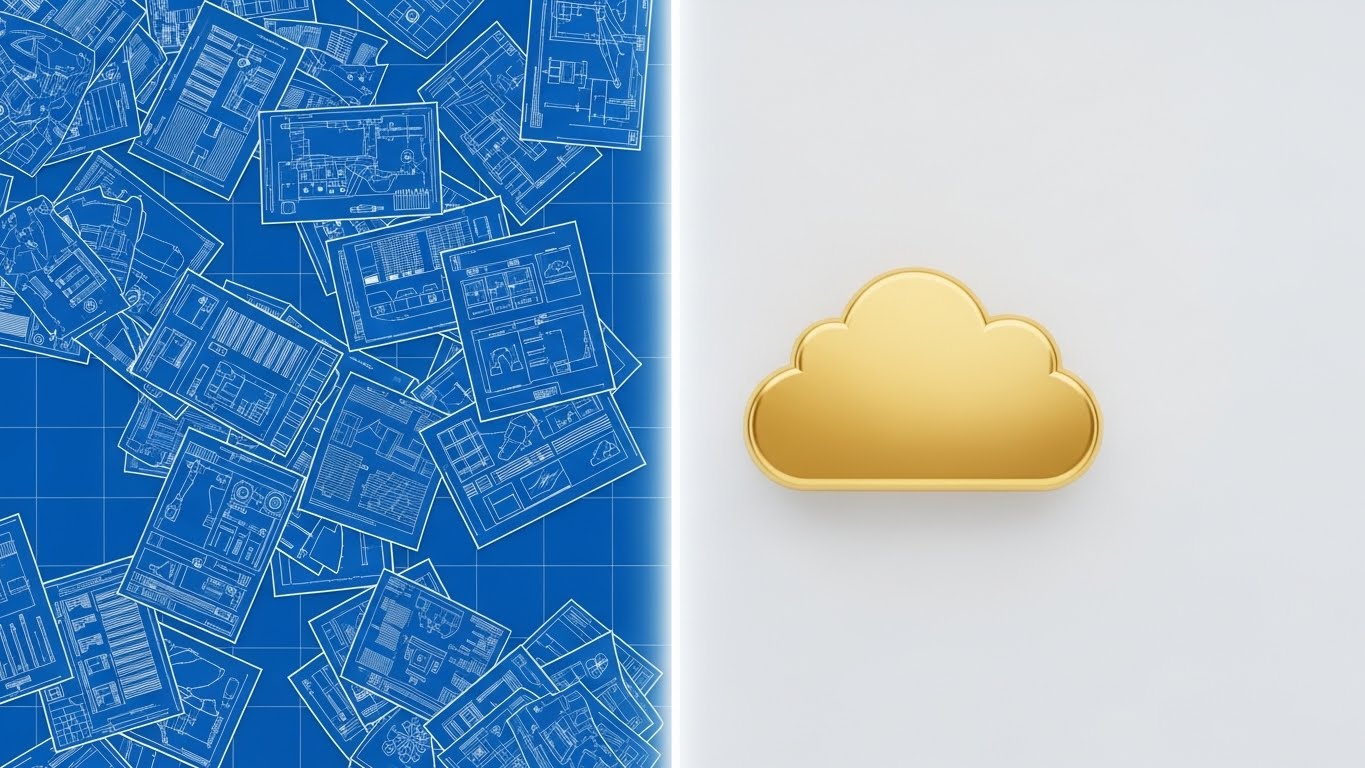
This split-screen composition tells the story of transformation in a single frame. The left side reveals a chaotic "blueprint" of scattered papers and technical schematics in Blueprint Blue, representing the manual, fragmented legacy state. A vertical light beam acts as a portal, transitioning the right side into a pristine, polished 3D render of a golden cloud icon. The narration here is one of "release" and "upgrade," explicitly verbalizing the shift from "administrative burden" to "strategic value."
Psychological Impact & KPI Focus
Niche Psychology: This visual triggers the "Before & After" cognitive bias, which is highly effective for proving value. It validates the user's current pain (the messy blueprint) and immediately offers the dopamine hit of the solution (the golden cloud).
Operational Impact: The key KPI here is Click-Through Rate (CTR), as the visual promise of order attracts frustrated administrators looking for a way out of the chaos.
Strategic Implementation & Trade-offs
- Best Use: Blog Headers and Email Newsletters targeting legacy system users.
- Trade-off: While visually striking, it is binary. It simplifies the implementation process, which might set unrealistic expectations if the actual migration is complex.
Companies using similar video content -
ADP – Workforce Now – Contrasting manual HR with digital transformation.
Ceridian – Dayforce – Visualizing shift from legacy to unified HR.
Paycor – HCM Platform – Highlights transition from complex to simplified HR.
3. Abstract 3D AI Visualization
TOFU | Shaping Brand Perception

The Visual & Narrative Approach
AI is often a "black box" to HR buyers. This style makes the algorithm visible and beautiful. Set in a "tech-noir" environment, thousands of particles and light lines (appearing here in Blue and Green tones) form a structured, cubic network. The heavy bokeh and macro depth of field give the data a tangible, almost physical quality, like looking inside a microchip or a neural network. The tone is futuristic, precise, and intelligent.
Psychological Impact & KPI Focus
Niche Psychology: This visual leverages "technological awe." It signals sophistication and deep-tech capability, separating your platform from legacy competitors.
Operational Impact: It addresses the skepticism around "Is this really AI?" by visualizing the complexity of the computation. Primary impact is on Brand Authority and Time-on-Site.
Strategic Implementation & Trade-offs
- Best Use: Website Hero sections or background loops for "AI Matching" features.
- Trade-off: It is abstract. Do not use this when you need to show the actual User Interface (UI). It builds hype, not user proficiency.
Companies using similar video content -
Eightfold AI – Talent Intelligence Platform – Visualizing AI-driven talent networks.
Phenom – Intelligent Talent Experience – Abstract visuals for AI in talent acquisition.
Beamery – Talent Lifecycle Management – Uses abstract AI visuals for candidate engagement.
4. Generative AI Cinematic Video
TOFU | Category Creation
The Visual & Narrative Approach
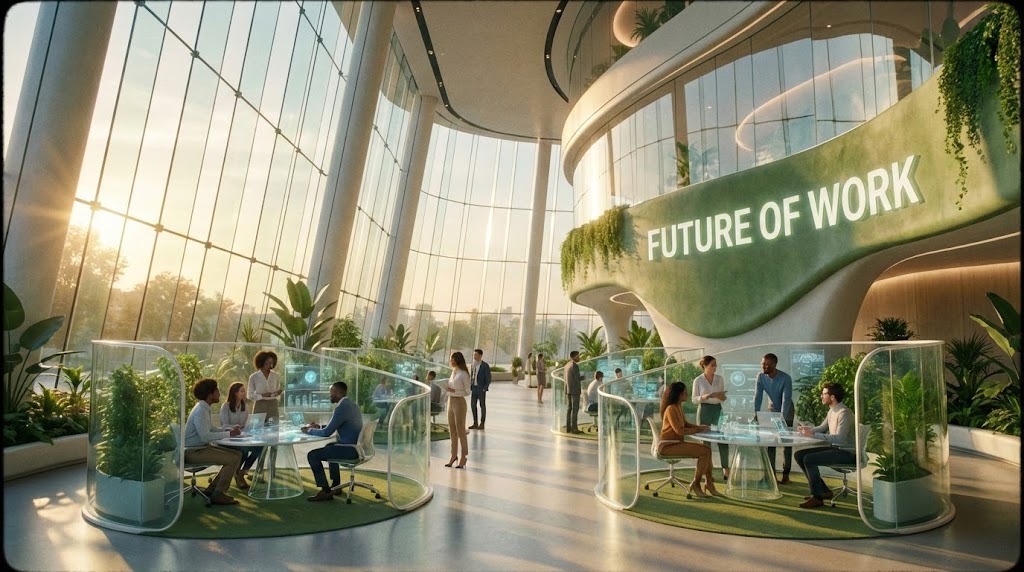
To sell a vision, you must show the destination. This cinematic style uses Generative AI to create a hyper-idealized "Future of Work"—a sun-drenched, glass-walled atrium where diverse professionals collaborate in open pods. It’s an aspirational reality that doesn't exist yet but feels attainable with your software. The narrative is grand, optimistic, and focuses on "unleashing potential" and "breaking barriers."
Psychological Impact & KPI Focus
Niche Psychology: This triggers the "Ideal Self" bias. HR leaders want to believe they are building this bright, open future. By associating your brand with this aesthetic, you align with their highest professional aspirations.
Operational Impact: This drives Brand Recall and Social Shares, as the content feels premium and movie-like rather than transactional.
Strategic Implementation & Trade-offs
- Best Use: YouTube "Manifesto" videos or Keynote openers.
- Trade-off: High production value perception can sometimes intimidate small business (SMB) buyers who might fear the software is "too enterprise" or expensive.
Companies using similar video content -
Workday – Workday HCM – Aspirational vision of the future of work.
SAP SuccessFactors – HXM Suite – Cinematic portrayal of holistic employee experience.
Alight Solutions – Cloud Solutions – High-production videos for future of HR.
5. Split Screen: Optimized Reality and UI
TOFU | Demand Gen
The Visual & Narrative Approach
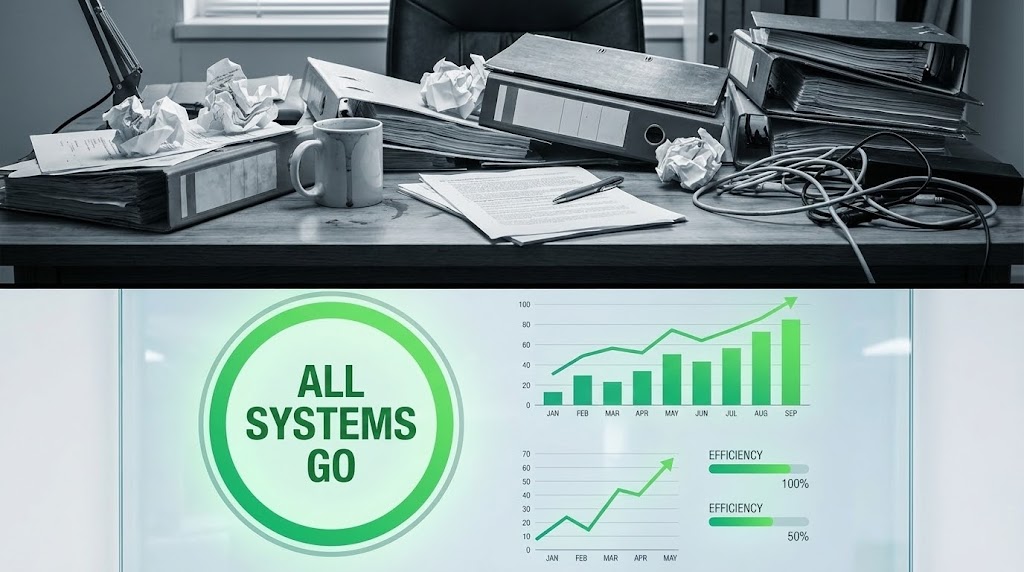
This is the most direct visual argument for ROI. The top half shows the visceral reality of a "bad day in HR"—a grey, messy desk of paperwork. The bottom half shows the solution—a vibrant green "All Systems Go" UI. The static contrast forces the viewer to compare the two states instantly. The narration is punchy, problem-solution oriented, and focuses on "reclaiming time."
Psychological Impact & KPI Focus
Niche Psychology: This utilizes "Cognitive Ease." The viewer doesn't have to guess the benefit; it's visually explicit. The stark difference between the desaturated top and the vibrant bottom creates an emotional journey from stress to relief in milliseconds.
Operational Impact: This is a high-performance driver for Click-Through Rates (CTR) in LinkedIn feeds where attention spans are short.
Strategic Implementation & Trade-offs
- Best Use: LinkedIn Sponsored Content and targeted display ads.
- Trade-off: It can feel slightly "salesy" or aggressive. Ensure the "messy" side isn't so exaggerated that it feels like a caricature.
Companies using similar video content -
Paycom – Bethesda, MD – Direct comparison of HR chaos vs. streamlined UI.
Paylocity – HCM Platform – Highlighting immediate efficiency gains.
Insperity – PEO Services – Contrasts HR burdens with their comprehensive solution.
6. AI Generated Mixed Media Video
TOFU | Vertical Social Organic
The Visual & Narrative Approach
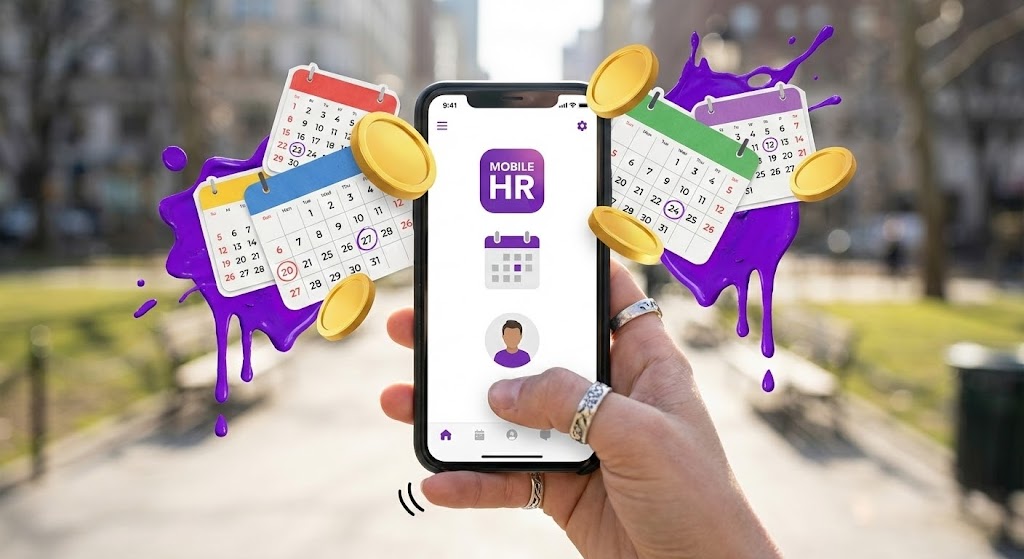
To capture the Gen Z and Millennial workforce, the visual language must be tactile and energetic. This style uses a POV shot of a mobile phone where elements—calendars, gold coins, purple paint—literally burst out of the screen into the real world. It breaks the "fourth wall" of the device. The vibe is "Gamified HR," fun, and fast. Audio should be upbeat, rhythmic, and use sound effects.
Psychological Impact & KPI Focus
Niche Psychology: This appeals to the desire for "Novelty" and "Instant Gratification." It positions the HR app not as a chore, but as a rewarding part of the digital lifestyle.
Operational Impact: It drives Engagement Rates and Video Completion Rates on platforms like TikTok and Instagram Reels by mimicking native content styles.
Strategic Implementation & Trade-offs
- Best Use: TikTok, Instagram Reels, and recruitment marketing for younger demographics.
- Trade-off: It may lack "gravitas" for C-Suite buyers. Use this for the end-user (employee) audience, not the purchaser.
Companies using similar video content -
Bonusly – Recognition & Rewards Platform – Gamified, mobile-first employee engagement.
Officevibe – Employee Engagement Software – Energetic mobile UI for feedback.
Kazoo – Employee Experience Platform – Uses vibrant, interactive mobile visuals.
7. Low-Poly 3D Modeling
MOFU | Product Differentiation

The Visual & Narrative Approach
When explaining "modularity" or "integration stacks," realistic renders can be too noisy. Low-poly art simplifies the concept into geometric truth. Here, faceted blocks in Pastel Pink and Mint self-assemble into a stable platform. It visually explains that your software is a "building block" of their tech stack—reliable, fitting perfectly, and solid. The tone is educational, calm, and architectural.
Psychological Impact & KPI Focus
Niche Psychology: This style reduces "Cognitive Load." By stripping away texture and realistic lighting details, the brain can focus entirely on the structure and process of assembly.
Operational Impact: Key KPI impact is on Product Page Dwell Time and Demo Requests, as it simplifies complex architecture into a toy-like, understandable concept.
Strategic Implementation & Trade-offs
- Best Use: Website "Integrations" pages or "How it Works" sections.
- Trade-off: Avoid using this for "People" features (like diversity or soft skills), as low-poly human characters can look robotic and impersonal.
Companies using similar video content -
Docebo – LMS Platform – Demonstrating modular learning content architecture.
Rippling – Employee Management Platform – Visualizing integrated, modular HR, IT, Finance.
TalentLMS – Learning Management System – Uses clean, geometric visuals for course structure.
8. Clean UI Workflow (Light Mode)
MOFU | Feature Education
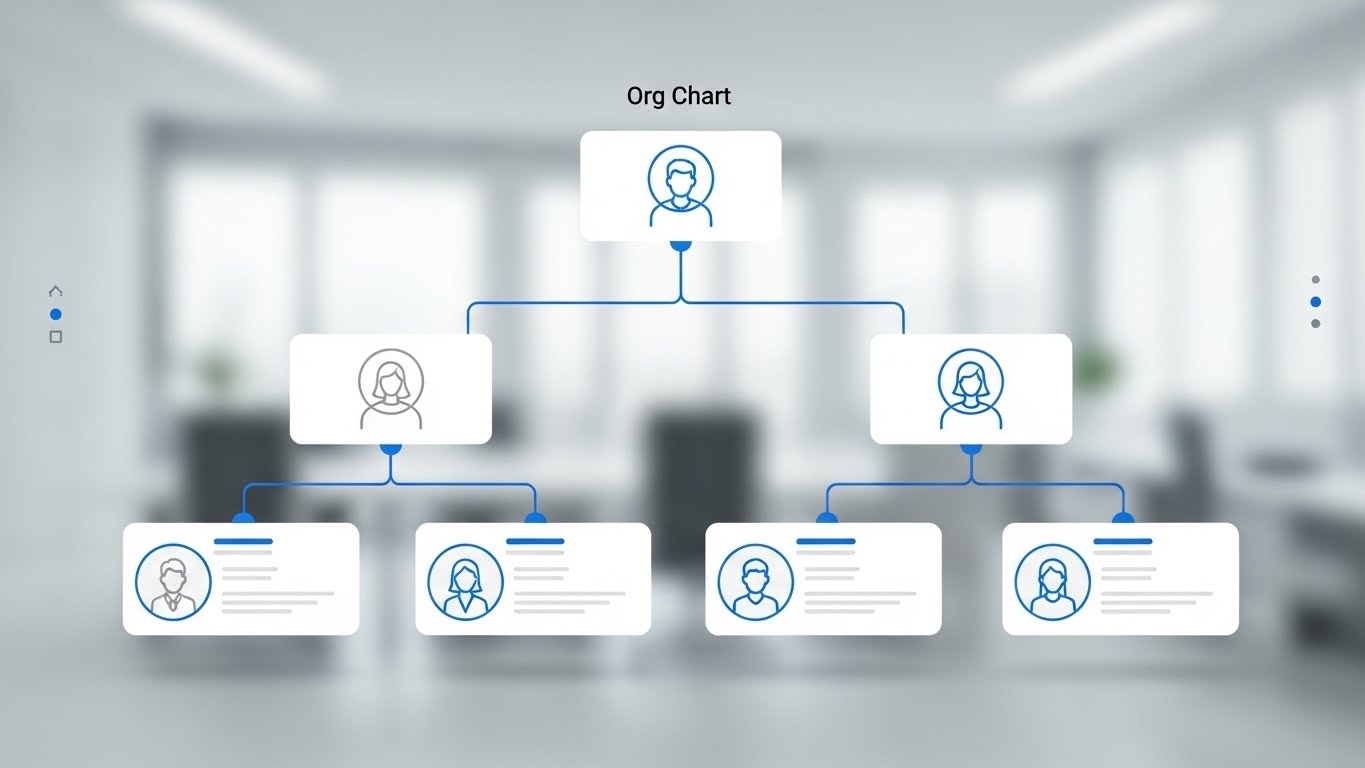
The Visual & Narrative Approach
Sometimes, the product is the hero. This style showcases the UI in its most idealized form—simplified, shadowless, and perfectly symmetrical. A Royal Blue organizational chart expands elegantly against a blurred office background. It strips away the clutter of a real browser to focus 100% on the feature's utility. The narration is instructional and precise.
Psychological Impact & KPI Focus
Niche Psychology: This leverages "Processing Fluency." By blurring the background (context) and sharpening the UI (focus), you guide the user's eye exactly where you want it. It signals "Ease of Use" and "Clarity."
Operational Impact: This style drives Feature Adoption and reduces Sales Cycle Time by proving the product is intuitive before the demo even happens.
Strategic Implementation & Trade-offs
- Best Use: Product Landing Pages, Feature release notes, and Help Center videos.
- Trade-off: It can feel sterile. Ensure the data inside the UI (names, photos) looks realistic to maintain a human connection.
Companies using similar video content -
Greenhouse – Applicant Tracking System – Clarifying recruitment workflow with clean UI.
Lever – Talent Acquisition Suite – Showcasing intuitive hiring process.
iCIMS – Talent Cloud – Presents clean UI for candidate management.
9. Rapid UI Feature Montage
MOFU | Feature Education
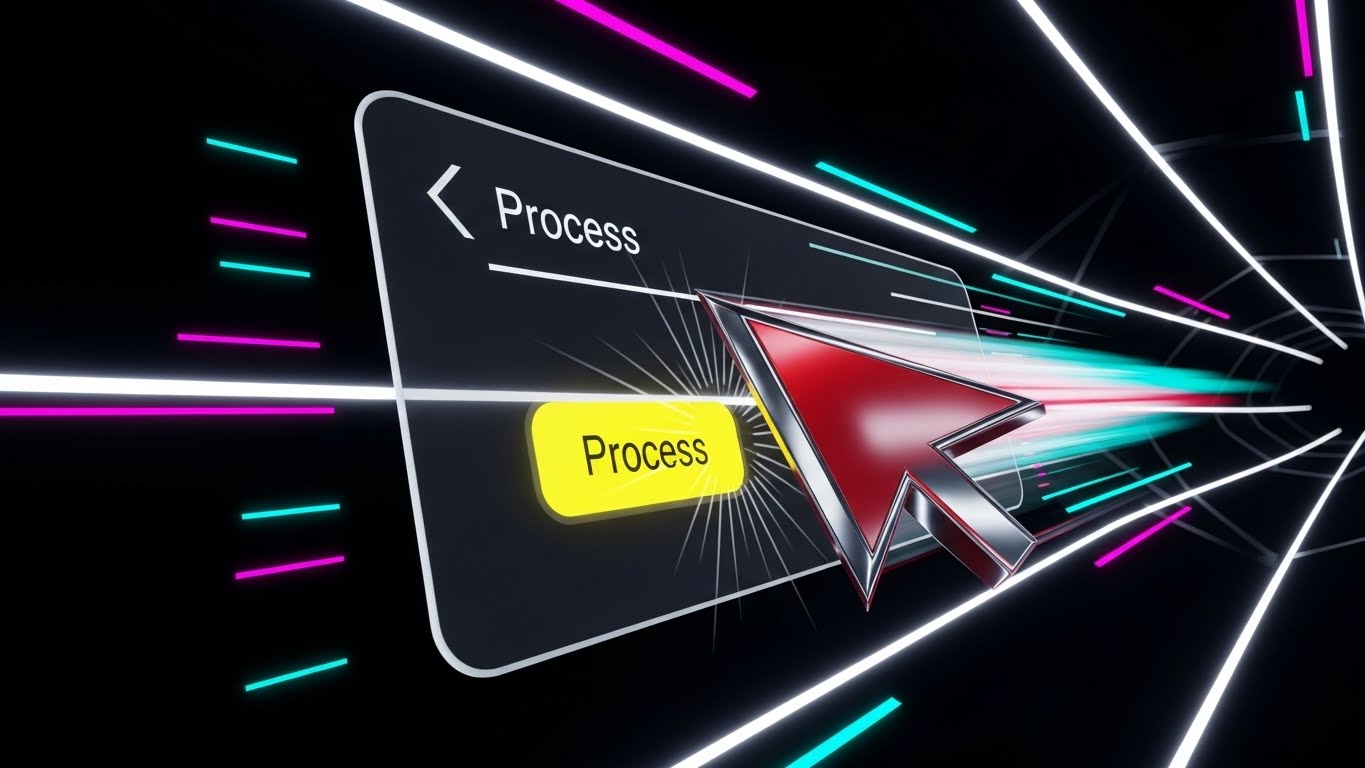
The Visual & Narrative Approach
Speed is a feature. This style uses motion design to exaggerate the speed of the software. A stylized Red and Silver cursor flies across the screen, clicking a "Process" button with impact, accompanied by speed lines and a "tunnel vision" effect. It visualizes the feeling of "getting things done." The audio is fast-paced, with satisfying "click" and "whoosh" sounds.
Psychological Impact & KPI Focus
Niche Psychology: This appeals to the "Efficiency" drive. It creates a visceral sense of momentum. For a user buried in administrative tasks, this visual promises liberation through speed.
Operational Impact: It is highly effective for Ad Recall and Click-Throughs on retargeting ads, reminding prospects that your tool is the fast track to finishing their work.
Strategic Implementation & Trade-offs
- Best Use: 15-second Video Ads and Feature Hype videos.
- Trade-off: It sacrifices detail for speed. Don't use this if the viewer needs to read the text on the screen. It is about the feeling of speed, not the details of the form.
Companies using similar video content -
Paycom – Bethesda, MD – Visualizing rapid processing speed for HR tasks.
Paylocity – HCM Platform – Demonstrating quick task completion and efficiency.
UKG – UKG Ready – Emphasizes speed in workforce management tasks.
10. 2D Line Art Animation
MOFU | Feature Education
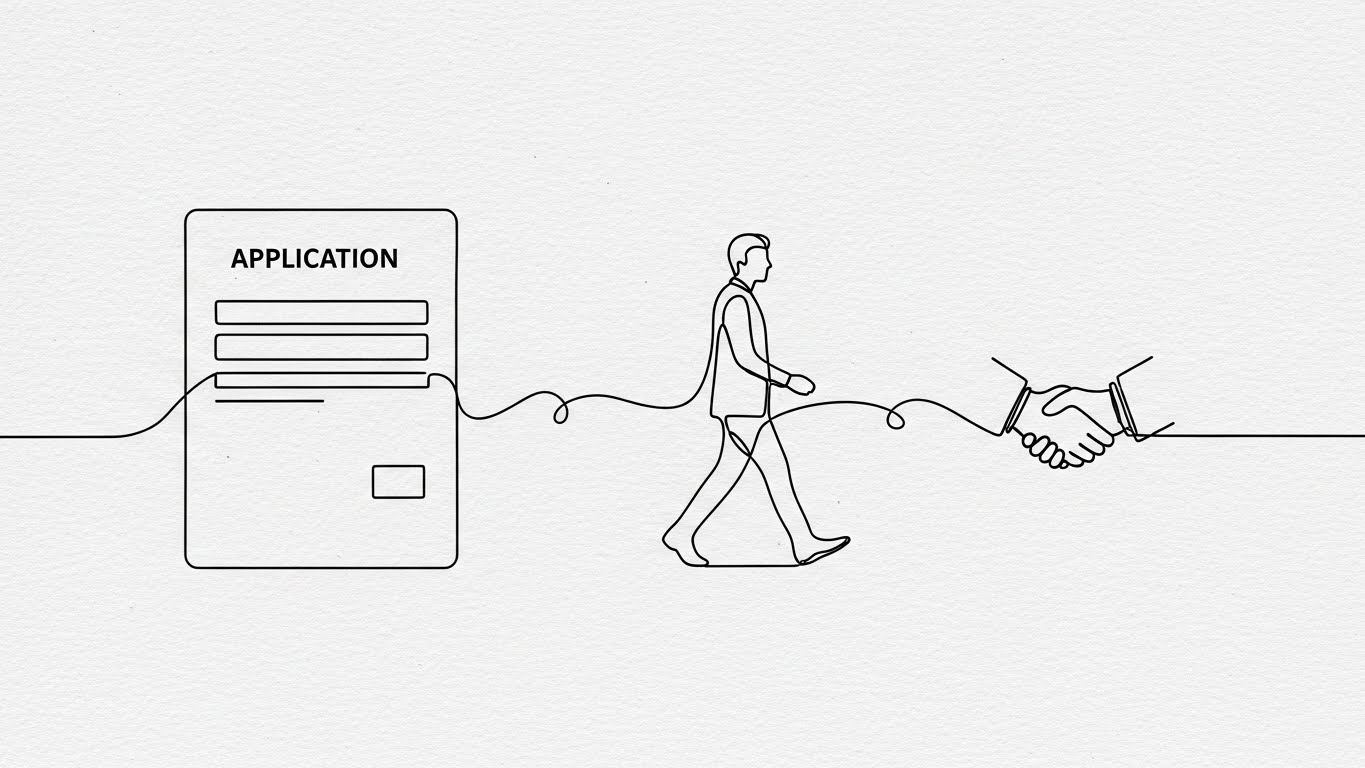
The Visual & Narrative Approach
For sensitive or human-centric topics (like candidate rejection or inclusivity), high-tech visuals can feel cold. This continuous line art style uses a single, unbroken black line on textured paper to tell a story of connection. The line morphs from a form to a person to a handshake. It is elegant, minimalist, and deeply human. The narration is storytelling-driven, focusing on "relationships" and "journeys."
Psychological Impact & KPI Focus
Niche Psychology: This style creates "Narrative Transport." The continuous line draws the eye along a path, keeping the viewer engaged in the unfolding story. It feels bespoke and premium, implying that the software handles people with care.
Operational Impact: It is excellent for Social Engagement and Brand Trust, particularly for the "soft" side of HR management (Employee Experience).
Strategic Implementation & Trade-offs
- Best Use: Social media storytelling, "About Us" videos, and Candidate Experience features.
- Trade-off: It is not "high-tech." If your main selling point is AI power or data security, this style might feel too whimsical.
Companies using similar video content -
Culture Amp – Employee Experience Platform – Mapping employee journeys with continuous lines.
Glint – Employee Engagement Platform – Human-centric storytelling for sentiment.
Namely – HR, Payroll, Benefits – Uses simple line art to explain HR processes.
11. 3D Parallax UI Presentation
MOFU | Driving Demo Requests

The Visual & Narrative Approach
To visualize the "cloud-native" agility of modern HRIS, this style breaks the constraints of a 2D monitor. Layers of semi-transparent, frosted glass UI screens—displaying charts and widgets—float in a serene Sky Blue cloud atmosphere. The camera drifts gently among the layers, using parallax motion to create deep depth perception. The aesthetic is airy and boundless. The narrative focuses on "holistic visibility," "access from anywhere," and "elevating" the HR function above administrative noise.
Psychological Impact & KPI Focus
Niche Psychology: This triggers a sense of "Freedom" and "Modernity." Legacy systems often feel heavy and siloed; this visual metaphor suggests a platform that is light, interconnected, and unburdened by on-premise constraints.
Operational Impact: This style effectively showcases the Breadth of Features without overwhelming the viewer. By layering the screens, you imply a comprehensive suite (Payroll, Benefits, Time Tracking) that is easy to navigate, driving Demo Request Conversion.
Strategic Implementation & Trade-offs
- Best Use: Email nurturing campaigns inviting prospects to "See the full picture" and high-level Platform Overview videos.
- Trade-off: The "glassmorphism" effect is stylized. Use this to sell the concept of a unified interface, not to teach specific button clicks or workflows.
Companies using similar video content -
Oracle – HCM Cloud – Unifying HR ecosystem with floating cloud screens.
SAP SuccessFactors – HXM Suite – Layered UI for holistic visibility.
Infor – Infor HCM – Showcases integrated cloud solutions with depth.
12. Isometric 2D Motion Design
MOFU | Competitive Displacement
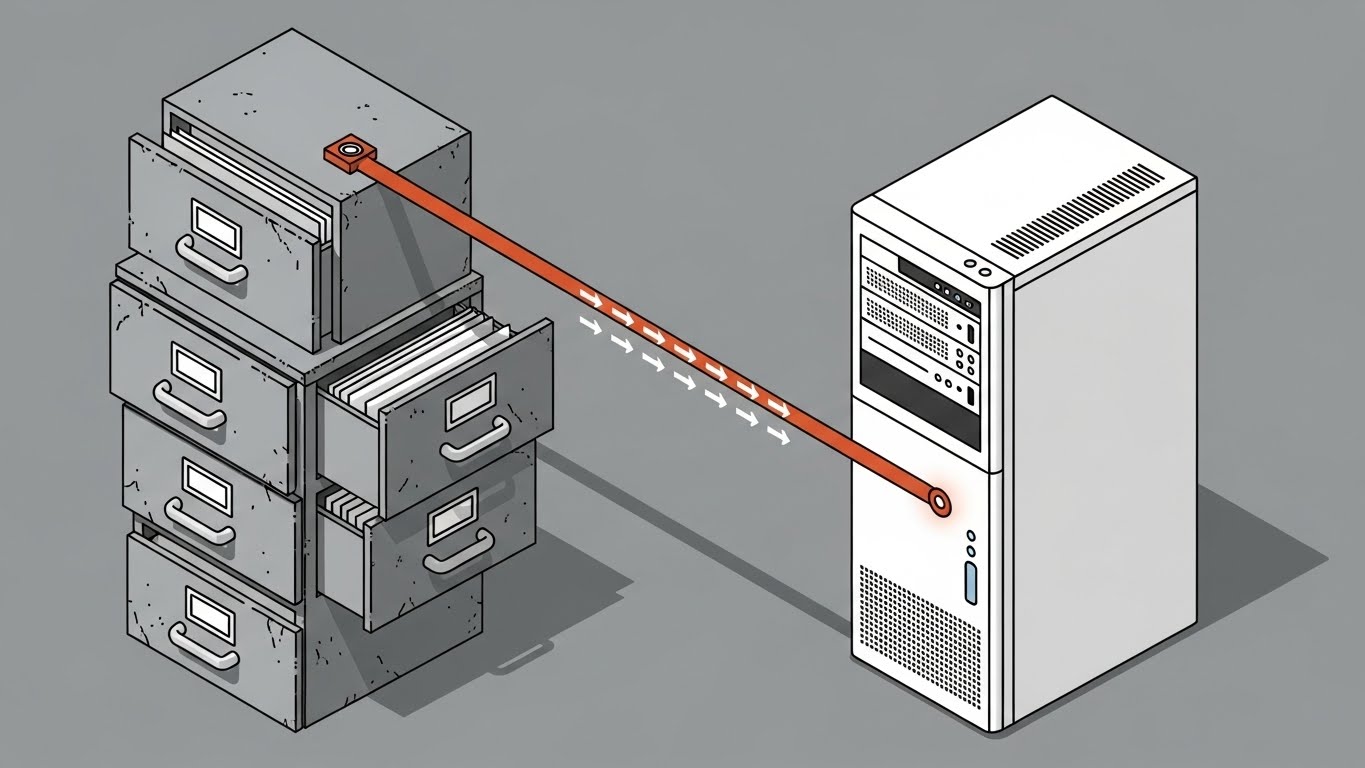
The Visual & Narrative Approach
Migration is the single biggest fear in switching HRIS providers. This style tackles that fear with a clean, hard-edged isometric illustration. On the left, a stack of old grey filing cabinets represents the "Old Way." On the right, a sleek white server tower represents the "New Way." A Rust Orange connector line creates a pipeline, sucking data out of the chaos and streaming it into the secure server. The motion is rhythmic and precise, emphasizing "seamless transition."
Psychological Impact & KPI Focus
Niche Psychology: This addresses "Loss Aversion." By showing a contained, secure connection between the legacy state and the future state, it visually guarantees that no data will be lost. It frames migration as a "transfer," not a "rebuild."
Operational Impact: This is a powerful tool for Competitive Displacement, specifically addressing objections regarding implementation timelines and data integrity.
Strategic Implementation & Trade-offs
- Best Use: Technical blog posts about "Digital Transformation," Implementation Guides, and "Switching" whitepapers.
- Trade-off: It is highly schematic. It appeals to the logical Operations/IT buyer but lacks the emotional warmth required for an Employee Experience (EX) pitch.
Companies using similar video content -
Ceridian – Dayforce – Simplifying data migration from cabinet to cloud.
UKG – UKG Pro – Demonstrating seamless transition for HR data.
Sage HR – HR Software – Uses isometric visuals for process flow and integration.
13. Dynamic Data Visualization
MOFU | Driving Deep Feature Adoption

The Visual & Narrative Approach
HR data often sits unused in spreadsheets. This style reimagines that data as a precious asset. Emerald and Lime Green bar charts rise like monumental crystal towers from a clean white grid floor. The materials are refractive glass, suggesting "transparency" and "clarity." The camera looks up from a worm's-eye view, giving the data scale and importance. The narrative shifts from "reporting" to "strategic insight," positioning HR as a driver of business value.
Psychological Impact & KPI Focus
Niche Psychology: This leverages "Authority Bias." By presenting HR metrics as solid, towering structures, you elevate HR from a support function to a strategic pillar. It validates the user's desire to be data-driven and influential in the boardroom.
Operational Impact: This visual drives Deep Feature Adoption for analytics modules. It visually promises that the software will turn their messy data into pristine, presentable insights.
Strategic Implementation & Trade-offs
- Best Use: Whitepapers on "People Analytics," Board Report templates, and "Pro" feature tier marketing.
- Trade-off: It creates a high standard for your actual reporting UI. Ensure prospects understand this is a marketing visualization of the power of the data, not a literal screenshot.
Companies using similar video content -
Visier – People Analytics – Elevating HR data to strategic crystal towers.
One Model – People Analytics Platform – Transforming raw data into pristine insights.
OrgVue – Org Design & Planning – Dynamic visualization of organizational data.
14. Bold Kinetic Typography (Visual)
MOFU | Driving Freemium/Trials

The Visual & Narrative Approach
In high-volume recruitment, speed is the only metric that matters. This style uses massive, heavy geometric forms and typography (visualized as stacking blocks) in Electric Blue and White. They slam onto the screen rapidly, creating a sense of weight and urgency. The camera zooms with an impact shake effect on every beat. The narrative is short, punchy, and imperative: "HIRE FASTER," "SCALE NOW," "DON'T WAIT."
Psychological Impact & KPI Focus
Niche Psychology: This taps into the "Need for Speed" and FOMO (Fear Of Missing Out). It matches the internal urgency of recruiters who are constantly chasing targets and creates a visceral feeling of momentum.
Operational Impact: Ideally suited for Free Trial Sign-ups or Freemium Activation. The high energy disrupts the passive scroll on social feeds and compels immediate action.
Strategic Implementation & Trade-offs
- Best Use: Instagram Stories, LinkedIn Short Video Ads (15s), and retargeting campaigns.
- Trade-off: It lacks nuance. It is purely about energy and brand volume. Do not use this for sensitive HR topics like compliance or termination.
Companies using similar video content -
Greenhouse – Applicant Tracking System – Accelerating recruitment with impactful text.
Phenom – Intelligent Talent Experience – Driving urgency in talent acquisition.
Recruitee – Applicant Tracking System – Uses bold, dynamic visuals for fast hiring.
15. Futuristic Neon/Dark Mode
BOFU | Risk Mitigation

The Visual & Narrative Approach
Security is the gatekeeper of the B2B deal. To visualize invisible concepts like SOC2 compliance, we use the language of cybersecurity: Dark Mode. In a shadowed server room, a glowing Neon Blue and Purple shield hovers protectively over a black data node. The lighting is moody and serious. The narrative is not about "features" but about "defense," "integrity," and "enterprise-grade protection."
Psychological Impact & KPI Focus
Niche Psychology: Dark mode and neon accents are culturally coded as "High Tech" and "Secure." This visual reassures the IT Director and Risk Officer that the platform is a fortress, not a leaky bucket.
Operational Impact: This is a crucial asset for Risk Mitigation during the final selection phase. It proactively answers the "Is our data safe?" question before the legal review begins.
Strategic Implementation & Trade-offs
- Best Use: Security pages on the website, Trust Center documentation, and IT sign-off decks.
- Trade-off: It can feel cold to non-technical HR users. Use it specifically when addressing security/IT personas, not for general employee engagement content.
Companies using similar video content -
Workday – Workday Security – Ensuring data sovereignty with cyber shield visuals.
Oracle – Cloud Security – Enterprise-grade protection with futuristic dark mode.
NAVEX Global – GRC Solutions – Uses dark mode for compliance and risk management.
16. Photorealistic 3D Renders
BOFU | ROI Justification

The Visual & Narrative Approach
When speaking to the CFO, abstract benefits must become hard currency. This style uses photorealistic rendering to show stacks of gold coins arranged in an upward growth curve on a luxury marble desk. The lighting is premium, highlighting the metallic texture. It is a literal representation of value. The narrative strips away HR jargon and talks finance: "Cost savings," "Reduced turnover costs," and "Compounding efficiency."
Psychological Impact & KPI Focus
Niche Psychology: This triggers "Tangibility Bias." Software is intangible; money is real. By visualizing the software's output as physical wealth, you make the ROI feel concrete, attainable, and justifiable.
Operational Impact: This style is designed for ROI Justification and Budget Approval. It gives the internal champion the visual ammunition to justify the spend to the finance department.
Strategic Implementation & Trade-offs
- Best Use: Pitch decks (specifically the "Investment" slide), ROI Calculator landing pages, and pricing proposals.
- Trade-off: It can appear transactional. HR is about people, not just money. Ensure this is balanced with human-centric messaging elsewhere in the deck.
Companies using similar video content -
ADP – Comprehensive Services – Tangibilizing financial ROI with gold coin growth.
UKG – UKG Pro – Justifying budget with visual representation of savings.
Mercer – Workforce Consulting – Uses high-fidelity visuals for financial impact.
17. Lifestyle Stock with UI Overlay
BOFU | The Economic Buyer

The Visual & Narrative Approach
The Economic Buyer (CEO/CHRO) needs to see themselves using the tool. This style features high-quality photography of an executive in a navy suit, standing in a blurred, sunlit office, reviewing a crisp HR dashboard on a tablet. The focus is sharp on the data, but the context is leadership. The narrative focuses on "Strategic Oversight," "Decision making on the go," and "Executive Pulse."
Psychological Impact & KPI Focus
Niche Psychology: This leverages "Social Proof" and "Aspiration." It validates that "serious leaders use this tool." It bridges the gap between the software and the C-Suite lifestyle of mobility and control.
Operational Impact: Targeted at The Economic Buyer, this style builds confidence that the software is executive-ready and provides the high-level insights needed for decision-making.
Strategic Implementation & Trade-offs
- Best Use: LinkedIn Sponsored Content targeting C-Level job titles, and Case Study headers.
- Trade-off: It relies on stock photography, which can feel generic. The UI overlay must be high-fidelity and look naturally integrated onto the device screen.
Companies using similar video content -
Workday – Workday HCM – Validating leadership control with executive tablet review.
SAP SuccessFactors – HXM Suite – Showcasing strategic oversight for economic buyers.
TriNet – PEO Services – Targets executives with lifestyle imagery and dashboard views.
18. Dark Mode UI Showcase
BOFU | The Technical Buyer
The Visual & Narrative Approach
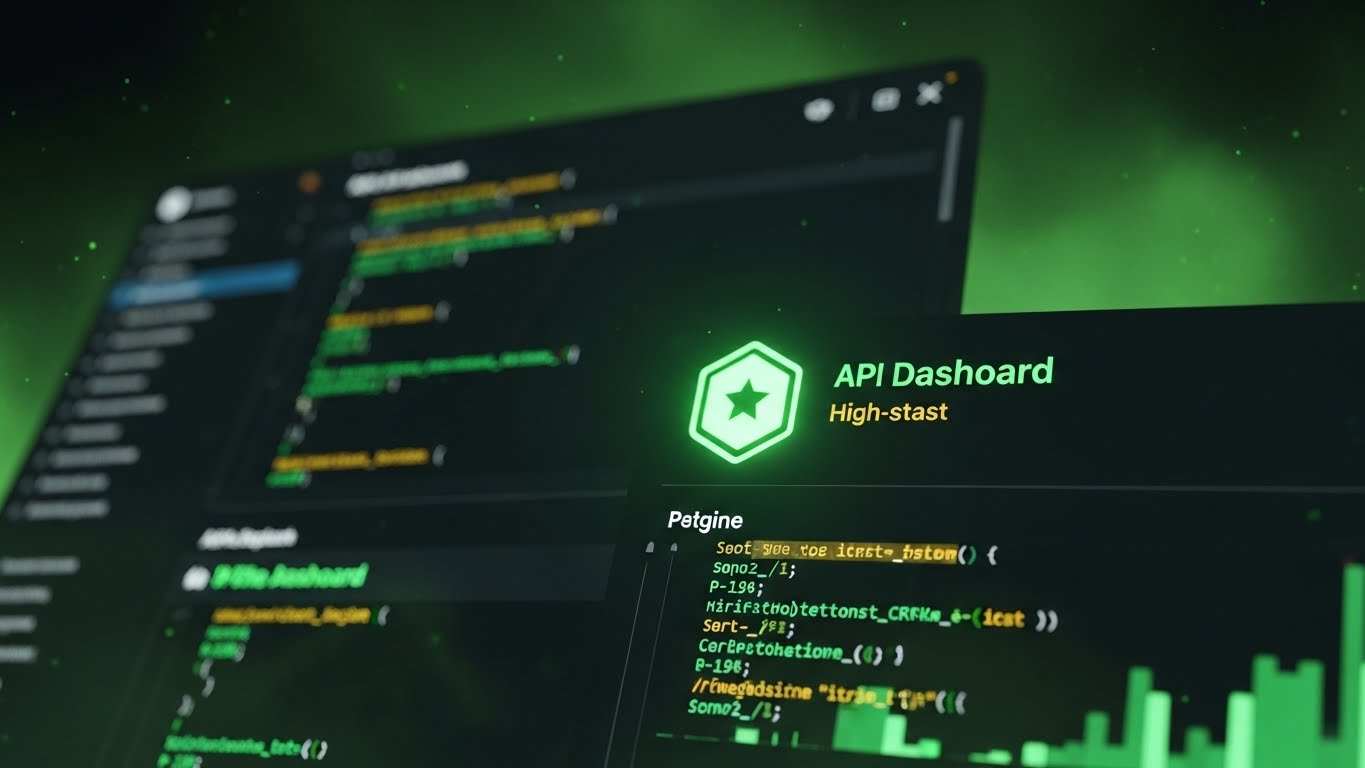
Modern HRIS must play nice with other tools (Slack, Jira, ERPs). This style speaks directly to the developers who will handle the integration. It shows a close-up of a code editor and API dashboard in Dark Mode, with abstract Neon Green syntax highlighting. It looks like a developer's native environment. The narrative is technical: "RESTful API," "Webhooks," "Low-code integration," and "Scalable architecture."
Psychological Impact & KPI Focus
Niche Psychology: Developers are skeptical of "bloatware." This visual signals "We speak your language." It proves the platform is built by engineers, for engineers, reducing technical friction and building trust.
Operational Impact: Critical for winning over The Technical Buyer (CTO/IT Manager). It can reduce the time spent in the "Technical Due Diligence" stage of the sales cycle.
Strategic Implementation & Trade-offs
- Best Use: API Documentation (Dev Docs), Integration marketplace listings, and technical whitepapers.
- Trade-off: It is unintelligible to the average HR manager. Keep this strictly in technical channels or deeper tabs on the website.
Companies using similar video content -
Rippling – Open API – Winning developer vote with API code editor.
Workday – Workday Extend – Showcasing scalable architecture for technical buyers.
Remote – Global HR Platform – Presents API documentation with dark mode UI.
19. Minimalist Flat 2D Vector
BOFU | Objection Handling

The Visual & Narrative Approach
When a prospect hesitates because "it looks too complicated," you need radical simplicity. This style uses a minimalist Turquoise and White vector illustration. A complex, winding maze on the left transforms into a single, straight arrow line on the right. There are no textures, no shadows—just pure geometry. The narrative is about "cutting through the noise," "straight-line processing," and "eliminating ambiguity."
Psychological Impact & KPI Focus
Niche Psychology: This utilizes "Cognitive Ease." It visually promises that the software acts as a clarifier. It relieves the mental burden of complex compliance workflows and promises a frictionless future.
Operational Impact: Excellent for Objection Handling in email sequences. When a prospect goes cold, this visual reminds them that the alternative (the maze) is painful, and the solution is simple.
Strategic Implementation & Trade-offs
- Best Use: "Re-engagement" emails, implementation guides, and FAQ sections addressing complexity.
- Trade-off: It is not "premium." It looks functional. Don't use this to sell the high-end vision, only to explain the practical process.
Companies using similar video content -
BambooHR – HR Software – Simplifying compliance with maze resolution.
Zenefits – HR Platform – Eliminating ambiguity in HR workflows.
Factorial HR – HR Software – Uses minimalist design to simplify HR tasks.
20. Generative AI Realistic Character video
BOFU | Competitive Comparison

The Visual & Narrative Approach
As we close the deal, the human element returns. This style features a realistic, approachable HR Manager with realistic skin texture, wearing office blue. She stands in a modern office and interacts with a floating, holographic data comparison chart, smiling confidently. The lighting is studio-quality. The narrative positions the software not just as a tool, but as a "partner" that empowers the human user to be better at their job.
Psychological Impact & KPI Focus
Niche Psychology: This addresses the fear of "AI replacing HR." It visually demonstrates collaboration—the human is still in control (touching the screen), but the software provides the superpowers. It builds trust and warmth.
Operational Impact: This is powerful for Competitive Comparison videos, where a friendly face explains why your solution is better than the rest, adding a layer of personal trust to the hard data.
Strategic Implementation & Trade-offs
- Best Use: YouTube "Versus" videos, Testimonial intros, and "Welcome" videos for new users.
- Trade-off: AI-generated characters must be high quality. If they enter the "Uncanny Valley" (looking slightly robotic), it will damage trust. The character must look warm and genuine.
Companies using similar video content -
Eightfold AI – Talent Intelligence Platform – Humanizing AI assistance in talent decisions.
Phenom – Intelligent Talent Experience – Demonstrating AI collaboration with HR managers.
Cangrade – Pre-Hire Assessment – Uses AI to assist hiring, could use realistic characters.
21. 2D Character-Driven Story
Onboarding | Self-Serve Onboarding
The Visual & Narrative Approach
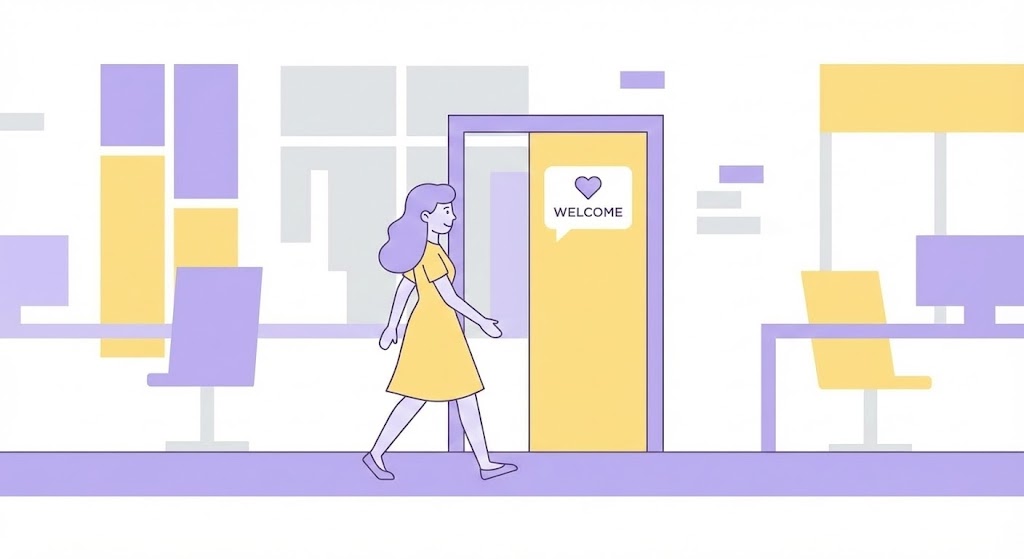
The "First Day" inside new software is often as daunting as the first day at a new job. This style uses a comforting, flat vector aesthetic to reduce that anxiety. A stylized female character in Lavender and Soft Yellow walks confidently along a side-scrolling path, stepping through a door explicitly marked "Welcome." The clean, abstract workspace background removes distractions. The narrative is welcoming and instructional, focusing on "guidance," "support," and "beginning your journey."
Psychological Impact & KPI Focus
Niche Psychology: This taps into the "Safe Haven" effect. By using soft colors and a relatable character, you signal that the platform is a friendly environment, not a cold database. It humanizes the login process.
Operational Impact: The primary goal is Activation Rate. A welcoming intro video reduces the initial drop-off that occurs when users feel overwhelmed by a complex dashboard upon their first login.
Strategic Implementation & Trade-offs
- Best Use: The very first "Welcome" modal inside the application or the "Getting Started" email.
- Trade-off: It is soft and introductory. It lacks the technical density needed for power users or admin training; use it strictly for the initial handshake.
Companies using similar video content -
BambooHR – Onboarding Software – Humanizing digital entry with friendly doorway.
Gusto – Payroll & HR Platform – Guiding new users with comforting characters.
GoCo – HR Platform – Uses approachable characters for onboarding and support.
22. 2D Graphics Over Live Action
Onboarding | Reducing Implementation Friction

The Visual & Narrative Approach
Implementation is a partnership. This style blends the human element with digital flair to symbolize that partnership. A POV photo of a firm handshake in a meeting room provides the real-world context. Overlaid are neon-colored, hand-drawn sparkles and a green "Checkmark" doodle, animating in the air. This "Mixed Media" approach visually bridges the gap between the physical agreement and the digital success that follows. The vibe is energetic, collaborative, and easy.
Psychological Impact & KPI Focus
Niche Psychology: This leverages "Social Connection." The handshake establishes trust, while the playful doodles signal that the tech side will be fun and modern, not burdensome. It reframes the "contract signing" from a legal hurdle to a celebration.
Operational Impact: This style helps reduce Time-to-Launch by keeping the implementation team motivated and aligned. It sets a positive tone for the project kickoff.
Strategic Implementation & Trade-offs
- Best Use: "Kickoff" presentation decks, Implementation Roadmap videos, and Social Media announcements of new client wins.
- Trade-off: The "doodle" aesthetic can look informal. Ensure the underlying photography is high-quality and professional to maintain B2B credibility.
Companies using similar video content -
Rippling – Implementation Services – Reducing implementation friction with neon handshake.
UKG – Implementation Support – Blending human partnership with digital success.
ADP – Implementation Services – Combines live action with graphic overlays for project success.
23. Hyper-lapse Stock Footage with Data
Onboarding | Accelerating TTV

The Visual & Narrative Approach
HR professionals are overwhelmed by the pace of business. This style acknowledges that chaos and offers a solution. We see a hyper-lapse of a busy city street with traffic blurring by—a visual metaphor for the fast-paced corporate world. Superimposed is a sharp, static Red calendar graphic flipping rapidly to "Dec 20." The contrast implies that while the world rushes, your software delivers "Fast Time to Value" (TTV) with stability. The narrative is about speed, efficiency, and "hitting the ground running."
Psychological Impact & KPI Focus
Niche Psychology: This triggers "Urgency" and "Relief." It validates the user's feeling of being busy and offers the product as the tool that keeps up. The rapid calendar flip suggests quick results.
Operational Impact: Highly effective for Onboarding Engagement. It reassures stakeholders that the implementation won't drag on for months, keeping momentum high during the setup phase.
Strategic Implementation & Trade-offs
- Best Use: LinkedIn Ads targeting "New HR Director" roles or "Implementation Timeline" explainer videos.
- Trade-off: Hyper-lapse can be visually noisy. Ensure the text overlay is bold and static so the message isn't lost in the motion.
Companies using similar video content -
Paycom – Bethesda, MD – Accelerating time to value with fast calendar.
Paylocity – HCM Platform – Highlighting quick results in a fast-paced world.
Workday – Workday Go-Live – Emphasizes rapid deployment and quick benefits.
24. Macro UI Micro-Interactions
Retention | Knowledge Base

The Visual & Narrative Approach
When a user is stuck, they don't want fluff; they want answers. This style features a macro close-up of the UI—specifically a search bar with a "Search Blue" magnifying glass. We see the pixel texture, emphasizing precision. The cursor types a query, and results appear instantly. The aesthetic is clinical, bright, and helpful.
Psychological Impact & KPI Focus
Niche Psychology: This leverages "Cognitive Fluency." By removing all peripheral distractions and focusing solely on the input field, you reduce the mental effort required to understand the solution. It signals "We have the answer."
Operational Impact: This is a Support Ticket Deflection engine. Embedding these short, focused loops in your Help Center empowers users to solve their own problems, reducing support costs.
Strategic Implementation & Trade-offs
- Best Use: Knowledge Base articles, "Did You Know?" tooltips, and Chatbot visual responses.
- Trade-off: It is strictly functional. It does not sell the "dream," only the "fix." Use it for existing users, not for attracting new prospects.
Companies using similar video content -
Workday – Workday Help – Enhancing support precision with macro search.
SAP SuccessFactors – Learning Management System – Focusing on instant answers for users.
Cornerstone OnDemand – Learning Platform – Providing precise knowledge base support.
25. Abstract 2D Motion Graphics
Retention | Reducing Churn

The Visual & Narrative Approach
How do you visualize a feeling? For features like "Employee Sentiment" or "Pulse Surveys," literal representations can feel invasive. This style uses abstract motion graphics. A "Heartbeat Red" organic shape pulses rhythmically in a clinical white void, with concentric rings rippling outward. It looks like a digital cardiogram. It visualizes the "health" of the organization. The narrative focuses on "listening," "detecting," and "vital signs."
Psychological Impact & KPI Focus
Niche Psychology: This utilizes "Metaphorical Association." The heartbeat is a universal symbol of life and urgency. It subtly tells the HR leader that their workforce is a living organism that needs monitoring, creating a sense of duty to use the tool.
Operational Impact: This style drives Feature Adoption for sentiment analysis modules, which are often underutilized but critical for high-value retention.
Strategic Implementation & Trade-offs
- Best Use: In-app notifications prompting a survey launch, or monthly "Health Check" email headers.
- Trade-off: It is abstract. Without the right copy ("Check your team's pulse"), it might be misinterpreted. Context is key.
Companies using similar video content -
Culture Amp – Employee Experience Platform – Visualizing employee sentiment with digital pulse.
Qualtrics – EmployeeXM – Detecting vital signs of organizational health.
Quantum Workplace – Employee Engagement – Uses abstract visuals for pulse surveys.
26. Aspirational Stock Montage
Retention | Driving Referrals

The Visual & Narrative Approach
To turn a customer into an advocate, you must reflect their success back to them. This style uses premium, sun-drenched stock footage of a diverse team celebrating—high-fiving on a green corporate campus. The lens flare and low angle make the subjects look heroic. It captures the emotional result of good HR software: a happy, cohesive team. The narrative is celebratory: "You built this," "Teamwork amplified," "Share the success."
Psychological Impact & KPI Focus
Niche Psychology: This taps into "Social Identity." It affirms the HR leader's self-image as a culture builder. When they feel successful, they are more likely to recommend the tool to peers to validate that success.
Operational Impact: This is a driver for Net Promoter Score (NPS) and Referrals. It evokes the positive emotions necessary to prompt a review or a testimonial.
Strategic Implementation & Trade-offs
- Best Use: "Year in Review" videos, Customer Appreciation emails, and Referral Program landing pages.
- Trade-off: It relies on stock. To avoid looking generic, ensure the diversity and attire match your specific customer base (e.g., casual for tech, formal for finance).
Companies using similar video content -
Workday – Customer Success Stories – Driving referrals with sunlit success.
SAP SuccessFactors – Customer Testimonials – Reflecting customer success and advocacy.
Gusto – Customer Stories – Uses aspirational imagery for small business success.
27. 2D Animation & UI Composition
Retention | Cart Abandonment

The Visual & Narrative Approach
Upselling additional modules (like "Learning" or "Benefits") can feel like a sales pitch. This style gamifies it. A cel-shaded character pushes a shopping cart in a digital store, dropping a box labeled "Module" into it. Floating UI screens show the menu of options. The bright Orange and Blue palette creates a retail-like, consumer experience. It reframes "contract expansion" as "shopping for upgrades."
Psychological Impact & KPI Focus
Niche Psychology: This exploits the "Shopping Momentum" effect. By using e-commerce visual cues (carts, items, shelves), it makes the B2B buying process feel as easy and familiar as Amazon, reducing the friction of purchasing add-ons.
Operational Impact: This directly targets Expansion Revenue (Cross-sell/Upsell) and reduces Cart Abandonment in self-serve marketplaces within the HRIS.
Strategic Implementation & Trade-offs
- Best Use: In-app "Marketplace" banners, "New Feature Available" emails, and upsell prompts.
- Trade-off: It can look too casual for major enterprise contract renegotiations. Use it for smaller, transactional add-ons.
Companies using similar video content -
Rippling – App Shop – Recovering lost sales with gamified module cart.
BambooHR – Marketplace Add-ons – Encouraging upsell through a shopping experience.
Factorial HR – HR Software – Gamifies adding modules for HR functions.
28. Holographic UI over 3D Render
Expansion | Driving Upsell

The Visual & Narrative Approach
To sell the "Enterprise" or "Pro" tier, you need to look expensive. This style places a futuristic, holographic Pearl and White chart projection over a high-end physical desk. The 3D elements glow softly, suggesting advanced, almost magical data capabilities. It implies that the "Pro" version lifts the data off the screen and into reality. The narrative is about "vision," "forecasting," and "elite performance."
Psychological Impact & KPI Focus
Niche Psychology: This triggers "Perceived Value." The hologram effect is associated with sci-fi and future-tech (like Iron Man). It signals that this specific feature set is cutting-edge and worth the premium price tag.
Operational Impact: This style supports tier upgrades and Contract Value increases. It differentiates the standard reporting (2D) from the premium analytics (Holographic/3D).
Strategic Implementation & Trade-offs
- Best Use: "Pro Tier" landing pages, Executive Dashboard announcements, and QBR (Quarterly Business Review) presentations.
- Trade-off: It sets a very high expectation for UI beauty. Ensure the actual premium dashboard is well-designed, or the user will feel deceived.
Companies using similar video content -
Visier – Advanced Analytics – Elevating premium analytics with floating data.
Workday – Workday Adaptive Planning – Forecasting with futuristic holographic projections.
One Model – People Analytics Platform – Uses advanced visuals for predictive HR analytics.
29. 3D X-Ray Visualization
Expansion | Proactive Support

The Visual & Narrative Approach
Trust in a system requires transparency. This style uses an X-ray effect to look inside the machine. A mechanical engine is rendered in clean White and Ice Blue, with a transparent shell revealing gears turning smoothly inside. It metaphorically represents the "backend" of the HRIS—the compliance engines and payroll calculations running perfectly. The narrative is about "integrity," "precision," and "what's under the hood."
Psychological Impact & KPI Focus
Niche Psychology: This addresses the "Black Box" anxiety. IT and Compliance officers worry about what they can't see. By visualizing the internal gears, you demonstrate that the system is robust and has nothing to hide.
Operational Impact: This builds long-term Trust and Retention. It is particularly effective for communicating system updates, uptime reliability, or complex compliance handling.
Strategic Implementation & Trade-offs
- Best Use: System Status pages, "Under the Hood" technical blogs, and Compliance/Audit reports.
- Trade-off: It is technical. It appeals to the rational/logical brain. Do not use this for emotional engagement campaigns.
Companies using similar video content -
Workday – Workday Operations – Visualizing system health with transparent engine.
Ceridian – Dayforce Architecture – Demonstrating internal integrity and precision.
SAP – SAP S/4HANA – Visualizes internal processes for system transparency.
30. Isometric 3D Workflow
Expansion | Skippable Pre-Roll Ad

The Visual & Narrative Approach
For broad awareness of new features, simplicity wins. This style uses "Claymorphism"—soft, rounded 3D shapes. An isometric view of a Safety Orange conveyor belt organizes scattered blocks into neat stacks. It is a satisfying loop of order creation. It visually explains "Automation" without words. The narrative is simple: "Chaos in, Order out."
Psychological Impact & KPI Focus
Niche Psychology: This taps into the "Need for Order." Humans find organizing satisfying to watch (ASMR-adjacent). It creates a subconscious association between your brand and the feeling of everything being in its right place.
Operational Impact: Perfect for Brand Awareness and Ad Recall. The simple, colorful geometry stands out on small mobile screens, making it ideal for pre-roll ads.
Strategic Implementation & Trade-offs
- Best Use: YouTube Pre-roll ads (6 seconds), Social Media loops, and feature tease GIFs.
- Trade-off: It is a simplification. It doesn't show the actual UI, so it must be followed up with a more detailed "How-to" visual later in the funnel.
Strategic Knowledge Base: The Visual Operations Doctrine
To transform HRIS from "shelfware" into a strategic asset, leaders must move beyond ad-hoc content creation. This guide synthesizes the 30 visual styles into a cohesive three-part framework for operational success.
Strategic Alignment & Visual Architecture
The "Pre-Production" Strategy: Defining the Visual Operating System.
Before a single pixel is rendered, the visual strategy must be aligned with the cognitive reality of the HR user.
- The Cognitive Load Audit: HR processes are text-heavy by default. Before creating content, audit your training materials. If a concept (e.g., "Benefits Enrollment") takes more than 3 minutes to read, it must be converted to a visual format using Style 19 (Minimalist Vector).
- Role-Based Visual Mapping: Do not use the same visual language for every user. Use Mobile-First/High-Energy styles (Style 6, 14) for front-line employees who access the app on the go. Use Data-Rich/Desktop styles (Style 13, 28) for HR Admins who need depth and detail.
- The "Glanceability" Standard: In high-stress environments, comprehension speed is critical. Adopt a "glanceability" standard where the core message of any visual (Style 23) must be understood in under 5 seconds.
- Brand Voice Consistency: HRIS often consists of disparate modules (Payroll, ATS, LMS). Use a unified visual palette (e.g., the specific Blue/Green of Style 3 or 11) across all videos to create a subconscious sense of a unified platform.
- The Advids Strategic Audit: Partnering with a specialized agency like Advids allows for an objective audit of your current visual assets, ensuring they map correctly to the user journey rather than just looking "pretty."
- Standardization vs. Customization: For core compliance (Sexual Harassment), use high-fidelity, standardized assets (Style 10). For company-specific culture, use customizable templates (Style 26) that allow for local photos to be inserted.
- The Cross-Departmental Bridge: Use abstract visualizations (Style 1) to unify terminology between Sales (who sell the dream) and Ops (who deliver the reality), ensuring the visual promise matches the technical delivery.
- Legacy System Integration: When migrating from on-premise to cloud, use the "Old vs. New" visual metaphor (Style 12) explicitly to validate the user's past struggle while highlighting the future relief.
- Accessibility in Diverse Workforces: For multi-lingual global teams, rely heavily on Iconography and Motion (Style 25) rather than voiceovers or text, ensuring the message transcends language barriers.
- The Mobile-First Mandate: 70% of employee interaction happens on mobile. All 30 styles must be legible on a 9:16 vertical screen. If Style 13 (Data Viz) is too complex for mobile, simplify it to Style 25 (Abstract Pulse) for the mobile app version.
Operational Adoption & Implementation
The "Deployment" Phase: Embedding Visuals into the Workflow.
The best video is useless if it isn't seen at the moment of need. This segment focuses on distribution and integration.
- Overcoming "Big Brother" Anxiety: When rolling out monitoring or AI features, use Empathy-Driven Line Art (Style 10) to explain the "why" softly and humanely, reducing fear and resistance.
- The Micro-Learning Shift: Replace the 50-page PDF handbook with a library of 30-second "Micro-Interaction" videos (Style 24). HR users will not read a manual; they will watch a 30-second loop.
- Just-in-Time Support: Embed specific "How-to" loops (Style 8) directly into the software's tooltips. Support should be available inside the problem, not in a separate tab.
- Gamification of Training: Use "Level Up" or "Achievement" visuals (Style 22) to reward users for completing training modules, turning mundane onboarding into a dopamine-driven activity.
- Reducing Support Ticket Volume: There is a direct correlation between proactive visual guides and reduced call center load. Mapping the top 10 support queries to Style 19 (Simplification) videos can reduce ticket volume by 15-20%.
- Remote Onboarding: For distributed teams, use 3D Walkthroughs (Style 11) and Character Stories (Style 21) to simulate the warmth of an in-person welcome, fostering belonging without physical presence.
- Standard Operating Procedures (SOPs): Transform text-based SOPs into Isometric Workflow Animations (Style 30). Process flows are spatial; they should be visualized spatially, not linearly in text.
- Feedback Loops: Use interactive video elements. After a Style 9 (Rapid Feature) video plays, ask "Was this helpful?" The data gathered refines the visual strategy.
- Scalable Localization: Global companies need global assets. Style 1 (Abstract Organic) and Style 30 (Isometric) are culture-neutral and require no translation, making them cost-effective for global rollouts.
- Leadership Communication: When the CHRO presents to the Board, they should not use spreadsheets. Provide them with Style 16 (Photorealistic ROI) assets to visually justify the HRIS budget to Finance.
Measuring Impact & Future-Proofing
The "ROI" Phase: Quantifying Value and Evolving.
Visual strategy is an investment. You must measure its return and prepare for the next technological leap.
- Beyond "Views": Do not measure video success by "Views." Measure Time-to-Competency (how fast a new hire becomes productive) and Feature Adoption Rate (percentage of users utilizing a new module after watching the video).
- The "Idle Time" Metric: High idle time suggests confusion. Correlate improvements in UI visualization (Style 24) with reduced idle time in the dashboard.
- Compliance Velocity: Measure how fast a new regulation is understood and acknowledged by the workforce. Video (Style 19) typically accelerates this by 3x compared to text emails.
- Retention and Churn: The quality of the "Welcome" (Style 21) and "Success" (Style 26) visuals directly impacts emotional loyalty. A user who feels guided is less likely to churn.
- The AI Visual Frontier: Prepare for Generative Video. The ability to personalize onboarding videos (Style 20) for every single employee by name is coming. Build your asset library now to feed these future models.
- Scalability of Assets: Build a "Visual Lego Kit"—a library of modular assets (icons, characters, UI widgets). This ensures that as your software features grow, your video content can scale without starting from scratch.
- The Advids Partnership: Maintaining this library requires specialized discipline. Advids serves as the long-term custodian of your visual system, ensuring that as you scale from Style 1 to Style 30, the quality and consistency never waver.
- Benchmarking Success: Compare your visual engagement against industry standards. If your "Feature Release" videos (Style 9) have a 10% drop-off and the industry average is 40%, that is a marketable competitive advantage.
- The ROI of Safety: Quantify the reduction in legal risk/insurance costs achieved through better visual training (Style 15). This is a hard dollar ROI that speaks to the CFO.
- Final Call to Innovation: Treat video as infrastructure, not content. In the cognitive economy, the company that explains its value the clearest wins. By adopting these 30 styles, you are not just making videos; you are engineering the cognitive accessibility of your future.
Companies using similar video content -
Rippling – Automated Onboarding – Simplifying complex workflows with organized conveyor.
BambooHR – Workflow Automation – Creating order from chaos with automation.
GoCo – HR Platform – Uses isometric animations for automated HR tasks.
Author & Editor Bio



