


.png)



Unit4
Unit4's video was engineered to highlight the rapid synchronization of global talent pools within their platform. In the professional services sector, coordinating skilled team members across multiple projects is often plagued by operational bottlenecks. Without a centralized view of availability, organizations suffer from underutilized talent, scheduling errors, and critical project delays. Our creative team designed this visual explanation to address these inefficiencies directly through dynamic workforce scheduling.
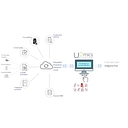
We established a clean visual structure that directly translates complex dashboard layouts into clear, structured information. Our design team framed the screencast around high-fidelity software captures, highlighting the step-by-step process of submitting a request. By focusing on the interface's input fields, dropdown menus, and grid-based planning sheets, the resource allocation visual walkthrough guides the eye naturally to key data points. We coupled these interface elements with minimalist vector overlays, so that Resource Managers immediately grasp the operational efficiency and ROI of the system.
To bring the software to life, we utilized clean transition sweeps and zoom-ins that mimic natural user interaction on the platform. The overall layout maintains a balanced, high-contrast aesthetic that reduces cognitive load and prevents viewer fatigue during technical segments. This interactive software walkthrough utilizes smooth tracking shots across the calendar grids to clarify how scheduling updates execute across the entire enterprise. By maintaining a structured visual flow and an authoritative narrative tone, Advids helps the organization build credibility and guide viewers directly toward scheduling a platform demonstration.
