

Video Marketing

B2B YouTube In-Stream Ads: How to Stop the Skip in the First Five Seconds

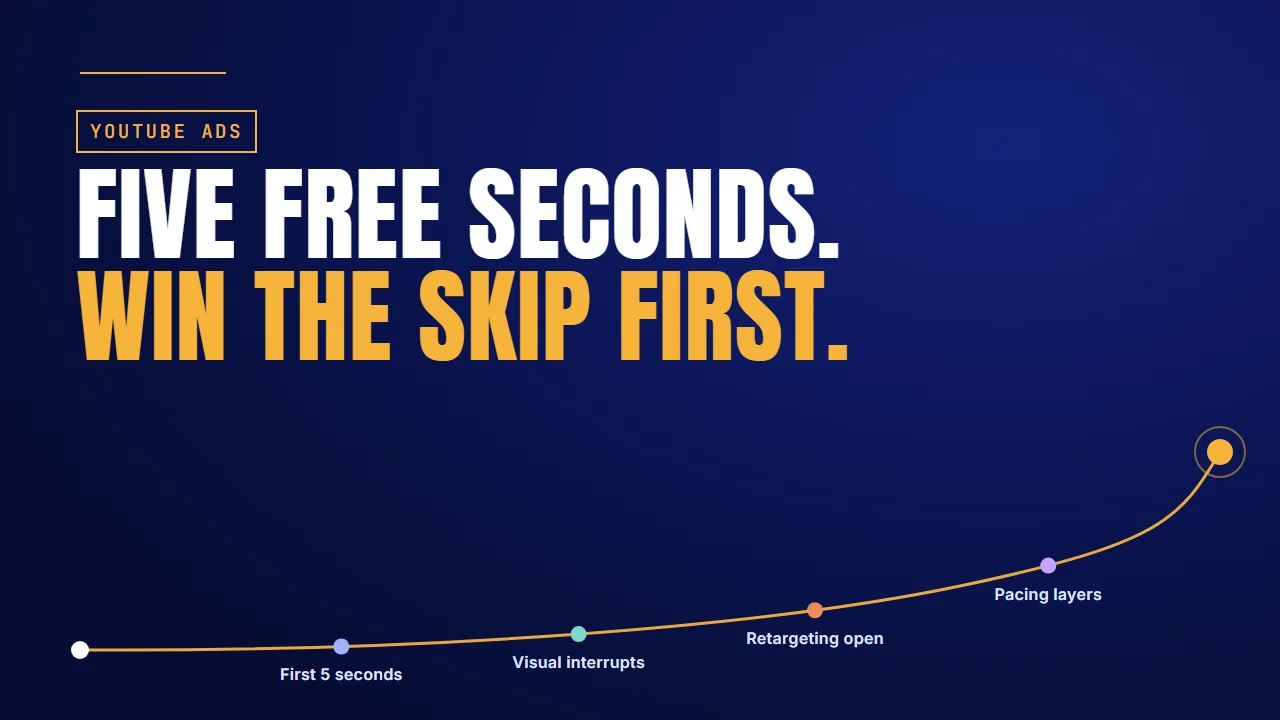
Five free seconds: win the skip first. First 5 seconds, visual interrupts, retargeting open, pacing layers

Why it matters

The first five seconds are free

On a skippable YouTube ad, the viewer can skip after five seconds. With cost-per-view bidding, Google Ads Help says you pay when someone watches 30 seconds, the whole ad if it is shorter, or clicks. Skip before that and you pay nothing.

So the first five seconds cost you nothing, and they are the only five seconds everyone sees. That is where the ad is won or lost.

What Google's own data saysThe figureSource
When the skip button appearsAfter 5 secondsGoogle Ads Help
When cost-per-view bidding chargesAt 30 seconds (or the full ad if shorter), or a clickGoogle Ads Help
Recommended length for consideration ads2 to 3 minutesGoogle Ads Help
Google's own Search ads, UK, April to June 2026: brand shown and said in the first 5 seconds3 to 5% brand awareness liftThink with Google
Agicap, Google Ads with Customer Match (not YouTube alone)+10% conversions, +15% revenue growthAgicap, via Google

Google's lift comes from its own consumer campaign, and Agicap's from Google Ads audience data, not YouTube creative. We found no B2B software company with published in-stream results, so treat both as direction, not a benchmark for software advertising videos.

The short answer: in the first five seconds, name the viewer, put your brand on the product and open a loop. Give the eye one thing to look at. Open retargeting ads on the buyer's objection, and pace consideration ads so the aha lands by the 30-second mark. Four of the sections below include a video we made for a client.

Running YouTube ads for a B2B product?

Talk to the Advids team about scripting and animating the five seconds before the skip.

Let’s talk

TV spots

Most B2B YouTube ads are TV spots in disguise

Look at what most B2B teams run on YouTube. A slow open, a mood shot, the logo at the end. On YouTube that hands the viewer five seconds of nothing, then a skip button.

Google's marketing team, writing about its own ads in its YouTube playbook, calls that a recipe for an immediate skip.

Aleric Heck, who runs a YouTube ads agency, puts the hook's job simply. You are not selling the product in five seconds. You are selling the next 30. The YouTube ad examples that hold you all do that.

Think of it like a lift. Your ideal buyer steps in. What do you say first, so they don't reach for their phone?

So start with the words: what goes into those five seconds.

First 5 seconds

Name the viewer, brand the product, open a loop

Three things go into the five seconds before the skip button.

Name the viewer. "If you run RevOps…" tells the right person to stay and the wrong person to skip. The wrong person skipping is fine. On cost-per-view bidding you don't pay for them.

Put your brand on the product. Google's 2015 study of thousands of skippable ads, run between 2012 and 2014, found brands shown early were remembered more but skipped more. A logo on the product did better than one floating in a corner. For software, that is your interface with your name on it. A 2017 Google test with Maruti Suzuki found a branded opening did not lower view-through, so place the brand well rather than hide it.

Onlia: the brand on the phone, then the employer's question

Onlia's video for its group car and home insurance opens on a hand holding a phone. The screen shows the Onlia Insurance logo and a Save Today button. Then an office, and the first caption: How do you keep good employees? Later screens answer the cost question in four words: 100% free to you. See how we made it.

What works here:

  • The logo sits on the product the viewer will use, not in a corner of the frame.
  • The first line is a question only an employer asks, so the right viewer stays.
  • Captions carry every line, so it reads with the sound off.

The move: Open on your product with your name on it, then ask the one question your buyer is already asking.

Open a loop. A number, a question or a claim the viewer will want to see proved. That is how you grab a viewer's attention and keep it past the skip button.

Google tested this on its own Search ads in the UK between April and June 2026. In its own write-up, the top ads showed and said the brand in the first five seconds and lifted brand awareness by 3 to 5%. It was a consumer campaign.

Here is an illustration, not client data. For a finance tool: "Finance leads. Month-end close still taking ten days? Watch this get it to three." Viewer, brand, open loop.

That covers what you say. Next comes what the viewer sees.

Visual interrupts

Give the eye one thing to look at

Four visual interrupts work well for software ads.

A pattern interrupt breaks what the viewer expects to see next.

One focal point. Fraser Cottrell, a video ad producer, says the strongest openings give the eye one thing to look at. For software, that is one screen, zoomed in tight.

Contrast. A dark frame in a light feed, or a hard cut at the second second.

Silence. Google's 2015 study found that any music in the first five seconds may hurt brand awareness.

A face. In the same study, a recognizable or smiling face early on meant more viewing and better brand lift. In B2B, that is your founder or a customer. The study is old, so test it against your own ads.

Maze: one dot, then a hard switch to 3D

Maze's video for its user research platform opens on one orange dot on pale blue. A ball rolls in, its path tangles into blue and purple lines, then clears. Then the look changes: flat 2D gives way to a white 3D track, and a glowing line lights one route through a maze. See how we made it.

What works here:

  • Each early frame has one thing to look at: a dot, then a ball, then a route.
  • The switch from flat 2D to white 3D is the contrast cut, and it comes before any product screen.

The move: Give the opening frame a single subject on a plain ground. Then change the look once, hard, before the viewer's thumb moves.

So far, these openings talk to strangers. Buyers who already know you need a different one.

Retargeting open

Open retargeting ads on the objection

Warm buyers have seen your intro. Start where they stopped.

Retargeting changes the script. These viewers have seen your pricing page or watched your demo. They know who you are, so a brand intro wastes their five seconds. Open on the objection that stopped them.

Here is an illustration, not client data: "Still comparing us with your spreadsheet? Here's what changes in week one." The viewer hears their own doubt, and the loop is open.

Alessandro Cutri, who runs paid acquisition for B2B software companies, makes the same point about targeting: spend on the people who already showed intent. Among YouTube promo videos, the openings that name a doubt suit warm buyers.

Giffy: the owner's doubts come first

Giffy's video for its low-code business platform opens on a small business owner at his desk, hand on chin. Questions float around him: Am I getting behind? Do I have budget for this? Do I need this? Only after a fall through files and app logos does Giffy arrive, and a store gets built on screen with no coding abilities. See how we made it.

What works here:

  • The buyer's own doubts are on screen before a single feature.
  • The product answers how by building something the viewer can follow.

The move: Write down the question that stops your buyer. Put it in the first frame, in their words, and let the product answer it.

A warm buyer will also watch longer, so the ad can run longer too.

Pacing layers

Pace consideration ads past the 30-second mark

A retargeting ad can run for minutes, as long as each layer answers the next question.

Google Ads Help recommends two to three minutes for consideration ads. On cost-per-view bidding, you start paying at 30 seconds, so that is where the aha has to land. Pace it in layers.

LayerWhenWhat the buyer is asking
HookFirst 5 secondsIs this for me?
ProofBy 15 secondsWhy should I believe it?
The ahaBy 30 seconds, when you start payingWhy is it better?
The product at workFrom 30 seconds to the last 15How does it work?
One call to actionThe last 15 secondsWhat now?

This beat map is a recommended structure, not measured data. It combines Google's length guidance, the 30-second cost-per-view mark and Aleric Heck's hook, educate, call-to-action order. Shorter one-minute ads use the same layers with less room in each.

Cloudflare: one layer per beat, one button at the end

Cloudflare's 30-second ad is the short form of a layered build. A developer in a blue beanie sits at a laptop. A website takes shape, a domain bar types www, code windows open, a speed gauge swings, a shield holds a bar chart. The last beat is one button: Launch. See how we made it.

What works here:

  • Each beat adds one layer, so the viewer always knows what just changed.
  • The ad ends on a single action, not a list of options.

The move: For a consideration cut, keep the same order and give each layer room. Land the aha before the 30-second mark, then show the product at work.

Even a well-paced ad fails if the wrong people see it. Agicap, a cash-management software company, sent its HubSpot lifecycle stages into Google Ads and re-engaged qualified leads with Customer Match. In Google's case study, Agicap reports 10% more conversions and 15% more revenue growth. That is audience targeting across Google Ads, not YouTube creative alone.

One setup tip from Heck: run these ads from unlisted videos, so skips don't drag down your channel's watch time.

Where to start

Where to start

The short answer: start from who is watching and how you pay.

If your situation isStart withDo thisExample to copy
Cold audience on cost-per-view biddingFirst 5 secondsName the viewer, brand the product, open a loopOnlia
Cold audience in a busy feedVisual interruptsOne focal point, then one hard contrast cutMaze
Warm audience that saw pricing or a demoRetargeting openOpen on the objection that stopped themGiffy
Warm audience, a two- to three-minute adPacing layersProof by 15 seconds, the aha by 30, one call to actionCloudflare
Target CPM or conversion biddingFirst 5 secondsYou pay for impressions even when people skip, so the opening has to earn more than a free skipAvoid the TV spot

We've made video for software and service teams such as Onlia, Maze, Giffy and Cloudflare. See the software teams we've made video for.

FAQ

Questions about YouTube in-stream ads

When do I pay for a skippable YouTube ad?
On cost-per-view bidding, Google charges when someone watches 30 seconds, the whole ad if shorter, or clicks. On target CPM or conversion bidding, you pay for impressions.
Should the logo appear in the first five seconds?
Yes, but on the product, not floating in a corner. Google's study found early logos get remembered more and skipped more, and logos on the product did better.
Does music in the opening hurt a B2B ad?
It can. Google's 2015 study of skippable ads found any music in the first five seconds may hurt brand awareness. The data is old, so test silence against music.
How long should a retargeting ad on YouTube run?
Google recommends two to three minutes for consideration ads. Pace it in layers: hook in five seconds, proof by fifteen, the aha by thirty, then one call to action.
Can an animated ad use a face, or does it need live action?
An animated face can work. Google's study found recognizable or smiling faces early helped viewing and brand lift. A founder or customer adds recognition that a drawn character cannot.
Why run in-stream ads from unlisted videos?
Aleric Heck recommends it so that skips and short views don't drag down your channel's watch time. Unlisted videos can still run as ads without showing on your channel page.

About the author

About Jai Ghosh

Video Producer at Advids · LinkedIn

Jai Ghosh is a Video Producer at Advids, where he has planned and produced videos for B2B software and technology companies for 7 years. He works on product demos, explainer videos and brand videos, from the first script to the final cut, for clients from startups to enterprises.

Before Advids, Jai spent over 11 years in freelance media consulting, after starting out in digital journalism. He writes the Advids blog's breakdowns of product and demo videos, sorting real examples by the question each one answers for a buyer.

  • Focus: SaaS product demos, explainer videos and brand videos
  • Experience: 7 years at Advids, over 11 years in media consulting
  • Background: digital journalism

Connect with Jai Ghosh on LinkedIn

Sources

Sources