

Video Marketing

Performance Max Video for SaaS: Upload Your Own and Teach Google a Good Lead

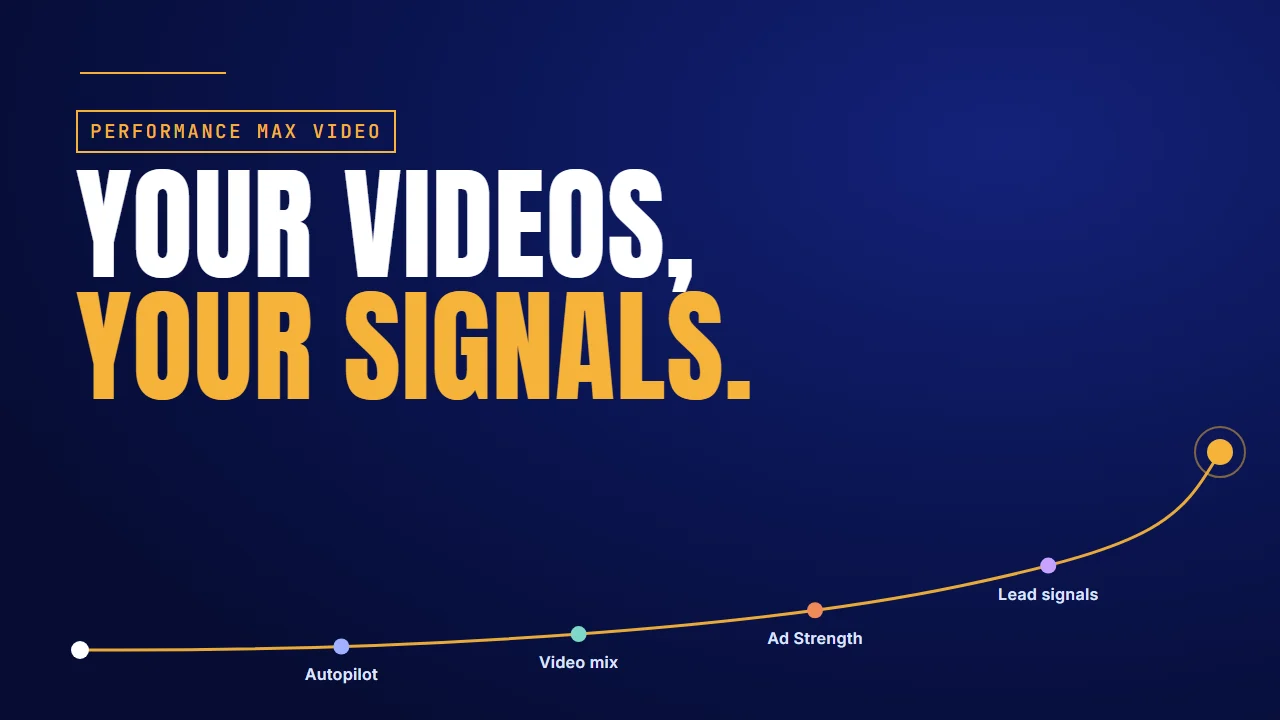
Performance Max video for SaaS: your videos, your signals

Why it matters

Google may already be running a video you never made

If you launched Performance Max without a video in the asset group, Google may have made one for you. Google Ads Help says that when you add no video, one or more may be auto-generated from the assets in the group: your headlines, your images, your logo. That video can then run on YouTube with your brand on it.

Here is what Google asks for, from its own help pages on Performance Max video assets and lead generation.

In your asset groupWhat Google Ads Help says
No video uploadedOne or more videos may be auto-generated from your assets
Minimum video set1 horizontal, 1 vertical and 1 square video, each at least 10 seconds
YouTube ShortsAt least 1 vertical video of 10 to 60 seconds
A horizontal videoMay be flipped into square or vertical versions
Ad Strength “Excellent”6% more conversions on average (Google data, February 2024)

The short answer: never let Performance Max make your video. Upload three of your own, each with a different job: the problem, the demo and the proof. Fill the rest of the asset group so Ad Strength reaches Excellent. Then tell Google which leads qualified, not just which ones filled in a form. Each section below includes a video we made for a software client.

Running Performance Max for a SaaS product?

Talk to the Advids team about a video set built for your asset group: the problem, the demo and the proof.

Let’s talk

Autopilot

Two things SaaS teams leave on autopilot

Performance Max will fill any gap you leave. The two gaps that hurt SaaS teams most are the creative and the goal.

The first is creative. Google's auto-generated video is built from the assets already in your group. That makes it a slideshow of your ad copy, not a product story. A SaaS buyer learns nothing about what the software does from headlines and a logo.

eloomi Journeys: one HR process, built on screen

eloomi's app explainer for Journeys, its no-code HR workflow builder, runs on the product's own screens. It opens the Onboarding workflow and builds it block by block: a welcome page, content blocks, an upload step for new-hire forms. Then it sets who is responsible for each step, adds a check-in conversation and switches to the manager's seat for an appraisal and the reports. See how we made it.

What works here:

  • One real process runs from the first block to the manager's report, so the viewer sees the product do a job.
  • Every scene is the product's own interface, not headlines and a logo.

The move: Pick the one process your buyer runs every month and show it from start to result. That's the story an auto-generated slideshow can't tell.

The second is the goal. If you tell Google a form fill is a conversion, it finds you more form fills: students, job seekers, competitors. Ben Heath, who runs a paid ads agency, makes the same point. Without proper conversion tracking, Google can't learn what a good result is.

An illustration: it's like hiring a recruiter and saying, “Just send me people.” You'll get a lot of people.

So the first fix is simple: upload your own videos, every time.

Video mix

Upload three videos with three jobs

Google's rule is three shapes. Our recommendation is three jobs.

Google's lead-generation advice is direct. To prevent auto-generated videos, upload your own, or ask your Google account manager to opt out.

The minimum, per Google Ads Help, is one horizontal, one vertical and one square video, each at least 10 seconds. It also recommends at least one vertical video of 10 to 60 seconds, so the group is eligible for YouTube Shorts. A guide to Performance Max specs lists the full asset sizes.

ShapeJob (our recommendation)Length we suggest
VerticalThe problem and the outcome15 to 30 seconds
HorizontalA demo of the productAbout 60 seconds
SquareA customer's resultAbout 15 seconds

This mix is our suggestion, not Google's rule. The vertical one works like short-form video: one problem, one outcome. The horizontal one is a real SaaS demo video. The square one borrows from customer story videos: a customer and their result.

Vonage Conversational Commerce: problem to outcome in 30 seconds

Vonage's 30-second product video uses almost no text. A support agent sits under a tangled speech bubble. A bot pops up on a web page and asks “How can I help?” Channel icons connect to it one by one, from email and phone to WhatsApp and a cart. The chat moves to a phone and ends on a full cart and “BUY NOW”. See how we made it.

What works here:

  • The problem and the outcome both fit inside 30 seconds, within the 10 to 60 seconds Google recommends for a vertical Shorts video.
  • The bot, the phone and the cart sit in the middle of the frame, where a square or vertical crop would keep them.

The move: Write the short video as a before and after. Keep the subject in the centre, so the same story survives every shape Google serves it in.

One more detail. Google says a horizontal video may be flipped into square or vertical versions. Each aspect ratio cuts off a different edge, so keep your key UI and text in the centre of the frame, where every crop can see it. The four examples on this page are horizontal; for Performance Max, each would also need a vertical and a square cut, built around its centre.

That's the video mix. But video is only part of the asset group, so look at the whole thing next.

Ad Strength

Push Ad Strength to Excellent

Performance Max mixes your assets into ads across Google. Give it enough to mix.

Google's lead-generation guidance says to give Performance Max a wide range of high-quality text, image and video assets, and to aim for an Excellent Ad Strength. Per Google's data from February 2024, advertisers who improve Ad Strength to Excellent see 6% more conversions on average. That figure covers all Performance Max campaigns, not SaaS alone.

Most of the Performance Max best practices come back to the same idea: variety with one message. The fastest way to get there is to plan the text, the stills and the product demo videos from one script, so every headline matches a scene.

CarClarity: one short line per beat

CarClarity's 15-second app demo puts a phone form on screen, with “Australia's best car loans” and “100% Online” above it. A loan amount is typed in. The match runs on a laptop under “Smart matching technology” and “Stress free applications”. Then the car fills the frame under “No impact on credit score”, and the logo closes it. See how we made it.

What works here:

  • Each beat carries one short line, and every line is short enough to work as a text headline.
  • Each beat is a clean, uncluttered frame, so stills from it could fill image slots too.
  • The claims are written on screen, so the video works with the sound off.

The move: Write your video's on-screen lines as headlines first. Then one production feeds the text, image and video slots with the same message.

Now the second dial, the goal. Great videos still bring junk leads if Google is chasing form fills.

Lead signals

Teach Google what a qualified lead looks like

Google optimises to whatever you call a conversion. Call the right thing a conversion.

Google's lead-generation advice is to optimise toward deeper-funnel conversions, such as “Qualified Lead” or “Converted Lead”, and to feed it data like lead scores or lifetime value.

Aleric Heck, who runs a YouTube ads agency, calls this a feedback loop. You tag the leads that actually qualify and send that back to the ad platform, so it finds more people like them.

Here's an example, with made-up numbers. A hundred people fill in your demo form this month. Your sales team marks twelve as qualified. If Google only hears about the hundred, it hunts for more form-fillers. If it hears about the twelve, it hunts for more people like those twelve.

What Google hears (example numbers)Who it looks for next
100 form fillsMore people who fill in forms
12 qualified leadsMore people like those 12

Zoe Financial, a wealth-planning platform, did this with Google Ads, though not with Performance Max. Its case study with Google and HubSpot says it imported offline conversion events from its HubSpot CRM, so Google Ads could see the journey from lead to sale. Its most valuable client segment rose to 60% of sales, the highest since its founding in 2018.

Better lead quality also starts before the click. A video that speaks only to your buyer filters the rest out.

RPMGlobal XECUTE: a list only a mine planner knows

RPMGlobal's 2D animation for XECUTE, its mine scheduling software, keeps one ring on screen. Each mine system plugs into it by name: “Dispatch Systems”, “FMS”, “Drill and Blast”, “Maintenance Schedule”, “Geology”, “Grade Control”, “Block Model”. It closes on the commodities the software serves. See how we made it.

What works here:

  • The labels are the buyer's own systems, so the right viewer recognises their mine at once.
  • Anyone who doesn't run those systems has little reason to click, which keeps the wrong people out of the form.

The move: Name the tools and jobs only your buyer knows. That's the creative half of a better lead; the CRM signal is the other half.

Uploaded videos and qualified-lead signals work together. Here's where to start.

Where to start

Where to start

The short answer: start from the symptom you see in your account.

If you seeStart withDo thisExample to copy
Ads that read like a slideshow of your headlinesAutopilotShow one real process on screeneloomi Journeys
A video in the asset group you never madeVideo mixUpload horizontal, vertical and square videos with three jobsVonage
Ad Strength stuck at Poor or AverageAd StrengthAdd text, image and video assets from one scriptCarClarity
Lots of leads, few qualified demosLead signalsOptimise to Qualified Lead and name your buyer's world on screenRPMGlobal XECUTE

We've made video for software teams such as eloomi, Vonage, CarClarity and RPMGlobal. Before a new campaign, browse YouTube ad examples for the openings you like, or see the software teams we've made video for.

FAQ

Questions about Performance Max video

Does Performance Max need video assets?
Not strictly, but Google says that if you add no video, one or more may be auto-generated from your asset group. Upload your own to control what runs.
What video sizes does Performance Max need?
Google's minimum is one horizontal, one vertical and one square video, each at least 10 seconds long. Upload all three, so Google doesn't have to create them.
How long should Performance Max videos be?
At least 10 seconds each. Google recommends at least one vertical video of 10 to 60 seconds for Shorts. We suggest 15 to 60 seconds, depending on the job.
Why does Performance Max bring low-quality B2B leads?
Usually because it optimises to form fills, so it finds more people who fill in forms. Tell it which leads qualified, and it can look for more like them.
How do I send qualified leads back to Google Ads?
Mark qualified leads in your CRM and import them as offline conversions, such as Qualified Lead or Converted Lead. Then optimise the campaign toward those deeper-funnel goals.
Can Google crop my horizontal video into vertical?
Yes. Google says horizontal videos may be flipped into square or vertical versions. Keep key UI and text in the centre of the frame, where every crop keeps it.

About the author

About Jai Ghosh

Video Producer at Advids · LinkedIn

Jai Ghosh is a Video Producer at Advids, where he has planned and produced videos for B2B software and technology companies for 7 years. He works on product demos, explainer videos and brand videos, from the first script to the final cut, for clients from startups to enterprises.

Before Advids, Jai spent over 11 years in freelance media consulting, after starting out in digital journalism. He writes the Advids blog's breakdowns of product and demo videos, sorting real examples by the question each one answers for a buyer.

  • Focus: SaaS product demos, explainer videos and brand videos
  • Experience: 7 years at Advids, over 11 years in media consulting
  • Background: digital journalism

Connect with Jai Ghosh on LinkedIn

Sources

Sources