Walkthrough Video Production for SaaS Software:one real task, start to finish.
Project, role and module walkthroughs on real screens. Fixed fees from $1,000.
Walk buyers through the real product.
Advids offers walkthrough video production for SaaS software: one project followed from empty list to finished plan, one task handed between user roles, and one customer toured through every module of a suite. Each runs on your real interface, at fixed fees from $1,000.
Walk one project end to end.
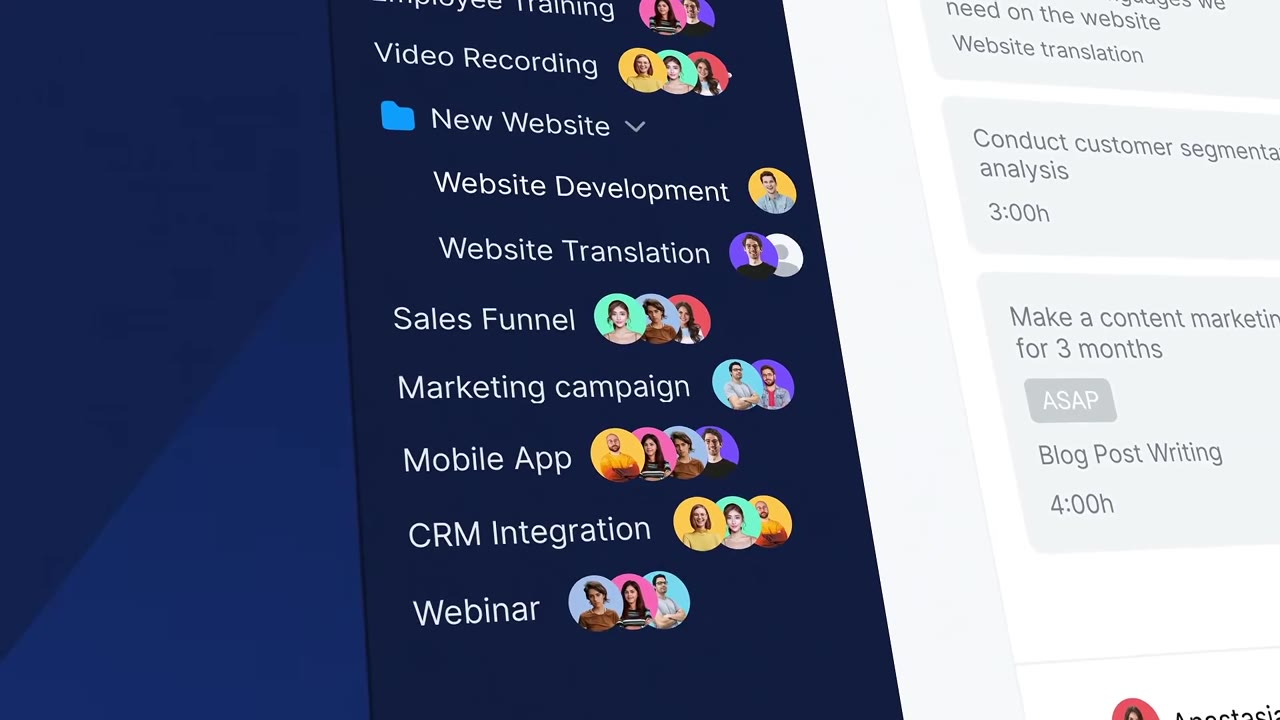
One real project, from empty list to finished plan.
From empty project to full calendar.
Every feature appears as the next step in real work.
Show each role its own screen.
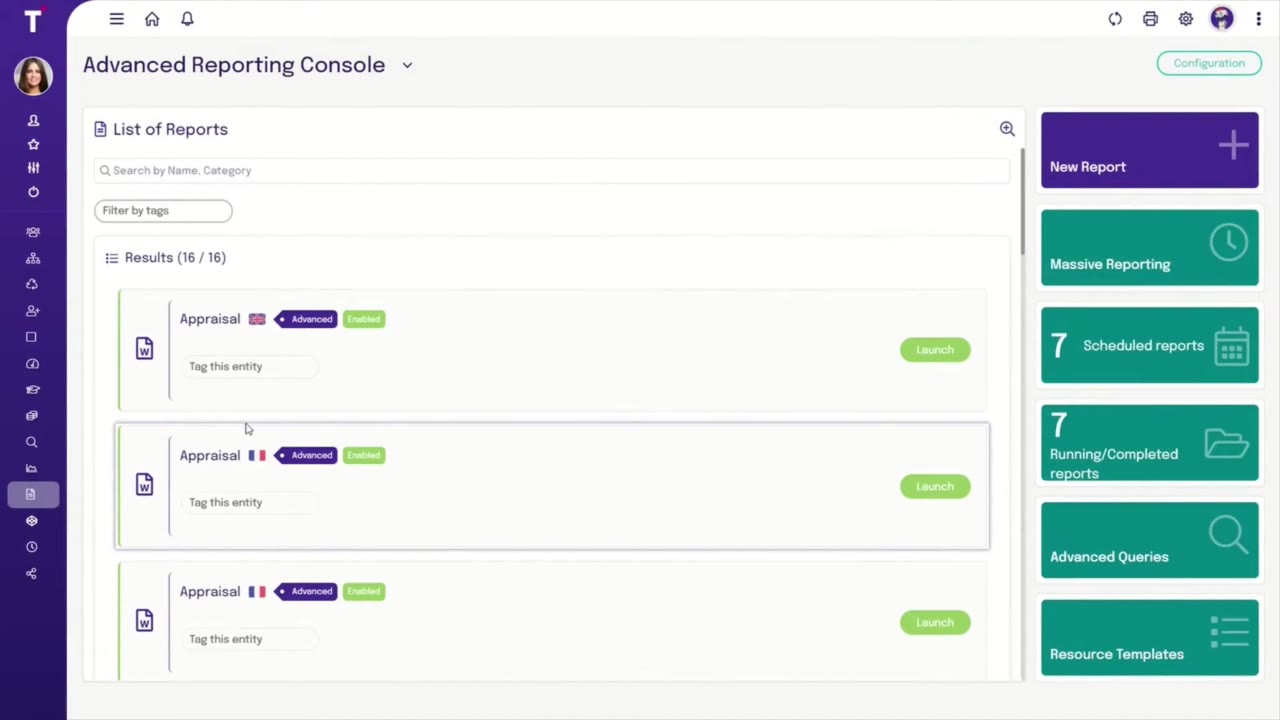
Manager and employee views, shown in the order they act.
From manager to team, on screen.
Switch seats when the work passes to the next person.
Tour every module once.
Follow one customer through each module of a suite.
One suite, one customer.
Each hand-off button in close-up as the customer moves on.

Brief to delivery: 3 to 4 weeks.
- Goal and target metric
- Staging login or Figma
- The project to follow
- Brand kit and logo
- Fixed budget upfront
- Script and storyboard sign-off
- Master walkthrough video
- Chapter cuts per module
Fixed fees from $1,000.
Per 60-second video. No hourly billing.
Flat 2D, clear on-screen text.
Motion graphics and animated UI.
A story built around one buyer.
Detailed motion design and 3D.
Animation plus live action.
Rated 5.0 by clients.
Recognized by Clutch for animation

Client stories, on video
Walkthrough video FAQ
What is a software walkthrough video?
A software walkthrough video follows one piece of real work through a product, screen by screen, so the viewer sees how the features connect. Bordio's walkthrough starts on an empty "Marketing campaign" project that reads "No completed tasks yet" and ends on a team planner holding tasks from 3 projects in one day.
How is a walkthrough different from a tutorial?
A tutorial teaches one task so a user can repeat it. A walkthrough shows how the whole product fits together, usually for a buyer or a new account deciding to commit. Talentia's walkthrough runs 2:18 through reports, a team dashboard and a shared discussion, instead of stopping at one button.
Should a walkthrough follow one user or several?
Follow one user when the product serves one role. Switch seats when the work passes between people, and show the switch on screen. Talentia's video moves from a manager, Angelo Torres, who shares a team dashboard, to an employee, Leonardo Graziosi, who finds it in the feed and replies.
How do you walk through a product suite without losing viewers?
Follow one customer, not the product list. Each module enters when that customer reaches it. Zoho's video follows one buyer from a campaign email to a bot chat, a sales call, a support ticket and a survey, and puts each hand-off button, such as "Push To CRM", in close-up.
How long should a walkthrough video be?
Long enough for one complete piece of work, and no longer. Bordio's project walkthrough runs 2:31, Zoho's suite tour 2:11 and Talentia's reporting walkthrough 2:18. Each stays on one project, one customer or one report chain, so every minute shows the next step instead of a new topic.
How much does walkthrough video production cost?
Most walkthroughs on rebuilt screens sit in the Engaging Visuals tier at Advids, a fixed fee from $1,500 to $2,000 per 60 seconds. A walkthrough cut from real screen captures with titles can fit Clean Design, from $1,000 to $1,500. Walkthroughs often run past 2 minutes, so the proposal prices the full length.