Software Feature Video Production for SaaS:one feature per video.
Feature launches, AI features, plugins and changelogs. Fixed fees from $1,000.
Every new feature, its own video.
Advids offers software feature video production with one feature per video: new-feature announcements, AI feature explainers that show the input and the output, plugin features inside the host app, and changelog videos for each release. Built on your real screens, at fixed fees from $1,000.
Get the new feature opened.
Announcements for users who already work in the product.
One project shows the feature.
Message, checklist, approval and comment, in one shared project.

Prove the AI does real work.
AI feature explainers built on one input and its output.
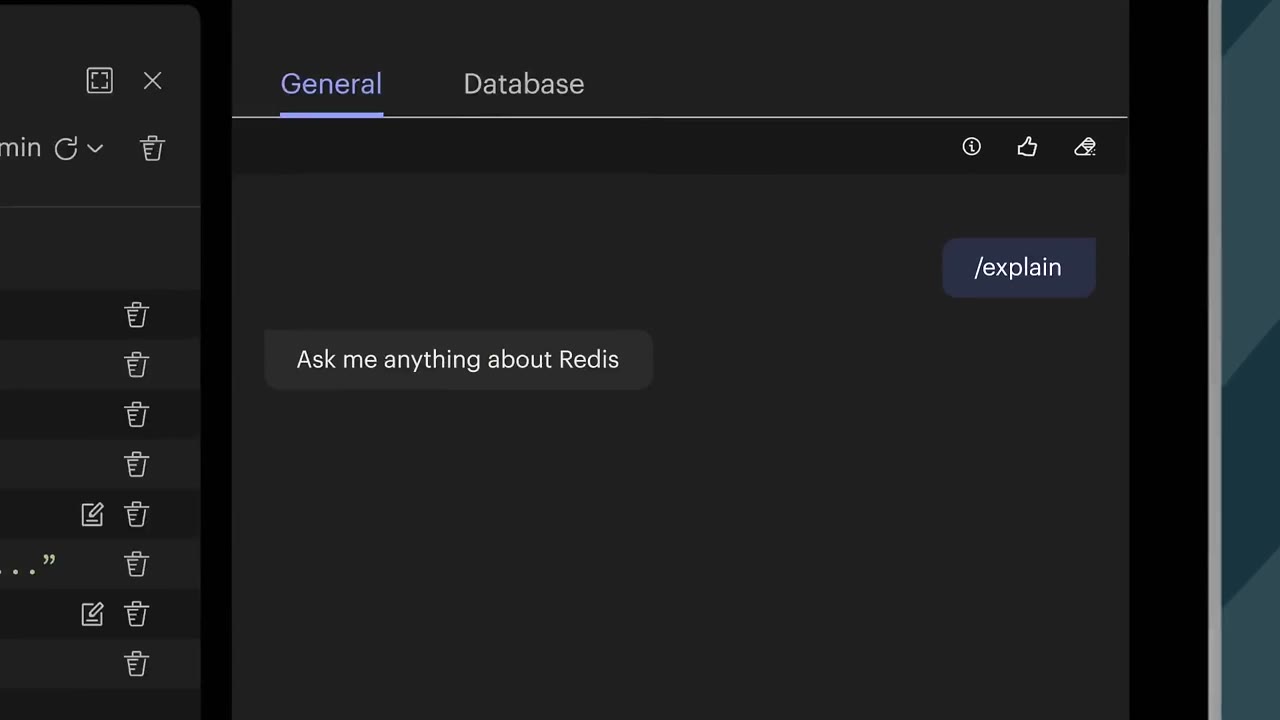
Type the question. Show the query.
A plain-English question in, runnable code out.
Show the catch, not the model.
The document goes in. The alert comes out with a button.

Meet users in their own app.
Plugin and integration features, shown inside the host tool.
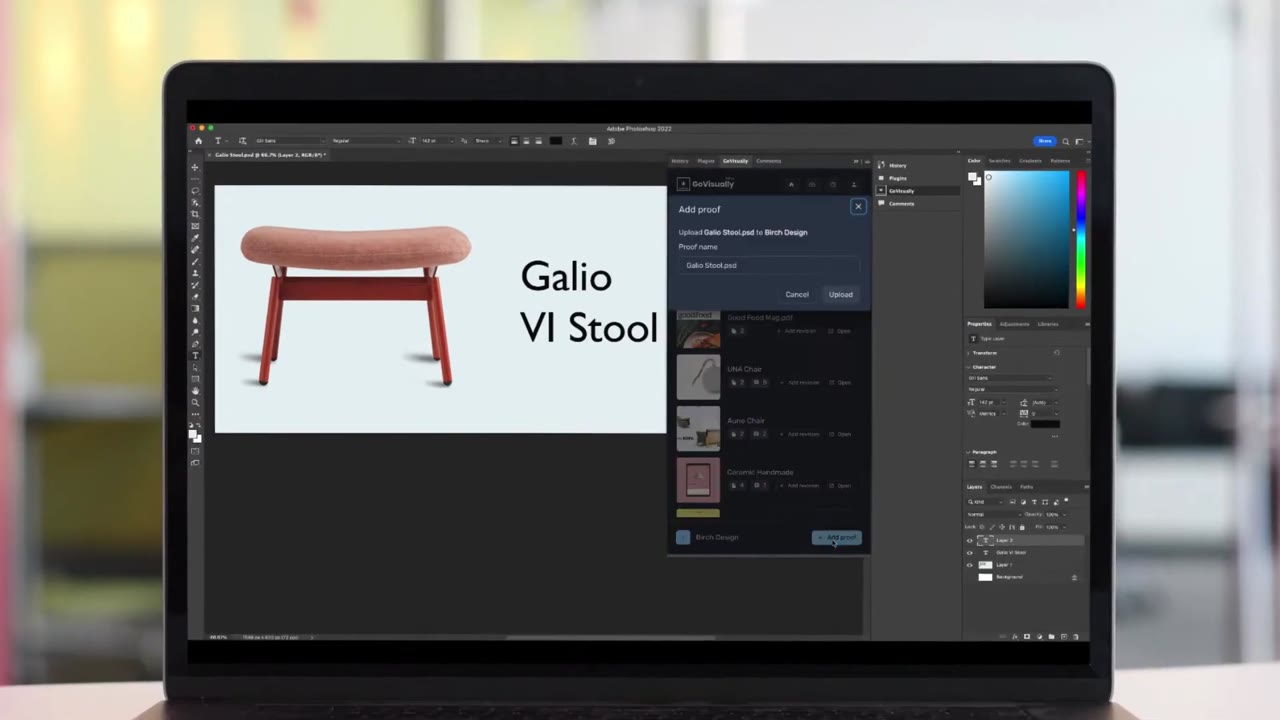
Never leave the host app.
Upload, retitle and resend a version from the docked panel.
Make each release findable.
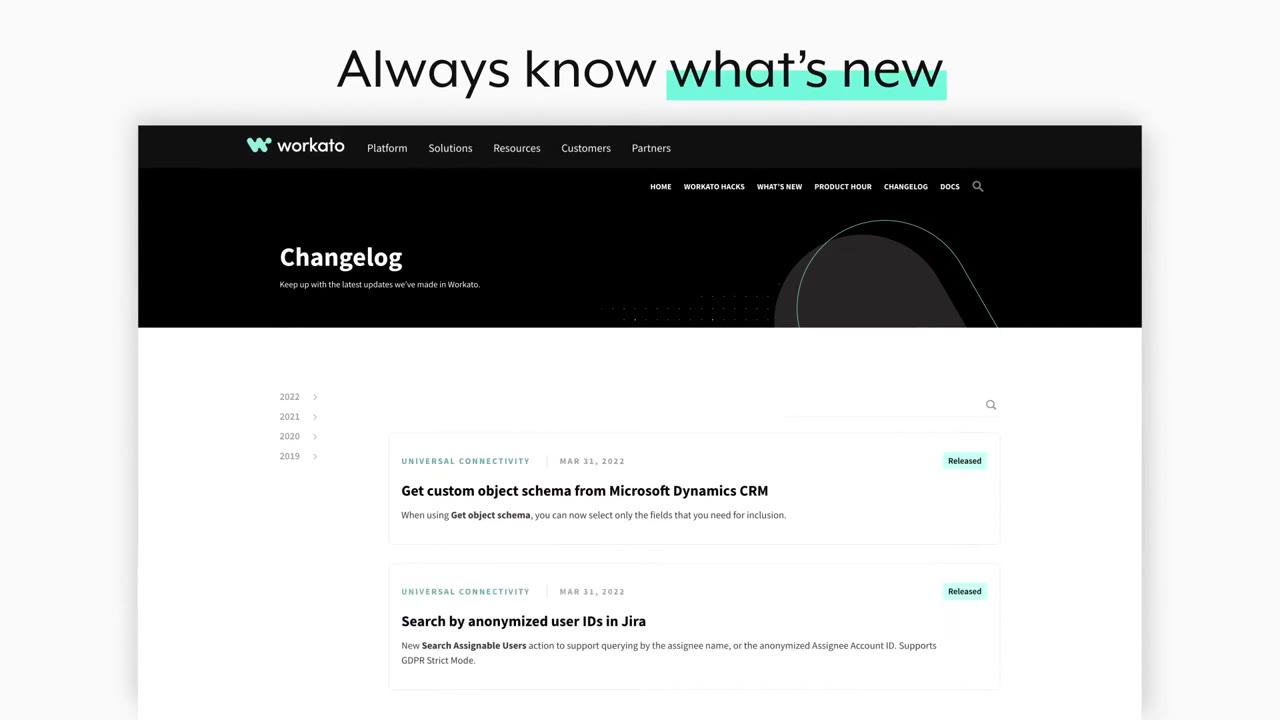
Changelog videos that teach new controls one at a time.
One control per scene.
Search, filter, then go back in time.
of video marketers say video increased user understanding.
Source: Wyzowl, State of Video Marketing 2026, 266 respondents.
Brief to delivery: 3 to 4 weeks.
- The one feature to show
- Release date and channels
- Staging login or Figma
- Brand kit and logo
- Fixed budget upfront
- Script and storyboard sign-off
- Feature video
- In-app and email cuts
Fixed fees from $1,000.
Per 60-second video. No hourly billing.
Flat 2D, clear on-screen text.
Motion graphics and animated UI.
A story built around one buyer.
Detailed motion design and 3D.
Animation plus live action.
Rated 5.0 by clients.
Recognized by Clutch for animation

Client stories, on video
Software feature video FAQ
What is a software feature video?
A software feature video shows one feature of a product doing one job, for users who already know the rest. Slack's canvas video follows one project, "Project Alpha", from a channel message to a checklist, an approval button and a comment, then finds it again through search. Nothing else in Slack appears.
How do you show an AI feature in a video?
Put a real input and its output on screen. Redis types "How many large packages grouped by urgency are being routed via OX1?" and Copilot returns a query with "Copy" and "Run". nCino drops 3 files into Banking Advisor and gets a covenant breach alert. Show what the AI hands back, not a glowing brain.
Should every software release get a feature video?
Give a video to each release that changes how users work. Workato's Changelog rebuild got 55 seconds that teach 3 controls in order: search, category tags and a year and quarter list back to 2019. Small fixes belong in the release notes. A new workflow belongs in a video.
How do you show a plugin or integration feature?
Keep the host app on screen and dock your panel inside it. GoVisually's video keeps Photoshop on screen while its panel uploads "Galio Stool.psd", then retitles the design and uploads a new version, before opening the side-by-side compare in the browser. The viewer sees they never switch tools.
How long should a software feature video be?
Under a minute for one feature. Redis runs 52 seconds, nCino 41, GoVisually 51 and Workato 55. Slack's canvas video runs 1:27 because the feature touches messages, files, comments and search. If a feature needs more than 2 minutes, it is a walkthrough, so split it by task.
How much does a software feature video cost?
At Advids, a 60-second software feature video costs a fixed fee. Product screens with kinetic text, like the Workato and Redis videos, sit in Clean Design, $1,000 to $1,500, or Engaging Visuals, $1,500 to $2,000. Tilted 3D screens and 3D type, as in nCino's, move it up a tier.