





Skip to content

Software Screencast Video Production: Visualize Product Value

Software Videos To Drive Conversion & Retention. We transform complex technical concepts into accessible visual guides that accelerate lead qualification within your sales funnel.

★★★★★ 109 Google Reviews 6000+ Videos Created 3400+ Startups & Enterprises
Social Proof

Hear our Customer's Experience

Real stories from founders and marketing leaders who partnered with Advids to bring complex ideas to life.

6000+ Videos created for 3400+ startups and enterprises

Discuss your video brief to get a video proposal & fixed budget upfront.

Create Brief

Share your vision and get a fixed-budget proposal upfront.

Create Brief

Let's Talk

Speak with a video strategist about your project goals.

Let's Talk

How It Works

See our proven end-to-end video production process.

How It Works
Client Reviews

Loved by brands worldwide

★★★★★
"Advids delivered an outstanding onboarding video. Their clear visuals simplified our complex descaling process beautifully. This brilliant collaboration ensures user confidence, extending product life and enhancing Miele's exceptional customer experience."
Klaus Schneider Head of Product Experience, Miele FashionMaster
★★★★★
"Advids delivered a truly exceptional 3D industrial animation video for FRED X. The visual clarity and innovative storytelling perfectly showcase our stent technology. We are incredibly impressed with the outcome and the team's expertise."
Emily Thompson Senior Marketing Manager Neurovascular, MicroVention FRED X Flow Diverter Stent
★★★★★
"Advids captured our vision for Visa Direct perfectly. Their explainer animation video brilliantly conveys our innovative payment solution with exceptional clarity and visual appeal. This partnership was truly outstanding."
Sarah Chen Global Head of Product Marketing Visa Direct, VISA
Why Software Screencast video

Simplify Complex Processes

  • Effective software demos break down intricate workflows into digestible steps, boosting user comprehension and confidence.
  • Visual software walkthroughs clearly demonstrate features and functionalities, making it easier for viewers to understand and adopt your software.
TurtleTree logo
TurtleTree
Hadean logo
Hadean
Logivations logo
Logivations
Private AI logo
Private AI
Verto Health logo
Verto Health
Software Screencast video
Portfolio

Checkout Video Work

Advids creators team
End-to-End

World Class Video Service

Video Research, Concept, Script & Production. We do it all.

From the first strategic brief to the final polished frame, our in-house specialists handle every stage of your Software Screencast video so your message resonates with clarity and impact.

Meet Our Creators
About Advids

Your Software Screencast video Partners

Advids is a crew of kind, thoughtful creatives specializing in software screencast video production since 2012. We are screencast specialists, software experts, UI/UX designers, motion graphic artists, voiceover artists, and video editors. We've been called a screencast video production company, a software demo video agency, a tutorial video studio, screen recording masters, and more. But above all else, we're your software screencast video production partners.

Let's get curious, dive in, and discover how Advids can create compelling software screencast videos that showcase your product's functionality and drive user engagement. Our team's deep understanding of software workflows, combined with our creative storytelling approach, ensures your screencasts are both informative and captivating.

Case Studies

Software Screencast Video Examples From Our Portfolio

01

Peplink

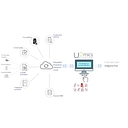
Peplink's video was created to show how enterprise hardware routes data and synchronizes with cloud-based digital control platforms. In critical network environments, SysAdmins and remote operations managers face severe business disruptions when primary satellite connections drop due to weather or physical obstructions. The cost of inaction is severe: dropped remote video conferences, halted cloud workflows, and fragmented data pipelines. Our production team focused on illustrating how Peplink prevents these network failures through multi-WAN bonding resilience, ensuring uninterrupted communication across critical operations.

We began by structuring a split-frame architectural layout that visually isolates the hardware inputs-satellite, cellular, and fiber-before mapping their convergence into a centralized router. In this multi-WAN management visual guide, we mapped the clean, high-contrast dashboard of the InControl2 interface, displaying real-time connection statuses, device lists, and performance analytics. We strategically aligned the physical hardware models, such as the B One 5G, next to digital monitoring panels to simplify complex network routing topologies. This clear layout ensures that Network Engineers immediately grasp the technical ROI of multi-source failover and active-active traffic routing.

The motion design relies on dynamic node linkages and smooth indicator transitions to demonstrate live WAN routing shifts as primary lines degrade. Integrating this motion with a high-contrast digital workspace creates an intuitive cloud platform visual run-through that prevents viewer fatigue during technical segments. By stripping away cluttered interface frames, the visual flow guides IT Directors directly through critical data metrics, maintaining a highly professional and authoritative tone. Ultimately, our team at Advids built this asset to instill confidence in Peplink's robust ecosystem, driving viewers toward proactive network modernization.

02

OpenText Content

OpenText's video was produced to isolate and spotlight a critical new software feature, ensuring immediate user comprehension. In the information management sector, knowledge workers constantly battle overwhelming document volumes and fragmented workspace data. The cost of failing to address these operational bottlenecks is severe, often resulting in manual data extraction fatigue and delayed business decisions. At Advids, our team built this visual narrative to show how adopting a workspace-embedded AI resolves these challenges before they stall productivity.

We structured the visual layout around a split-screen workspace topology to ground the abstract software capabilities in a realistic user environment. Integrating an intelligent workspace visual demo, we prioritized clean typography, structured tables, and minimalist line icons to keep the interface highly legible. We positioned the interactive chat window directly adjacent to active documents, showcasing how the software translates complex queries into concise summaries and automated email drafts. This meticulous structural layout removes cognitive friction so that corporate claims adjusters immediately grasp the productivity-boosting ROI of the platform.

The animation design employs responsive cursor tracking and dynamic text generation to simulate a live user session. This approach transforms a standard software feature breakdown video into an engaging, pace-driven demonstration. We utilized a deep blue gradient backdrop to provide a high-contrast foundation, allowing the crisp white interface elements to command attention without inducing viewer fatigue. Ultimately, the professional pacing and authoritative tone of the visual guide establish deep trust, guiding information managers toward taking decisive action.

03

Recruitee

Recruitee's video was built to visually prove the immediate temporal ROI of their automated screening pipeline. In the high-volume staffing sector, manual applicant screening often results in severe talent acquisition bottlenecks and high candidate drop-off rates. Without rapid engagement, organizations risk losing top-tier talent to more agile competitors.

Our design team anchored the visual architecture on a high-fidelity layout that bridges candidate-facing chat with recruiter-facing backend systems. This layout organizes the automated recruitment demo by illustrating how mobile chat prompts map directly into structural kanban columns. We prioritized a clean, minimal UI with spacious grid alignments to emphasize ease-of-use, so that Talent Acquisition Leads immediately grasp the operational efficiency of centralizing candidate data.

We utilized dynamic text reveals and smooth panel slides to guide the viewer's eye between the mobile conversation and the desktop candidate profile. Our motion team built this software interface demonstration with a vibrant purple brand palette that reduces cognitive load and maintains visual focus during complex data transitions. By pacing the animated sequences to match natural conversational rhythms, Advids ensured the final message leaves a professional impression that encourages recruitment teams to book a live trial.

04

Monday.com

monday.com's video was engineered to highlight the synchronization of decentralized, global teams working within their software. Operating within the enterprise work management software industry, organizations struggle when multiple teams use inconsistent tracking criteria. Without a unified system of record, managers face fragmented databases, broken automations, and severe operational bottlenecks. Implementing robust workflow standardization prevents these discrepancies, preserving administrative oversight and saving valuable operational hours.

At Advids, our design team constructed a clean, high-contrast visual layout to depict these advanced administrative settings. We anchored the opening sequence with a split-screen illustration showing the column editor interface [Key Frame 1], highlighting restricted label options alongside the main dashboard workspace. To demonstrate governance, we integrated a clear view of the user permissions dashboard [Key Frame 2] to show administrative control roles. This layout operates as a practical workflow standardization guide, presenting complex system settings clearly so that Project Managers immediately grasp the organizational value.

Our animation team utilized precise cursor navigation and step-by-step menu transitions to guide the viewer through the setup process. This feature-specific functional showcase employs smooth screen wipes and highlight overlays to direct attention exactly where setting adjustments occur. We maintained a clean, balanced minimalist aesthetic across the interface, using soft, cohesive background tones to reduce cognitive load and prevent viewer fatigue. Ultimately, the authoritative narration combined with structured UI guidance drives the final call to action, building absolute trust in the platform's ability to maintain data integrity.

05

Webflow

Webflow's video was engineered to highlight the synchronization of decentralized, global teams working within their software. Enterprise teams often face massive collaborative bottlenecks and accidental overrides when multiple contributors try to push site changes simultaneously. Without a structured system, organizations suffer from severe code conflicts and delayed launch cycles that stall digital growth. Our team at Advids structured the narrative to address these friction points, proving how collaborative publishing workflows safeguard production environments.

Our design team mapped the user interface screens directly to individual professional roles, aligning the abstract system architecture with actual everyday tasks. In this collaborative development visual preview, we highlight the interface split into custom workspace roles alongside structured page branching mechanics. We showcase the visual progression of staged edits moving safely into live production environments, explicitly showing the screens where administrative permissions are configured. This precise layout decodes the platform's multi-user control structure so that Enterprise Marketers and Front-end Developers immediately grasp the coordination value.

Transitioning between live-action presenter clips and clear workspace screencasts, our motion strategy utilizes swift interface zooms and structured focal transitions to maintain a brisk pace. Structuring this software capability guide with clean typographic hierarchies and balanced panel divisions significantly reduces cognitive load, preventing viewer fatigue during complex functional breakdowns. We paired these detailed platform demonstrations with an authoritative, professional narrative tone that reinforces the security of Webflow's enterprise workspace. The final sequence directs the audience toward a clear knowledge assessment, reinforcing the educational value and building long-term user confidence.

Transparent Pricing

How Advids pricing work for Software Screencast Videos?

Advids offers transparent, value-driven Software Screencast video pricing with fixed fees for predictable budgeting. We deliver a premium production experience with streamlined workflows, dedicated project management, creative strategy, and complete transparency with no hidden costs.

Take an example of a 60-second Software Screencast video designed to introduce a product, service, platform, or brand story. The goal: engage audiences, communicate value clearly, and drive stronger customer action.

Clean Design

$1000–1500

Simple, polished visuals with clean animation and clear messaging. Ideal for concise storytelling and effective audience engagement.

Engaging Visuals

$1500–2000

Enhanced motion graphics, dynamic transitions, and visually engaging scenes designed to increase viewer retention and brand recall.

Strategic Storytelling

$2000–3000

Combines compelling narratives, branded visuals, and data-driven messaging to create stronger emotional connection and audience trust.

Advanced Animation

$3000–4500

Features advanced animation techniques, premium motion design, and detailed visual sequences for a more immersive viewing experience.

Hybrid Approach

$4500–6000

Blends live-action footage, cinematic visuals, animation, and motion graphics to deliver a highly engaging and impactful final production.

Your Dedicated Team

What content team from Advids is assigned and their expertise?

At Advids, we dedicate a team of Software Screencast video specialists to illuminate your brand's message, blending creative storytelling with strategic marketing objectives to deliver Software Screencast videos that drive results.

Creative Director

Leads the project vision from initial concept and scriptwriting to final production, championing your brand's message through compelling storytelling and innovative visual communication.

Storyboard Artist

Visualizes the narrative flow, sketching key scenes and actions to create a dynamic blueprint, ensuring clarity and engagement for a captivating viewer experience.

Animator

Brings the storyboard to life using cutting-edge animation techniques to create visually stunning, engaging motion graphics and character animation.

Voiceover Artist

Provides the perfect voice to complement your message, conveying information clearly and engagingly while adding personality and emotion to connect with your audience.

Sound Designer

Creates a rich audio landscape that enhances emotional impact, expertly blending music, sound effects, and voiceover into an immersive auditory experience.

Video Editor

Polishes the final product, seamlessly integrating animation, voiceover, and sound design to ensure a smooth, professional result that maximizes visual appeal and engagement.

12 Years of Expertise

What experience Advids has in Software Screencast Video production?

Advids creates clear, concise software screencasts—from tutorials and feature highlights to interactive walkthroughs and training modules —improving user understanding and driving product adoption. We analyze your software and audience to optimize video impact.

Our experience spans SaaS, e-learning, FinTech, healthcare, and manufacturing. Industry-specific expertise ensures our videos resonate with your target audience.

12 years of experience creating impactful videos across various formats, from product demos to marketing materials, ensures optimal results.

We research user behavior, software functionality, and best practices to create engaging screencasts. Clear narration, intuitive visuals, and optimized length ensure maximum reach and impact, aligning with your marketing strategy. Our screencasts provide clear software tutorials for even the most complex applications. We create compelling product demo videos that showcase your software's key features. Our explainer videos make complex software concepts easy to understand. We develop effective training videos to onboard new users and improve employee proficiency.

FAQ

Frequently Asked Questions

What is the ideal screencast video length?
Ideal screencast video length is typically 1-5 minutes, keeping viewers engaged and focused.
How to highlight software UI elements?
Highlight software UI elements using clear callouts, zoom-ins, and smooth transitions to guide the viewer's focus.
How to plan a software screen capture?
Plan software screen captures by outlining key steps, features, and user interactions for a logical flow.
What are key screencast pre-production steps?
Key pre-production steps include scriptwriting, storyboarding, and identifying software features to showcase.
How to show software user interaction?
Show software user interaction through clear mouse movements, clicks, and keyboard inputs, emphasizing user actions.
How to make software features easy to grasp?
Make software features easy to grasp with clear visuals, concise explanations, and step-by-step demonstrations.
How to keep viewers engaged in software demos?
Keep viewers engaged using dynamic animations, transitions, and a clear, concise narrative, highlighting software benefits.
What is the right screencast recording pace?
Record at a deliberate pace, ensuring viewers understand each step without feeling rushed.
How to prepare before software recording?
Before recording, ensure software is set up correctly, the screen is clear, and the script is finalized.
How to make software demos accessible?
Make software demos accessible with clear visuals, concise language, and captions or subtitles when needed.
How to make software screen capture visually appealing?
Make software screen captures visually appealing using clean layouts, consistent branding, and high-quality graphics.
What are common screencast mistakes to avoid?
Avoid common mistakes like cluttered screens, unclear audio, and lack of focus on key features.
How to showcase software benefits in a screencast?
Showcase software benefits by highlighting how it solves problems, improves efficiency, and enhances user experience.
How to ensure smooth software screen recording?
Ensure smooth software screen recording using high-quality recording software, proper screen setup, and a stable system.
How to add annotations to software screen capture?
Add annotations using clear text callouts, arrows, and highlights to emphasize key points.
Software Screencast video Production

Struggling to get your message across?

An Software Screencast video can be the key. At Advids, we understand the power of clear communication and engaging visuals. We don't just create videos; we craft experiences that resonate with your audience and drive results.

  • Imagine a story that captivates your viewers from start to finish — that's what we deliver.
  • Our Software Screencast video Production process ensures your message is clear, concise, and memorable.
  • With Advids, you get a partner who is passionate about helping you achieve your goals through effective video.
Let Advids help you
Software Screencast video production illustration
Pre Production Guide

Production Process

Ready to create an amazing Software Screencast video? Before diving into script creation, we focus on pre-production — the crucial foundation for success. This detailed pre-production is crucial for your video content marketing strategy.

First, understand your audience, their needs, and what resonates with them.

Next, define clear objectives — what should your Software Screencast video achieve.

Then, identify your core message — what's the key takeaway you want to convey.

Our Software Screencast video Production process begins with a deep dive into your needs. As your Software Screencast video Production agency, we're here to guide you through every step. Effective product video production starts with a solid pre-production plan.
